Overview
The Syncfusion® .NET Word Library provides comprehensive APIs to create and modify ink annotations in Word documents. Ink annotations are freehand drawings or handwritten input composed of stroke points that convey signatures, notes, or sketches on a page. With just a few lines of code, you can add and customize ink elements without Microsoft Word or interop dependencies. The library also supports preserving these ink annotations during the conversion of .docx files to PDFs and images.
Create ink annotations using C#
This example code shows how to create ink annotations in a Word document using the Syncfusion .NET Word Library with just a few lines of code in C#.
Key features of ink annotations
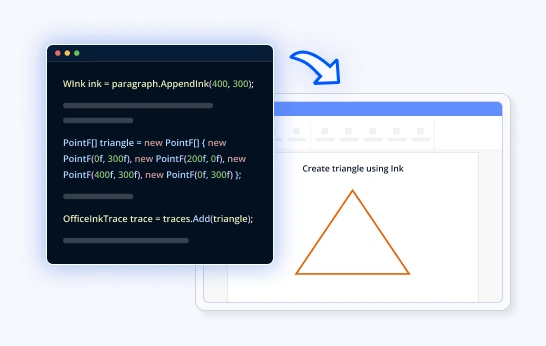
Create ink annotations with single trace
Add freehand drawings with single stroke paths to Word documents programmatically using trace points and coordinates.
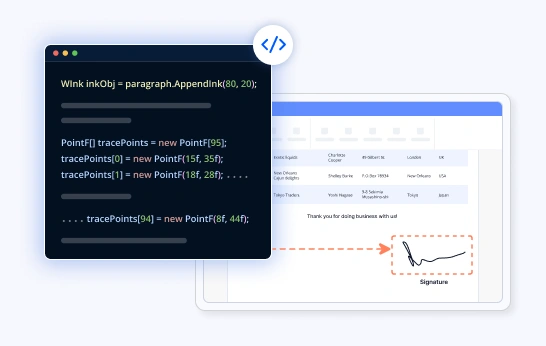
Create ink annotation with multiple traces
Create complex ink annotations with multiple strokes (traces) for handwritten text, signatures, or detailed sketches.
Key features for editing ink annotations
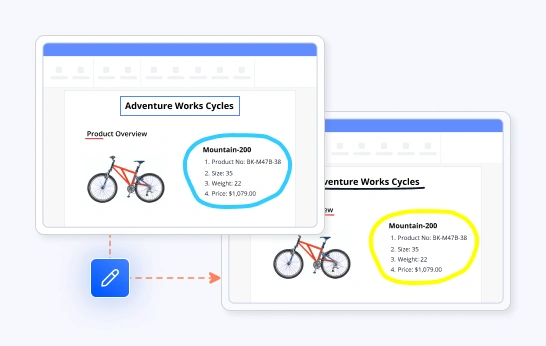
Modify ink effects
Enhance and customize ink strokes by adjusting visual effects, colors, thickness, and trace points to create more expressive, precise, or visually consistent ink annotations within your document.

Syncfusion .NET Word Library Resources
Explore these resources for comprehensive guides, knowledge base articles, insightful blogs, and ebooks.


Product Updates


Technical Support


Frequently Asked Questions
What is an ink trace?
- An ink trace is a single stroke drawn on the ink canvas.
- Each trace consists of ordered (x, y) points.
- Multiple traces = multiple strokes (like multi-stroke drawings).
- Each trace has a brush for styling:
- Ink effects
- Color (if supported)
- Stroke thickness
How are trace points calculated?
- Trace points are simply (x,y) coordinates defining the path of the stroke.
- You can:
- Define points manually (for shapes like a triangle).
- Convert from mouse or touch input. Refer to the “Create ink” demo.
Does the Word Library support editing existing ink traces?
Yes, you can modify existing ink traces by changing colors, effects, thickness, and even the coordinate points of the strokes.
How do ink width and height work?
- An ink annotation is created using the “paragraph.AppendInk(width, height)” API.
- This defines a coordinate space:
- (0,0) = top-left of ink area.
- (width, height) = bottom-right.
- All trace points must lie within this boundary.
How do I create multi-stroke ink annotations?
You can add multiple traces to a single ink object to create complex, handwritten text, signatures, or detailed drawings.
Can I convert Word documents with ink annotations to PDF?
Yes, you can convert Word documents containing ink annotations to PDF using the Syncfusion .NET Word Library (DocIO). DocIO supports converting Word documents with ink content to PDF format seamlessly.
Trusted by the world’s leading companies
Our Customers Love Us




Want to create, View, and edit Word documents in C# or VB.NET?
No credit card required.