
Overview
The Syncfusion .NET Word Library enables the creation of fillable forms with both legacy form fields and content controls in C# without relying on Microsoft Word or interop dependencies. It lets you design forms consisting of elements like plain text, rich text, pictures, checkboxes, combo boxes, and dropdown lists.
Fill a form in a Word document using C#
This sample code shows how to fill a form in a Word document using the Syncfusion .NET Word Library with just few lines of code in C#.
Key features of form filling
Legacy form fields
Create and fill out forms with legacy form fields such as text, dropdown, and checkbox fields. Then, seamlessly extract the filled data from them.
Content controls
Enhance your forms by incorporating content controls such as plain text, rich text, pictures, checkboxes, combo boxes, dropdown lists, and date pickers.
Restrict editing
Protect the content of content controls from being edited by locking their content. You can also prevent a content control from being deleted from the document.
Binding
Bind content controls to an element in a custom XML part embedded in a document.
Form-filling references
Discover resources in our knowledge base to enhance your efficiency in form filling in Word documents:
Knowledge base
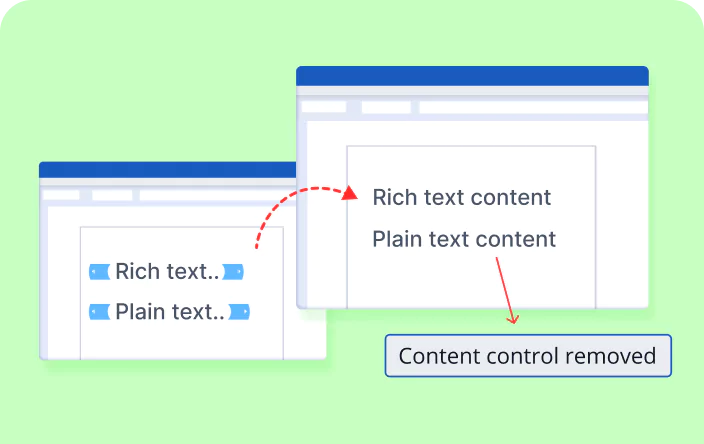
How to remove a content control without deleting content in a Word document using C#

Knowledge base
How to remove placeholder text if the meta property is empty in a Word document
Syncfusion .NET Word Library Resources
Explore these resources for comprehensive guides, knowledge base articles, insightful blogs, and ebooks.


Product Updates


Technical Support


Frequently Asked Questions
Is it necessary to iterate through each item to fill forms designed with content controls?
No, you can identify the content controls based on their title or tag using the find functionality in the .NET Word Library.
Can I customize the properties of content controls in a Word document?
Yes, you can customize the properties of content controls in a Word document using the .NET Word Library.
Can I restrict content control editing to prevent deletion or modification?
Yes, you can lock content controls to restrict editing or deletion.
Which is preferable for creating forms: legacy form fields or content controls?
It’s preferable to use content controls to design forms.
Can legacy form fields be exported as editable PDF fields during Word-to-PDF conversion?
Yes, the .NET Word Library enables exporting legacy form fields as editable elements in a PDF when converting a Word file to a PDF.
How can I integrate the form-filling functionality into my application?
You can access it through the Syncfusion.DocIO.Net.Core NuGet package. Detailed code samples and tutorial video are available in the documentation.
Trusted by the world’s leading companies
Our Customers Love Us




Want to create, View, and edit Word documents in C# or VB.NET?
No credit card required.