Try Our Live Demo
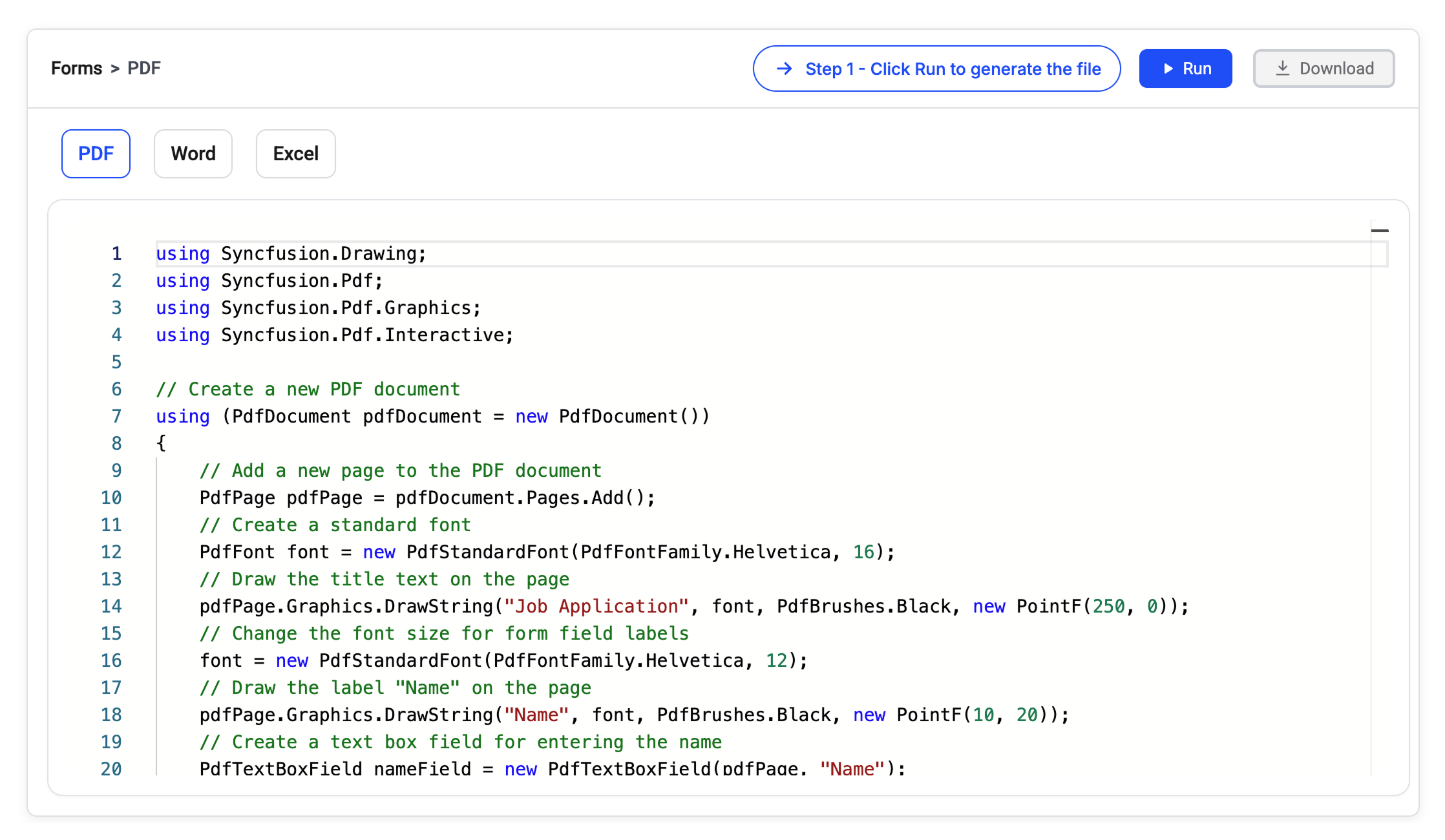
Create, fill, and extract form data
Simplify form-based workflows by automating data collection, validation, and integration across business applications to improve data accuracy and reduce manual effort.
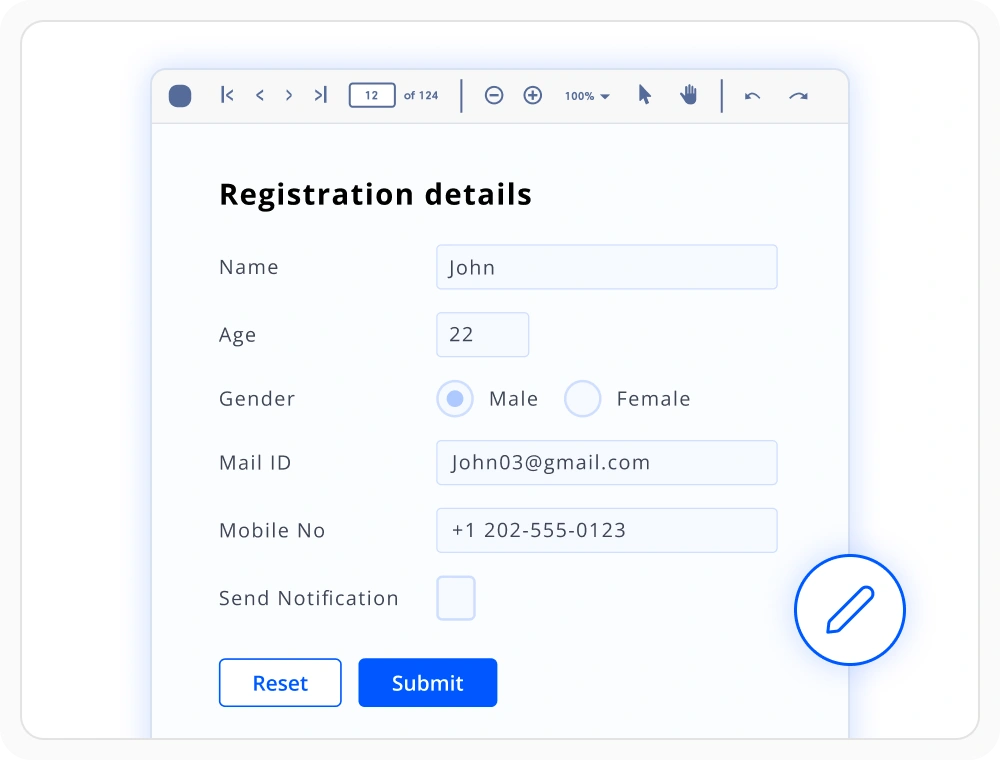
Create interactive PDF forms
Create fillable PDF forms with text fields, check boxes, drop-down lists, and other supported form controls. Use this feature to collect structured data through standardized digital forms.
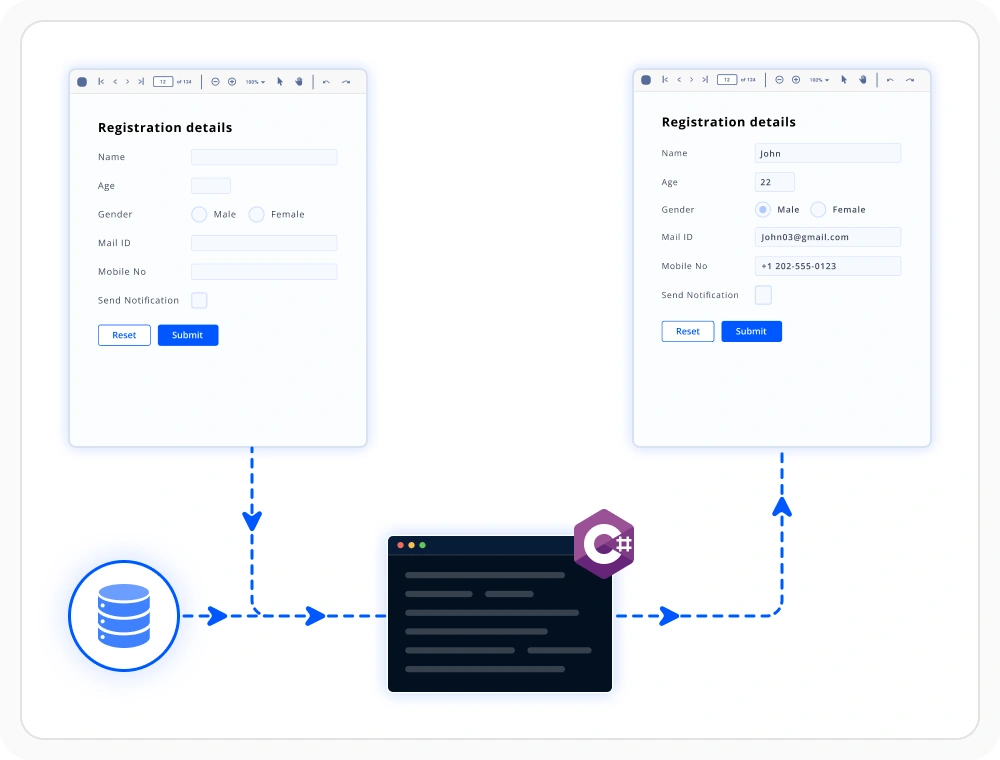
Populate forms with data
Automatically fill PDF, Word, and Excel forms using data from databases, APIs, CRM platforms, and other business applications. Use this feature to generate accurate prefilled documents.
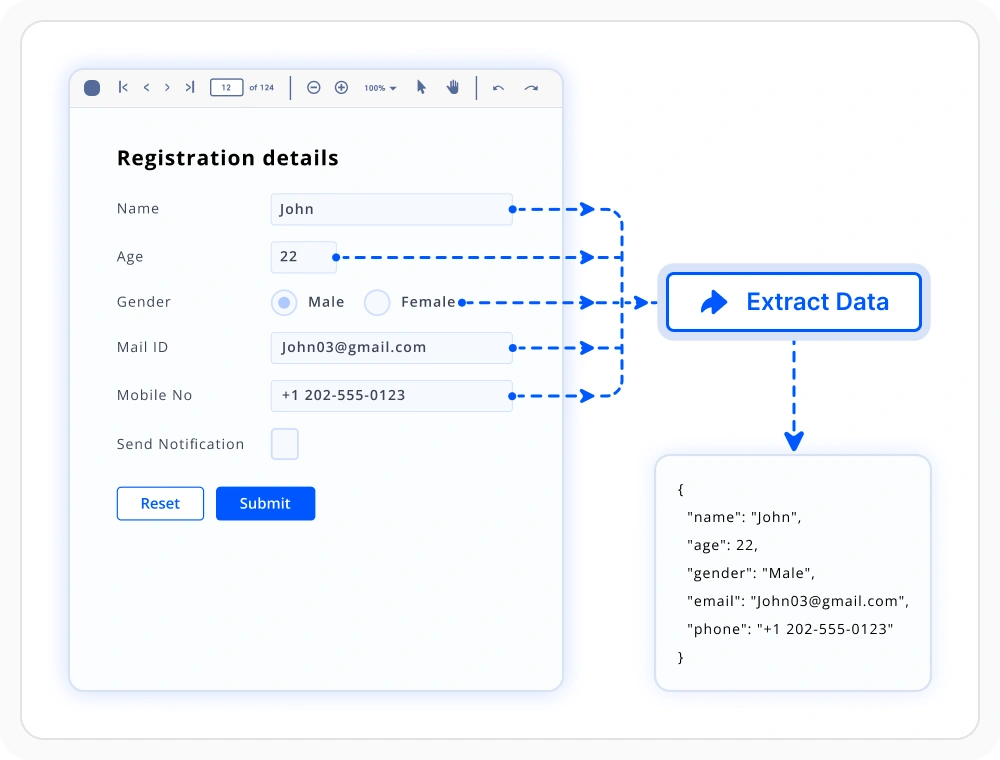
Extract data from submitted forms
Extract form field values from PDF, Word, and Excel forms and use that extracted data in databases, business applications, and automated workflows. Use this feature when form data must be validated, stored, or integrated into business systems.
Form processing libraries
Choose the right document library
Select the library that matches your application’s document format and processing needs. Use PDF, Word, or Excel independently for focused requirements, or combine multiple libraries to build complete document solutions.
PDF library
Create, fill, extract, validate, and manage PDF forms programmatically. Use it when applications require form-driven workflows and collect structured data digitally.
Framework: .NET · Flutter · JavaScript
Word library
Create editable document templates with form fields and content controls to support guided data entry and standardized business document workflows across organizations.
Frequently Asked Questions
Can the .NET Document SDK create forms without Microsoft Office or Adobe Acrobat?
Yes. The Document SDK works directly with PDF, Word, and Excel formats using managed .NET libraries. Form creation, population, extraction, and validation run entirely in application code without requiring Microsoft Office or Adobe Acrobat to be installed on the server.
What types of form fields can I create with the Document SDK?
Document SDK supports interactive form fields in PDF, Word, and Excel documents. Create text boxes, check boxes, drop-downs, radio buttons, signature fields, and other controls for efficient data collection and validation.
Can I automate Document SDK form workflows in .NET applications?
Yes. You can automatically create, fill, extract, and process PDF, Word, and Excel forms as part of document workflows, business applications, and backend services using the supported APIs.
Can the .NET Document SDK prefill existing forms with data from a business system?
Yes. Existing PDF, Word, and Excel forms can be loaded and populated programmatically. Field values can originate from CRM, ERP, SaaS, database, or API sources, making outbound document workflows such as prefilled applications, policy documents, and account-opening forms repeatable and reliable.
Can I convert Word form fields into editable PDF form fields during Word-to-PDF conversion?
Yes. The Document SDK can preserve Word form fields as editable PDF form fields during Word-to-PDF conversion. This allows you to create forms in Word and generate fillable PDF documents while retaining interactive form fields for data entry.
Does Document SDK form processing work on Linux, Docker, and cloud environments?
Yes. Document SDK form processing runs across Windows, Linux, and macOS environments. It supports Docker and major cloud platforms without requiring desktop software installation.
Resources
Learn more about our Document SDK
Explore demos, KB articles, and documentation to get the most out of our Document SDK.
Explore guides, APIs, and quick-start tips
See live use cases in action
Ask, share, and connect with peers
Find solutions and best practices fast
Get expert help when you need it
Feature requests and bug reports
Track issues and suggest improvements
Awards
Greatness—it’s one thing to say you have it, but it means more when others recognize it. Syncfusion® is proud to hold the following industry awards.









