Try Our Live Demo
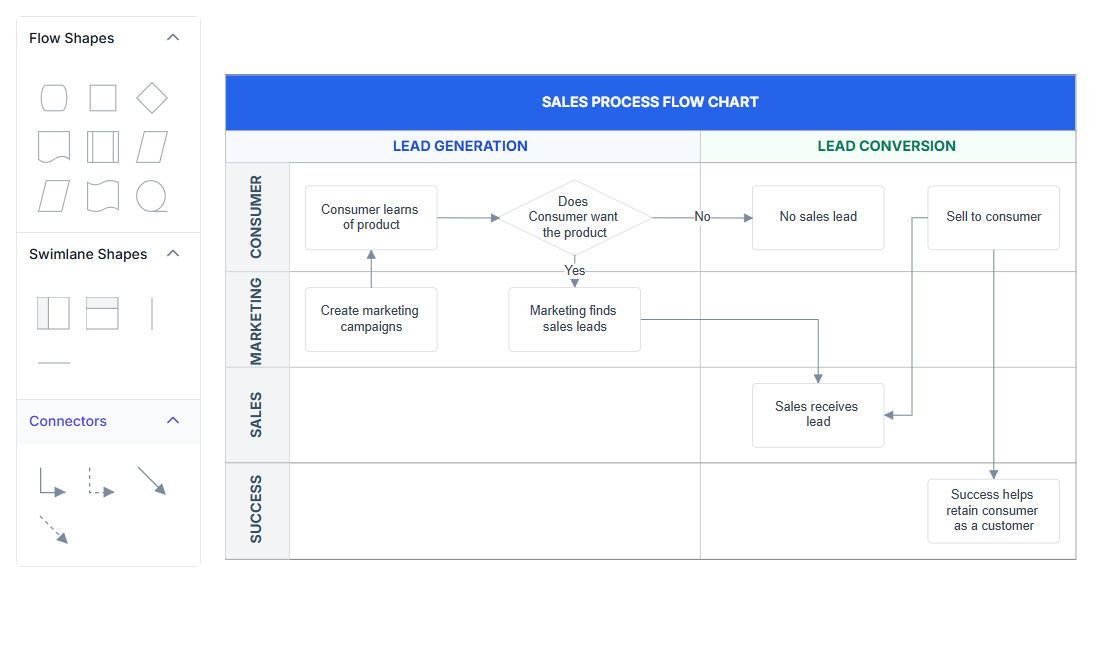
Why swimlane diagrams matter
A process description that leaves out who’s responsible for each step only tells half the story. A swimlane diagram tells both halves at once.
Responsibility, visible at a glance
Each lane makes it immediately obvious which department or role owns a given step.
Time and responsibility in one view
Phases cut across every lane at once, so a stage of the process and who owns it are both visible together.
One shape, not a manual grid
Lanes and phases come from a single built-in shape instead of being assembled from individual rectangles and lines.
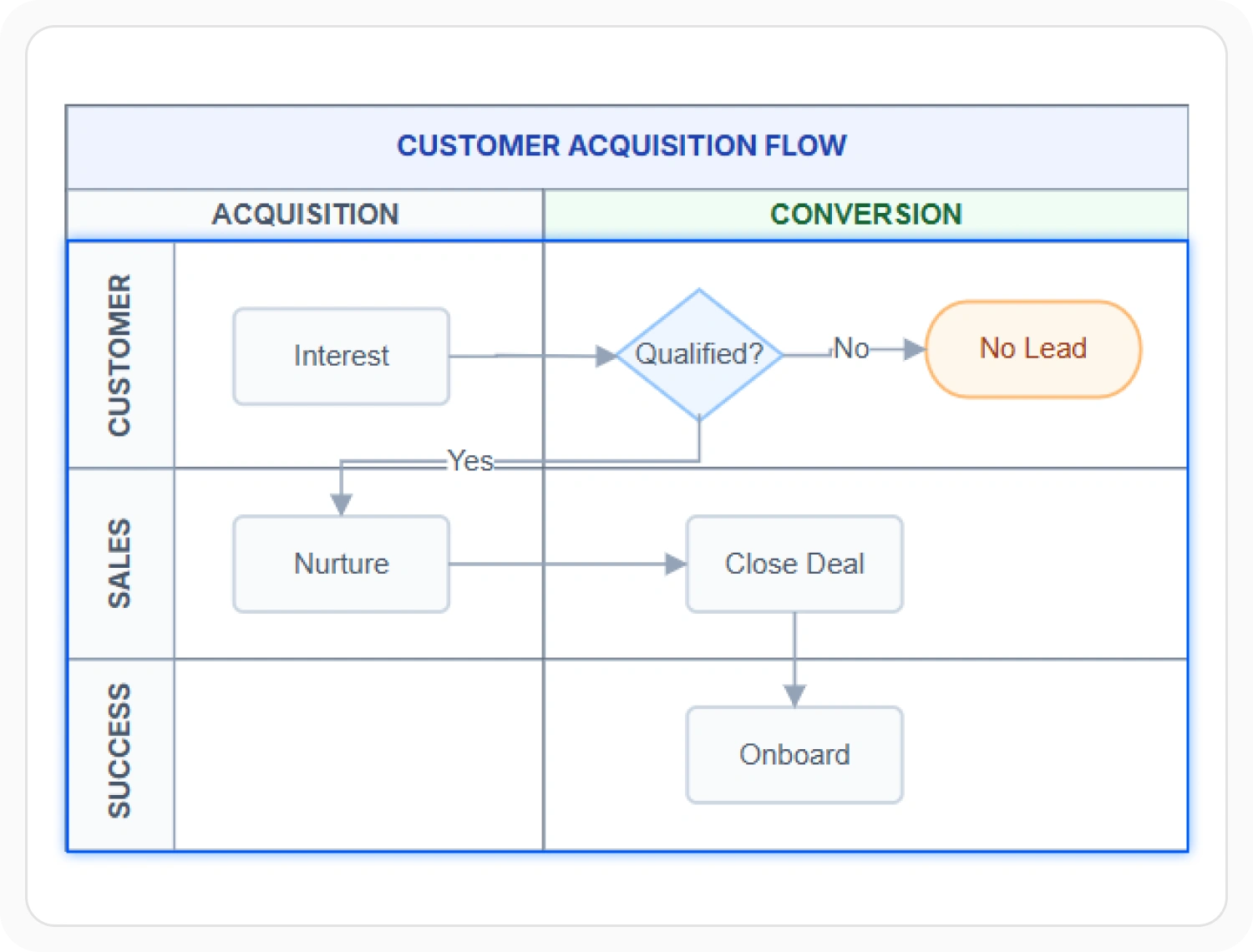
Lanes represent who’s responsible
Each lane in a swimlane diagram represents a functional unit, department, or role, and holds the steps that unit is responsible for. Use lanes when a process needs to show ownership of each step alongside the flow itself.
- Provide lanes that stack automatically inside the swimlane in the order they’re added
- Support minimum and maximum width or height constraints to control how far a lane can be resized
- Enable orientation to determine whether lanes run horizontally or vertically, with horizontal as the default
- Ensure steps placed inside a lane move, resize, and stay contained by that lane like any other child node
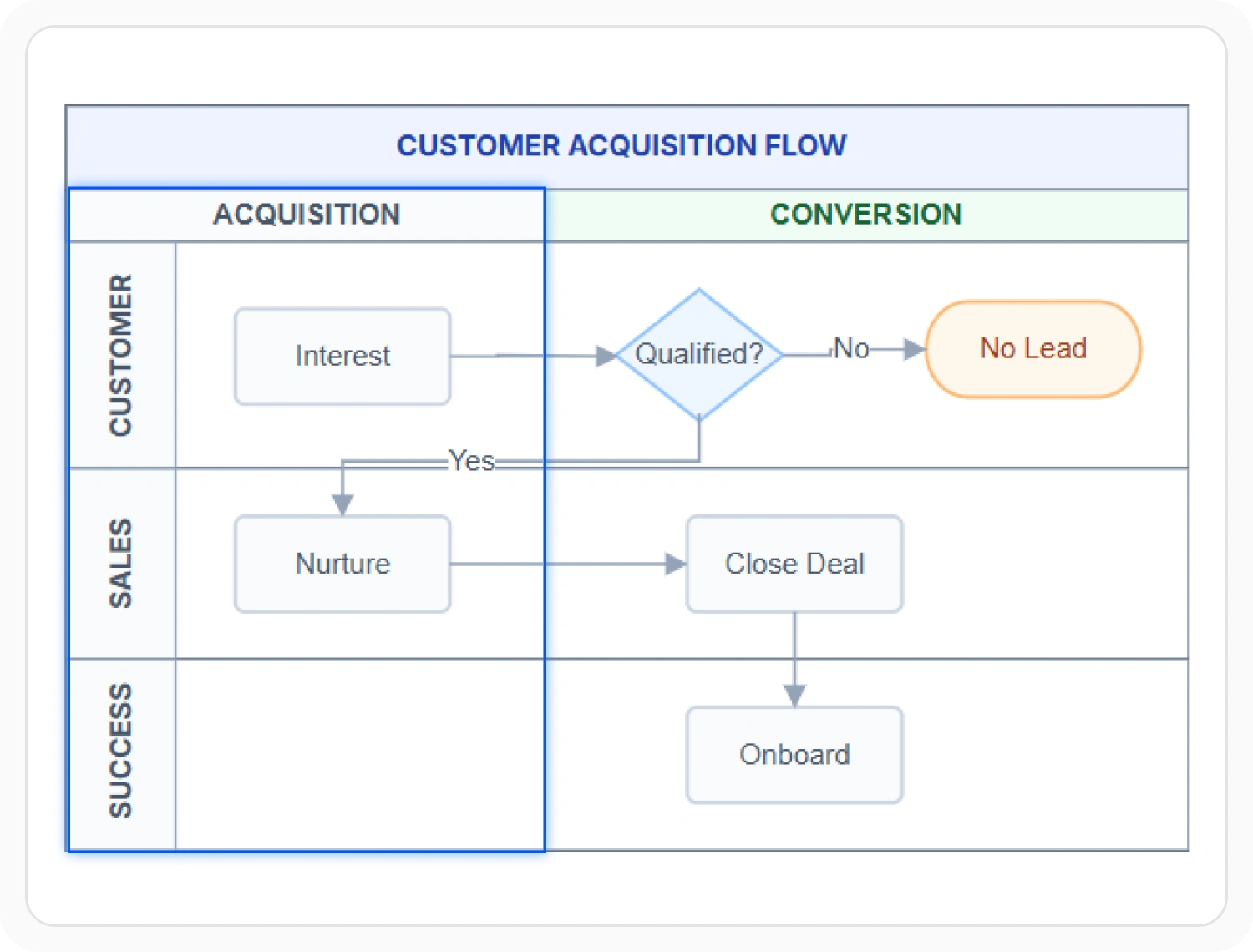
Phases mark stages over time
A phase splits every lane at the same point, marking a stage or milestone that cuts across all the responsibilities in the diagram. Use phases when a process needs to be divided into time-based stages visible across every lane at once.
- Provide a phase that runs horizontally or vertically depending on the swimlane’s own orientation
- Support multiple phases to divide a process into several stages
- Enable phases to be added or removed at runtime as the process changes
- Ensure phase line style remains consistent across swimlanes on supported platforms
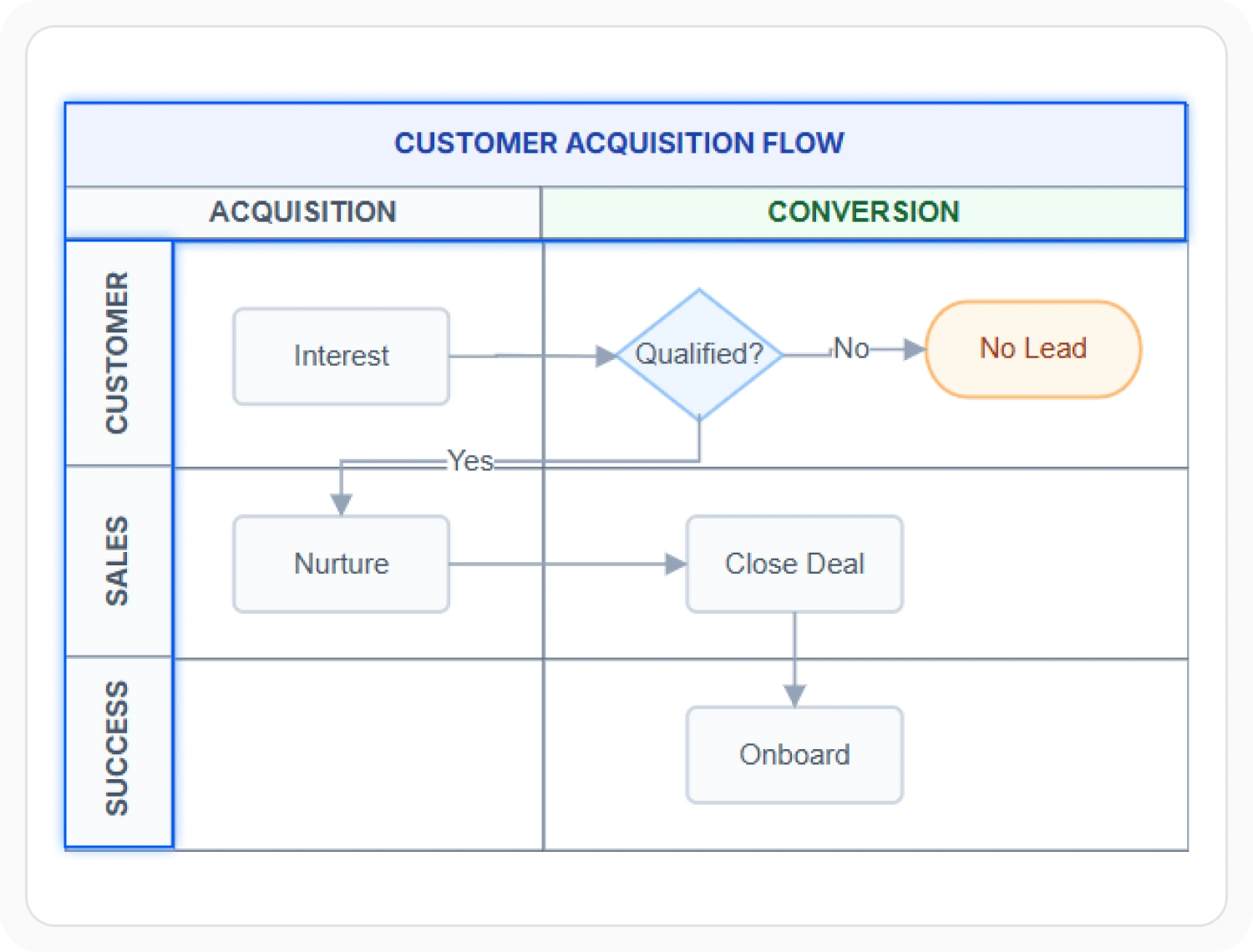
Header for the whole process
A header sits above or beside the swimlane and gives the overall process a name, separate from any individual lane’s own label. Use a header when the swimlane needs a single title that describes the process as a whole.
- Provide a header with customizable text, size, and appearance independently of the lanes
- Support individual lane headers so each lane can carry its own descriptive label
- Deliver the swimlane header as the primary element used to select and drag the whole swimlane
- Ensure header customization remains consistent across supported web and desktop platforms
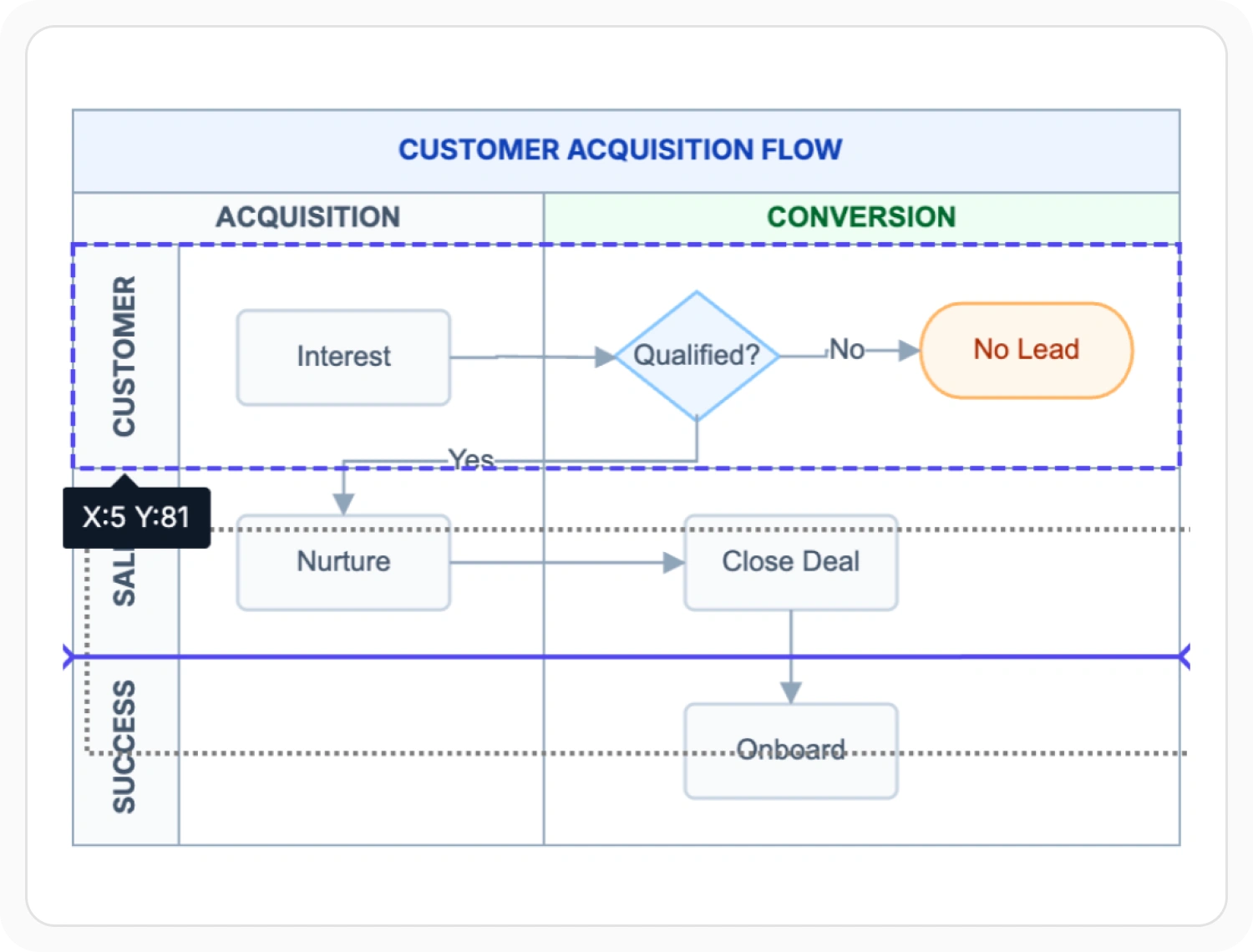
Resizing and rearranging lanes interactively
A lane isn’t fixed in place once it’s created. It can be resized, and its position relative to other lanes can change. Use interactive resizing and swapping when a process layout needs to be adjusted after initial creation without reconfiguring code.
- Support resizing a lane from its bottom and right edges, with the swimlane adjusting to fit
- Enable dragging a lane over another lane to swap their positions
- Allow child nodes to be dragged from one lane into another, or between a lane and the rest of the diagram
- Provide an option to disable lane swapping where a fixed lane order is required
Building from a symbol palette
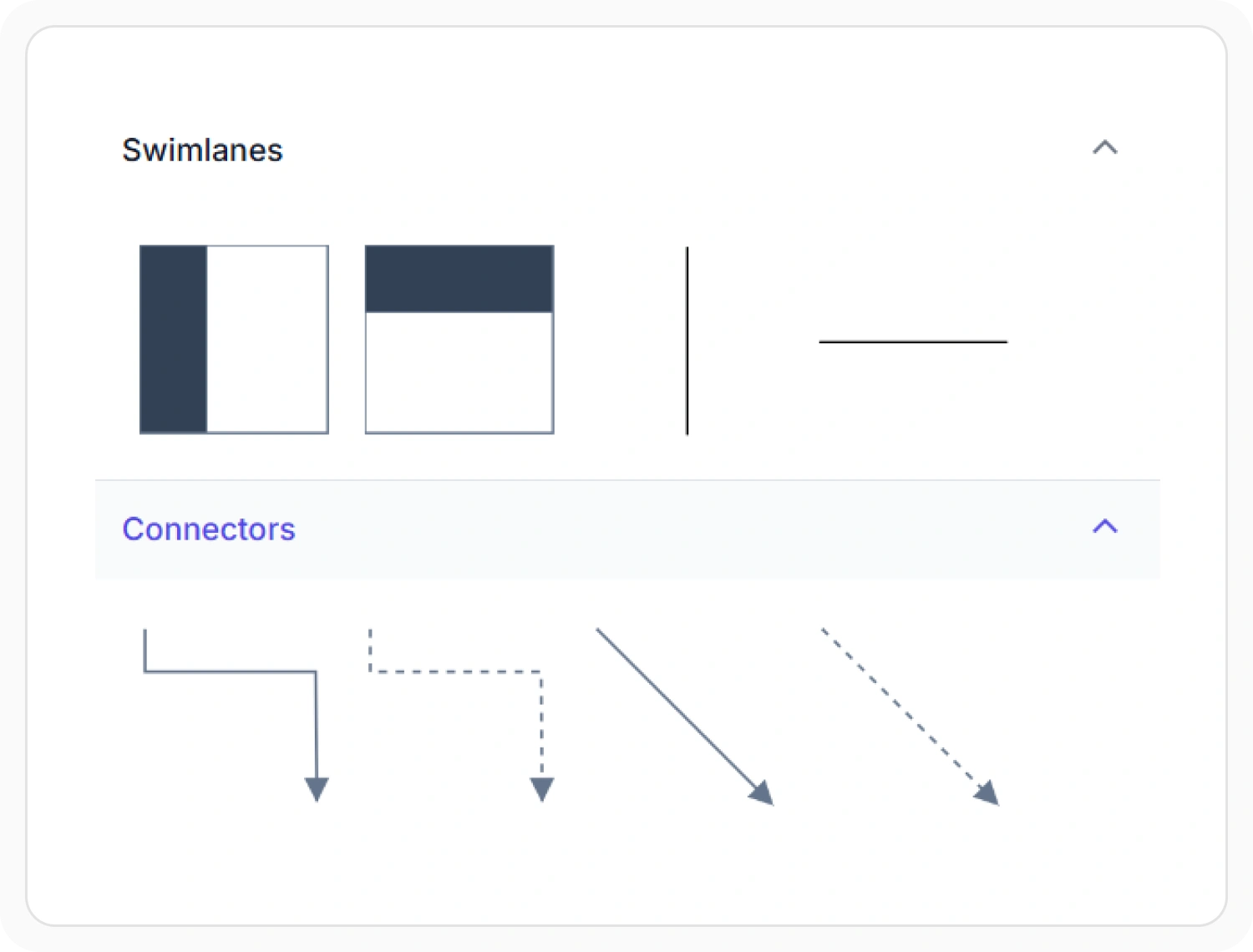
Swimlane, lane, and phase shapes can be added from a symbol palette instead of being configured in code. Use the symbol palette when swimlane structures need to be assembled through drag-and-drop rather than programmatic configuration.
- Support dropping a lane onto an existing swimlane of the same orientation to add it to that swimlane
- Provide automatic creation of a new swimlane when a lane is dropped where no matching swimlane exists
- Ensure a phase can only be dropped onto a swimlane with a matching orientation
- Enable general symbol palette configuration as covered in Symbol Palette
PLATFORM SUPPORT
Swimlane support by platform
Swimlane, lane, and phase shapes are available on most Diagram SDK platforms, but interactive resizing and palette support are not confirmed as equally complete everywhere. JavaScript, Angular, React, Vue, ASP.NET Core, ASP.NET MVC, and Blazor share a common swimlane model, while WPF and UWP expose the same structure through their own view-model classes.
| Capability | JavaScript frameworks | ASP.NET Core and MVC | Blazor | WPF | UWP | Windows Forms |
|---|---|---|---|---|---|---|
| Swimlane with lanes and phases | ||||||
| Interactive lane resize and swap | ||||||
| Shapes available from a symbol palette |
Frequently Asked Questions
What’s the difference between a lane and a phase?
A lane represents who’s responsible for a step, such as a department or role, and runs the full length of the swimlane. A phase cuts across every lane at once, marking a shared stage or milestone in the process rather than a responsibility.
How is a swimlane diagram different from a BPMN pool?
They use the same underlying swimlane structure. A BPMN process that needs to show multiple participants uses this swimlane shape for its pools and lanes rather than a separate BPMN-specific shape; see BPMN Diagrams.
Can two lanes be reordered after they’re created?
Yes, where lane swapping is supported. Dragging one lane over another swaps their positions, and this behavior can be disabled where a fixed lane order is required.
Can a phase’s line style be customized to match the rest of the diagram?
No. A phase’s line style is fixed and can’t be customized, unlike most other visual properties in a swimlane.
Can a swimlane be arranged vertically instead of horizontally?
Yes. Orientation determines whether lanes run horizontally or vertically, with horizontal as the default. A phase’s own direction follows the swimlane’s orientation.
Can lanes or phases be added or removed after the diagram is created?
Yes, on platforms where runtime lane and phase management is supported. Lanes and phases can be added to or removed from an existing swimlane as the process changes.
Can a swimlane be built by dragging shapes instead of writing code?
Yes, where symbol palette support for swimlane shapes is available. See Symbol Palette for how palette drag-and-drop works in general.
Is swimlane support identical across every platform?
No. The core swimlane structure is broadly available, but interactive lane resizing and symbol palette support are not confirmed as equally complete on every platform, as shown in the table above.
Resources
Learn more about our Diagram SDK
Explore demos, documentation, and support resources to get the most out of the Syncfusion Diagram SDK.
Review shared concepts and supported platforms
See lanes, phases, and headers in action
Ask, share, and connect with peers
Find solutions and best practices fast
Get expert help when needed
Feature requests and bug reports
Track issues and suggest improvements
Awards
Greatness—it’s one thing to say you have it, but it means more when others recognize it. Syncfusion® is proud to hold the following industry awards.









