
 Rajendran R
TL;DR: Blazor 2025 Volume 4 introduces .NET 10 support, enhanced UI components, and optimized performance for DataGrid, TreeGrid, and other controls, boosting developer productivity.
The Essential Studio® 2025 Volume 4 release of Syncfusion Blazor is all about performance, developer productivity, and platform alignment. This update brings:
- Full .NET 10 support for seamless integration with the latest ASP.NET Core runtime and language features.
- Chat UI graduated to production-ready for building modern conversational interfaces.
- New Block Editor (Preview) for structured content creation.
- Targeted enhancements across Charts, DataGrid, TreeGrid, Diagram, File Manager, Gantt Chart, Rich Text Editor, and Scheduler.
If you build data‑heavy, interactive, or real‑time applications, these updates reduce friction and help you ship reliable experiences faster.
Why this release matters
This release delivers significant enhancements that empower developers to build faster, richer, and more collaborative applications with less effort.
- Alignment with .NET 10 and ASP.NET Core features.
- Measurable performance gains in DataGrid and TreeGrid.
- Richer charts and templating without custom code.
- Improved Rich Text Editor usability.
- AI AssistView for streamlined prompt composition.
- Collaborative Diagram editing with real-time SignalR sync.
- Better developer ergonomics through templates, events, and predictable APIs.
General update
.NET 10 support
All Syncfusion Blazor components now support .NET 10 for development, build, and runtime.
New Component
Block Editor (preview)
For this release, we have introduced a new Block Editor component that offers a modern, block‑based authoring experience for creating structured content. It supports multiple block types, slash commands, rich text formatting, inline content, undo/redo, and extensibility through events.
Key features include:
- Multiple block types: Headings, paragraphs, lists, checklists, quotes, callouts, dividers, tables, images, and toggle blocks.
- Slash commands: Quickly insert and switch between blocks using intuitive slash commands.
- Rich text and inline content: Apply formatting and embed inline elements with ease.
- Undo/redo and extensibility: Built-in undo and redo support with event-driven extensibility for customization.
Easily get started with the Blazor Block Editor using a few simple lines of C# code, as shown below.
<SfBlockEditor><SfBlockEditor>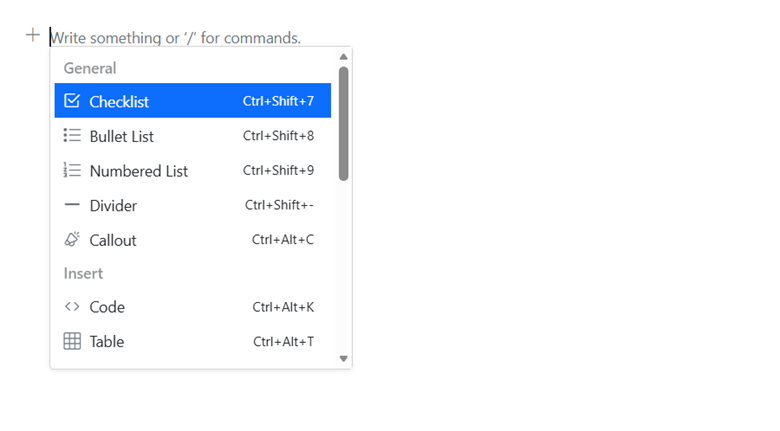
Note: For hands-on experience, refer to the demo, documentation, and API reference.
Production‑ready Component
Chat UI
The Chat UI component is now production‑ready. It provides a responsive chat interface with real‑time messaging and a customizable design. The new File Attachments feature enables users to upload and send files, with inline image previews and secure downloads. For more details, explore the demo.
Other key enhancements
Here’s a closer look at the major enhancements across components.
DataGrid enhancements
This release brings performance and layout improvements to the Blazor DataGrid.
Performance improvements
The Blazor DataGrid is optimized for faster initial rendering and grouping with virtualization.
- Initial rendering: Approximately 22.9% reduction.
- Grouping: Approximately 98.0% reduction.
- Grouping (expand all): Approximately 97.4% reduction.
Row and column span
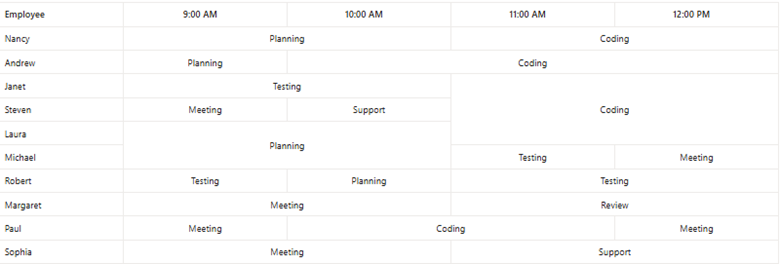
Merge adjacent identical cells vertically, horizontally, or both to improve readability. View the demo for a detailed walkthrough.
Here’s a preview of the feature in Data Grid.
TreeGrid improvements
The Blazor TreeGrid has been updated with several powerful features and improvements. Let’s take a closer look:
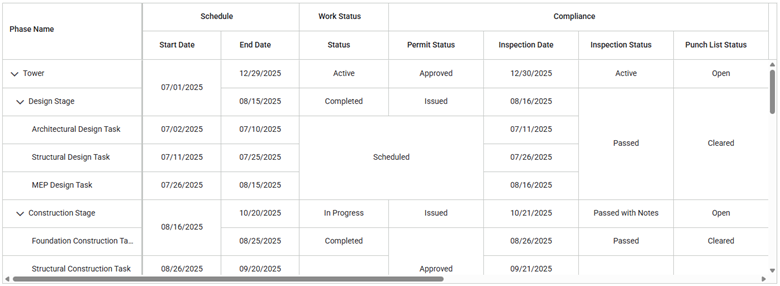
Row and column spanning
Cell merging is identical to DataGrid for hierarchical datasets.
Custom sorting and custom aggregates
This feature provides custom comparison logic and tailored summaries. Refer to the demos of custom sorting and custom aggregate for additional insights.
Remote data with virtualization
Load‑on‑demand virtualization with remote data binding. Discover more in the demo.
Column chooser template and stacked header
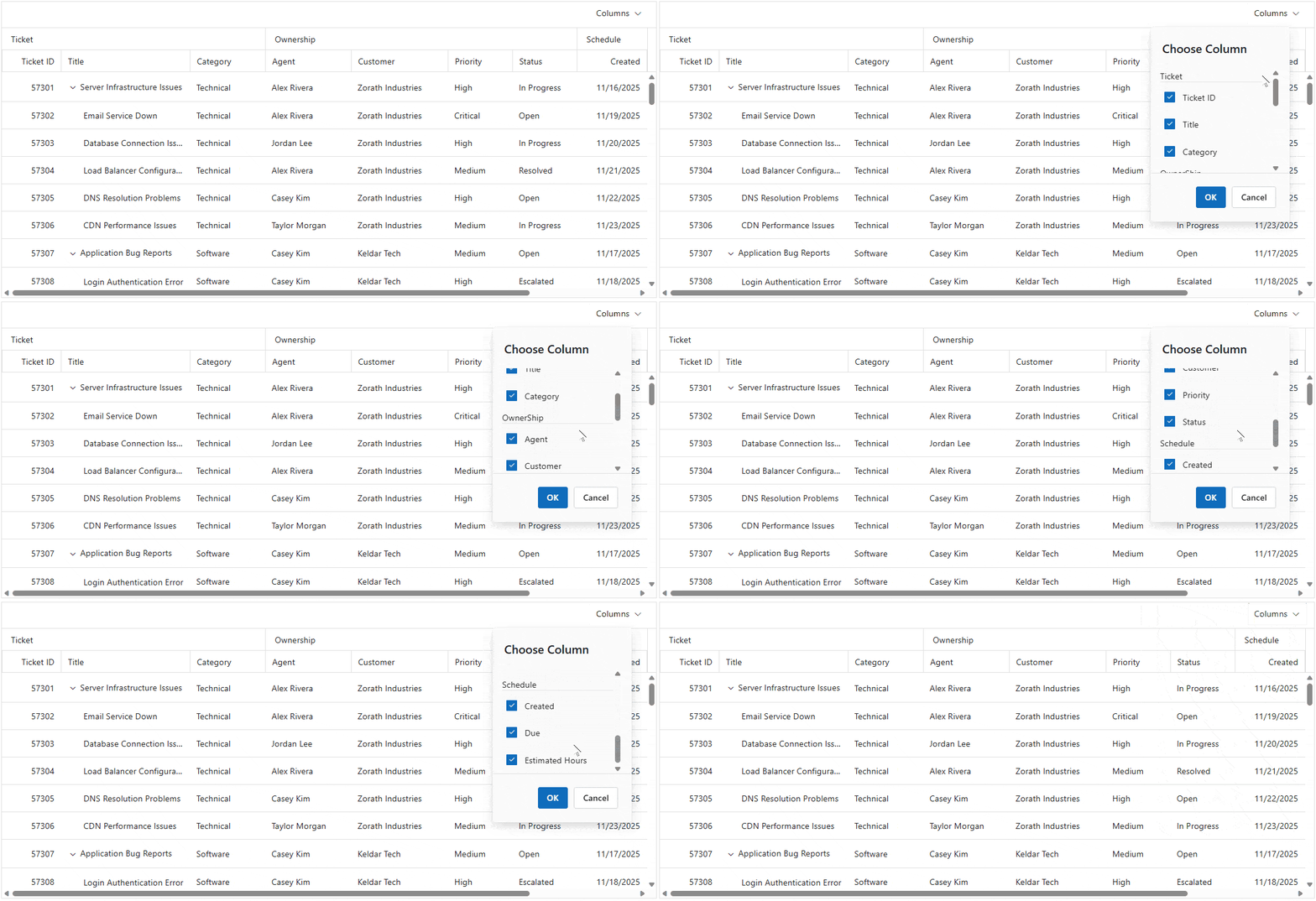
Customize the column chooser layout and use stacked headers in the same sample. Find out more in the live demo.
Here’s a quick demo of the feature in action.
Rich Text Editor enhancements
The Blazor Rich Text Editor now features additional enhancements for a smoother and more intuitive editing experience.
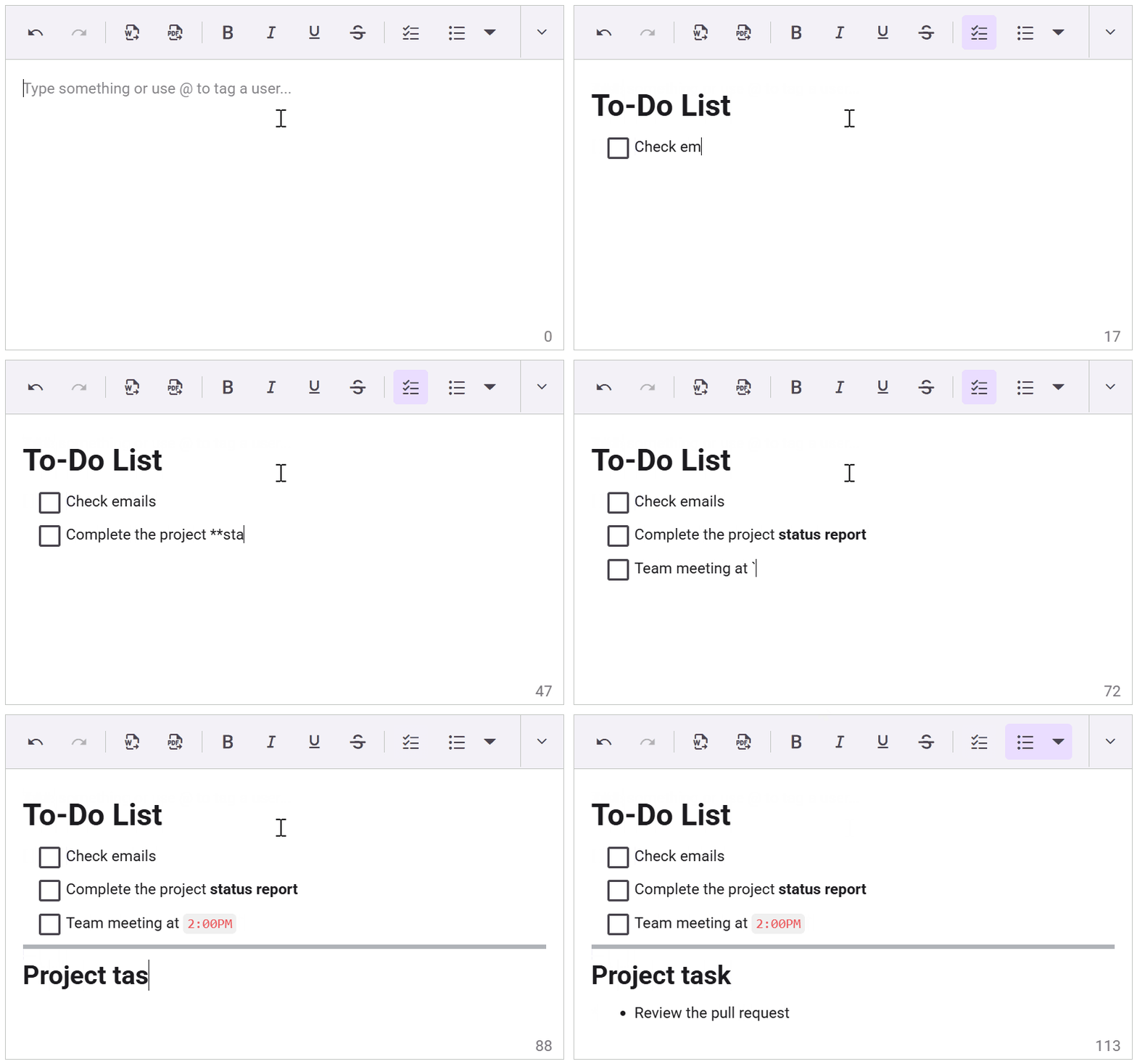
Markdown auto‑formatting
Inline and block markdown are auto‑formatted as you type. Learn more by exploring the demo. Here’s a quick demo of the feature in action.
Line height and checklist
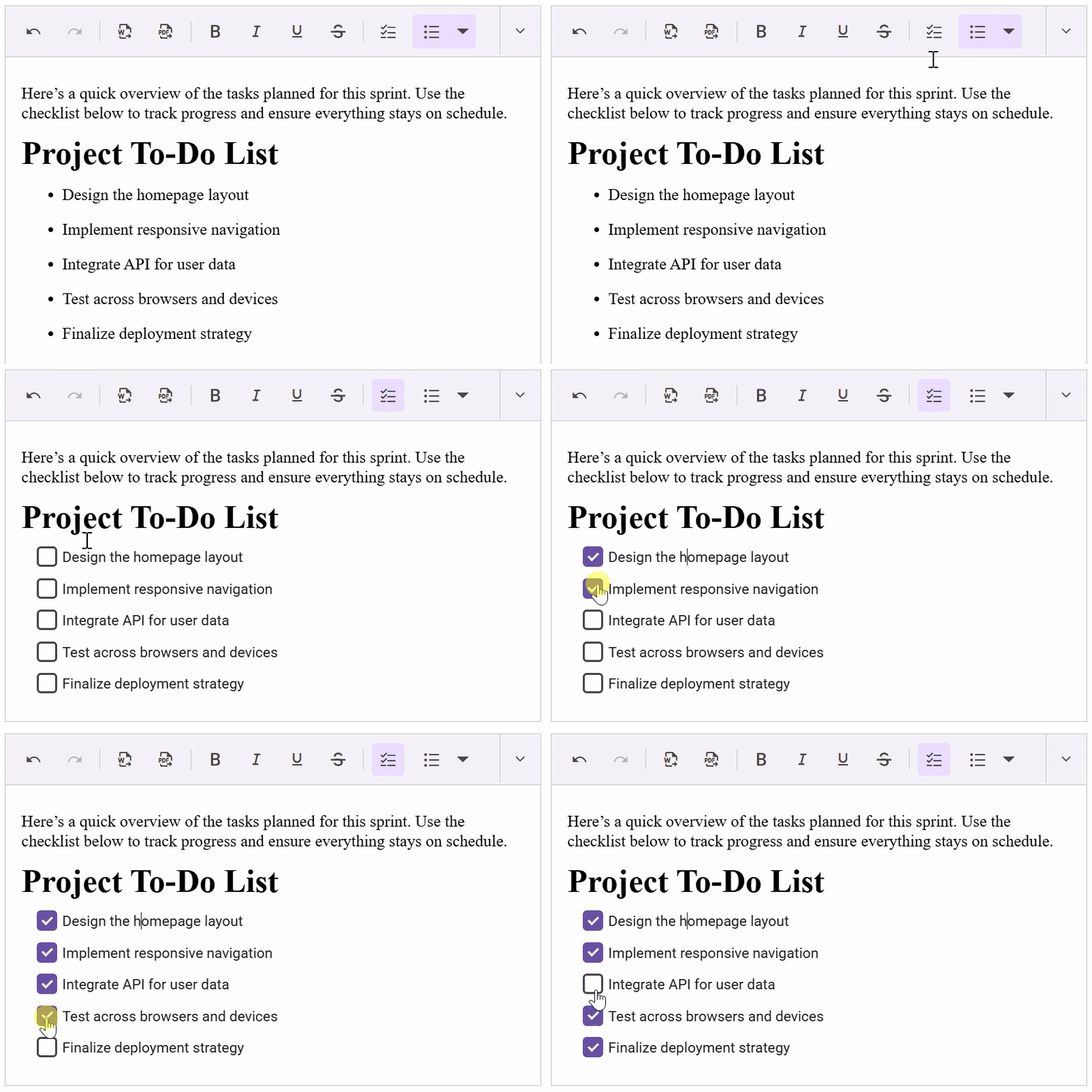
Control line height and insert interactive checklists. View the demo for a detailed walkthrough. Here’s a preview of the feature in action.
Drag‑and‑drop media
Drop videos and audio files directly into the editor. Get hands-on with the demo for full details.
Clipboard cleanup
Strip unwanted inline styles during copy/cut for cleaner HTML.
Authorization headers and HttpClient
Attach tokens for secure Word/PDF export and use a custom HttpClient instance for configurable uploads.
Diagram enhancements
The Blazor Diagram component has the following upgrades.
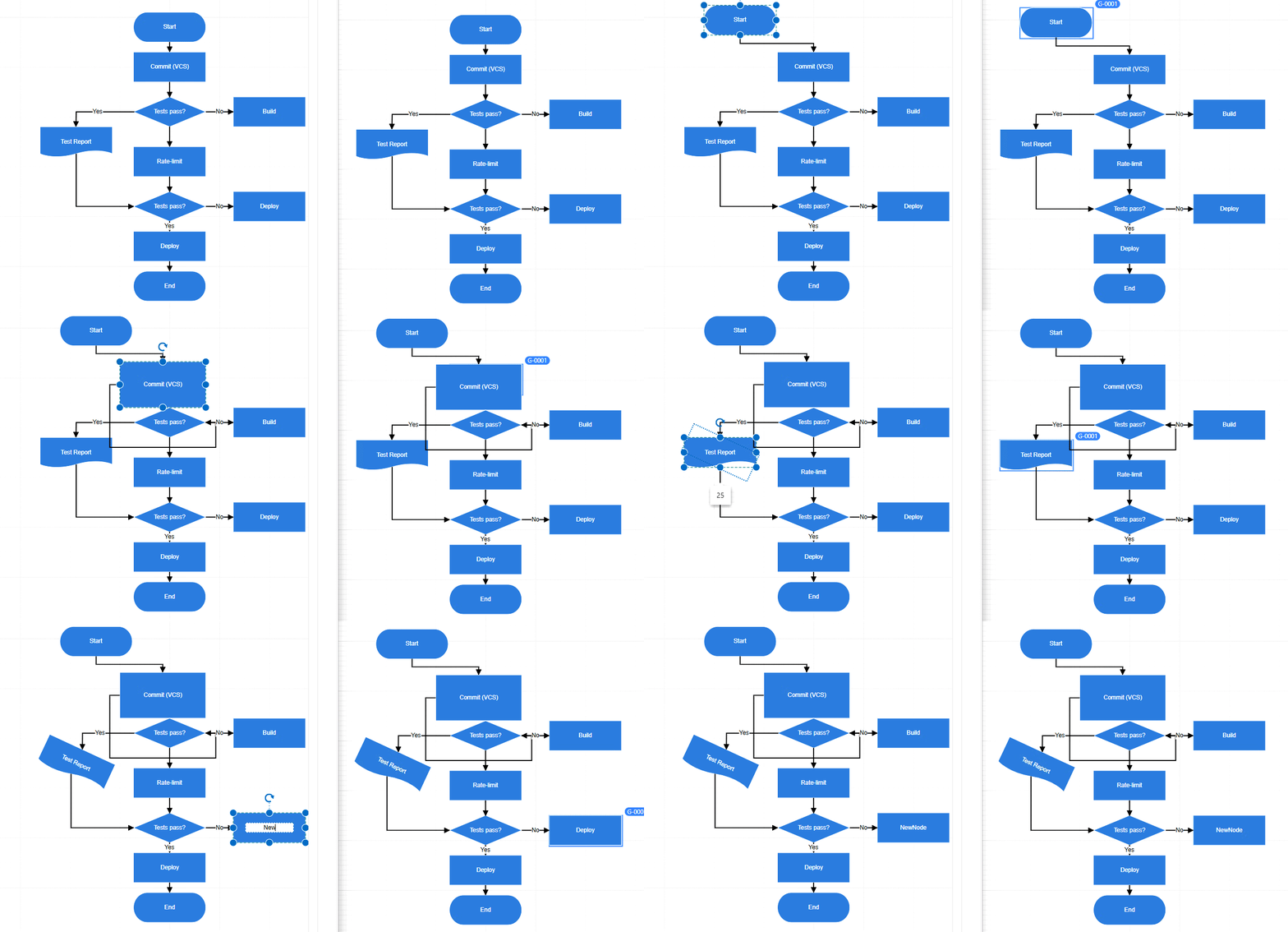
Collaborative editing
Multi‑user, real‑time synchronization for edits; changes are applied instantly across clients. Get hands-on with the documentation for full details. This GIF illustrates the feature’s step-by-step operation.
Force‑directed tree layout
Physics‑based layout that reduces overlaps and clarifies complex graphs. Discover more in the demo.
Restrict node dragging within the swimlane
Constrain node movement to the assigned swimlane for structured workflows.
AI Assist View enhancement
Footer toolbar
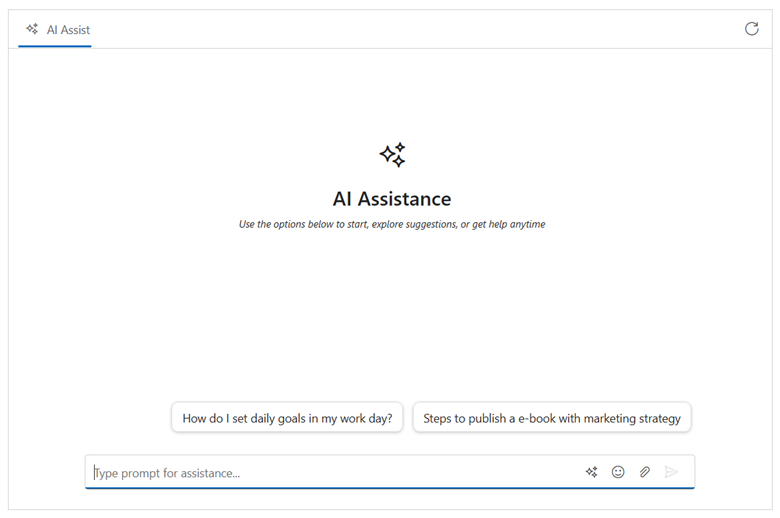
This release introduces a footer toolbar for seamless composition, featuring single-line and multi-line modes, built-in actions (Send, Attach, Clear), and support for custom items. Developers can define order, icons, tooltips, disabled states, and click handlers. The toolbar supports inline or bottom placement. Check the demo for additional insights. Here’s what the Footer toolbar looks like.
Charts enhancements
Blazor Charts now comes packed with new features designed to elevate your data visualization experience and give you unmatched customization options.
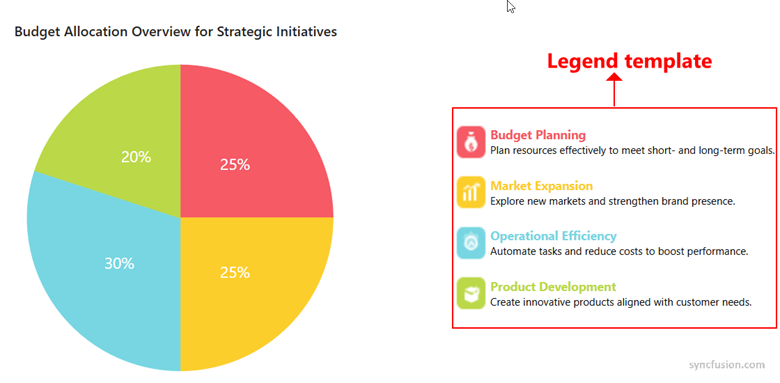
Legend templates
Customize legend item content per series/item for Charts and Accumulation Charts. Find out more in the live demo.
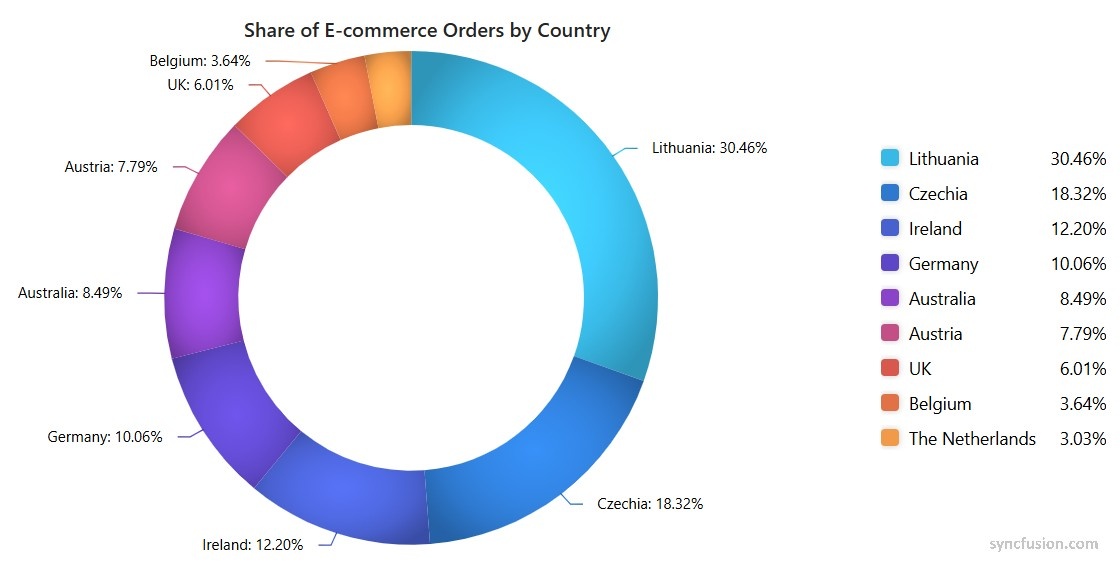
Linear and radial gradients
Apply gradients to series, legend items, markers, tooltip markers, trendlines, and indicators in Charts and Stock Chart. View the demo for a detailed walkthrough.
Stripline tooltip
Show contextual tooltips on striplines to highlight thresholds and time windows. Dive into the demo to learn more.
File Manager enhancements
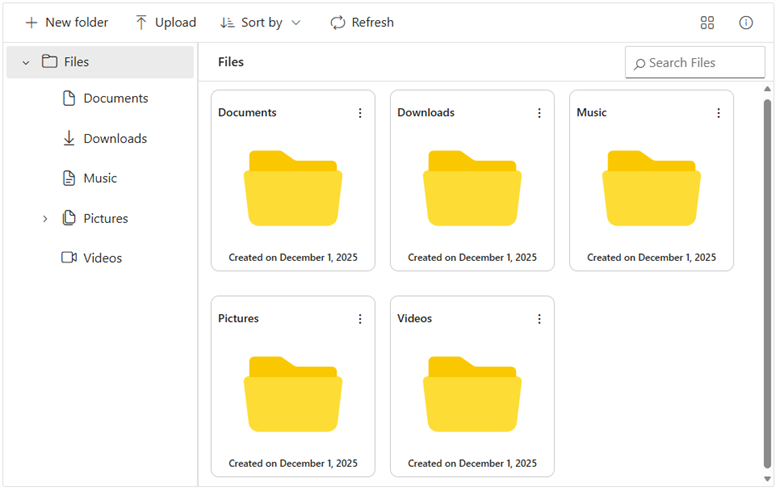
Templates for large Icons view and Navigation pane
Customize item cards and navigation nodes with thumbnails, metadata, and actions to enhance user experience. You can explore the demo for more details.
Sequential upload
Upload files and folders sequentially for predictable processing and lower server load. Learn more by exploring the demo.
Gantt Chart enhancements
Undo/redo
Revert or reapply recent changes to preserve workflows. Get hands-on with the demo for full details.
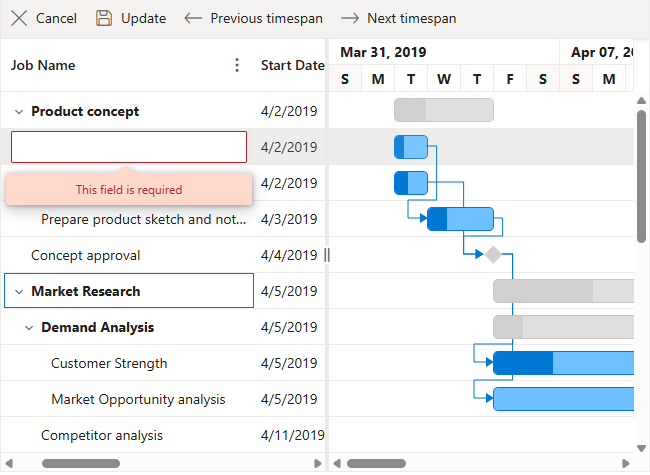
Column validation
Validate on add/edit to prevent invalid entries. Learn more by exploring the demo. Take a look at how this functionality behaves.
Scheduler enhancement
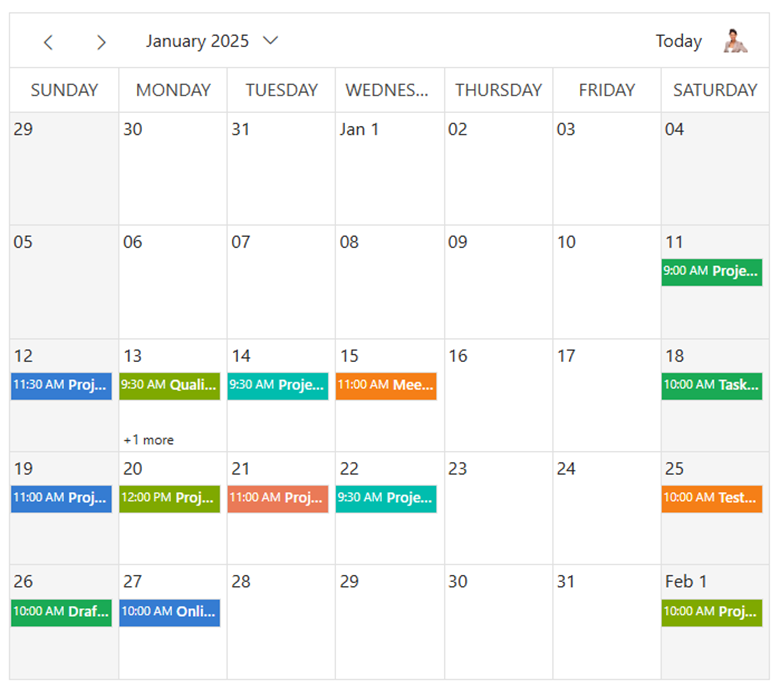
Custom toolbar
Add, remove, and reorder built‑in or custom items using a non‑generic toolbar inside SfSchedule. Find out more in the demo showcase.
Quick start example.
<SfSchedule TValue="EventData" SelectedDate="new DateTime(2025, 12, 1)">
    <ScheduleToolBar>
        <ScheduleToolBarPrevious></ScheduleToolBarPrevious>
        <ScheduleToolBarNext></ScheduleToolBarNext>
        <ScheduleToolBarDateRange></ScheduleToolBarDateRange>
        <ScheduleToolBarToday></ScheduleToolBarToday>
        <ScheduleToolBarViews></ScheduleToolBarViews>
        <ScheduleToolBarCustom>
            <button class="e-btn e-flat">Custom Action</button>
        </ScheduleToolBarCustom>
    </ScheduleToolBar>
    <ScheduleEventSettings DataSource="@Appointments"></ScheduleEventSettings>
    <ScheduleViews>
        <ScheduleView Option="View.Week"></ScheduleView>
        <ScheduleView Option="View.Month"></ScheduleView>
    </ScheduleViews>
</SfSchedule>
After running the code, you’ll see this.
Conclusion
Thanks for reading! The Essential Studio 2025 Volume 4 release aligns Syncfusion Blazor with .NET 10, promotes critical components to production readiness, and introduces features that simplify complex UIs and large‑data scenarios.
For a hands-on look, explore our online demo and documentation of the Blazor components. You can check out our Release Notes and What’s New pages for the other updates in this release and provide your feedback in the comments below.
If you’re a Syncfusion user, you can download the setup from the license and downloads page. Otherwise, you can download a free 30-day free trial.
You can also contact us through our support forum, support portal, or feedback portal for queries. We are always happy to assist you!


 No spam, just valuable updates.