 Prabhavathi Kannan

Building and maintaining forms directly in application code can become time-consuming as fields, validation rules, layouts, and business requirements change. A schema-driven approach makes these forms easier to design, reuse, and update.
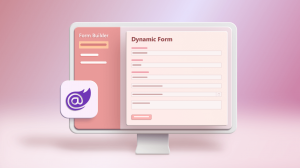
In this webinar, Syncfusion® Software Engineer Prabhavathi Kannan demonstrates how to visually create and configure forms with Syncfusion React Form Builder, represent the form definition and behavior in a reusable JSON schema, and generate a responsive runtime form with Syncfusion React Form Renderer.

What you’ll learn
-
Understand form-maintenance challenges and how a schema-driven approach helps.
-
Create and configure forms visually.
-
Configure validation, conditional rules, dependencies, and expressions.
-
Inspect, export, import, update, and reuse JSON schemas.
-
Render responsive runtime forms from a schema.
-
Update runtime forms without rebuilding individual fields.
Watch the webinar
See how to visually build forms, define reusable JSON schemas, configure validation and conditional logic, and render responsive runtime forms in React using Syncfusion Form Builder and Form Renderer in this webinar:
If you missed the webinar, the recording is available on our YouTube channel.
Demo overview
The demonstration uses React for both Form Builder and Form Renderer.
The demo showcases a complete schema-driven workflow through an Employee Onboarding form. Form Builder is used to create and configure the form, while Form Renderer uses the schema to generate the runtime form with its layout, validation, dependent dropdowns, calculated values, and conditional visibility.
The session also demonstrates schema reuse by updating the form in Form Builder and loading the revised schema into Form Renderer, without manually rebuilding the corresponding runtime fields.
Timestamps
[00:00] Introduction & Webinar Overview
[01:02] Why Schema-Driven Forms Matter
[03:30] Syncfusion Form Builder Overview
[07:30] Creating Forms & Configuring Components
[11:30] Building JSON Schemas and Form Logic
[15:27] Live Demo: Rendering an Employee Onboarding Form
[16:18] Validation, Conditional Rules & Dynamic Fields
[17:31] Responsive Design and Custom Components
[18:14] Updating Forms Through Schema Changes
[20:08] Key Takeaways & Recap
[21:15] Q&A and Closing Remarks
Frequently Asked Questions
Is there Blazor support also?
We plan to introduce the Form Builder and Form Renderer components for the Blazor platform. These components will be available in a future release.
What about .NET MAUI?
Support for Form Builder and Form Renderer components on the .NET MAUI platform is planned and will be included in a future release.
Can you explain for the dropdownlist control, how the control uses control data (from database tables etc.)?
In the Form Builder and Form Renderer components, the Dropdown List control is powered by the Syncfusion React Dropdown List component. Therefore, its user interface and data-binding behavior remain consistent with the standalone component. To bind remote data to the Dropdown List, refer to the documentation link provided in the last question section.
is it possible to define own (custom) properties that I would like to set?
Yes, you can add new properties to the Form Builder’s field Property Panel on the right side. As long as the property is supported by the corresponding form field, it will function correctly.
To add a custom property, refer to the following documentation:
Property Panel in React Form Builder component | Syncfusion
The custom property is automatically included in the generated form schema. In the Form Renderer, this property is also processed automatically and can be used to customize the field’s behavior or rendering.
If the schema changes and you want to look at previously submitted responses how does the renderer handle missing / extra fields?
The React Form Renderer component is a client-side component that renders the provided form schema as a runtime form. If the form schema changes, the backend application must be updated to handle any added, modified, or removed fields accordingly.
Is there support for dates forms?
Yes, the Form Builder and Form Renderer components support the DatePicker, DateTimePicker, DateRangePicker, and TimePicker controls, enabling you to create date- and time-based forms with ease.
I didn’t understand exactly how to load and bind the available options for a dropdown for example from a api?
The Dropdown List component in the Form Builder and Form Renderer supports binding data from remote data sources. For detailed instructions on configuring remote data binding, refer to the documentation link below.
Conclusion
Syncfusion Form Builder and Form Renderer separate visual form design from runtime rendering through a reusable JSON schema. This approach helps teams create and maintain configurable forms while reducing the need to rebuild individual runtime fields when requirements change.
Related links



Be the first to get updates