
 Arun Kumar Chandrakesan
TL;DR: Build compliant, long‑lasting PDF signing in .NET using PAdES standards, covering timestamps, long‑term validation (LTV), and archival protection, so signed documents remain verifiable, audit‑ready, and reliable even years after certificate expiry.
PDFs move quickly through approvals, customers, and automated workflows. Everything looks fine until someone opens the document years later and sees “Signature validity unknown.”
That’s the real problem with basic digital signatures. They can prove a document hasn’t been altered, but they can’t always prove when it was signed or whether the certificate was trusted at the time.
- Certificates expire.
- CAs rotate keys.
- Revocation servers disappear.
Without preserved validation evidence, even a legitimate signature can fail an audit.
This is exactly the gap that PAdES digital signatures are designed to solve.
In this guide, we’ll break down how PAdES works and walk through implementing each PAdES level in .NET with the Syncfusion® .NET PDF Library, from a basic signature to long‑term, archival‑grade validation using practical, real‑world examples.

What is PAdES, and why basic PDF signatures fail
PAdES (PDF Advanced Electronic Signatures) is an ETSI standard (EN 319 142) created for long‑term trust in signed PDF documents. Unlike simple signatures, PAdES allows a PDF to carry its own verification evidence, enabling validation of the signature years later, even without network access.
At a high level, PAdES enables PDFs to be:
- Self-contained: Signature, certificates, and validation data live inside the document
- Tamper-evident: Any post‑signing change is detectable
- Time-provable: Trusted timestamps prove when the signature happened
- Audit-ready: Aligned with eIDAS and other regulatory frameworks
- Multi-signature friendly: Suitable for sequential or multi‑party workflows
If you’re building document workflows for finance, healthcare, government, or enterprise SaaS, basic signatures are rarely enough. PAdES is what keeps those documents verifiable long after the original certificate has expired.
PAdES signature levels
PAdES defines a progression of signature levels. Each level adds protection on top of the previous one.
PAdES B-B: Basic signature
The PDF is signed using an X.509 certificate to ensure integrity, but no trusted timestamp or validation evidence is embedded.
- Protects against tampering
- Breaks once the certificate expires
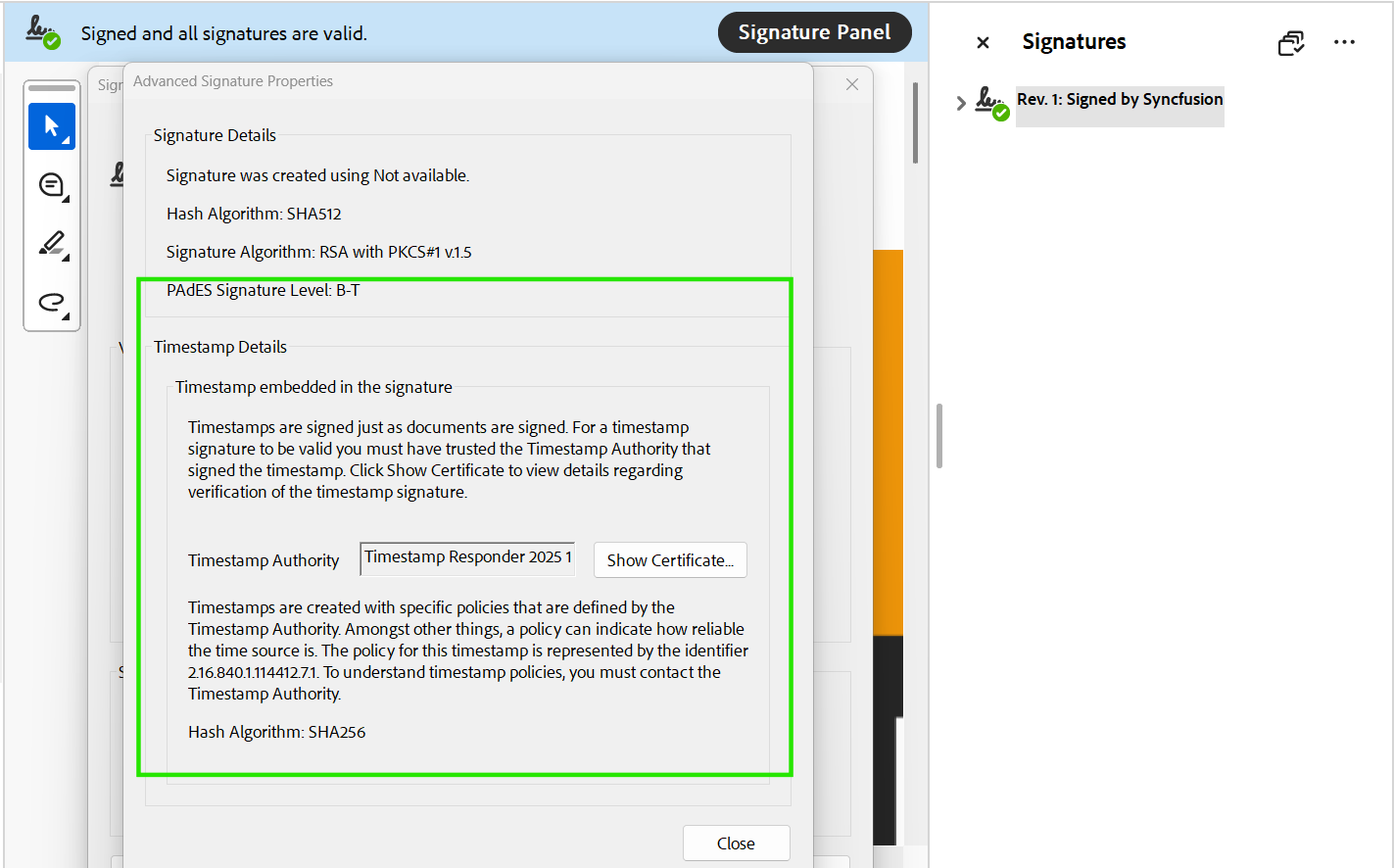
PAdES B-T: Timestamped signature
Adds a trusted RFC 3161 timestamp from a Timestamp Authority (TSA), proving when the signing occurred.
- Proves signing time
- Helps with non‑repudiation
- Still depends on external revocation checks later
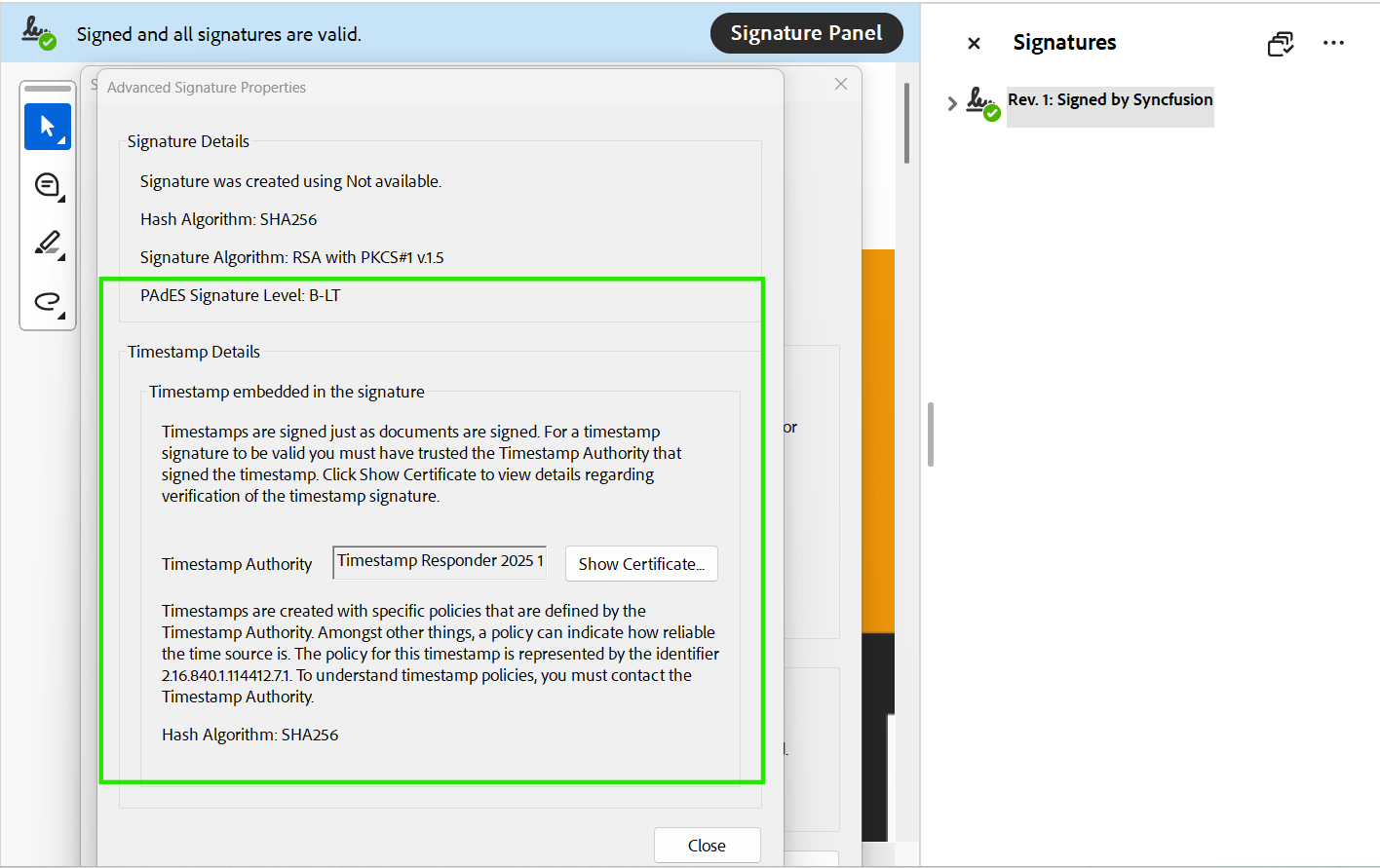
PAdES B-LT: Long-Term Validation (LTV)
Embeds the certificate chain and revocation data (OCSP/CRL) directly into the PDF’s Document Security Store (DSS).
- Verifiable years later
- Works offline
- Survives certificate expiry
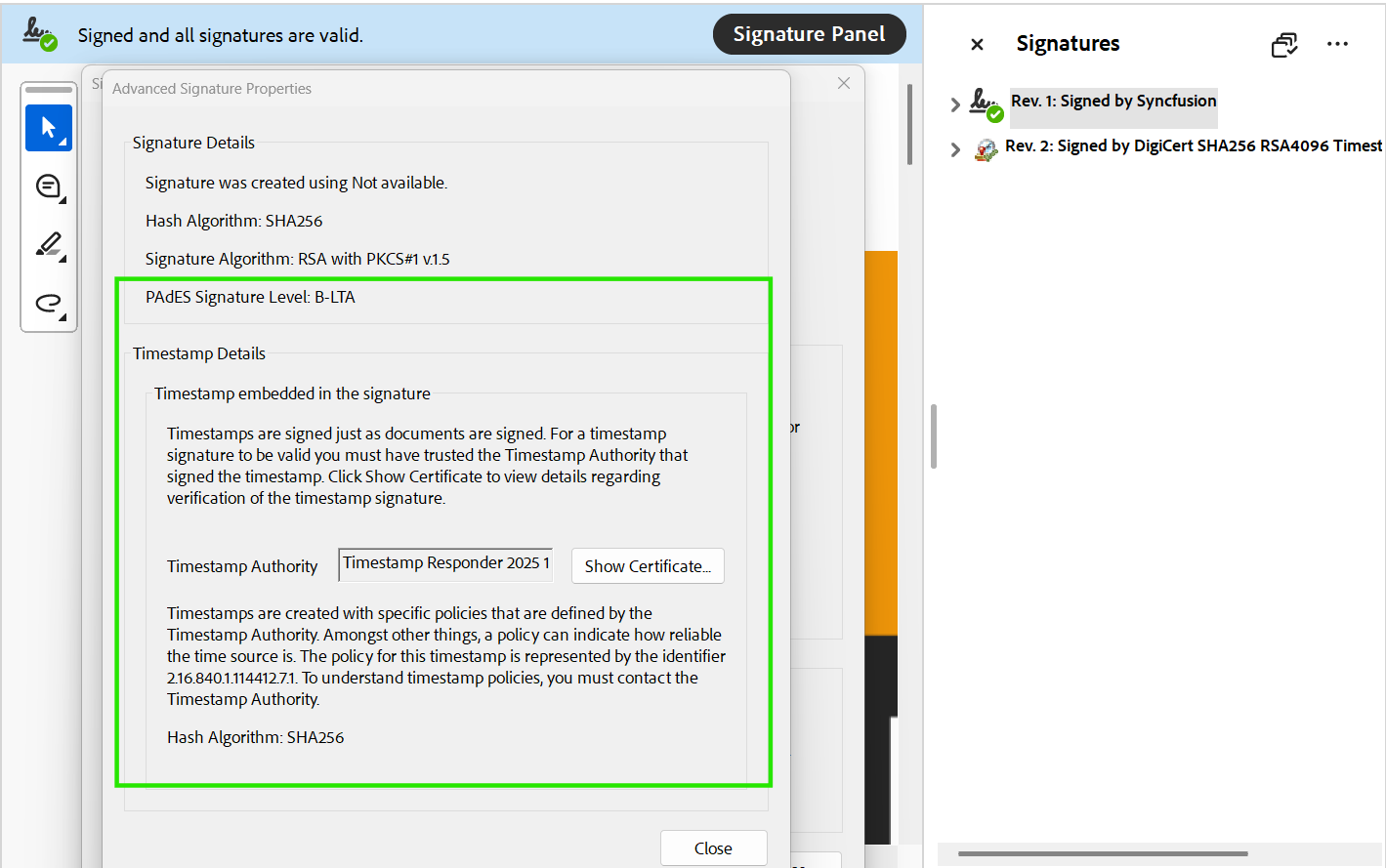
PAdES B-LTA: Archival signature
Adds a document‑level archival timestamp over the entire validation material, protecting the document for decades even as cryptographic algorithms age.
- Designed for long‑term archives
- Resistant to algorithm decay
- Common in the public sector and regulated records
Syncfusion PDF Library: PAdES-ready signing for .NET
Our PDF Library provides PAdES‑ready signing across .NET platforms, supporting timestamps, LTV, and archival protection with clean, developer-friendly APIs. It enables secure, compliant, and long-term-trustworthy signing workflows with minimal integration effort.
What Syncfusion enables for PAdES
- Standards-based signing: CMS/CAdES support with SHA-256, SHA-384, and SHA-512.
- Trusted timestamping: Add RFC 3161 timestamps to prove the signing moment.
- Long-term validation (LTV): Embed OCSP, CRL, and certificate chain data into the DSS.
- Archival protection (LTA): Add document‑level timestamps for multi‑decade retention.
- Flexible certificates: Works with PFX, Windows store, HSM devices, and PKCS#11 keys.
- Server-side automation: Runs on Windows, Linux, and Docker without UI interaction.
Now, let’s look at how PAdES signing works at a high level and how to implement each level using our PDF Library.
Implementing PAdES digital signatures
With the Syncfusion PDF Library, adding PAdES signatures in .NET becomes simple and straightforward. The following steps walk you through loading a certificate, applying CAdES, and enabling timestamps and LTV/LTA to build a secure signing workflow.
Step 1: Create a new project
Start a new console application on .NET Core.
Step 2: Install required packages
Add the Syncfusion.Pdf.Net.Core NuGet package to your project
Step 3: Include required namespaces
In your Program.cs file, include the essential namespaces.
using Syncfusion.Pdf.Parsing;
using Syncfusion.Pdf.Security;
using Syncfusion.Pdf;
using Syncfusion.Pdf.Graphics;
using Syncfusion.Drawing;
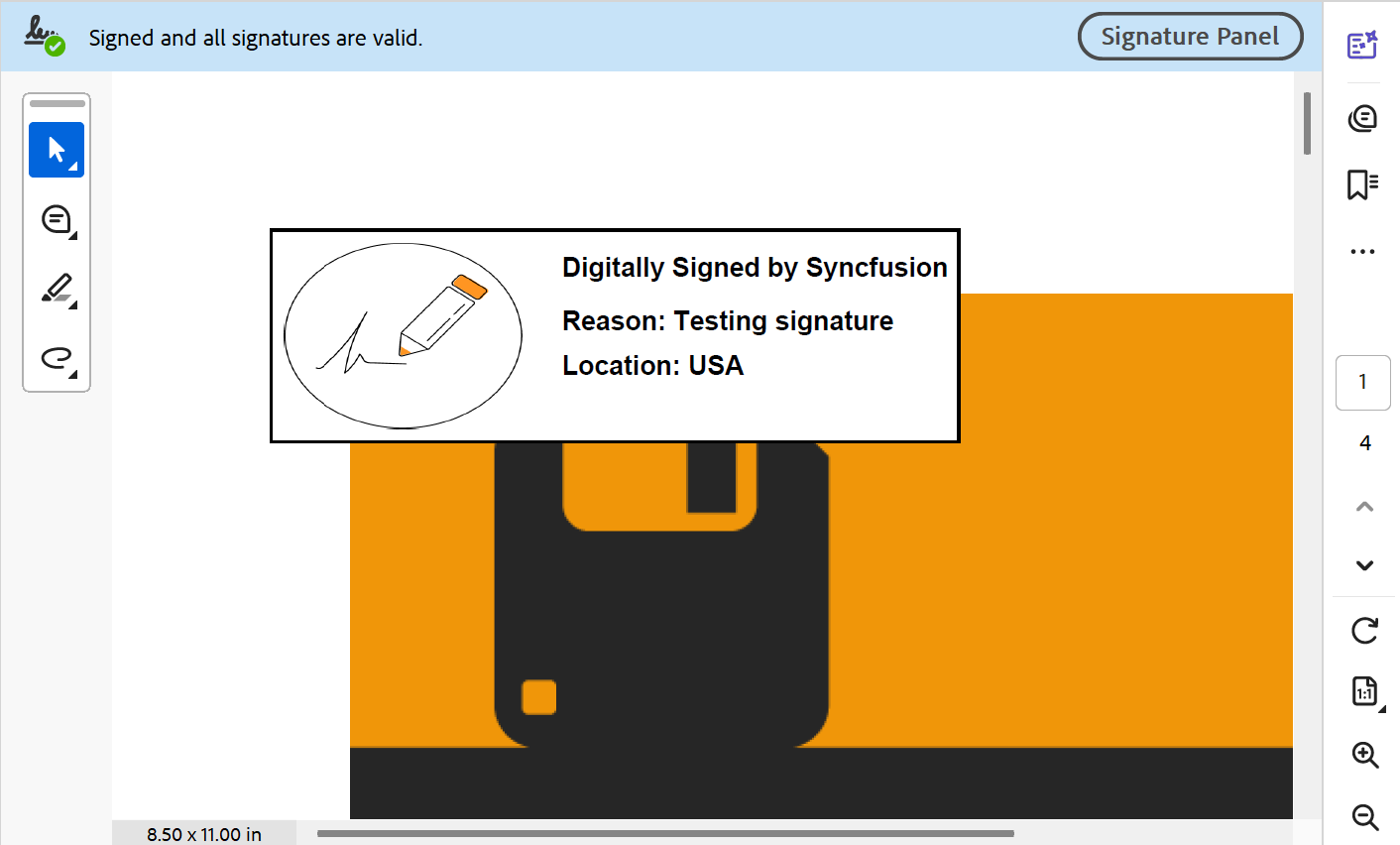
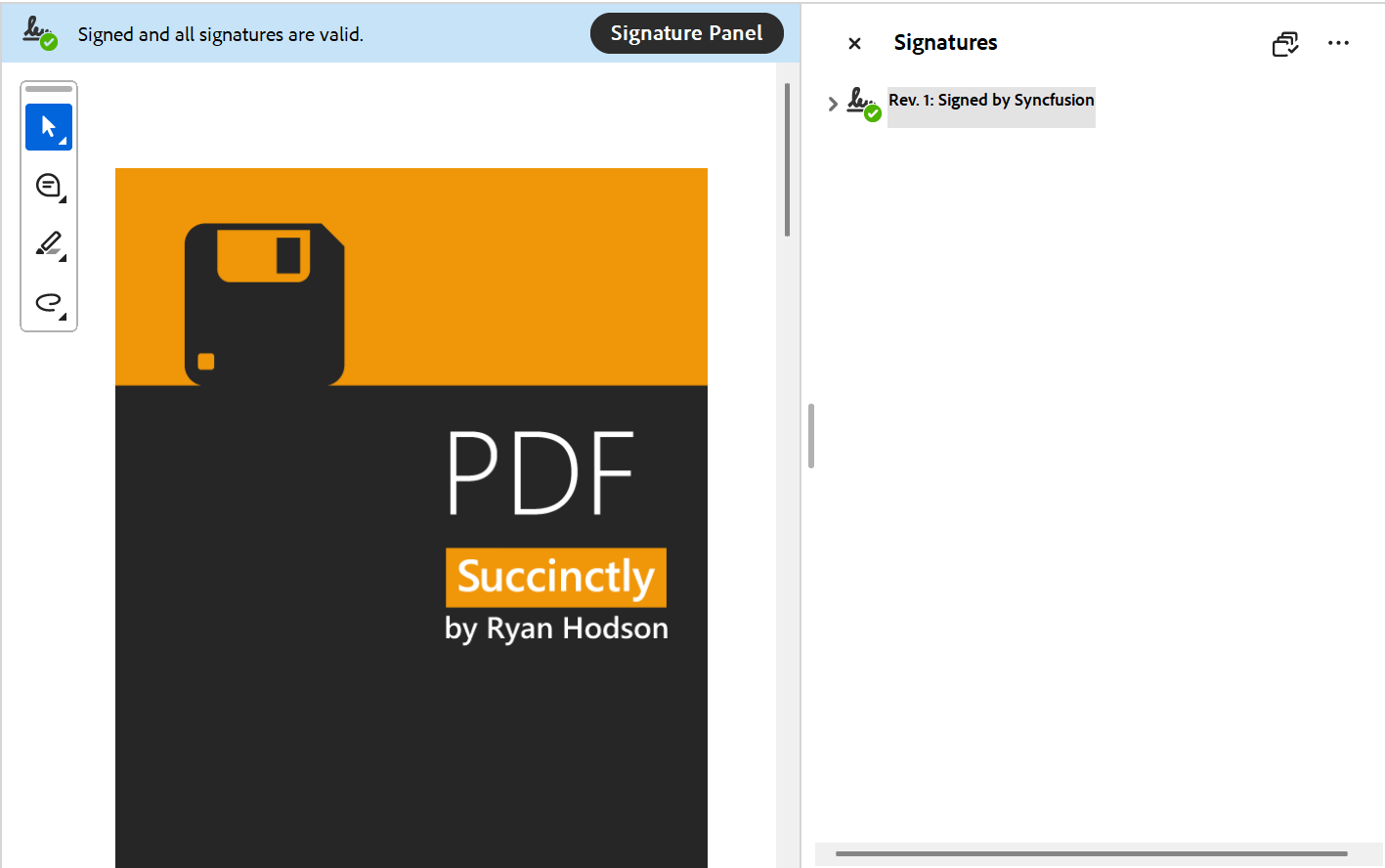
Step 4: Add a basic digital signature
This is the foundation for all higher PAdES levels.
//Load existing PDF document.
using (PdfLoadedDocument loadedDocument =
    new PdfLoadedDocument(Path.GetFullPath(@"Data/pdf-succinctly.pdf")))
{
    //Load digital ID with password.
    FileStream certificateStream = new FileStream(
        Path.GetFullPath(@"Data/PDF.pfx"),
        FileMode.Open,
        FileAccess.Read);
    PdfCertificate pdfCert = new PdfCertificate(
        certificateStream,
        "syncfusion"
    );

    //Create a signature using a loaded digital ID.
    PdfSignature signature = new PdfSignature(
        loadedDocument,
        loadedDocument.Pages[0],
        pdfCert,
        "Signature"
    );

    //Save the PDF document
    loadedDocument.Save(
        Path.GetFullPath(@"Output/Output.pdf")
    );

    //Close the document.
    loadedDocument. Close(true);
}
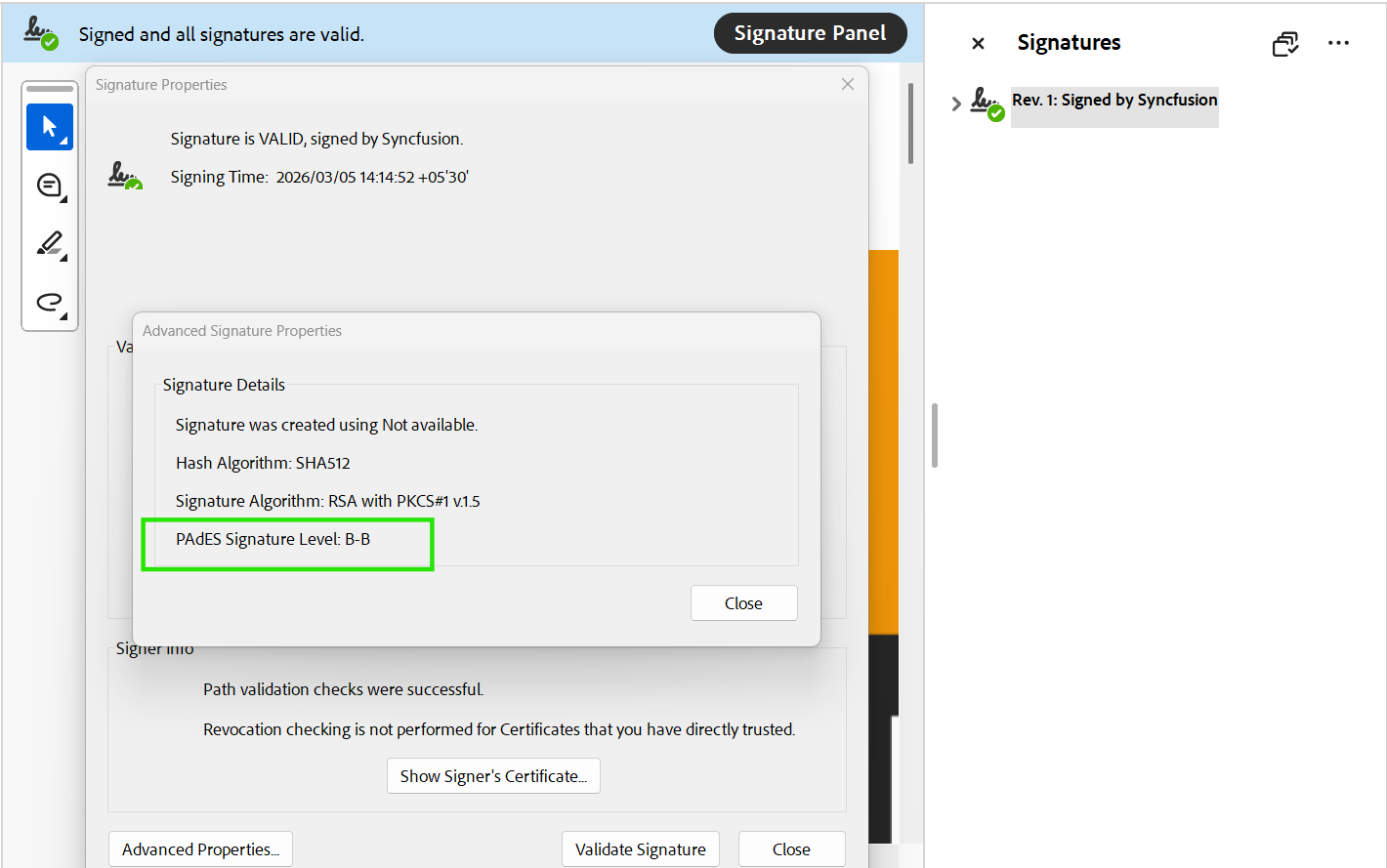
PAdES B-B: Applying CAdES standard to the signature
CAdES (CMS Advanced Electronic Signatures) is an ETSI standard that enhances signature security and compatibility. By default, our PDF Library signs using CMS with SHA-256, but you can easily switch the cryptographic standard and hashing algorithm through PdfSignatureSettings to achieve your preferred level of enhanced security.
//Load existing PDF document.
using (PdfLoadedDocument loadedDocument =
    new PdfLoadedDocument(Path.GetFullPath(@"Data/pdf-succinctly.pdf")))
{
    //Load digital ID with password.
    FileStream certificateStream = new FileStream(
        Path.GetFullPath(@"Data/PDF.pfx"),
        FileMode.Open,
        FileAccess.Read);
    PdfCertificate pdfCert = new PdfCertificate(
        certificateStream,
        "syncfusion");

    // Create a signature using a loaded digital ID.
    PdfSignature signature = new PdfSignature(
        loadedDocument,
        loadedDocument.Pages[0],
        pdfCert,
        "Signature");

    //Change the digital signature standard and hashing algorithm.
    PdfSignatureSettings settings = signature.Settings;
    settings.CryptographicStandard = CryptographicStandard.CADES;
    signature.Settings.DigestAlgorithm = DigestAlgorithm.SHA512;

    //Save the PDF document
    loadedDocument.Save(
        Path.GetFullPath(@"Output/Output.pdf"));

    //Close the document
    loadedDocument.Close();
}
Adding a Trusted Timestamp (PAdES B-T)
A trusted timestamp proves when a signature was created, using an RFC 3161 Timestamp Authority (TSA).
//Add timestamp server link to the signature.
signature.TimeStampServer = new TimeStampServer(
    new Uri("http://time.certum.pl/")
);
PAdES B-LT: Enabling long-term validation
LTV keeps signatures verifiable later by embedding validation evidence (OCSP/CRL and chain info) into the PDF’s DSS.
//Load existing PDF document.
using (PdfLoadedDocument loadedDocument =
    new PdfLoadedDocument(Path.GetFullPath(@"Data/pdf-succinctly.pdf")))
{
    ...

    //Create a new Memory Stream
    MemoryStream Stream = new MemoryStream();
    //Save the PDF document to memory.
    loadedDocument.Save(Stream);

    //Load existing PDF document.
    using (PdfLoadedDocument ltDocument = new PdfLoadedDocument(Stream))
    {
        if (ltDocument.Form != null &&
            ltDocument.Form.Fields.Count > 0 &&
            ltDocument.Form.Fields[0] is PdfLoadedSignatureField signatureField)
        {
            //Update LTV information.
            signatureField.Signature.EnableLtv = true;
        }
        //Save the PDF document.
        ltDocument.Save(Path.GetFullPath(@"Output/Output.pdf"));
    }
}
PAdES B-LTA: Adding archival protection
For documents that must remain valid for decades, add an archival timestamp at the document level.
//Load an existing PDF document.
using (PdfLoadedDocument loadedDocument = new
PdfLoadedDocument(Path.GetFullPath(@"Data/pdf-succinctly.pdf")))
{
    ...

    //Load existing PDF document.
    using (PdfLoadedDocument ltDocument = new PdfLoadedDocument(memoryStream))
    {
        if (ltDocument.Form != null &&
            ltDocument.Form.Fields.Count > 0 &&
            ltDocument.Form.Fields[0] is PdfLoadedSignatureField signatureField)
        {
            //Update LTV information.
            signatureField.Signature.EnableLtv = true;
        }
        //Load the existing PDF page.
        PdfLoadedPage lpage = ltDocument.Pages[0] as PdfLoadedPage;
        //Create PDF signature with empty certificate.
        PdfSignature timeStamp = new PdfSignature(lpage, "timestamp");
        timeStamp.TimeStampServer = new TimeStampServer(
            new Uri("http://timestamp.digicert.com/")
        );
        //Save the PDF document.
        ltDocument.Save(Path.GetFullPath(@"Output/Output.pdf"));
    }
}
Quick comparison: Which PAdES level should you choose?
A simple comparison of the four PAdES levels to help you choose the right protection for your PDF workflows.
| Feature | PAdES-B-B | PAdES-B-T | PAdES-B-LT | PAdES-B-LTA |
| What’s Included | Certificate + Digital Signature | B-B + RFC 3161 Trusted Timestamp | B-T + Embedded Validation Data (LTV) | B-LT + Document Timestamp(s) for Archiving |
| Validity Period | Short (linked to Certificate validity) | Extended (till the Certificate Validity with proof of time) | Long-term (offline verification) | Permanent (indefinite preservation) |
| File Size Impact | Minimal | Small (TSA token only) | Variable/High (can be large if CRLs are embedded) | Higher (increases over time if re-timestamped) |
| Effect of Certificate Expiry | Signature validation fails | Proves signing time; validation fails | Verifiable after expiry | Protected against algorithm decay, so verifiable at any time |
| Timestamp Required? | No | Yes (Signature Timestamp) | Yes (Signature Timestamp) | Yes (Archive Timestamp) |
Here’s a practical way to decide which level you need:
- B-B: Internal approvals or short-lived documents
- B-T: Contracts where signing time must be provable
- B-LT: Audit‑heavy workflows requiring long‑term verification
- B-LTA: Archives, public records, and long‑retention documents
If you’re unsure, B-LT is often the safest default for enterprise systems.
GitHub reference
You can find all the different levels of PAdES signature samples in the GitHub repository.
Frequently Asked Questions
Yes, but you must unlock/decrypt the PDF first, because signing requires access to the document’s structure.Can PAdES signatures be applied to password-protected PDFs?
Yes. Each signature can maintain its own level without breaking other signatures.Can more than one signer use different PAdES levels on the same PDF?
Yes. Long-term signatures restrict edits. Many changes can invalidate compliance or the validity of signatures.Does adding LTV or LTA affect a user’s ability to modify form fields later?
No. TSAs are independent from CAs. Use any trusted TSA that meets your compliance needs.Must the timestamp authority match the certificate authority?
No strict limit. You can add multiple archival timestamps if the PDF structure remains stable.Is there a limit to adding archival timestamps to a document?
Yes. You can create signatures with or without a visible appearance.Does Syncfusion PDF Library support both visible and invisible signatures?
Yes. Syncfusion supports Windows store-based certificate loading for enterprise management.Can I load certificates from the Windows Certificate Store for signing?
Yes, as long as the PDF follows standard signing structures.Can Syncfusion validate signatures created by other PDF frameworks?
Yes. You can convert to PDF/A and then apply signatures for compliance workflows.Does the PDF Library support converting files to PDF/A before signing?
Conclusion
PAdES PDF signing in .NET can feel heavy because it is not just “sign bytes.” You also need provable signing time and durable evidence of validation. With Syncfusion PDF Library, you can implement B-B, B-T, B-LT, and B-LTA using a clear workflow: sign, timestamp, embed LTV evidence, and (when needed) add archival timestamps.
If you’re building document workflows for contracts, approvals, healthcare, finance, or government records, consider evaluating the full PAdES flow early, then run a trial in your environment to validate TSA connectivity, revocation lookups, and long-term verification behavior.
Want to explore all the features of PDF Library? Try the live demo.
If you’re a Syncfusion user, you can download the setup from the license and downloads page. Otherwise, you can download a free 30-day trial.
You can also contact us via our support forums, support portal, or feedback portal for queries. We are always happy to assist you!


 No spam, just valuable updates.