
 Eshwari Balraj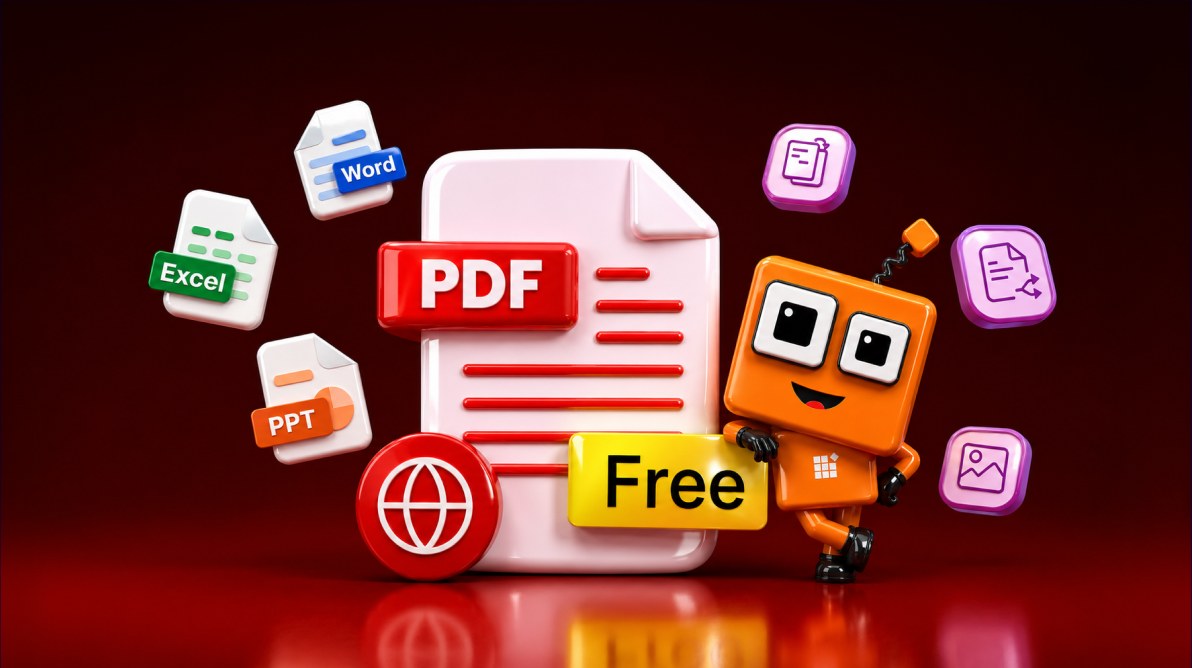
TL;DR: Need to convert Word files, spreadsheets, webpages, or images without losing formatting? These free online PDF conversion tools help you create high-quality PDFs and image exports instantly, with accurate rendering, fast performance, and zero software setup.
PDFs remain the most reliable way to share documents across platforms, but converting files without disrupting layout is still a common challenge. Fonts shift, tables misalign, and images lose clarity, especially with low-quality tools.
Modern browser-based PDF converters address this with high layout fidelity and predictable output. Whether you’re working with Office files, web content, or images, the right solution ensures your documents render correctly without requiring heavy software.
In this guide, you’ll explore the most essential conversion types:
- Office → PDF (Word, Excel, PowerPoint)
- HTML → PDF (URLs, receipts, dashboards, web pages)
- Image → PDF (merge scans, photos, documentation)
- PDF → Image (JPG, PNG, WEBP exports)
All tools referenced here are free online converters powered by enterprise-grade document processing engines, delivering fast, accurate, and reliable results.
How free online PDF conversion works
Most tools follow a simple workflow:
- Upload a file (or paste a URL for web content)
- Select output format or options
- Convert instantly
- Download the result
Behind the scenes, high-quality converters rely on rendering engines that accurately interpret document structure, fonts, images, and layouts, much like professional document SDKs.
Office and document to PDF conversion
Converting Office files to PDF is one of the most common use cases, especially when consistency and portability matter.
Word to PDF
Ideal for resumes, reports, and business documents where formatting must remain stable.
Preserves:
- Fonts, headings, and spacing
- Tables and embedded images
- Print-ready layout
Turn your Word file into a perfect PDF with one smooth click!
Excel to PDF
Spreadsheets often contain complex visuals and formatting that can easily break during conversion.
Preserves:
- Charts, dashboards, and graphs
- Number formats and formulas
- Page scaling and alignment
Turn your spreadsheet into a clean, ready-to-share PDF instantly!
PowerPoint to PDF
Useful when sharing presentations across devices or distributing as static content.
Preserves:
- Slide layouts and themes
- Visual elements like icons and charts
- High-resolution images
Transform your slides into a sleek, presentation‑ready PDF in a flash!
XPS to PDF
XPS is a legacy format that’s less supported today. Converting it to PDF ensures long-term accessibility.
Preserves:
- Text and formatting
- Vector elements and annotations
- Overall document structure
Convert your XPS file into a clean, modern PDF in seconds!
HTML to PDF conversion
HTML-to-PDF is widely used for capturing dynamic or web-based content.
Common use cases:
- Invoices, receipts, and reports
- Dashboards and internal tools
- Articles and documentation
This approach converts a live web page into a static, printable format while preserving the layout and styling.
Capture any webpage as a clean PDF, just paste the URL and convert!
Image to PDF conversion (JPG, PNG)
Combining images into a PDF is useful for organizing visual content into a structured document.
Typical scenarios:
- Scanned documents and receipts
- Photos or handwritten notes
- Multi-page image collections
Key capabilities:
- Reorder and merge images
- Adjust layout and orientation
- Maintain clarity and alignment
Turn your images, JPG, and PNG into a clean, organized PDF instantly!
PDF to Image Conversion (JPG, PNG, WEBP)
Exporting PDF pages as images is helpful when you need visual assets for reuse.
Format options:
- JPG: smaller size, great for sharing and web use
- PNG: lossless output for diagrams and text clarity
- WEBP: optimized for modern web performance
Common use cases:
- UI mockups and documentation
- Blog and web content
- Social previews and thumbnails
Turn your PDF pages into clear, ready‑to‑use images with just one click! You can also convert your PDF pages into clear, lightweight JPG and PNG images in seconds!
Note: For multi‑page PDFs, you can download all JPG or PNG files at once as a ZIP.
Why Syncfusion’s free PDF conversion tools stand out
When choosing a free online PDF converter, accuracy, speed, and reliability matter most. Syncfusion’s tools are built on the same engines trusted by global enterprises, making them far more dependable than typical free converters.
Key qualities to look for:
- High-fidelity rendering: Maintains fonts, layouts, and visuals exactly as designed.
- Consistent output across formats: Works reliably with Office, HTML, and images.
- Fast processing: Handles large or multi-page files without delays.
- No installation required: Runs fully in the browser across devices.
- Security and privacy: Files are processed safely and removed after conversion.
- Wide format support: Covers common workflows, from document creation to image export.
Frequently Asked Questions
No. All files produced by Syncfusion’s free PDF tools are clean and watermark‑free, even for unsigned users.Do the converted files include any watermarks when using Syncfusion's free PDF tools?
Yes. Your files are processed securely and are automatically deleted from the server after the conversion is finished. Nothing is stored or shared.Is it safe to upload files to an online PDF converter?
No. Everything runs directly in your web browser. No installation or setup is required on any device.Do I need to install software to use Syncfusion's free PDF tools?
Yes. Syncfusion’s tools work on mobile devices, tablets, laptops, and desktops through any modern browser.Can I use Syncfusion's free PDF tools on my phone or tablet?
Yes. The HTML‑to‑PDF tool allows you to paste a webpage URL and instantly generate a clean, printable PDF.Can I convert a webpage into a PDF using a URL?
Yes. Multi-page PDFs can be exported as multiple images, with ZIP download support, and image-to-PDF tools let you combine several images into a single PDF.Do Syncfusion's PDF tools support multi-page PDF or multi-file conversions?
Yes. Syncfusion uses enterprise‑grade document engines to maintain fonts, tables, images, spacing, and overall layout during conversion, even for complex files.Will my original formatting stay preserved after conversion using free PDF tools?

Final thoughts
PDF conversion tools are most valuable when they make everyday workflows faster and more predictable. Whether you’re preparing business documents, exporting web content, or working with images, reliable conversion ensures your output stays consistent across platforms.
Modern browser-based tools now offer the accuracy and performance that previously required desktop software, making them a practical choice for developers, teams, and everyday users.
Make your document work easier with free PDF tools, try them now!
For developers: Extending PDF workflows
If you’re building applications that require a document processing SDK, browser tools are only part of the solution.
Programmatic APIs and SDKs allow you to:
- Generate PDFs dynamically
- Convert files at scale
- Render HTML to PDF with precision
- Integrate document workflows into apps
Using the same rendering engines used by online tools can help ensure consistent results across user-facing features and backend processing. Explore the Syncfusion Document SDK for more details.
 No spam, just valuable updates.