
 Siddhartha Devaraj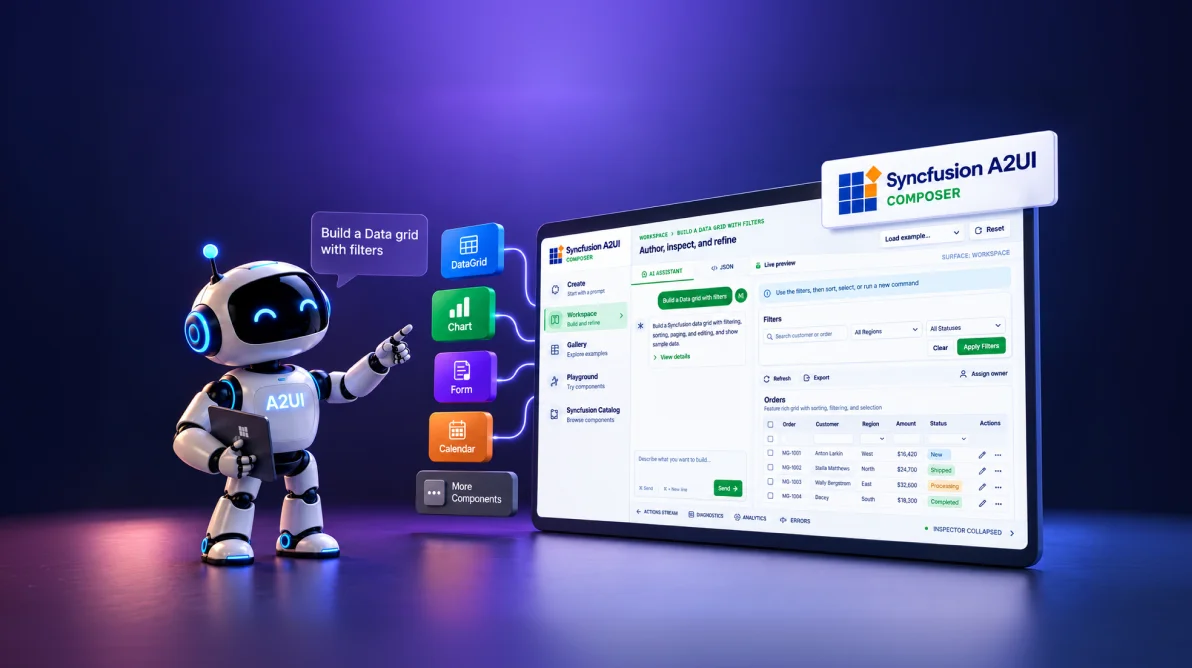
TL;DR: Syncfusion A2UI (Preview) helps developers build agent-driven application experiences using structured UI definitions and reusable Syncfusion components. Instead of generating a complete UI implementation for every request, the agent describes the interface while the application controls how it is rendered. Syncfusion A2UI Components provide the runtime experience across React, Angular, Blazor, and .NET MAUI, while A2UI Composer offers an optional visual path for designing and refining the interface definition first.
AI applications are moving beyond text-based responses. Instead of simply returning an answer, an AI agent may need to display data, visualize information, collect input, or help users complete a workflow.
This creates a challenge for developers. When AI generates a new UI implementation for every request, the resulting interfaces can require additional development and maintenance. Enterprise applications also need to work with the UI components and application experiences they already use.
This is where A2UI (Agent-to-UI) comes in. Instead of generating the complete UI implementation, an AI agent can return a structured description of the interface. The application can then interpret that definition and render it using supported UI components.
Syncfusion® brings this model into application development through two focused capabilities: A2UI Components for rendering structured interfaces at runtime and A2UI Composer for optionally designing and refining those interfaces before they are connected to the application workflow.
In this blog, we’ll explore what A2UI is, why it matters for enterprise applications, and how Syncfusion A2UI helps developers build agent-driven user experiences.
The challenge of AI-generated user interfaces
In AI applications, responses are often delivered as text, but many tasks require users to view data, interact with controls, or complete workflows.
Generating a new UI implementation for every AI request can increase development and maintenance effort, especially when applications already have established components and experiences.
This creates a need for a more structured approach where AI can compose interfaces from reusable UI building blocks instead of generating a new implementation for every request.
What is A2UI?
A2UI (Agent-to-User Interface) allows an AI agent to describe a user interface through structured definitions instead of generating the complete UI implementation.
The agent determines what the user needs, and the application processes the A2UI definition and renders it using supported UI components.
For example, an agent responding to a sales request could describe an interface containing a Data Grid and Chart. The application can then map those definitions to the corresponding UI components.
A simplified A2UI flow is:
User request
↓
AI agent
↓
A2UI definition/messages
↓
A2UI runtime and renderer
↓
Supported UI components
↓
Interactive UI
This approach separates the agent’s description of the experience from how the application renders it, allowing interfaces to be composed from reusable building blocks.
Why A2UI matters for application development
Enterprise applications already have established UI components, workflows, and data sources. A2UI provides a way to bring these existing building blocks into agent-driven experiences.
Reuse supported UI components
Applications can use supported components as reusable building blocks instead of creating a new UI implementation for every AI interaction. For example, a Data Grid can display records, a Chart can visualize data, and a Scheduler can present appointments.
Create task-focused experiences
AI agents can compose interfaces based on the user’s current request instead of relying only on predefined screens.
Keep rendering within the application
The agent provides a structured UI definition, while the application processes it and renders the supported components within its existing environment.
Support application modernization
Organizations can add AI-driven experiences around existing application capabilities and UI components without treating every AI interaction as a completely new application screen.
Together, these capabilities allow applications to explore adaptive, agent-driven experiences while continuing to use existing UI building blocks.
Introducing Syncfusion A2UI Components
Syncfusion A2UI Components turn structured A2UI definitions into interactive UI inside an application. The runtime maps the incoming surface to supported components, handles updates, and processes of user interactions as the experience evolves.
Supported platforms
Syncfusion currently provides A2UI support for:
Support for additional platforms is planned.
Build with supported Syncfusion components
Supported Syncfusion components become reusable building blocks that agents can configure and assemble into application experiences.
The current A2UI experience covers common application needs, including:
- Data and visualization: Data Grid, Tree Grid, Chart, Map, and HeatMap.
- Input: TextBox, ComboBox, and Dropdown.
- Scheduling: Scheduler, Calendar, and Gantt Chart.
- Navigation: Pager, Menu, and Breadcrumb.
- Layout: Skeleton, Tabs, and Cards.
- Document solutions: PDF Viewer, DOCX Editor, and Spreadsheet Editor.
Component availability is defined by the supported A2UI catalog. Applications should use the components available in that catalog rather than assume that every Syncfusion component is currently A2UI-enabled.
How Syncfusion A2UI works
A typical runtime flow looks like this:
- The user sends a request.
- The AI agent or backend returns structured A2UI messages.
- The application runtime processes and validates those messages.
- The Syncfusion renderer maps the definition to supported components.
- The interactive UI is rendered in the application.
- User actions can continue through the application or agent workflow.
The important distinction is simple:
- The agent describes the interface.
- The application controls how the interface is rendered.
Prefer to design interfaces first? Use A2UI Composer
A2UI Composer provides an optional visual authoring path for teams that want to shape an interface before runtime.
Start from a natural-language prompt or template, preview the surface using Syncfusion components, refine the layout or underlying JSON, and copy the resulting A2UI definition into your application.
Describe → Preview → Refine → Copy
Composer and the runtime solve different parts of the workflow: Composer helps design the definition; A2UI Components render it inside the application.
For a complete walkthrough of prompts, templates, Workspace, Gallery, Playground, Catalog, runtime handoff, and packages, see the dedicated Syncfusion A2UI Composer blog.
A2UI in practice
Consider a sales application where a user asks:
“Show me last quarter’s sales by region.”
The AI agent can interpret the request and return an A2UI definition describing the required interface. The application can then render it using supported Syncfusion components, such as a Data Grid for sales records and a Chart for regional trends.
Instead of receiving only a text response, the user gets an interactive interface built around the requested task.
The same approach can be applied to other enterprise scenarios, including:
- AI-powered CRM: Compose customer information, activities, and opportunities.
- Operations dashboards: Combine data, visualizations, and controls around an operational request.
- Enterprise copilots: Present AI responses through interactive application components.
- Application modernization: Add AI-driven experiences around existing application capabilities.
- Internal business applications: Provide task-focused interfaces for employees.
Across these scenarios, the core idea remains the same: the agent determines the interface needed for the task, while the application provides the supported UI building blocks.
Frequently Asked Questions
Do I need to replace my existing application to adopt A2UI?
No. A2UI is designed to complement existing applications and component libraries. Organizations can expose reusable UI components and business workflows to AI agents, enabling adaptive experiences to be built on top of existing systems without replacing them.
Can A2UI work with applications built using different frameworks?
Yes. A2UI follows a framework-agnostic approach in which agents produce structured UI definitions rather than framework-specific code. This enables experiences to be rendered across web, desktop, mobile, and future platforms through compatible renderers.
How much control do developers have over what an AI agent can render?
Developers retain full control through a managed component catalog and rendering layer. Only approved components, actions, and workflows can be exposed to AI agents, helping organizations enforce governance, security, compliance, and design consistency.
What types of applications benefit most from A2UI?
A2UI is particularly valuable for enterprise applications that involve complex workflows, multiple data sources, and user interactions, such as CRM systems, customer support portals, operations dashboards, internal business tools, and enterprise copilots.
Conclusion
AI can now support more than text-based interactions, but delivering useful experiences often requires interfaces that users can interact with and act on.
A2UI provides a structured way to compose these interfaces using reusable UI building blocks.
With Syncfusion A2UI Components, developers can render structured agent-driven interfaces across React, Angular, Blazor, and .NET MAUI while keeping control of the supported component catalog and rendering layer.
A2UI Composer complements this runtime experience when teams want to design and refine the interface definition before connecting it to the application.
Explore Syncfusion A2UI Components, or use A2UI Composer when you want to design the surface first.




 No spam, just valuable updates.