
Rider Succinctly®

CHAPTER 8
IDEA Platform Features
Since Rider is built on the IntelliJ platform, it automatically gains a wealth of functionality that has been in development since the very early days of JetBrains. In addition, many features of Rider, such as the NuGet browser, have incarnations that are significantly different from those included in Visual Studio.
VCS Operations
The IntellJ platform supports a diverse set of source control systems, including VCS, Subversion, Git, Mercurial, and TFS. The level of support varies, but the core source control operations are supported in all cases.
Most common VCS-related operations are grouped under a single VCS Operations pop-up menu:
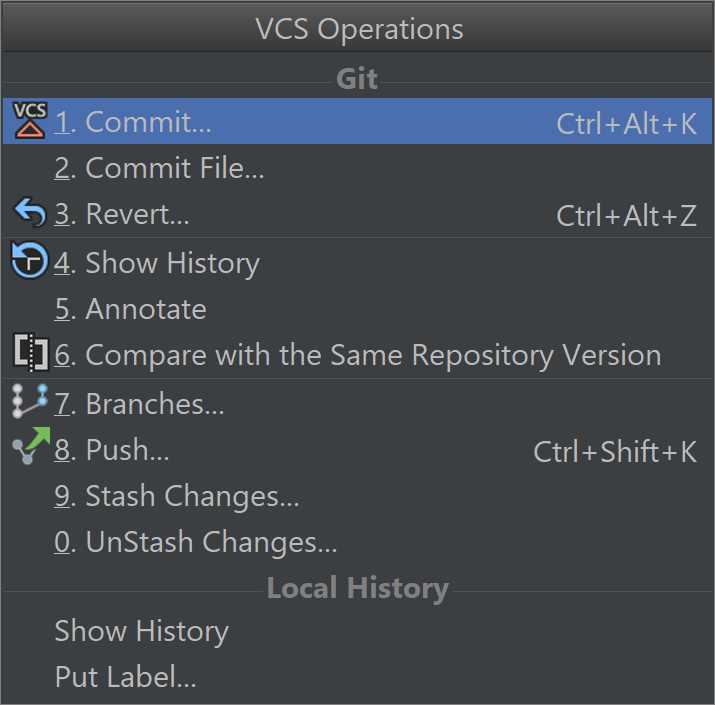
Figure 92
In addition to the typical commit, push, and pull operations, the IDEA platform also takes care of merging for you by providing a helpful merge window when it is necessary.
Integrated terminal
The IDE includes a built-in, integrated terminal. It opens the default command prompt for the operating system it’s running on.
However, it’s easy to reconfigure it to use a different command prompt. For example, if you are using Windows and running WSL (Windows System for Linux), you can type in bash, which will immediately open the WSL command prompt, assuming you are running Windows 10 and have that component installed.
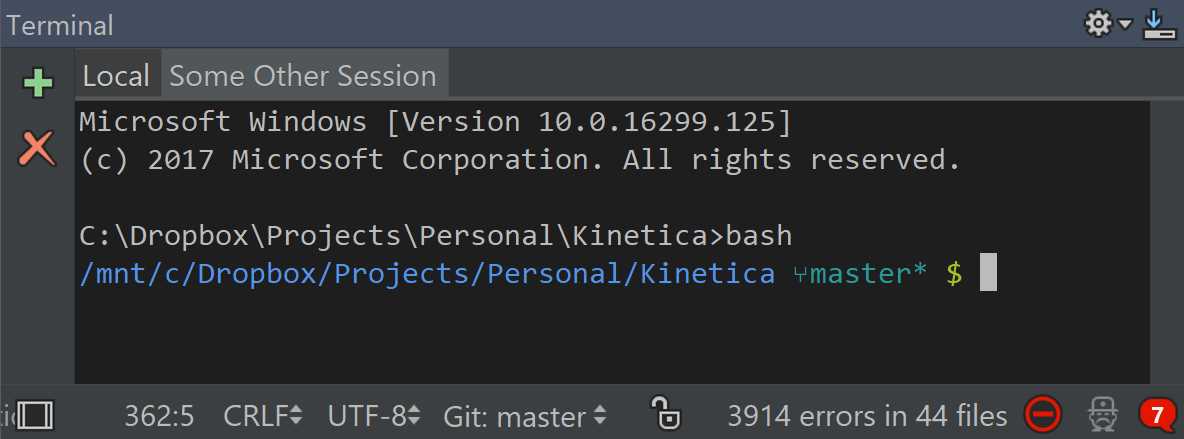
Figure 93
As the Figure 93 shows, the Terminal tool window (can be shown using View > Tool Windows > Terminal) can host several sessions at the same time. So, if you need to, you can have different tabs dedicated to, say, Windows command-line, bash as well as SSH, Telnet, or some other terminals.
TODO navigation
Sometimes you want to leave permanent notes on certain places in code where some work is needed. For example, something needs to be fixed, or you’ve left a hack in place to be replaced later. Sure, leaving such comments all over the place is easy, but finding them isn’t—unless you use Rider, of course!
In Rider, the code analyzer is able to index commends that match a particular regular expression (for example, a comment that begins with todo:), and presents a separate TODO tool window (shown via View > Tool Windows > TODO) where all the comments are listed as clickable items:
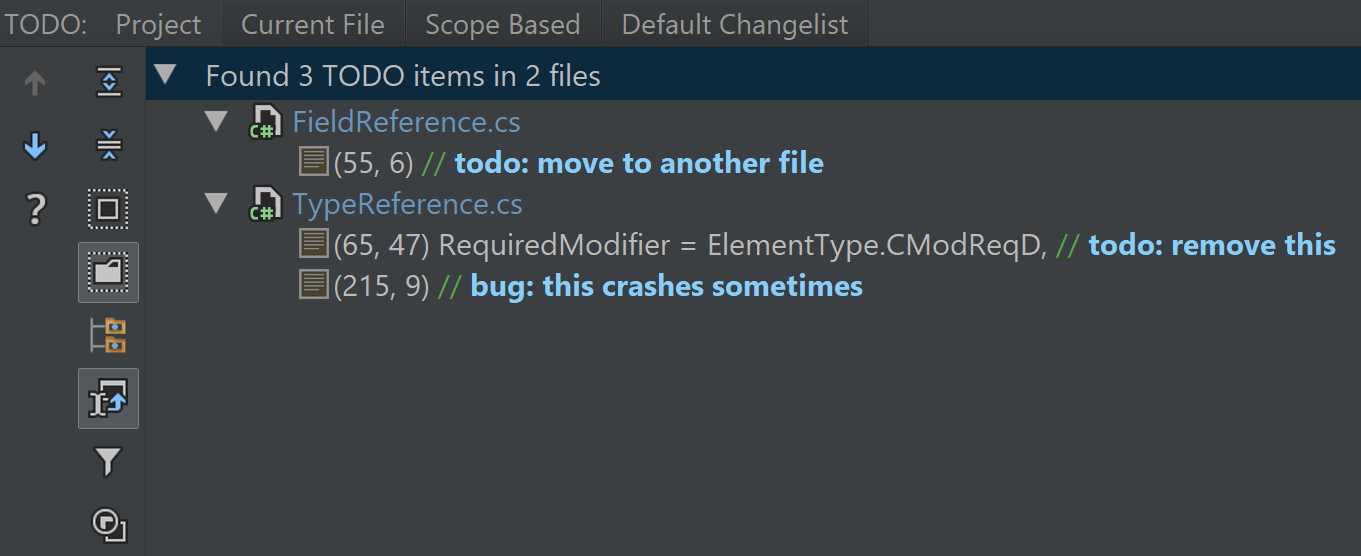
Figure 94
As you can see on top, there are some filtering options available: you can list all items from the current project, just the current file, or the current scope.
The regular expressions that Rider uses to search for are also configurable in the TODO section of Rider’s settings:
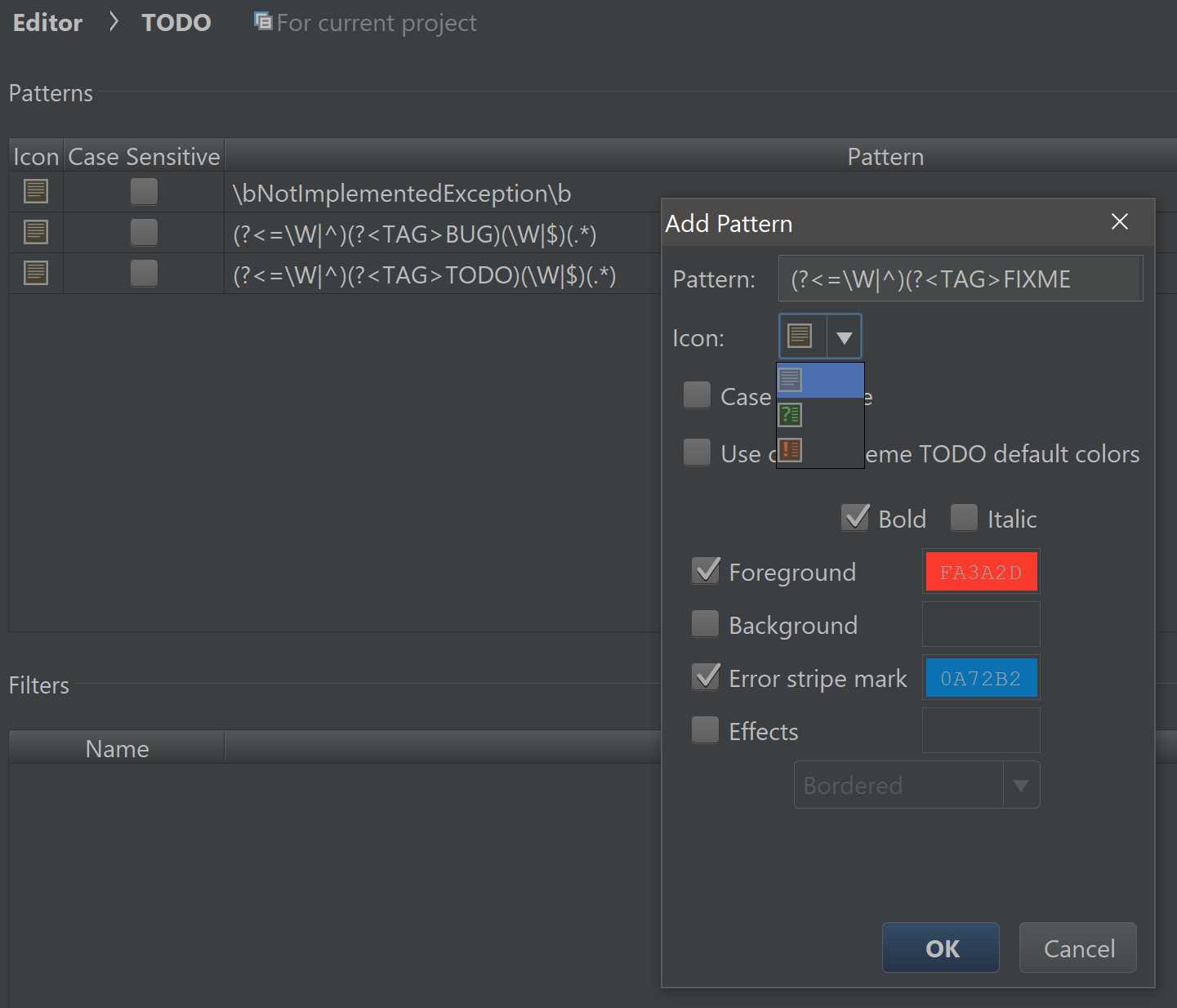
Figure 95
You can add and remove regular expression and, for each expression, you can specify the icon that Rider uses and whether or not the search is case-sensitive. Even though Rider has a default set of colors for TODO items, you can override those so that comments matching this regular expression are presented differently.
Plug-ins
Plug-ins are tricky business in Rider. After all, the back-end of a plug-in can be written in a .NET language, and is functionally equivalent to a plug-in written for ReSharper—so much so that some ReSharper plug-ins can work in Rider with no modification. There is a snag, however: since Rider uses a JVM front-end, all the visuals (like dialog windows) have to be recreated using IDEA-based APIs instead of WPF. JetBrains is in the process of homogenizing UI development across the different ecosystems.
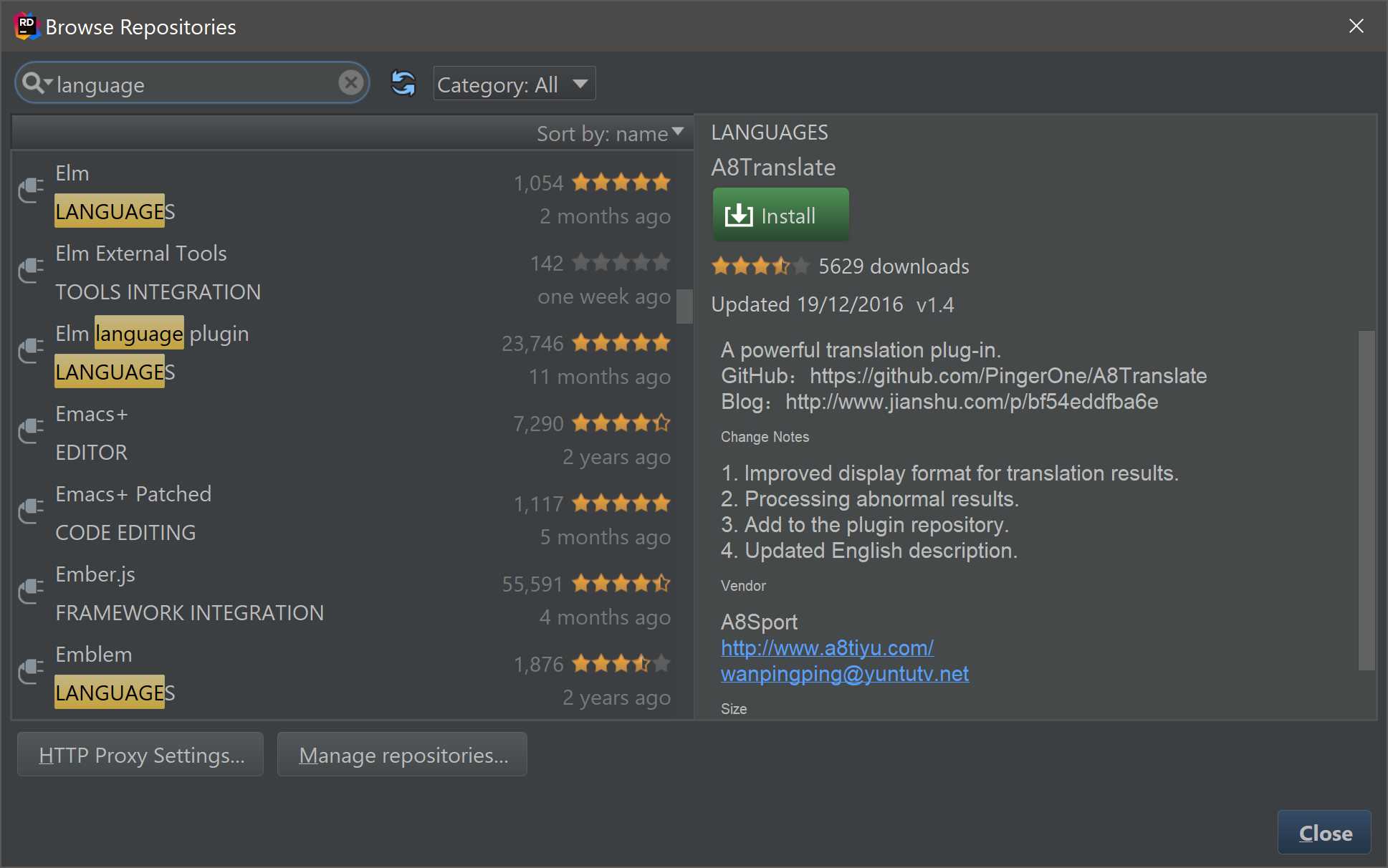
Figure 96
Some plug-ins are completely unrelated to the .NET side of things. For example, Rider, just like other IDEA-based IDEs, supports the Python Community Edition plug-in, which gives you the free parts of PyCharm, JetBrains’ Python IDE. There are plenty more technologies that are supported in Rider by virtue of being supported in IDEA: this includes a database navigator, Docker support, Protobuf support, and many others.


- 1800+ high-performance UI components.
- Includes popular controls such as Grid, Chart, Scheduler, and more.
- 24x5 unlimited support by developers.