
Prompt Engineering for Developers Succinctly®

CHAPTER 2
Prompting Essentials
Overview
Having set up your development environment and understood the capabilities and limitations of AI, the next crucial step is to master the basics of crafting effective prompts.
This chapter delves into the foundational principles that transform vague requests into precise instructions, enabling AI to deliver high-quality, relevant outputs for quick development tasks.
Clarity, specificity, and context
The cornerstones of practical prompt engineering are clarity, specificity, and context. These three elements work in concert to ensure the AI understands your intent without ambiguity, leading to more accurate and helpful responses.
Clarity
Clarity means using straightforward language that the AI can easily interpret. Avoid jargon where simpler terms suffice and structure your sentences to be unambiguous. If a human could misinterpret your request, an AI likely will, too.
Let’s begin with a poor and unclear prompt.
Code Listing 2-a: Poor (Unclear) Prompt Example
Make a database for my app. |
This prompt is unclear. What kind of app? What database technology? What tables are needed? Here, the AI has too many unknowns to provide a helpful response.
Now, let’s look at a clearer prompt.
Code Listing 2-b: Clearer Prompt Example
I need a database schema for a document-expiration-tracking application. The application will store information about documents like driver’s licenses and passports, including their expiration dates. |
This prompt is clearer because it states the application’s purpose, giving the AI a better understanding of the domain.
Specificity
Specificity, on the other hand, involves providing precise details about what you want the AI to do, how it should do it, and what the expected output should look like. The more specific you are, the less the AI has to guess, reducing the chances of irrelevant or incorrect outputs.
Let’s look at a nonspecific prompt.
Code Listing 2-c: Another Poor Prompt Example (Not Specific Enough)
Write some PHP code for a form. |
This prompt is too generic. What kind of form? What fields? What should the form do?
Now, let’s look at a more specific prompt example.
Code Listing 2-d: Specific Prompt Example
Write PHP code for an HTML form that allows users to add a new document. The form should have input fields for: 'Document Name' (text), 'Document Type' (dropdown with options: 'Driver’s License', 'Passport', 'ID Card'), 'Expiration Date' (date input), and 'Notes' (textarea). Include basic HTML structure and a submit button. |
Here, we’ve specified the form’s purpose, the exact fields and their types, and even some fundamental UI elements. This level of detail guides the AI to generate highly relevant code.
Context
Context provides the background information the AI needs to understand the broader picture of your request. This can include previous conversations, project requirements, existing code snippets, or even the target audience for the output.
Context helps the AI generate responses that are consistent with your overall goals and existing codebase. The term “context” is used in several ways by various AI assistants. It can refer to the entire prompt submitted to the assistant, just the background information part of the prompt that the AI needs to understand the broader picture of your request, or a history of messages in the current conversation.
Suppose you’ve already generated a database schema. When asking for PHP code to interact with it, you would provide the schema as context.
Code Listing 2-e: Context Prompt Example
Given the following SQLite database schema: ```sql CREATE TABLE documents ( id INTEGER PRIMARY KEY AUTOINCREMENT, name TEXT NOT NULL, type TEXT NOT NULL, expiration_date TEXT NOT NULL, notes TEXT ); ``` Write PHP code to connect to this SQLite database and insert a new document record. The function should accept document name, type, expiration date, and notes as parameters. |
By including the CREATE TABLE statement, you provide the AI with the necessary context about your database structure, enabling it to generate correct, compatible PHP code.
Role-playing and persona prompts
One powerful technique to guide the AI’s output is to assign it a role or persona. By instructing the AI to act as a specific type of expert, you can influence its tone, style, and the kind of information it provides.
This is particularly useful in development, where different roles require different perspectives. Let’s have a look at an example.
Code Listing 2-f: Persona Prompt
Act as a senior PHP developer with expertise in secure coding practices. Review the following PHP code for potential security vulnerabilities, including SQL injection and cross-site scripting (XSS). For each vulnerability you find, explain the risk and provide a corrected version of the code: [Paste your PHP code here] |
By assigning the persona of a security-conscious senior developer, you prompt the AI to go beyond a simple code review and focus on a specific, critical aspect of software development, yielding much more valuable insights than a generic "review this code" prompt.
Iterative prompt refinement
A crucial point to understand is that it is rare to get the perfect response from an AI on the first try.
Iterative prompt refinement is the process of starting with a simple prompt and progressively improving it based on the AI’s output. This feedback loop is a core part of practical prompt engineering.
The iterative process typically looks like this:
· Submit initial prompt: Start with a clear, specific, but not overly complex prompt.
· Analyze output: Review the AI’s response. Does it meet your requirements? Is it accurate? Is anything missing?
· Identify shortcomings: Pinpoint where the output falls short. Perhaps it used the wrong library, misunderstood a requirement, or the code is inefficient.
· Refine prompt: Address the shortcomings. You might add more context, be more specific, provide an example, or correct a misunderstanding.
· Repeat: Continue this cycle until you achieve the desired output.
To get a better sense of this, let’s look at an example.
Iteration 1: Initial prompt
Again, it is rare to get the perfect response from an AI on the first attempt.
Code Listing 2-g: Iteration 1 Prompt
Write a PHP function to get all documents from the database. |
Now, let’s do this for real and run that through the free version of ChatGPT to see what we get.

Figure 2-a: Iteration 1 (Using ChatGPT)
We should get back a reusable PHP function to fetch all documents from a database using PDO (which is safer and more modern than MySQLi).
For example, this is the code result I got from ChatGPT. Please note that you might not get the same result as I did.
Code Listing 2-h: Iteration 1 Resultant Code (ChatGPT Response)
<?php function getAllDocuments($pdo) { try { $stmt = $pdo->prepare("SELECT * FROM documents"); $stmt->execute(); return $stmt->fetchAll(PDO::FETCH_ASSOC); } catch (PDOException $e) { error_log("Database error: " . $e->getMessage()); return []; } } |
Here’s an example of how to use and invoke this code (also generated by ChatGPT).
Code Listing 2-i: How to Run the Resultant Code—Iteration 1 (ChatGPT Response)
<?php // Database connection $dsn = "mysql:host=localhost;dbname=my_database;charset=utf8mb4"; $user = "db_user"; $pass = "db_password"; try { $pdo = new PDO($dsn, $user, $pass, [ PDO::ATTR_ERRMODE => PDO::ERRMODE_EXCEPTION ]);
$documents = getAllDocuments($pdo);
foreach ($documents as $doc) { echo $doc['title'] . "<br>"; } } catch (PDOException $e) { die("Connection failed: " . $e->getMessage()); } |
So, this is pretty good. We got the resultant code and how to implement it all in one shot.
Iteration 2: Refined prompt
So, the AI generated the function, but it returns a raw database result set that isn’t very useful for display in an HTML template. Let’s refine this.
Code Listing 2-j: Iteration 2 Prompt
Refine the previous function. Instead of returning the raw database result, it should return an array of associative arrays, where each associative array represents a document with its properties (id, name, type, etc.) |
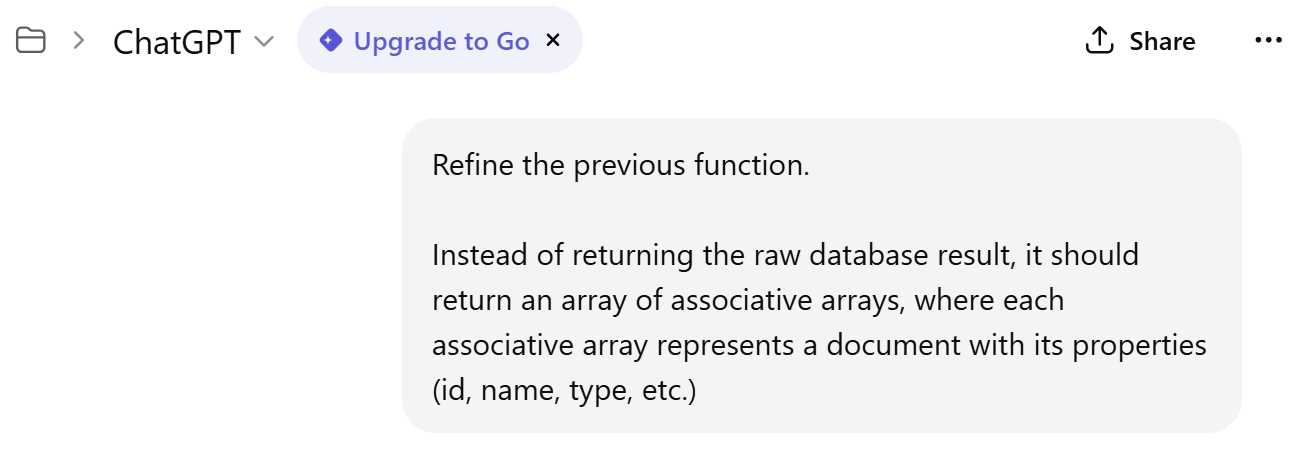
Figure 2-b: Iteration 2 (Using ChatGPT)
Here’s a refined version of the function—it converts the raw result into a structured array of associative arrays and ensures each document has clearly named properties (id, name, type, etc.).
Code Listing 2-k: Iteration 2 Resultant Code (ChatGPT Response)
<?php function getAllDocuments(PDO $pdo): array { try { $stmt = $pdo->prepare("SELECT id, name, type, created_at, updated_at FROM documents"); $stmt->execute(); $rows = $stmt->fetchAll(PDO::FETCH_ASSOC); $documents = []; foreach ($rows as $row) { $documents[] = [ 'id' => (int)$row['id'], 'name' => $row['name'], 'type' => $row['type'], 'created_at' => $row['created_at'], 'updated_at' => $row['updated_at'] ]; } return $documents; } catch (PDOException $e) { error_log("Database error in getAllDocuments: " . $e->getMessage()); return []; } } |
This code explicitly selects key fields (avoids SELECT *); converts IDs to integers for type consistency; wraps all data in a clear, structured array of associative arrays; logs errors; and returns an empty array on failure.
Now, let’s look at how to invoke the code (also generated by ChatGPT).
Code Listing 2-l: How to Run the Resultant Code—Iteration 2 (ChatGPT Response)
<?php $dsn = "mysql:host=localhost;dbname=my_database;charset=utf8mb4"; $user = "db_user"; $pass = "db_password"; try { $pdo = new PDO($dsn, $user, $pass, [PDO::ATTR_ERRMODE => PDO::ERRMODE_EXCEPTION]); $documents = getAllDocuments($pdo); foreach ($documents as $doc) { echo "{$doc['id']}: {$doc['name']} ({$doc['type']})<br>"; } } catch (PDOException $e) { die("Connection failed: " . $e->getMessage()); } |
So, are you seeing the pattern here? Each prompt iteration improves the resulting code based on the direction we want to go.
Another thing to note is that the LLM has memory, so during prompt refinement, there’s no need to respecify the original prompt. Therefore, every prompt improvement is incremental.
Iteration 3: Further refined prompt
Let’s take this a step further and see how we can add some more advanced error handling to the function. Let’s use the following refined prompt.
Code Listing 2-m: Iteration 3 Prompt
Excellent. Now, add error handling to the function. If the database query fails, it should log the error to a file and return an empty array. |
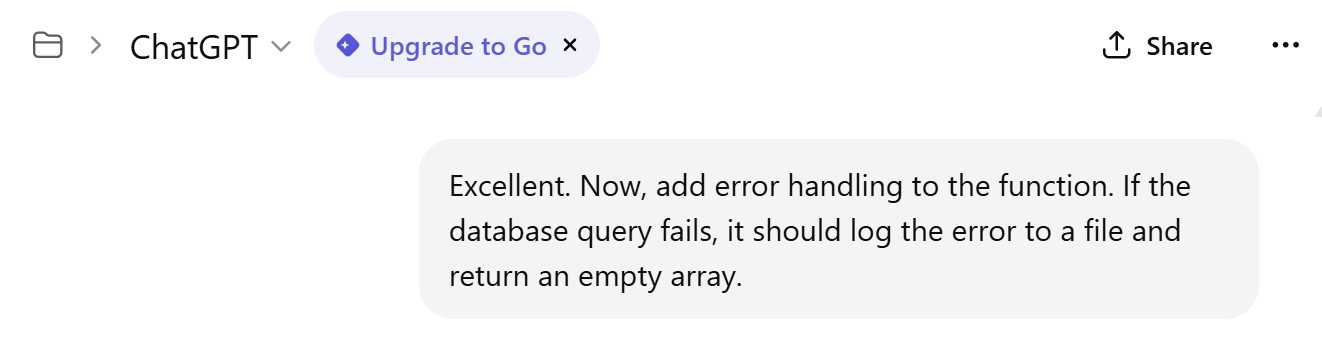
Figure 2-c: Iteration 3 (Using ChatGPT)
After executing this prompt, ChatGPT returns an enhanced version of the function with robust error handling and file-based logging.
Code Listing 2-n: Iteration 3 Resultant Code (ChatGPT Response)
<?php function getAllDocuments(PDO $pdo): array { $logFile = __DIR__ . '/error_log.txt'; // Log file path try { $stmt = $pdo->prepare("SELECT id, name, type, created_at, updated_at FROM documents"); $stmt->execute(); $rows = $stmt->fetchAll(PDO::FETCH_ASSOC); $documents = []; foreach ($rows as $row) { $documents[] = [ 'id' => (int)$row['id'], 'name' => $row['name'], 'type' => $row['type'], 'created_at' => $row['created_at'], 'updated_at' => $row['updated_at'] ]; } return $documents; } catch (PDOException $e) { // Log error with timestamp $errorMessage = sprintf("[%s] Database error: %s\n", date('Y-m-d H:i:s'), $e->getMessage()); file_put_contents($logFile, $errorMessage, FILE_APPEND); // Optionally log stack trace for debugging // file_put_contents($logFile, $e->getTraceAsString() . // "\n", FILE_APPEND); return []; // Return empty array on failure } } |
We can see the following improvements:
· Error logging: The generated PHP script writes detailed error messages to error_log.txt in the same directory as the script.
· Time-stamped logs: These make it easier to trace when issues occurred.
· Safe fallback: The script always returns an empty array in the event of a database failure.
Now, let’s have a look at the example usage also generated by ChatGPT.
Code Listing 2-o: How to Run the Resultant Code—Iteration 3 (ChatGPT Response)
<?php $dsn = "mysql:host=localhost;dbname=my_database;charset=utf8mb4"; $user = "db_user"; $pass = "db_password"; try { $pdo = new PDO($dsn, $user, $pass, [PDO::ATTR_ERRMODE => PDO::ERRMODE_EXCEPTION]); $documents = getAllDocuments($pdo); if (empty($documents)) { echo "No documents found or an error occurred."; } else { foreach ($documents as $doc) { echo "{$doc['id']}: {$doc['name']} ({$doc['type']})<br>"; } } } catch (PDOException $e) { die("Connection failed: " . $e->getMessage()); } |
This is another excellent example of how to enhance a prompt by providing additional context to the AI assistant. Through this iterative process, we have guided the AI to produce a robust, well-structured, error-handling function ready for use in your application.
Output format specification
The last point we’ll touch on before closing this chapter is how to ask AI to output results in a specific format. For any developer, specifying the desired output format can save significant time and effort in parsing and reformatting.
Standard output formats are:
· Code blocks: For code snippets, always ask the AI to format them in a code block with the appropriate language identifier (e.g., `php`, `sql`, `html`).
· JSON: When you need structured data that your application can easily parse, JSON is an excellent choice.
· Markdown: A lightweight, readable format for documentation, explanations, or reports.
· Tables: When comparing options or presenting data, ask the AI to format the output as a table.
To illustrate this, let’s go over an example prompt. Enter this prompt in the same ChatGPT window you’ve been using (do not start a new chat).
Code Listing 2-p: Specifying Output Format Prompt
I am building a REST API for my document tracker application. I need to define the API endpoints. Provide a list of endpoints in a Markdown table with the following columns: 'HTTP Method', 'Endpoint URL', 'Description', and 'Example Request Body (JSON)'. |
After executing this prompt, we get the following result from ChatGPT.
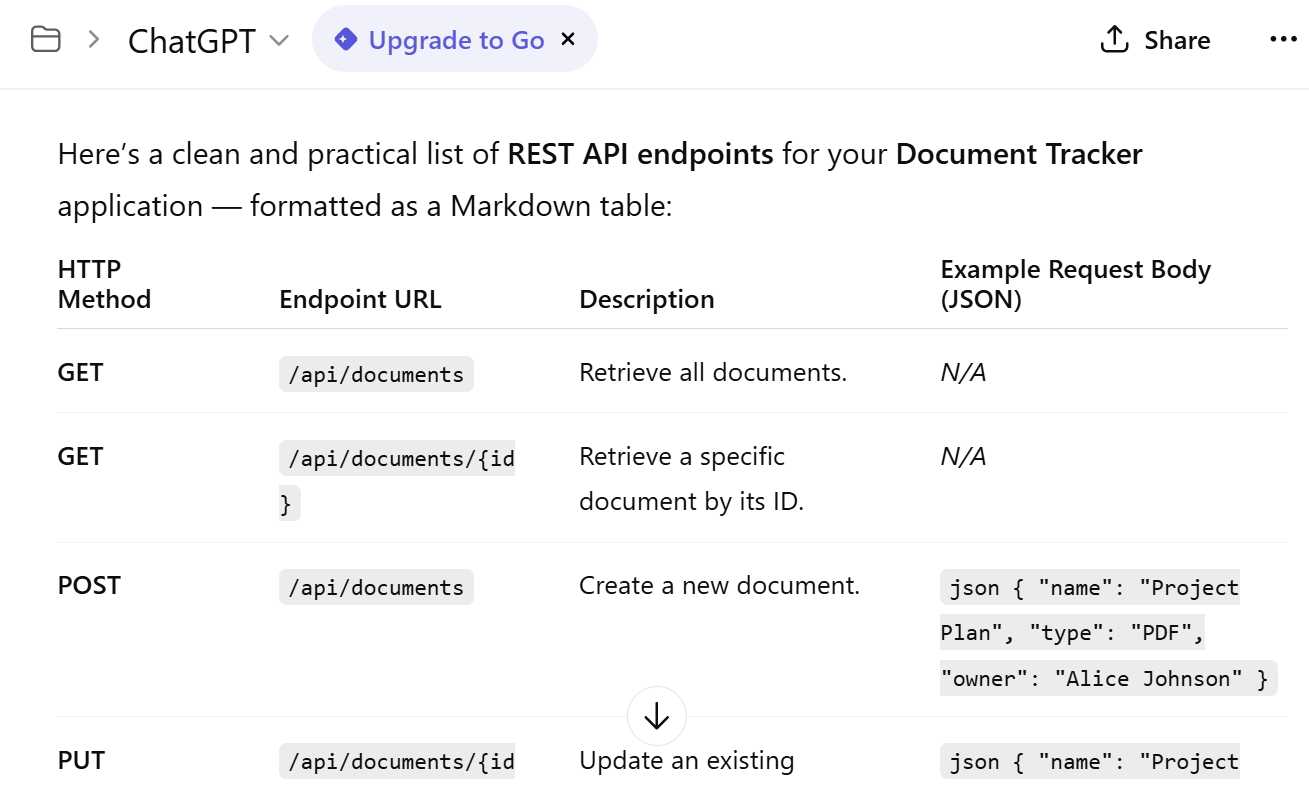
Figure 2-d: ChatGPT Result
Following is the result returned by ChatGPT, copied and pasted, formatted as a table.
Table 2-a
HTTP Method | Endpoint URL | Description | Example Request Body (JSON) |
|---|---|---|---|
GET | /api/documents | Retrieve all documents. | N/A |
GET | /api/documents/{id} | Retrieve a specific document by its ID. | N/A |
POST | /api/documents | Create a new document. | json { "name": "Project Plan", "type": "PDF", "owner": "Alice Johnson" } |
PUT | /api/documents/{id} | Update an existing document by ID. | json { "name": "Project Plan v2", "type": "PDF", "owner": "Alice Johnson" } |
PATCH | /api/documents/{id} | Partially update specific fields of a document. | json { "status": "approved" } |
DELETE | /api/documents/{id} | Delete a document by ID. | N/A |
GET | /api/documents/search | Search documents by query or filters. | N/A (e.g., /api/documents/search?name=report&type=pdf) |
GET | /api/documents/{id}/history | Retrieve version history or activity logs for a document. | N/A |
POST | /api/documents/{id}/upload | Upload a file related to a document (metadata already exists). | multipart/form-data – file upload |
GET | /api/status | Check API health or service status. | N/A |
Notice that ChatGPT did quite a good job because:
· All the endpoints are prefixed with /api/ for clarity and versioning readiness (e.g., /api/v1/documents later).
· The API uses PATCH for partial updates instead of PUT when not all fields are supplied.
· For uploads, it uses multipart/form-data instead of JSON.
· You can expand with authentication routes like /api/auth/login and /api/auth/register if your tracker includes user management.
The prompt clearly specified the desired output format (a table) and the exact columns to include. This resulted in a well-structured, immediately usable response.
By mastering these fundamental prompting techniques, you will be well-equipped to tackle the more advanced concepts and practical application development in the upcoming chapters.


- 1800+ high-performance UI components.
- Includes popular controls such as Grid, Chart, Scheduler, and more.
- 24x5 unlimited support by developers.