
Prompt Engineering for Developers Succinctly®

CHAPTER 1
Introduction and Setup
Overview
Let’s begin by identifying what this book covers and what it doesn’t. This book is not a vibe coding tutorial, nor is it specific to any tool, platform, or large language model.
The goal of this book is to showcase how to write prompts effectively to assist with coding, independent of the platform, tool, or model used. It’s more about the process of learning to prompt effectively, rather than the final result of creating a full-blown application.
We’ll be using the free version of ChatGPT, but you can use any other tool, platform, or model. Just be aware that the results you get might differ significantly from mine if you use another tool. I’ll use the terms AI assistant and ChatGPT interchangeably.
The complete source code used in this book is available in this GitHub repository.
What is prompt engineering?
Prompt engineering is an emerging discipline focused on designing, refining, and optimizing inputs (prompts) for large language models (LLMs) to achieve desired outputs. It’s the art and science of communicating effectively with AI, transforming abstract goals into concrete instructions that an AI can execute.
As AI models become more sophisticated, the ability to craft effective prompts becomes a critical skill for developers, enabling them to harness the full potential of these powerful tools.
At its core, prompt engineering involves understanding how LLMs process information and respond to various types of input. It’s not just about asking a question; it’s about structuring that question, providing context, specifying desired formats, and guiding the AI’s thought process to produce accurate, relevant, and high-quality results.
Prompt engineering is dynamic, constantly evolving with new models and techniques, making continuous learning essential for all practitioners, from citizen developers to experienced practitioners.
Why do developers need prompt engineering?
For developers, prompt engineering is rapidly becoming an indispensable skill. Modern software development often involves more than just writing code; it includes design, testing, documentation, and problem-solving. When prompted effectively, AI assistants can augment every stage of this process, acting as intelligent copilots. Developers can leverage prompt engineering to:
· Accelerate code generation: Generate boilerplate code, functions, or even entire scripts in various programming languages, significantly reducing development time.
· Improve code quality: Obtain suggestions for refactoring, optimization, and adherence to best practices.
· Automate testing: Generate unit tests, integration tests, and test data based on code descriptions or requirements.
· Streamline documentation: Create API documentation, user manuals, and inline comments directly from code or specifications.
· Debug and troubleshoot: Get assistance in identifying errors, understanding complex error messages, and finding potential fixes.
· Learn new technologies: Rapidly grasp new frameworks, languages, or concepts by asking the AI for explanations, examples, and comparisons.
· Design and architect: Brainstorm architectural patterns, database schemas, and UI or UX flows.
By mastering prompt engineering, developers can transform their workflow, moving from merely coding to orchestrating complete systems, thereby enhancing productivity and innovation.
The AI assistant as a pair programmer
Think of your AI assistant not as a replacement for a developer, but as an incredibly knowledgeable and tireless pair programmer. This digital partner can handle repetitive tasks, offer alternative solutions, and provide instant access to a vast repository of programming knowledge.
The key to a successful partnership lies in effective communication, which is precisely where prompt engineering comes in. In a traditional pair programming setup, two developers collaborate at a single workstation, discussing approaches, reviewing code, and catching errors in real time. An AI assistant can replicate many of these benefits:
· Real-time feedback: Get immediate suggestions for code improvements or alternative implementations.
· Knowledge augmentation: Access information on obscure APIs, complex algorithms, or best practices without leaving your IDE.
· Task offloading: Delegate routine coding tasks, so you can focus on higher-level design and problem-solving.
· Error detection: Proactively identify potential bugs, security vulnerabilities, or performance bottlenecks.
This beneficial relationship allows developers to be more efficient, creative, and less prone to burnout, ultimately leading to better business solutions.
Expectations: AI’s role in development
While AI assistant capabilities are impressive, it’s crucial to set realistic expectations. AI is a tool, albeit a powerful one, and not a sentient entity. It excels at pattern recognition, code generation, and information synthesis, but it lacks accurate understanding, creativity, and critical judgment in the human sense.
Key expectations to maintain:
· AI is a copilot, not an autonomous driver: Always review and verify AI-generated code and suggestions. The AI can make mistakes, introduce subtle bugs, or provide suboptimal solutions.
· Garbage in, garbage out: The quality of the AI’s output is directly proportional to the quality of the prompt. Poorly formulated prompts will yield poor results.
· Context is king: AI models operate based on the context they are given. Without sufficient context, their responses may be generic or irrelevant.
· Security and ethics: Be mindful of sensitive information and intellectual property when using AI. Always consider the ethical implications of AI-generated content, especially in production systems.
· Continuous learning: The field of AI and prompt engineering is evolving rapidly. Staying up-to-date with new techniques and model capabilities is vital to maximizing its utility.
The importance of the environment
To practice prompt engineering for development effectively, you need a well-configured environment that includes both your chosen AI assistant and your local development setup. Although there is no defined rule on what the ideal environment is, it must work well with the programming language you will be using for your project.
Choosing your AI assistant
The landscape of AI assistants is rapidly evolving, with several powerful models available, each with its own strengths and nuances. For this book, we will focus on general principles applicable across different LLMs, but it’s beneficial to understand the characteristics of some popular choices:
· Gemini (Google): Multimodal capabilities, strong reasoning, code generation, integration with Google services. It is best suited for complex problem solving, creative code generation, and diverse output formats.
· ChatGPT (OpenAI): Highly conversational, excellent for brainstorming, code snippets, and explanations. It is best suited for general coding tasks, quick answers, and learning new concepts.
· Claude (Anthropic): Focus on safety and helpfulness, long context windows, strong ethical guidelines. It is best suited for sensitive applications, detailed documentation, and long-form code generation.
· GitHub Copilot (OpenAI/GitHub): IDE-integrated, real-time code suggestions, autocompletion. Rapid code writing, boilerplate generation, and learning syntax.
When choosing an AI assistant, consider factors such as its code-generation capabilities, context window size (how much information it can retain from previous uses), ease of integration into your workflow, and cost. For hands-on learning, starting with a free or easily accessible model, such as the public versions of Gemini or ChatGPT, is recommended. Another option to consider is Grok.
Understanding AI capabilities and limitations
While AI assistants are incredibly powerful, they are not infallible. Understanding their capabilities and, more importantly, their limitations is crucial for practical prompt engineering and avoiding frustration. Let’s look at these capabilities and limitations.
Capabilities:
· Code generation: Can produce code snippets, functions, classes, and even entire application structures in various languages.
· Debugging assistance: Can help identify errors, explain error messages, and suggest fixes.
· Refactoring and optimization: Can propose ways to improve code readability, performance, and maintainability.
· Documentation: Can generate comments, docstrings, and API documentation.
· Learning and explanation: Can explain complex concepts, algorithms, and design patterns.
· Translation: Can translate code between programming languages or natural languages.
Limitations:
· Lack of true understanding: AI models do not truly understand the code they generate. They are pattern-matching machines, which can lead to subtle bugs or nonsensical code.
· Hallucinations: AI models can sometimes generate plausible-sounding but incorrect information, including nonexistent functions or APIs.
· Security vulnerabilities: AI-generated code may contain security flaws. Always review it carefully, especially for applications handling sensitive data.
· Outdated knowledge: The training data for AI models has (sometimes) a cutoff date, so they may not be aware of the latest libraries, frameworks, or security patches.
· Context dependency: The quality of the output depends heavily on the prompt and the provided context.
By keeping these capabilities and limitations in mind, you can use AI as a powerful assistant while maintaining your role as the ultimate arbiter of code quality and correctness.
Setup
Throughout this book, we’ll use the free version of ChatGPT to demonstrate how to write a PHP script that uses a small SQLite database. The reason I’ve chosen PHP rather than a trendier framework like Next.js is that PHP is available on any web host and powers most of the internet. Even though the examples will revolve around PHP, the point is not to focus on PHP, but instead on the prompts and process for interacting with the LLM.
To get started, download the XAMPP PHP development environment. Choose the version that corresponds to your operating system. In my case, I’ll be using Windows 11.
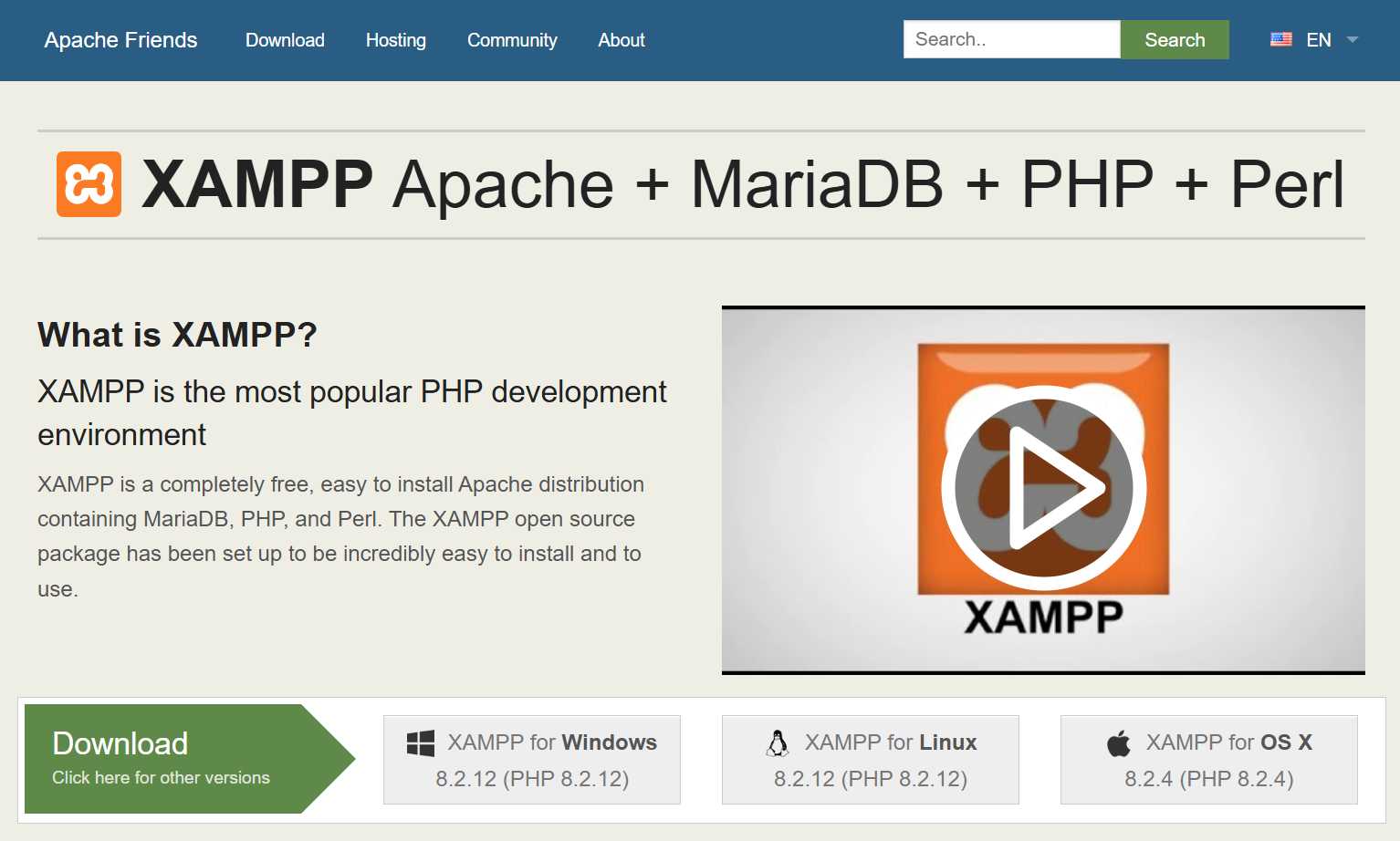
Figure 1-a: XAMPP Website
Once you have downloaded the XAMPP installer, run it as an administrator. In Windows, right-click the installation file.
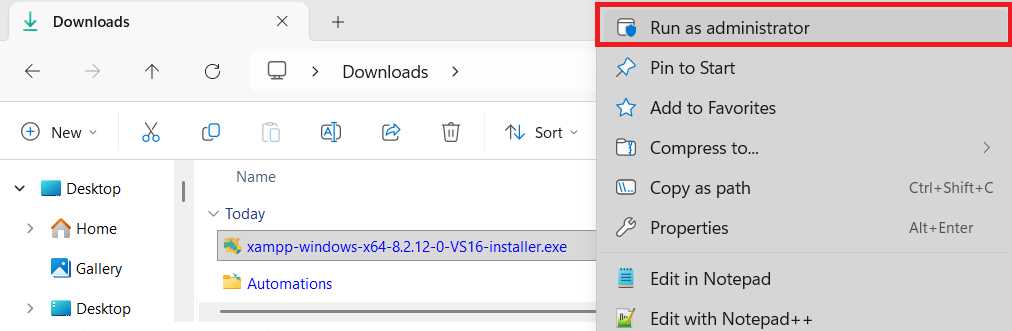
Figure 1-b: XAMPP Installer File (Run as administrator)
After executing the installer, you might see this warning pop up. For this book, it’s not relevant, so click OK.
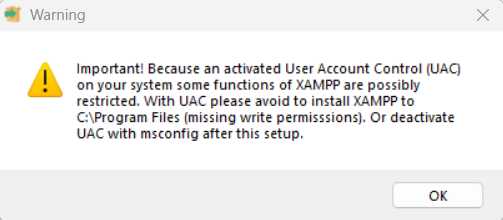
Figure 1-c: Warning: User Account Control (UAC)
Then, you’ll see the following screen. Click Next to continue.
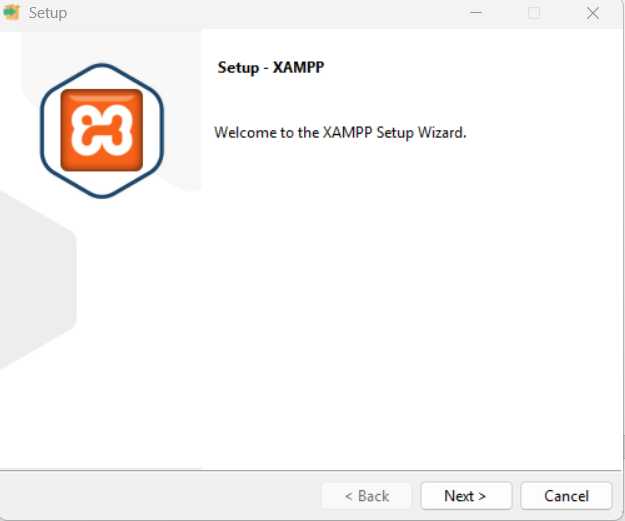
Figure 1-d: XAMPP Installation (Setup—XAMPP)
You’ll see all the components that can be installed during the XAMPP installation. By default, all components are selected, so let’s unselect all options except MySQL and phpMyAdmin. Once done, click Next.
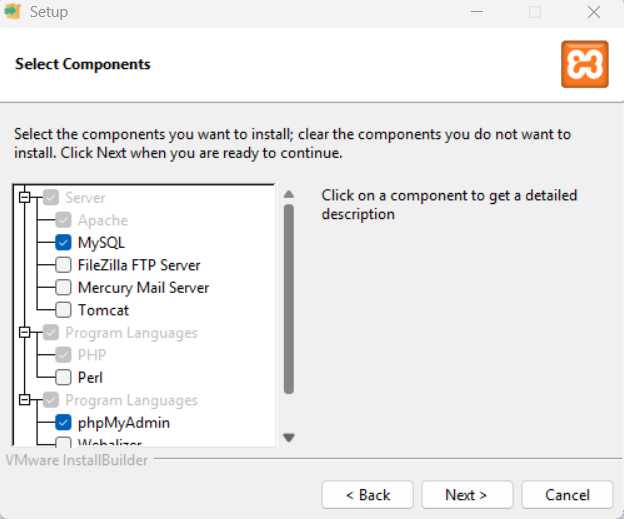
Figure 1-e: XAMPP Installation (Select Components)
Now, we can select the installation folder. By default, the installer uses C:\xampp as the installation folder name on Windows. I suggest you leave it as is. Click Next to continue.
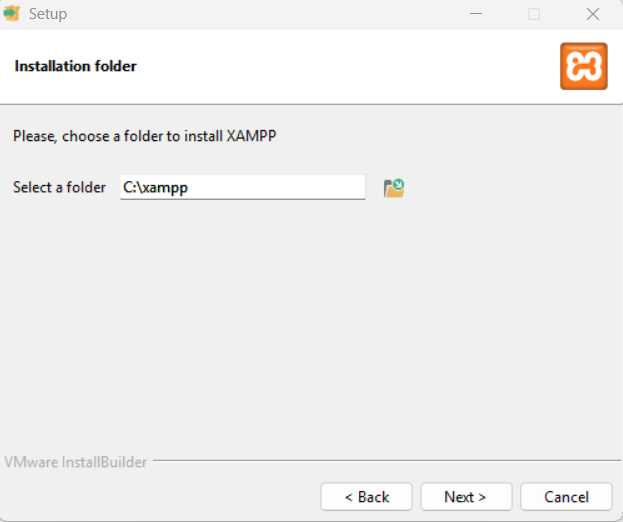
Figure 1-f: XAMPP Installation (Installation folder)
After that, we can see the option to select the installation language, which is set to English by default. The installation is also available in German (Deutsch). Click Next to continue.
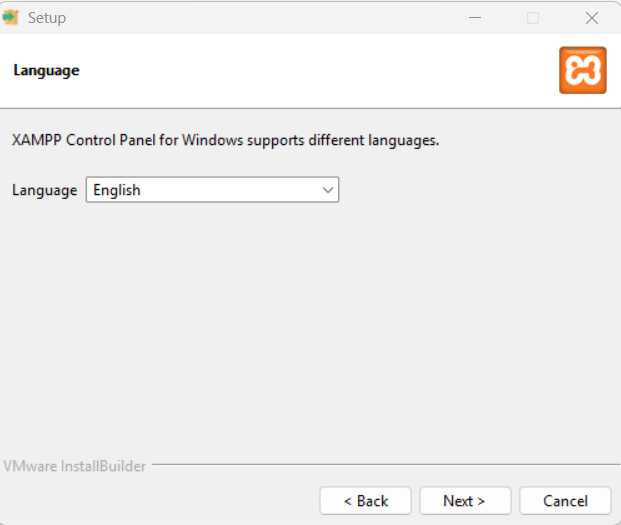
Figure 1-g: XAMPP Installation (Language)
At this stage, we are almost ready to start the installation. So, click Next to continue.
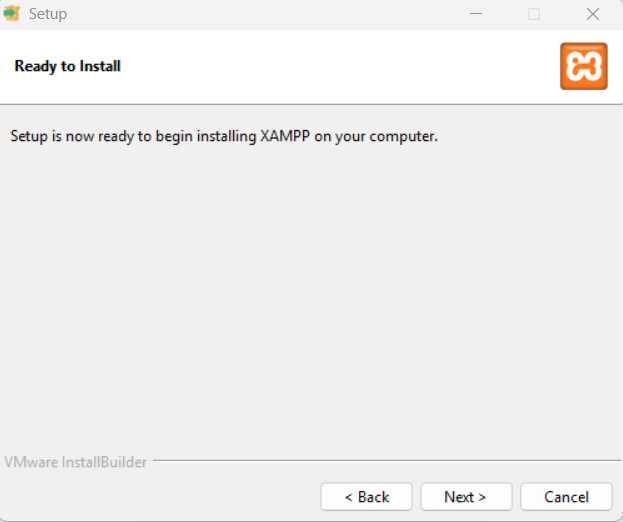
Figure 1-h: XAMPP Installation (Ready to Install)
Alright—so, one final Next button to click to install XAMPP.
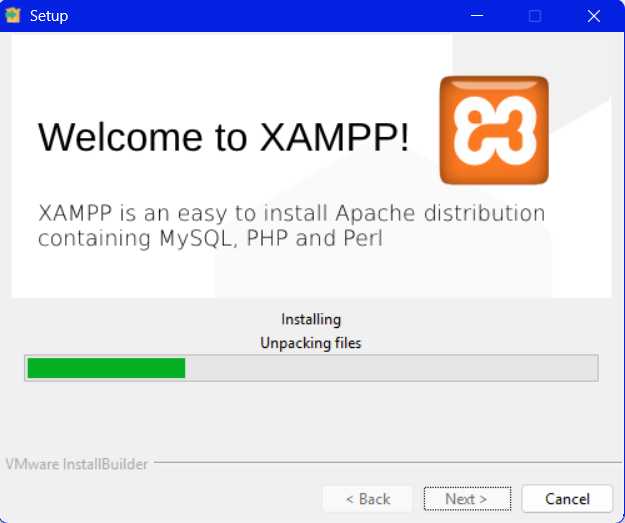
Figure 1-i: XAMPP Installation (Installing)
Once the installation has finished, you can open the XAMPP control panel directly.
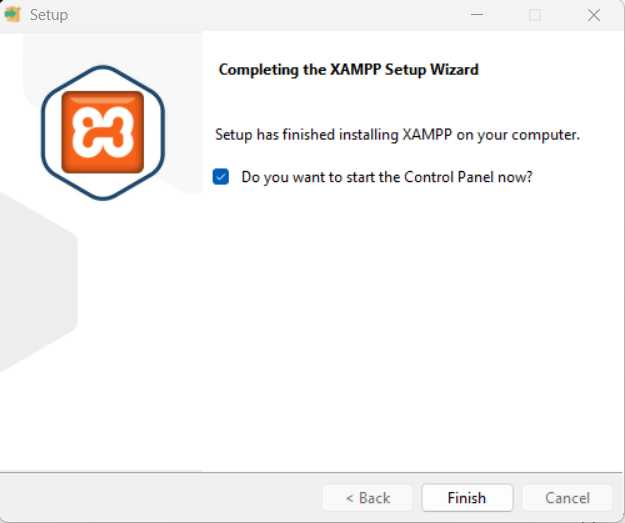
Figure 1-j: XAMPP Installation (Completed)
Once we’ve reached the final screen, click Finish.
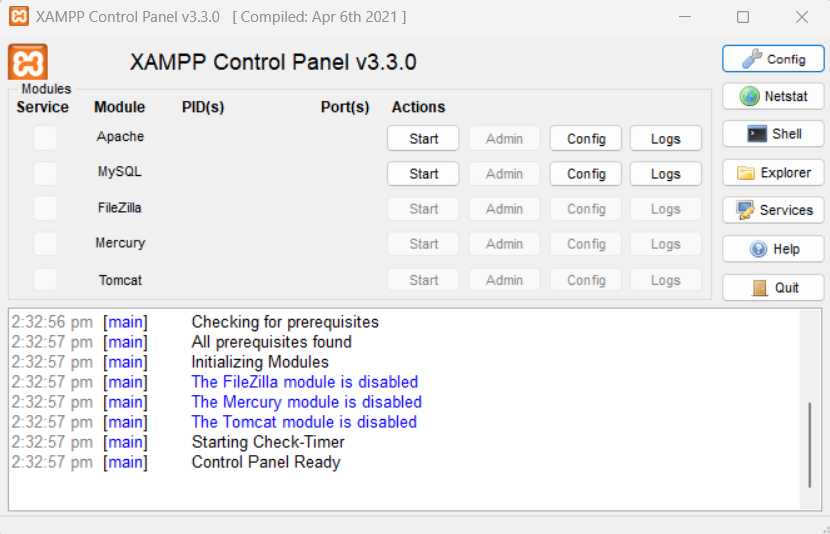
Figure 1-k: XAMPP Control Panel
Click the Start buttons next to the Apache and MySQL labels. This will start the Apache web server and the MySQL database locally. You’ll see the following screen.
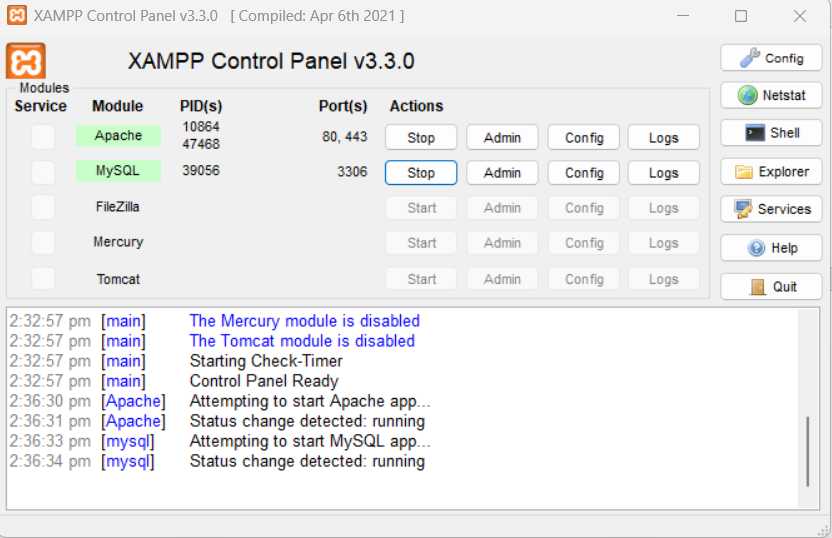
Figure 1-l: XAMPP Control Panel (Apache and MySQL Started)
When working locally with XAMPP, you’ll need to place your PHP source files in the root of the local Apache web server folder. You can do this by clicking the Explorer button and placing the files within the htdocs folder.
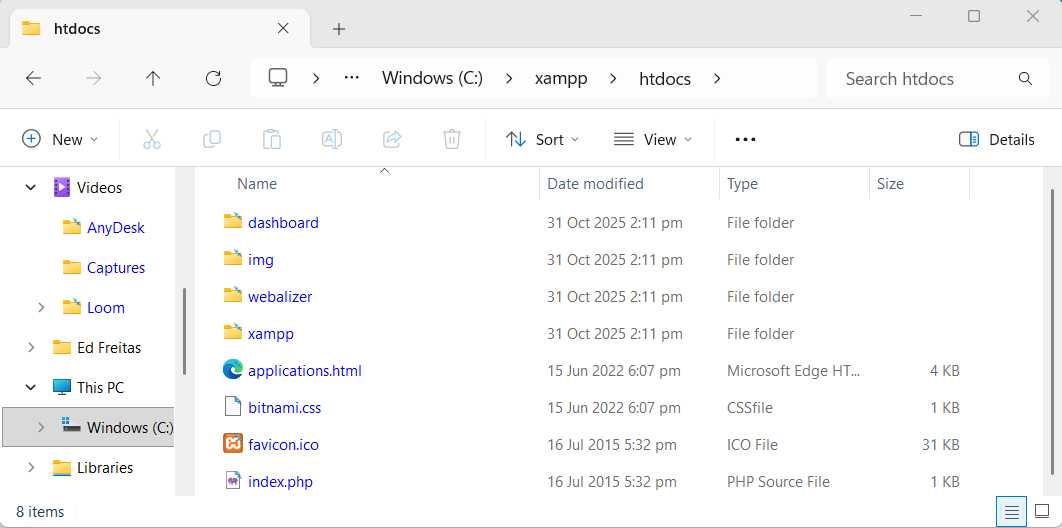
Figure 1-m: The Local Apache Web Server Root Folder (htdocs)
As you can see, this folder already contains some demo files. Excellent. Now that we have XAMPP up and running, let’s start learning how to do effective prompting.
Let’s first cover some prompting techniques that will come in handy later.


- 1800+ high-performance UI components.
- Includes popular controls such as Grid, Chart, Scheduler, and more.
- 24x5 unlimited support by developers.