Online Excel Editor – Create and Edit Spreadsheets Online for Free
Create, edit, and manage Excel files with our free online Excel editor. This fast, browser-based Excel sheet editor offers WYSIWYG editing along with Excel-style formulas, charts, formatting, data validation, data processing, enterprise-grade security, and seamless file import or export. It is perfect for organizing budgets, managing projects, and analyzing data online.

Want an Excel-Like Editing Experience in Your App?
Create, edit, format, and process spreadsheet files that include formulas, tables, charts, and more—all seamlessly integrated into your app using our Spreadsheet Editor SDK component.
How to Use this Online Excel Editor Tool?
Upload or Create Spreadsheets
Upload Excel files in XLSX, XLS, CSV, XLSM, or XLSB formats, or create a new Excel sheet directly in the editor.
Edit and Customize Spreadsheets
Modify data, apply formulas, and edit spreadsheets using built-in tools for a refined and professional layout.
Download and Print Spreadsheets
Download or print your spreadsheets with WYSIWYG accuracy in XLSX, XLS, CSV, or PDF formats to reuse anytime.
Key Features of the Online Spreadsheet Editor Tool
Work efficiently with your spreadsheets using a simple, Excel-style editor in your browser. Calculate values, highlight key data, create charts, organize tables, and protect your work with familiar tools. Whether updating tasks or managing reports, the online Excel files editor helps create clear, professional spreadsheets without any installation.
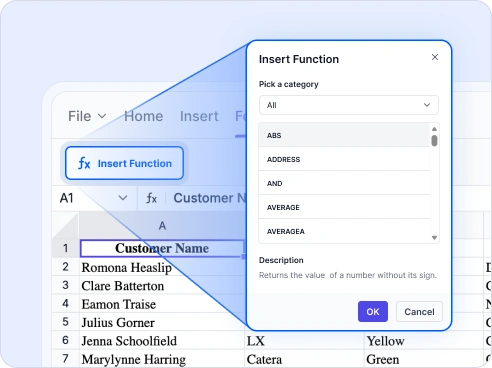
Excel-Compatible Formulas
Perform quick and accurate calculations with a wide range of Excel-style formulas.
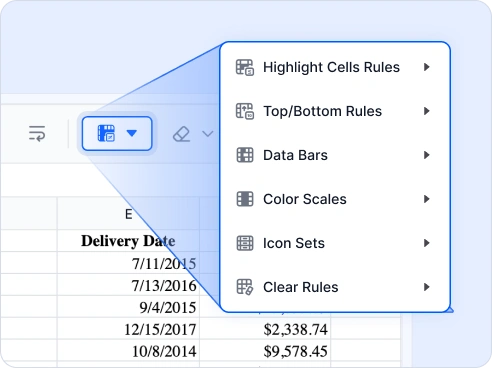
Conditional Formatting
Format cells automatically using rules, colors, and visual indicators to highlight key data.
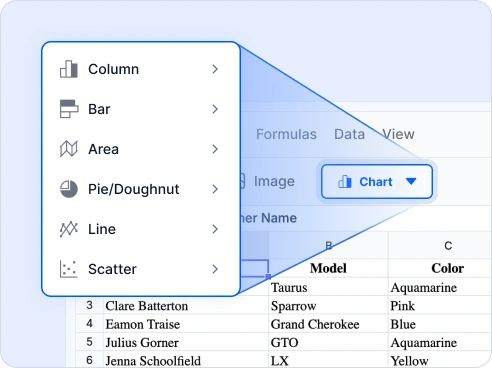
Chart Visualization
Create and customize charts to turn your data into clear, meaningful visual insights.
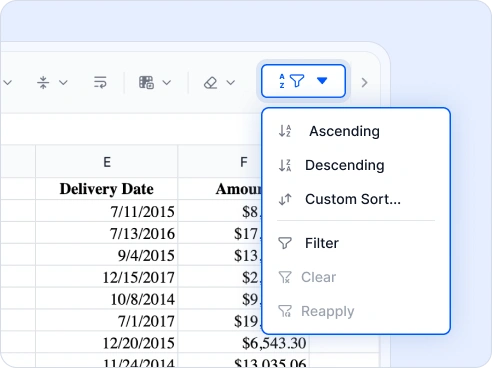
Data Sorting and Filtering
Sort data in the order you want and filter rows to display only the information that matters.
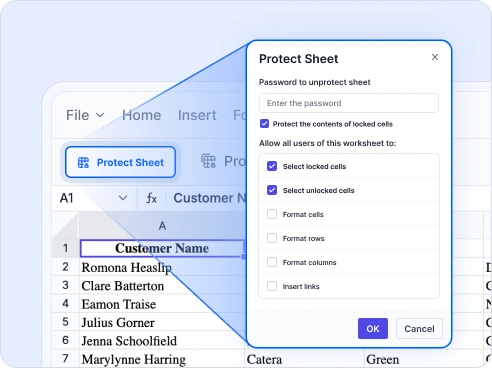
Sheet and Workbook Protection
Secure your sheets and workbooks with flexible protection options and password controls.

Cell Editing and Formatting
Edit and format cells easily using familiar tools for refined, professional-looking spreadsheets.
Frequently asked questions
If you're new or looking for answers to your questions, this guide will help you learn more about our services and their features.
Yes! Our online Excel editor lets you create, edit, and export Excel files or spreadsheets directly in your browser with no installation or payment.
Yes. The free XLSX editor processes everything in your browser. Your Excel files never leave your device, ensuring complete privacy and security.
The free spreadsheet editor works smoothly on Chrome, Edge, Firefox, and Safari without any installation.
Collaboration is not currently available. The Excel editor currently supports single-user editing, with multi-user support planned for a future update.
Yes! You can create a new spreadsheet from scratch or open Excel files online using the Excel editor, allowing you to view, edit, and manage XLS, XLSX, or spreadsheet files directly in your browser.
Yes. You can create and manage multiple sheets within a single workbook, just like in Excel, making it easy to organize and work with large datasets.
Yes! The Excel editor supports common shortcuts such as copy, paste, undo, and redo for faster editing.
Yes. You can insert images into your sheet and adjust their size and placement anywhere within the spreadsheet.
Yes! The free XLS editor enables data validation, allowing input restrictions, dropdown lists, and maintaining data accuracy.
Yes. The Excel editor includes undo and redo options, allowing you to revert or reapply changes instantly.
Yes, you can add hyperlinks to any cell using a URL or cell reference while working in the Excel editor.
Yes, you can add comments or notes to any cell when reviewing or updating your spreadsheet.
Trusted by the Industry, Recognized
for Excellence
We don’t just say we’re great—independent awards and industry leaders back it up.
We are honored to be recognized for our product innovation, customer support, and overall excellence by top organizations worldwide.