Add and Validate Digital Signatures in Word With C#
- Create signature lines with signer details & images
- Validate, manage, and remove digital signatures without Word or Office Interop
No credit card required.
VIEW DEMONo credit card required.
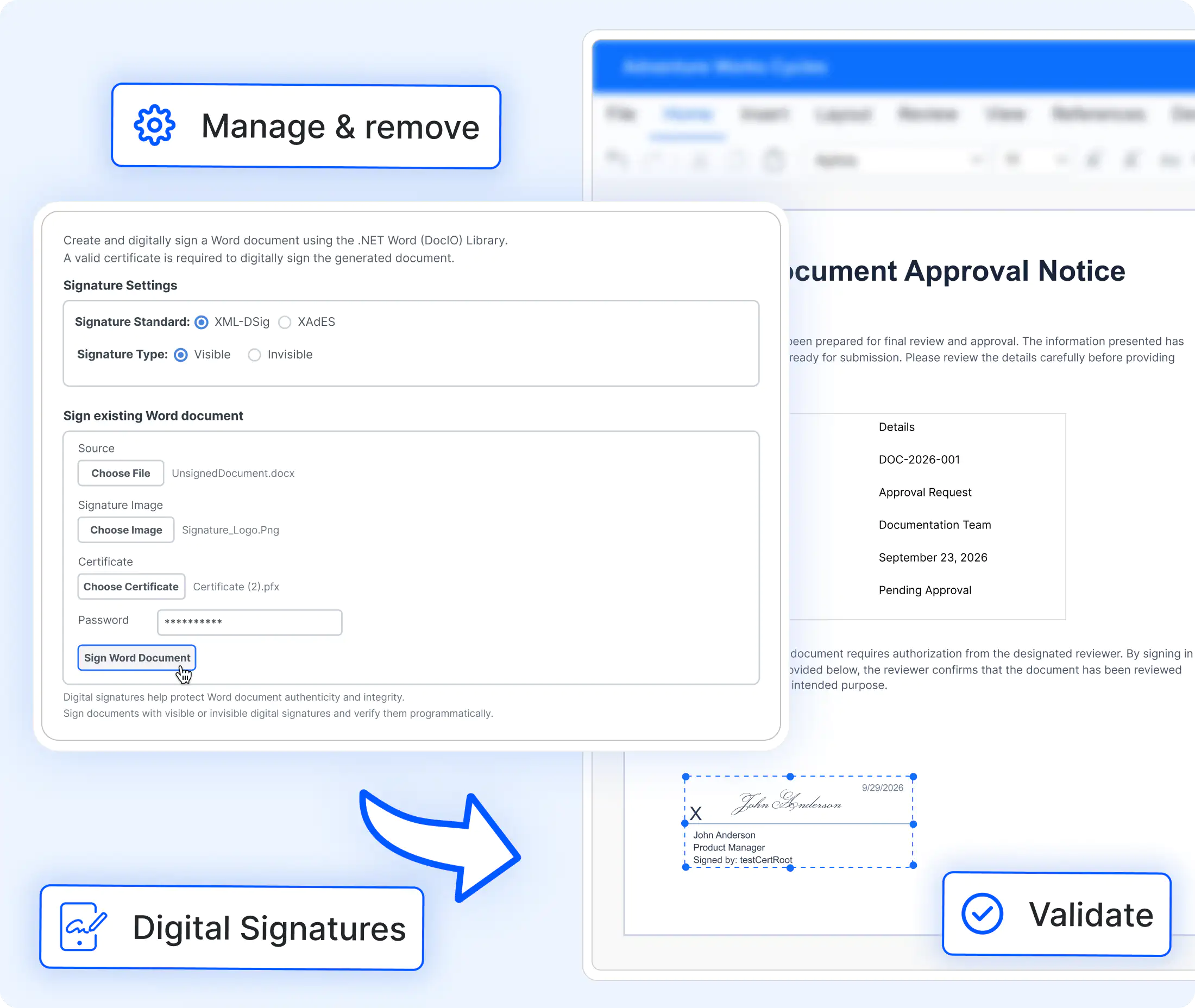
Enterprise digital signature workflows
Implement complete Word document digital signature workflows with certificate-based signing, integrity validation, compliance support, and enterprise approval processes.
Office-free signing
Digitally sign and validate Word documents without Microsoft Word using X.509 (.pfx) certificates. Create visible or invisible signatures, including signature lines, signer details, and optional signature images.
Multi-signer validation
Enable multi-party approval workflows with multiple signature lines and unique IDs. Validate document integrity through signature status, signing time, comments, and signature collections across .NET applications.
Enterprise signature standards
Configure advanced digital signature standards using SignatureSettings.XmlDsigLevel to generate XmlDSig or XAdES-EPES compliant signatures. Ensure authenticity, integrity, and long-term trust.
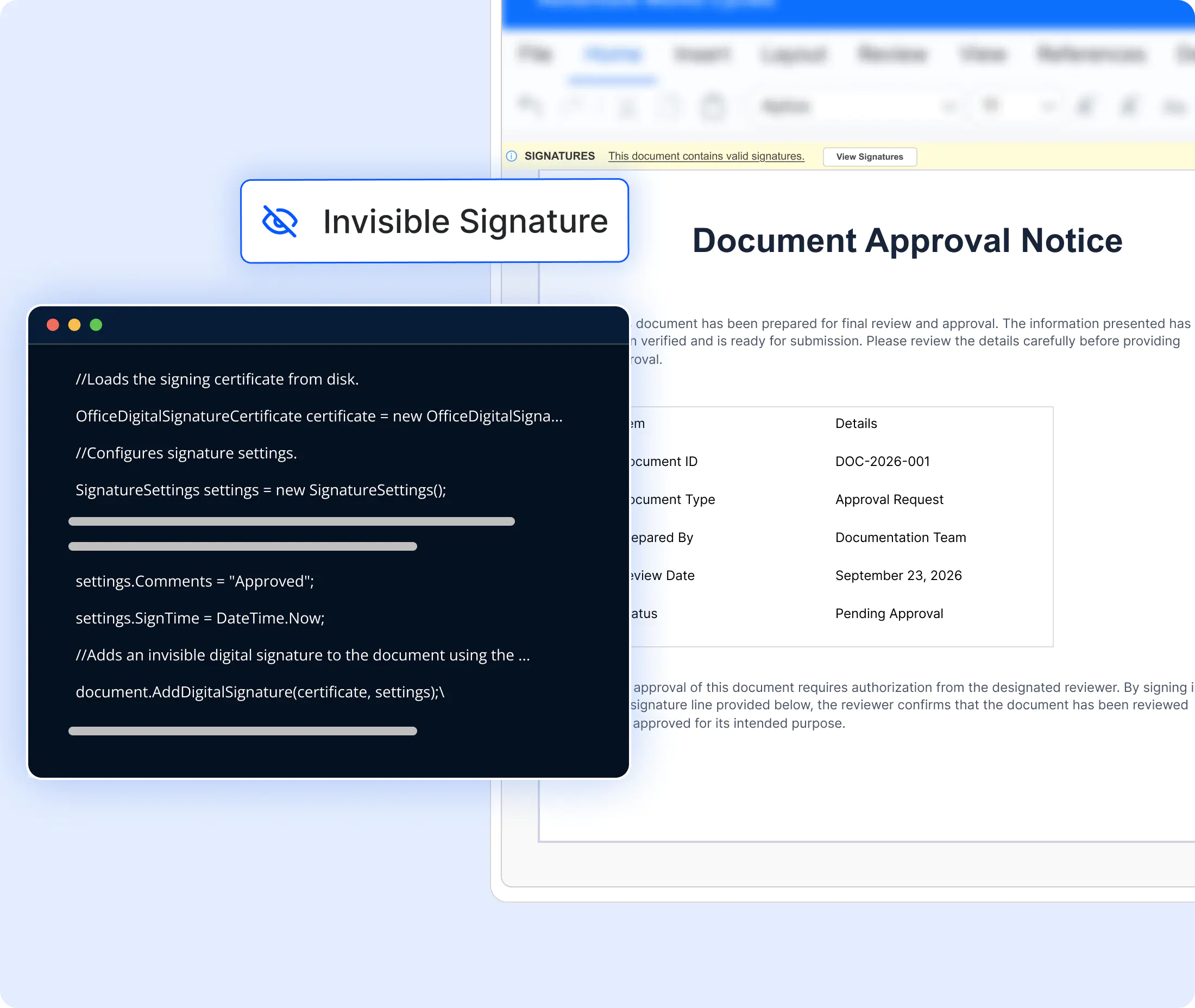
Add an invisible digital signature
Apply a certificate-based digital signature that protects the complete Word document without adding a visible signature object. Configure the signing time and optional comments through SignatureSettings.
- Add invisible digital signatures to DOCX files using X.509 certificates.
- Protect document content from unauthorized modifications.
- Configure signing time, comments, and signature settings programmatically.
- Preserve document appearance while ensuring authenticity.
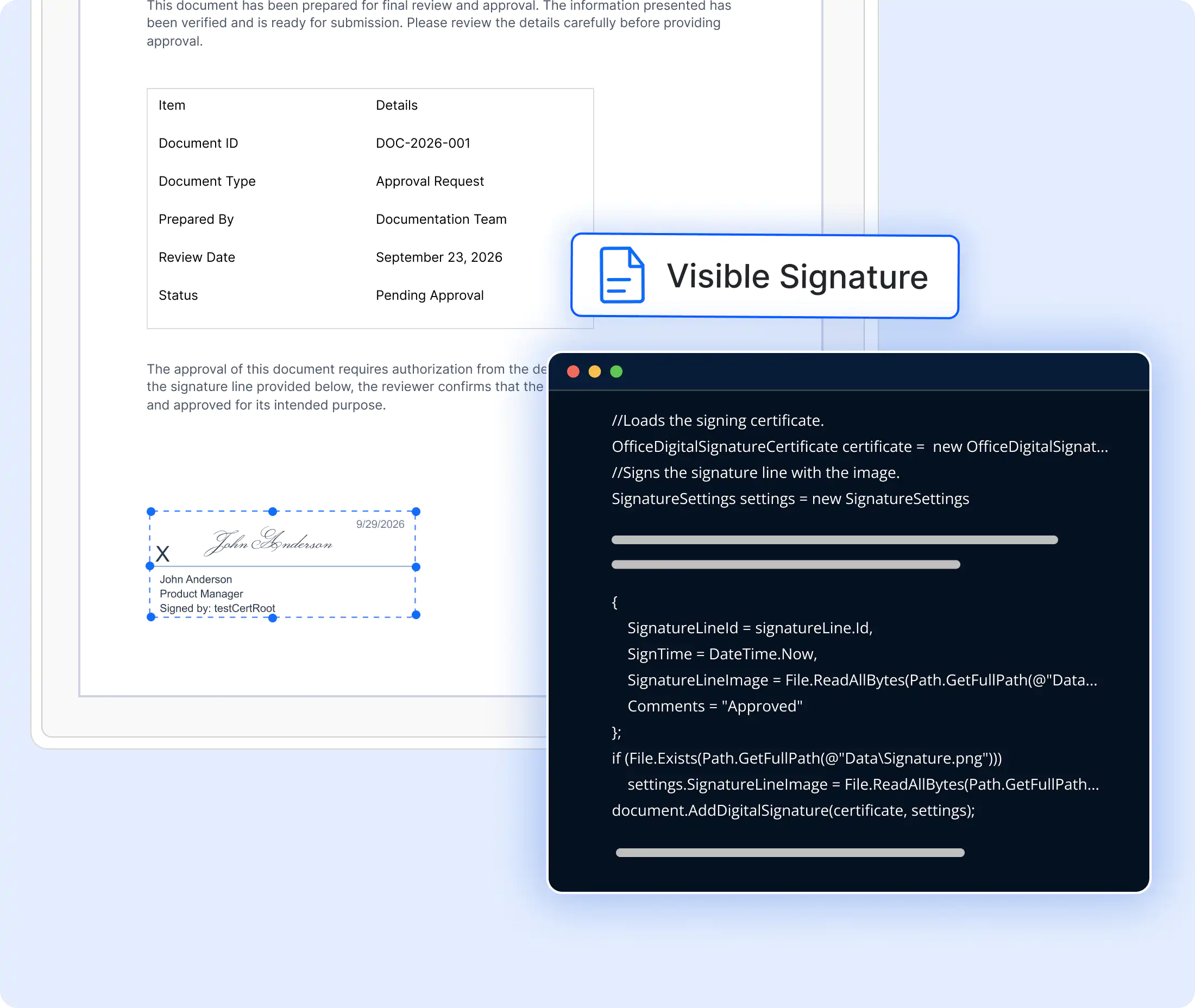
Add a visible digital signature
Create a visible signature line with the signer name, title, email, and date visibility, then sign it using its unique signature line ID, an X.509 certificate, and an optional signature image. You can also create and sign multiple signature lines independently to support multi-party and staged approval workflows.
- Create signature lines with signer details, title, email, and date information.
- Sign signature lines using X.509 certificates and signature images.
- Support multiple independent signatures in a single document.
- Enable multi-party and sequential approval workflows.
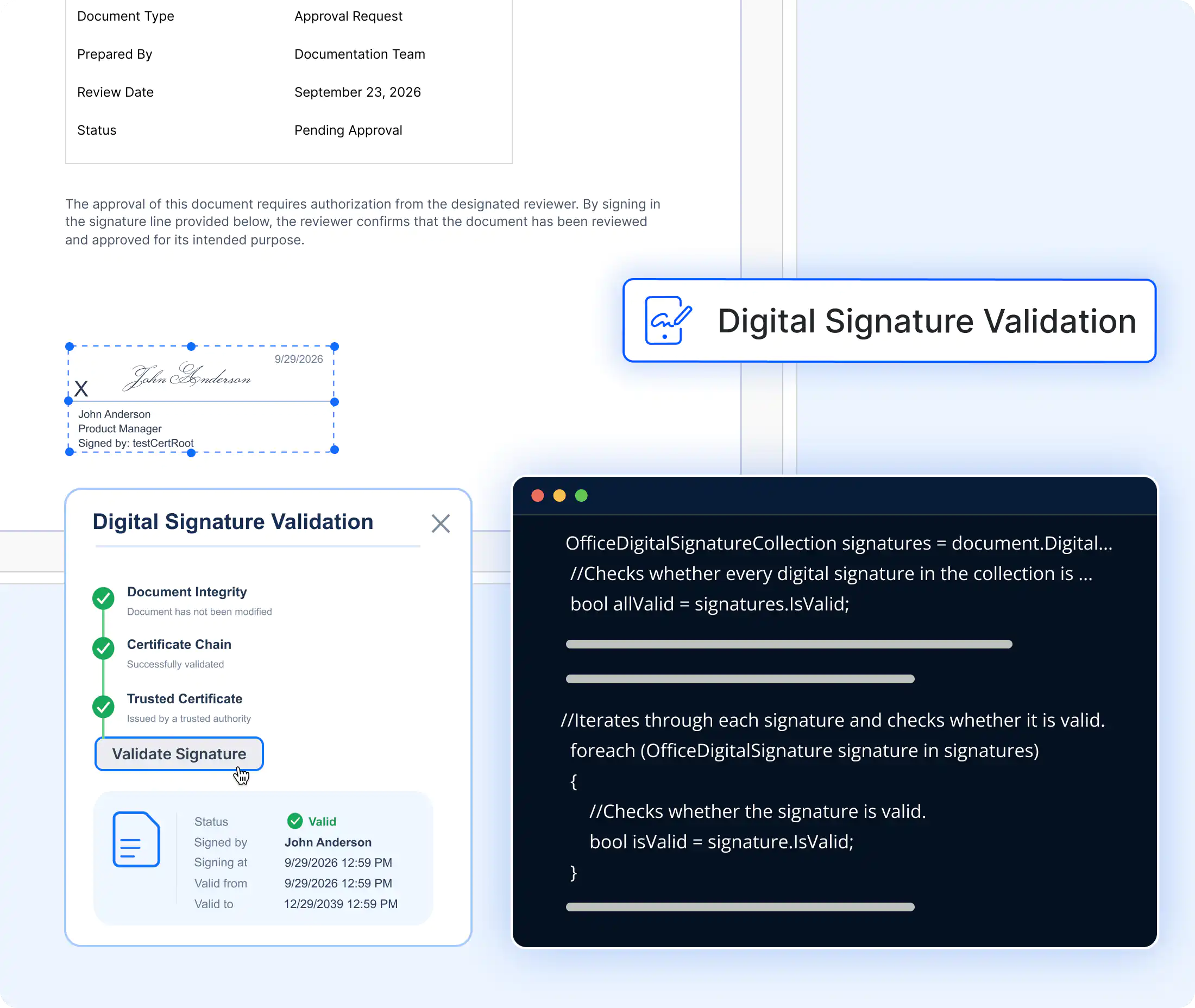
Validate digital signatures
Detect signed documents, inspect signature count, validity, comments, and signing time, and validate all signatures as a collection.
- Detect whether a Word document contains digital signatures.
- Validate signature authenticity and document integrity.
- Retrieve signature details such as comments and signing time.
- Validate multiple digital signatures in a single operation.
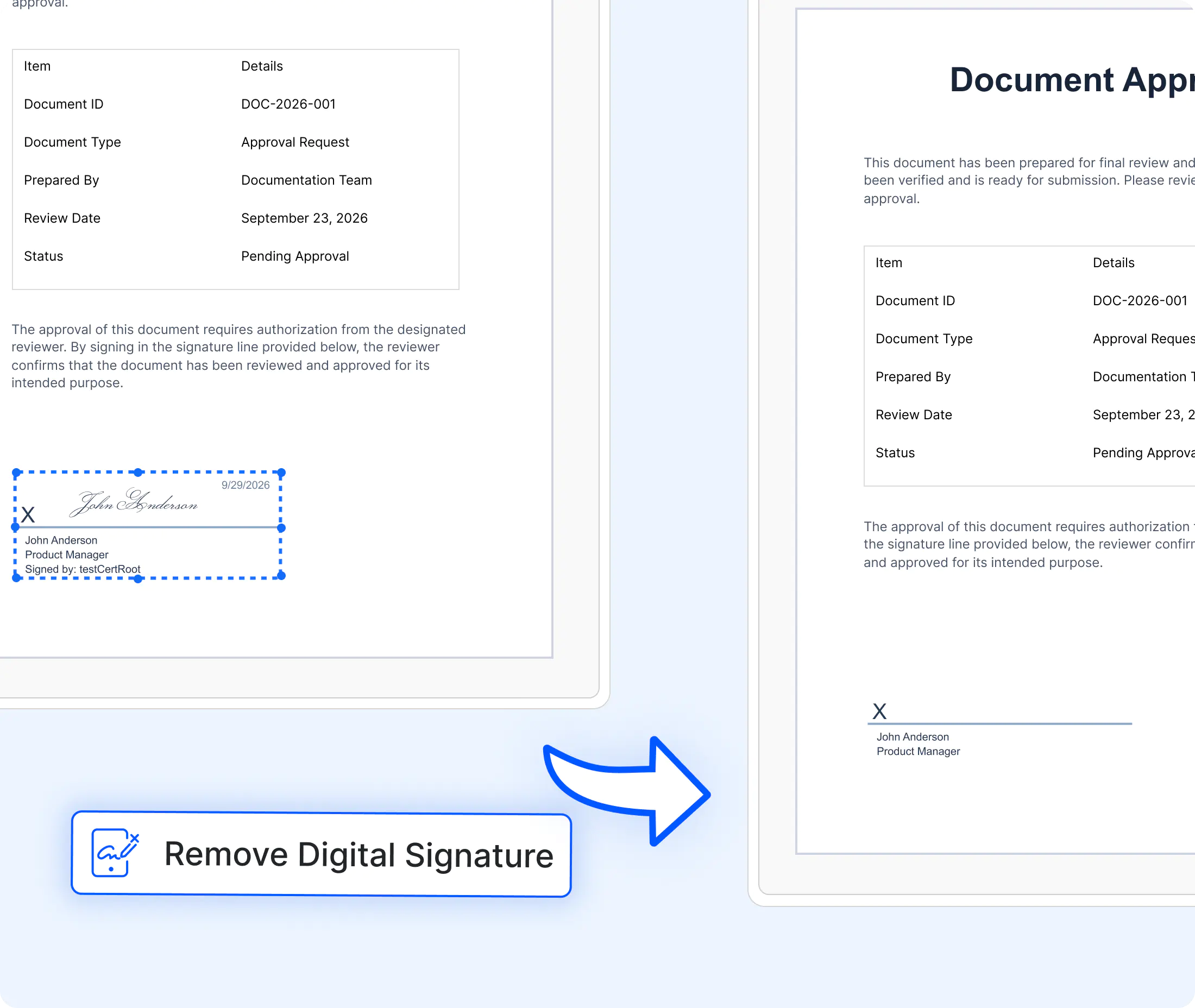
Remove digital signatures
Remove all digital signatures when a document needs revision, then save an unsigned copy for a new signing cycle.
- Remove all digital signatures programmatically from DOCX files.
- Prepare signed documents for editing and revision cycles.
- Save unsigned copies for re-signing workflows.
- Simplify document version management and approvals.
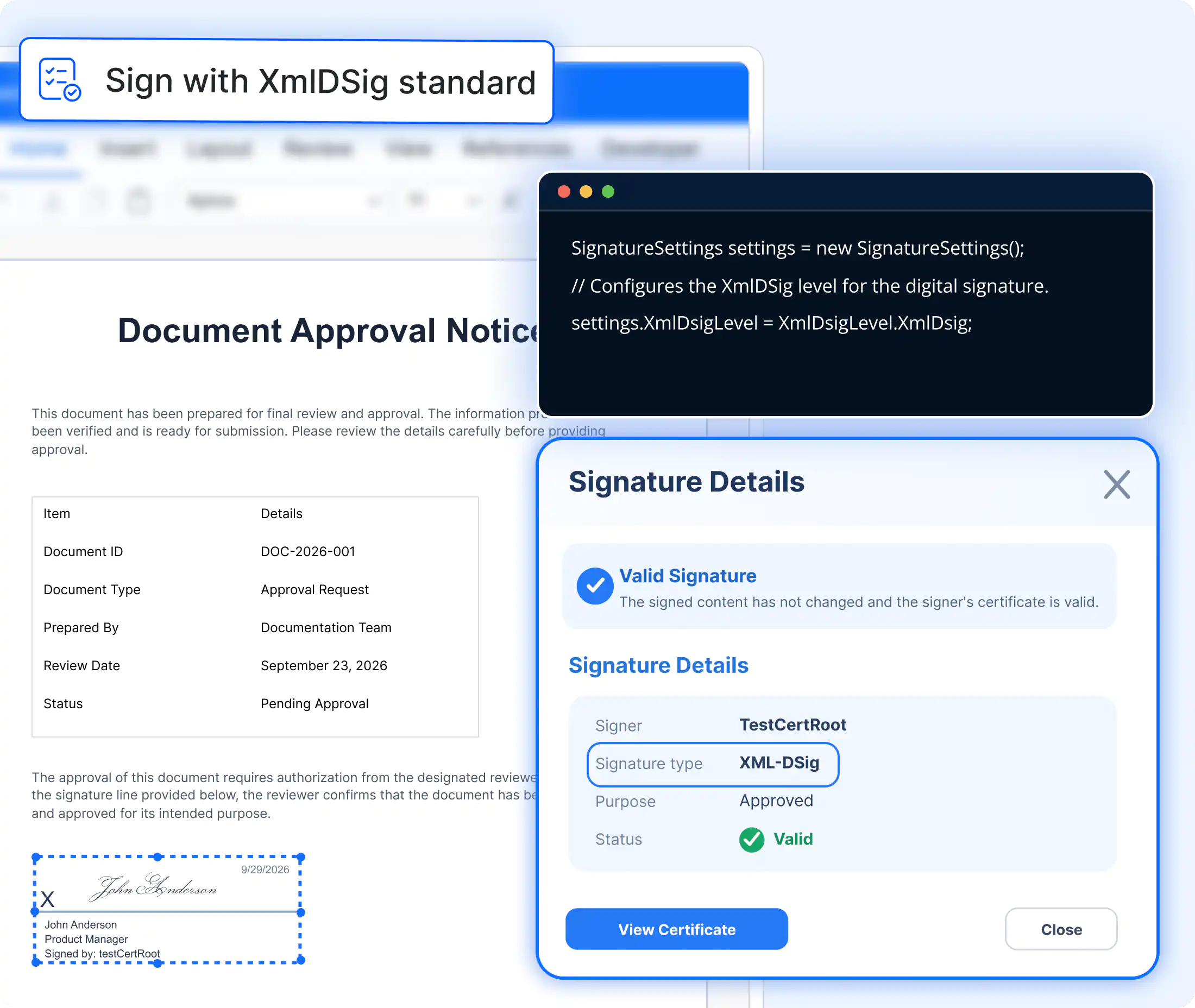
Sign using XmlDSig standard
Apply W3C-compliant XML Digital Signatures to Word documents by setting SignatureSettings.XmlDsigLevel to XmlDsigLevel.XmlDSig. This standard helps ensure secure, interoperable, and verifiable document signing workflows.
- Create standards-compliant XMLDSig signatures in DOCX files.
- Improve interoperability across digital signature systems.
- Configure XMLDSig support through signature settings.
- Ensure document integrity with standardized signature validation.
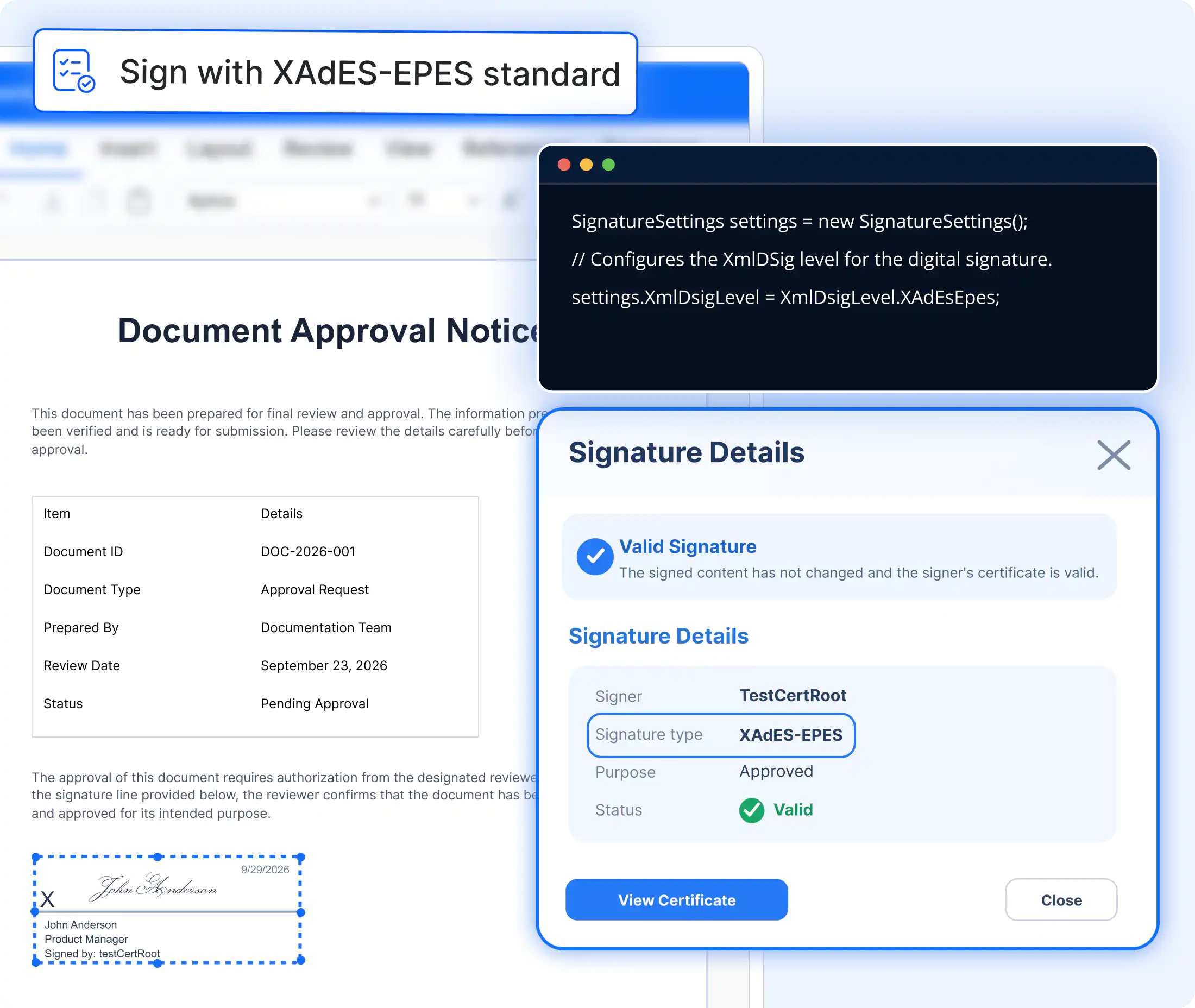
Sign using XAdES-EPES standard
Generate advanced electronic signatures that comply with XAdES-EPES requirements for enhanced trust and policy-based signing.
- Create policy-aware XAdES-EPES digital signatures.
- Support advanced electronic signature workflows.
- Strengthen compliance with digital signing requirements.
- Apply signature policies through configurable settings.
See Why Developers Love Syncfusion
Our Customers Love Us
Having an excellent set of tools and a great support team, Syncfusion reduces customers’ development time. Here are some of their experiences.




Frequently Asked Questions
What is a digital signature in a Word document?
A digital signature is a certificate-based signature that authenticates the signer and helps verify that document content has not been altered after signing.
How is the signature image attached?
Set SignatureSettings.SignatureImage to the image byte array and set SignatureLineId to the ID of the target signature line before calling AddDigitalSignature.
Can documents be signed on a server without Word?
Yes. The Syncfusion .NET Word Library is a managed library and does not require Microsoft Word or Office Interop.
Which class loads the certificate used for signing?
Use OfficeDigitalSignatureCertificate with the path to a .pfx file and its password, then pass the certificate to AddDigitalSignature together with SignatureSettings.
How are all signatures validated at once?
Use document.DigitalSignatures.IsValid. To inspect signatures individually, iterate through document.DigitalSignatures and review IsValid, Comments, and SigningTime.
How are signatures removed?
Call document.RemoveAllDigitalSignatures(), then save the document as an unsigned copy.
Documentation
Add invisible signatures
Add certificate-based invisible signatures to DOCX files while preserving document appearance.
Insert signature line
Insert signature lines with signer name, title, instructions, and email details easily.
Sign visible signature
Sign signature lines with custom signature images to add visible signatures to documents.
Sign multiple signature lines
Support multiple approvers with signature lines and custom signature images for workflows.
Validate signatures
Validate signature authenticity, integrity, signing time, comments, and signer details.
Remove signatures
Remove digital signatures from DOCX files and prepare documents for re-signing workflows.
Resources
Learn more about our Word Library digital signature
Explore demos, KB articles, and documentation to get the most out of our Word Library digital signing.
Explore guides, setup details, and quick-start tips
See live use cases in action
Ask, share, and connect with peers
Find solutions and best practices fast.
Get expert help when needed.
Feature requests and bug reports
Track issues and suggest improvements
Awards
Greatness—it’s one thing to say you have it, but it means more when others recognize it. Syncfusion® is proud to hold the following industry awards.









