 Prashant Yadav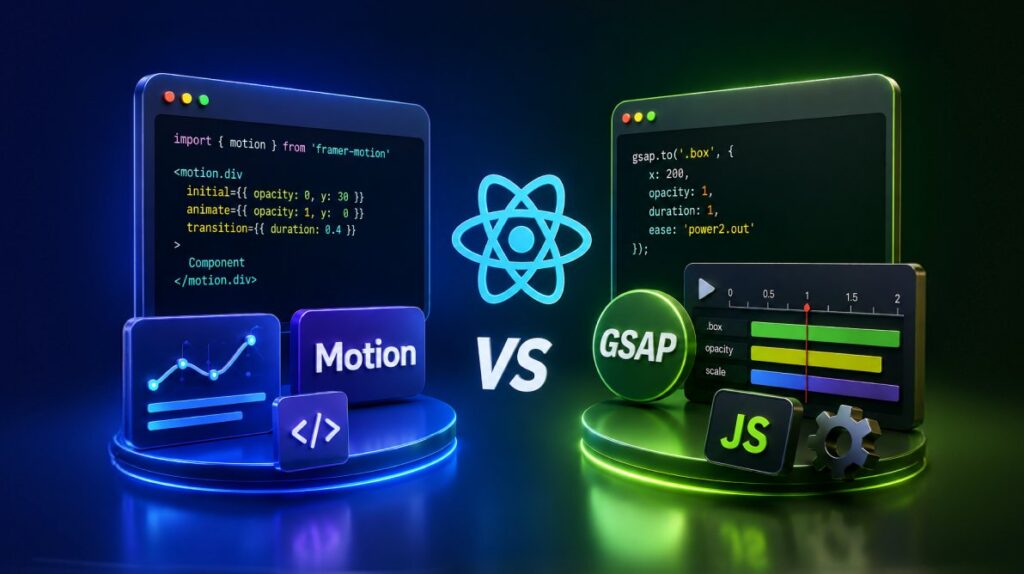
TL;DR: Choosing between Motion and GSAP isn’t about which library is better, but which one fits your project. This comparison explores how both libraries handle React animations, page transitions, exit animations, performance, timelines, and developer experience. Learn where Motion’s React-first approach simplifies UI animation workflows and where GSAP’s powerful timeline engine and ScrollTrigger capabilities make it the stronger option for complex interactive experiences.
Building animations in React is not just about making elements move. It is about making motion work with component state, mounting and unmounting, route changes, and interaction patterns that are common in modern apps.
That is why React developers often compare Motion and GSAP. Both can produce polished animations. The bigger difference is how each library fits React’s rendering model and the kind of work your project needs to do.
If your animations are mostly tied to component state, enter and exit transitions, gestures, and reusable UI patterns, Motion usually feels more natural. If your project depends on tightly choreographed sequences, advanced scroll effects, or animation logic that goes beyond React components, GSAP often gives you more control.
In this article, we will compare Motion and GSAP in React across three common scenarios:
- Exit animations
- Hover and tap interactions
- Page transitions
We will also look at accessibility, performance, and the kinds of projects where each library makes the most sense.

Motion and GSAP at a glance
Before diving into code, here is the short version.
| Use case | Motion | GSAP |
|---|---|---|
| React component animation | Excellent | Good |
| Declarative animation | Strong | Limited |
| Exit animations | Excellent | Requires more orchestration |
| Hover and tap interactions | Built in | Manual handling |
| Timelines | Good | Excellent |
| Scroll-driven animation | Good | Excellent |
| SVG-heavy animation | Good | Excellent |
| Framework independence | React-focused | Excellent |
| Complex sequencing | Good | Excellent |
| Learning curve for React teams | Lower | Higher |
Note: Motion package naming
Motion is the current package name for the library previously known as Framer Motion. The recommended package is now motion, with React imports from motion/react. The older framer-motion package still exists for compatibility, but the examples in this article use motion/react for consistency.
Why animation feels different in React
Before React, most frontend animation was done imperatively. You selected an element, changed styles, and told the browser exactly what to do.
// 1. Select the element
const box = document.getElementById('myBox');

// 2. Imperatively change styles
box.style.backgroundColor = 'blue';
box.style.width = '200px';
box.style.padding = '15px';
That model works well when you are directly controlling the DOM.
React changes the mental model. Instead of manually changing DOM nodes, you describe the UI as a function of state and props. React decides when to update the DOM.
import React, { useState } from 'react';

export default function App() {
  const [isActive, setIsActive] = useState(false);

  return (
    <button onClick={() => setIsActive(!isActive)}>
      {isActive ? 'Active' : 'Inactive'}
    </button>
  );
}
That difference matters for animation.
In React, the hard part is not whether an element can animate. The hard part is coordinating animation with component lifecycle. If a component unmounts, React can remove its DOM node immediately. If you want an exit animation to finish first, something has to keep that node around long enough for the animation to complete.
The same kind of coordination problem appears when React reuses a DOM node or rerenders a subtree while an animation is still in progress. This is where Motion and GSAP take different approaches.
Motion: built for React components
Motion was designed to work directly with React’s component model. Instead of selecting DOM nodes and animating them manually, you declare animation behavior on components.
import { motion } from 'motion/react';

< motion.div
  initial={{ opacity: 0, y: 30 }}
  animate={{ opacity: 1, y: 0 }}
  transition={{ duration: 0.4, ease: "easeOut" }}
>
  Dashboard Panel
</motion.div>
This reads like ordinary React because the animation lives alongside the component definition.
For the common React use case, state changes drive UI changes, and animations follow from those changes, Motion removes a lot of manual work. You usually don’t need to wire refs, effects, and cleanup logic just to animate a component into view.
The biggest advantage appears when components leave the screen. React normally removes a component as soon as it is no longer rendered. Motion’s AnimatePresence lets exit animations finish before the DOM node is removed.
import { motion, AnimatePresence } from 'motion/react';

<AnimatePresence>
  {show && (
    <motion.div
      key="modal"
      initial={{ opacity: 0 }}
      animate={{ opacity: 1 }}
      exit={{ opacity: 0 }}
    />
  )}
</AnimatePresence>
Motion also provides built-in patterns for common UI interactions.
- Hover states
- Tap interactions
- Drag gestures
- Page transitions
That makes it especially comfortable in product UIs, admin panels, dashboards, and design systems where motion is tied closely to component behavior.
Another strength is variants. Variants let parent and child animations coordinate naturally through the component tree.
// Staggered card list -- each card staggers in 80ms after the previous one
import { motion } from 'motion/react';

const containerVariants = {
  hidden: { opacity: 0 },
  visible: {
    opacity: 1,
    transition: {
      staggerChildren: 0.08,
    },
  },
};

const cardVariants = {
  hidden: { opacity: 0, y: 20 },
  visible: { opacity: 1, y: 0, transition: { duration: 0.3 } },
};

export function IssueList({ issues }) {
  return (
    <motion.ul variants={containerVariants} initial="hidden" animate="visible">
      {issues.map((issue) => (
        <motion.li key={issue.id} variants={cardVariants}>
          <IssueCard issue={issue} />
        </motion.li>
      ))}
    </motion.ul>
  );
}
The parent controls the stagger. Each child only defines what its own states mean. That pattern scales well for state-driven UI animation.
GSAP: animation-first, DOM-oriented, extremely flexible
GSAP approaches animation from the opposite direction. It works directly with DOM elements and gives you precise control over timing, sequencing, and complex motion.
In React, that usually means using refs and lifecycle-aware hooks.
import { useRef, useEffect } from 'react';
import gsap from 'gsap';

function Box() {
  const boxRef = useRef(null);

  useEffect(() => {
    const ctx = gsap.context(() => {
      gsap.from(boxRef.current, { opacity: 0, y: 20, duration: 0.4 });
    }, boxRef);

    return () => ctx.revert(); // cleanup on unmount
  }, []);

  return <div ref={boxRef} className="box" />;
}
GSAP does not depend on React. That is one of its biggest strengths. It works across frameworks and gives you a consistent animation model even when your UI is not purely component-driven.
For React projects, GSAP now provides @gsap/react, which includes a useGSAP() hook designed to make integration cleaner. It helps scope and clean up GSAP objects created during the hook run.
Where GSAP stands out most is complex sequencing. If you need a highly choreographed animation involving multiple elements with precise overlaps and offsets, GSAP timelines are one of the strongest tools available in frontend animation.
useEffect(() => {
  const ctx = gsap.context(() => {
    const tl = gsap.timeline();
    tl.from('.hero-title', { opacity: 0, y: 40, duration: 0.6 })
      .from('.hero-subtitle', { opacity: 0, y: 20, duration: 0.4 }, '-=0.2')
      .from('.hero-cta', { opacity: 0, scale: 0.9, duration: 0.3 }, '-=0.1');
  });

  return () => ctx.revert();
}, []);
Motion can handle sequencing, but GSAP is usually the better fit for hand-crafted, timeline-heavy motion, advanced scroll effects, and animation outside standard React component patterns.
React animation examples in Motion and GSAP
To make the differences concrete, here are a few common React animation scenarios implemented in both libraries.
Example 1: Exit animation before unmount
Exit animations are where React animation gets more interesting. The challenge is that React removes the DOM node as soon as the component stops rendering, unless something intercepts that process.
Motion
import { motion, AnimatePresence } from 'motion/react';

export function ToastNotification({ show, message }) {
  return (
    <AnimatePresence>
      {show && (
        <motion.div
          key="toast"
          className="toast"
          initial={{ opacity: 0, y: -20 }}
          animate={{ opacity: 1, y: 0 }}
          exit={{ opacity: 0, y: -20 }}
          transition={{ duration: 0.3 }}
        >
          {message}
        </motion.div>
      )}
    </AnimatePresence>
  );
}
This is a strong example of Motion’s React-first design. AnimatePresence keeps the element mounted long enough for the exit animation to finish.
GSAP:
This example uses the @gsap/react useGSAP() hook, which is the recommended pattern for React integrations.
// production-ready
import { useRef, useState, useEffect } from 'react';
import gsap from 'gsap';
import { useGSAP } from '@gsap/react';

gsap.registerPlugin(useGSAP);

export function ToastNotification({ show, message }) {
  const [shouldRender, setShouldRender] = useState(show);
  const toastRef = useRef(null);

  useEffect(() => {
    if (show) setShouldRender(true);
  }, [show]);

  useGSAP(() => {
    if (!shouldRender || !toastRef.current) return;

    if (show) {
      gsap.fromTo(toastRef.current,
        { opacity: 0, y: -20 },
        { opacity: 1, y: 0, duration: 0.3 }
      );
    } else {
      gsap.to(toastRef.current, {
        opacity: 0,
        y: -20,
        duration: 0.3,
        onComplete: () => setShouldRender(false),
      });
    }
  }, {
    dependencies: [show, shouldRender],
    scope: toastRef,
    // Kills the previous run's tween before this run starts
    //This is what makes rapid show/hide toggling safe.
    revertOnUpdate: true,
  });

  if (!shouldRender) return null;

  return (
    <div ref={toastRef} className="toast">
      {message}
    </div>
  );
}
This implementation is workable, but it shows the extra coordination GSAP often needs in React. You have to keep the component mounted after show becomes false, wait for the exit animation to complete, then remove it.
If your app uses many modals, drawers, tooltips, and toasts, this difference adds up quickly.
Best fit in this scenario: Motion
Example 2: Hover and Tap Interactions
Buttons, cards, and interactive controls often need hover and press feedback.
Motion
import { motion } from 'motion/react';

export function AnimatedButton({ children, onClick }) {
  return (
    <motion.button
      onClick={onClick}
      whileHover={{ scale: 1.05 }}
      whileTap={{ scale: 0.95 }}
      transition={{ type: 'spring', stiffness: 400, damping: 17 }}
      className="btn-primary"
    >
      {children}
    </motion.button>
  );
}
This is concise and expressive. Motion’s gesture props fit UI-level interactions well.
GSAP:
This example uses Pointer Events, contextSafe(), and explicit overwrite handling with @gsap/react.
// production-ready
import { useRef } from 'react';
import gsap from 'gsap';
import { useGSAP } from '@gsap/react';

gsap.registerPlugin(useGSAP);

export function AnimatedButton({ children, onClick }) {
  const btnRef = useRef(null);

  // contextSafe() marks handler-triggered tweens as trackable/cleanable,

  // same as tweens created directly inside useGSAP().
  const { contextSafe } = useGSAP({ scope: btnRef });

  const animate = contextSafe((vars) => {
    gsap.to(btnRef.current, { ...vars, overwrite: 'auto' });
  });

  const handlePointerEnter = () => animate({ scale: 1.05, duration: 0.2, ease: 'power2.out' });
  const handlePointerLeave = () => animate({ scale: 1, duration: 0.2, ease: 'power2.out' });
  const handlePointerDown  = () => animate({ scale: 0.95, duration: 0.1, ease: 'power2.in' });
  const handlePointerUp    = () => animate({ scale: 1.05, duration: 0.1, ease: 'power2.out' });

  return (
    <button
      ref={btnRef}
      onClick={onClick}
      onPointerEnter={handlePointerEnter}
      onPointerLeave={handlePointerLeave}
      onPointerDown={handlePointerDown}
      onPointerUp={handlePointerUp}
      onPointerCancel={handlePointerLeave}
      className="btn-primary"
    >
      {children}
    </button>
  );
}
GSAP can absolutely handle this, but the interaction logic is more manual. That is not a flaw in GSAP so much as a sign that it operates at a lower level. For common UI interaction states, Motion usually asks for less code.
Best fit in this scenario: Motion
Example 3: Page Transition
Page transitions are less about moving elements and more about coordinating route changes, mounting, and unmounting.
Motion
Since Motion already understands React’s component lifecycle, the implementation is remarkably straightforward.
// production-ready
import { motion, AnimatePresence } from 'motion/react';
import { useLocation, useOutlet } from 'react-router-dom';

const pageVariants = {
  initial: { opacity: 0, x: 20 },
  animate: { opacity: 1, x: 0 },
  exit: { opacity: 0, x: -20 },
};

// useOutlet() returns the matched route element directly, so it can be
// cloned with a route-specific key and passed to AnimatePresence as a
// direct child. AnimatePresence only tracks its direct children's keys —
// wrapping <Routes> itself (as the original example did) works for flat
// routes, but remounts the entire route tree, including any shared layout
// (nav, sidebar) that wraps the routes, on every navigation. This keeps
// that layout mounted and only animates the page content that changed.

export function AnimatedOutlet() {
  const location = useLocation();
  const element = useOutlet();

  return (
    <AnimatePresence mode="wait">
      {element && (
        <motion.div
          key={location.pathname}
          variants={pageVariants}
          initial="initial"
          animate="animate"
          exit="exit"
          transition={{ duration: 0.3 }}
        >
          {element}
        </motion.div>
      )}
    </AnimatePresence>
  );
}

// Usage: give the shared layout its own route, with AnimatedOutlet as

// its element, and nest the actual pages underneath it.
<Routes>
   <Route element={<Layout />}>
     <Route element={<AnimatedOutlet />}>
       <Route path="/" element={<HomePage />} />
       <Route path="/about" element={<AboutPage />} />
     </Route>
   </Route>
 </Routes>
This is one of the cleanest ways to handle route transitions in a React Router app. The key idea is that AnimatePresence tracks its direct children, so the animated wrapper should wrap the changing route content, not the entire app layout.
GSAP:
With GSAP, you generally need additional logic to:
- Track transition state
- Keep the previous page mounted
- Animate it out
- Swap routes
- Animate the next page in
This sample uses @gsap/react's useGSAP() hook together with a single reducer to synchronize transition states and route changes in a production-ready implementation (requires npm install @gsap/react).
// production-ready
import { useRef, useReducer, useEffect } from 'react';
import { useLocation } from 'react-router-dom';
import gsap from 'gsap';
import { useGSAP } from '@gsap/react';

gsap.registerPlugin(useGSAP);

function transitionReducer(state, action) {
  switch (action.type) {
    case 'ROUTE_CHANGED':
      // Carry the exact location that triggered this transition —
      // never re-read it from an outer closure later.
      return { ...state, stage: 'out', pendingLocation: action.location };
    case 'EXIT_COMPLETE':
      return { location: state.pendingLocation, pendingLocation: null, stage: 'in' };
    case 'ENTER_COMPLETE':
      return { ...state, stage: 'idle' };
    default:
      return state;
  }
}

function usePageTransition() {
  const routerLocation = useLocation();
  const [state, dispatch] = useReducer(transitionReducer, {
    location: routerLocation,
    pendingLocation: null,
    stage: 'in', // animate the very first page in too
  });

  useEffect(() => {
    if (state.stage === 'idle' && routerLocation.pathname !== state.location.pathname) {
      dispatch({ type: 'ROUTE_CHANGED', location: routerLocation });
    }
  }, [routerLocation, state.location, state.stage]);

  return { stage: state.stage, dispatch };
}

export function AnimatedPage({ children }) {
  const pageRef = useRef(null);
  const { stage, dispatch } = usePageTransition();

  useGSAP(() => {
    if (!pageRef.current || stage === 'idle') return;

    if (stage === 'in') {
      gsap.fromTo(pageRef.current,
        { opacity: 0, x: 20 },
        {
          opacity: 1, x: 0, duration: 0.3, ease: 'power2.out',
          onComplete: () => dispatch({ type: 'ENTER_COMPLETE' }),
        }
      );
    }

    if (stage === 'out') {
      gsap.to(pageRef.current, {
        opacity: 0, x: -20, duration: 0.3, ease: 'power2.in',
        onComplete: () => dispatch({ type: 'EXIT_COMPLETE' }),
      });
    }
  }, { dependencies: [stage], scope: pageRef, revertOnUpdate: true });

  return <div ref={pageRef}>{children}</div>;
}
This is possible, but it illustrates the extra state coordination GSAP often needs in React for route transitions. You are effectively building transition control logic yourself.
Best fit in this scenario: Motion for typical React Router page transitions.
Accessibility and reduced motion
Animation should respect users who prefer reduced motion.
Both libraries can support that, but you still have to design for it explicitly. Good candidates for reduced-motion fallbacks include:
- page transitions
- large transforms
- decorative motion
- looping animation
- scroll-linked effects
Motion provides a useReducedMotion() hook that makes this easier to handle inside React components.
import { motion, useReducedMotion } from 'motion/react';

export function Modal({ open, children }) {
  const shouldReduceMotion = useReducedMotion();

  return (
    <motion.div
      initial={shouldReduceMotion ? { opacity: 0 } : { opacity: 0, y: 20 }}
      animate={shouldReduceMotion ? { opacity: 1 } : { opacity: 1, y: 0 }}
      exit={shouldReduceMotion ? { opacity: 0 } : { opacity: 0, y: 20 }}
    >
      {children}
    </motion.div>
  );
}
With GSAP, you can use window.matchMedia('(prefers-reduced-motion: reduce)') or gsap.matchMedia() to adjust timelines and tweens.
import { useRef } from 'react';
import gsap from 'gsap';
import { useGSAP } from '@gsap/react';

export function Hero() {
  const ref = useRef(null);

  useGSAP(() => {
    const mm = gsap.matchMedia();

    mm.add('(prefers-reduced-motion: reduce)', () => {
      gsap.set(ref.current, { opacity: 1, y: 0 });
    });

    mm.add('(prefers-reduced-motion: no-preference)', () => {
      gsap.from(ref.current, {
        opacity: 0,
        y: 30,
        duration: 0.5,
      });
    });

    return () => mm.revert();
  }, { scope: ref });

  return <section ref={ref}>Hero content</section>;
}
The important point is not which library has the nicer API. It is whether reduced-motion behavior is planned from the start.
Performance: what matters in practice
Performance matters, but it is easy to overstate broad claims in animation comparisons.
The most useful answer is this: neither Motion nor GSAP is automatically “the performance winner” in every React app. Actual results depend on:
- which CSS properties you animate
- how many elements move at once
- whether the animation triggers layout or paint work
- the device and browser
- what React is rendering at the same time
- whether you are using scroll-linked effects, large SVG scenes, or simple UI transitions
Bundle size
Bundle size can influence choice, but it should not be treated as a verdict on runtime behavior. It also depends on:
- library version
- import strategy
- plugins used
- tree-shaking
- bundler configuration
If bundle size matters for your app, measure your production build with the exact packages and plugins you plan to ship.
Runtime behavior
Motion is optimized for React-friendly animation workflows and supports a mix of animation strategies depending on the feature being used. GSAP uses its own high-performance animation engine and is well known for timeline control and cross-browser consistency.
Those internal differences matter, but they do not replace profiling. If performance is a hard requirement, test your actual animation on your target devices. A simple component transition and a scroll-driven multi-layer hero do not stress the browser in the same way.
Common React animation pitfalls
No matter which library you choose, a few issues come up repeatedly in React projects:
1. Exit animations that never run
This usually happens when a component is removed before an animation system can keep it mounted long enough to animate out.
2. List animations replaying unexpectedly
In React, effects can rerun when dependencies change by reference, even if the visual content looks identical.
3. Route transitions remounting shared layout
If the animated wrapper is placed too high in the route tree, you can accidentally animate or remount navigation, sidebars, or other persistent layout elements.
4. Strict Mode confusion in development
React Strict Mode intentionally re-runs certain lifecycle behavior in development, which can reveal cleanup problems in imperative animation code.
5. Reduced motion forgotten until late in development
This is easier to add early than retrofit later.
When Motion is the better choice
Choose Motion if:
- you are building a React application with state-driven UI
- most animations are tied to components entering, leaving, or updating
- you need exit animations often
- you want reusable animated components with minimal boilerplate
- your team prefers a declarative API that feels native to React
- your motion needs are mostly UI-focused rather than timeline-heavy
Motion is often the most natural choice for application interfaces, dashboards, forms, navigation transitions, and design-system components.
When GSAP is the better choice
Choose GSAP if:
- you need precise timeline-based choreography
- your project depends on advanced scroll interactions
- you are building a marketing-heavy or storytelling experience
- you need fine-grained control over sequencing
- you work heavily with SVG animation
- you want an animation system that is not tied to React
GSAP is especially strong for highly produced interactive experiences where animation is the centerpiece, not just a UI enhancement.
Can you use Motion and GSAP together?
Yes. In some projects, that is the most practical choice.
A common split looks like this:
- Motion for app UI, dialogs, page transitions, and component-level interactions
- GSAP for landing pages, campaign sections, scroll-driven storytelling, or custom hero animation
That approach lets each library handle the work it is best at without forcing one tool to fit every animation problem in the app.
Frequently Asked Questions
Is Motion the same as Framer Motion?
Motion is the current package name. The library was previously known as Framer Motion, and the older package name still exists for compatibility.
Which is better for React page transitions?
For most React Router page transitions, Motion is easier because AnimatePresence is designed around component mount and unmount behavior.
Which is better for animation performance in React?
There is no universal winner. Performance depends more on what you animate, how much work the browser must do, and how your specific app is built.
Which is easier for React developers?
For state-driven UI animation, Motion is usually easier. For highly custom animation choreography, GSAP often gives you more power, but with more setup.
Final verdict
The Motion vs GSAP decision in React is less about which library is “better” and more about which one matches your animation workload.
- If you are building a product UI where animation follows component state, mounting, unmounting, and route changes, Motion usually gives you the smoother developer experience.
- If you are building complex, highly choreographed sequences, scroll-linked storytelling, or animation-heavy marketing experiences, GSAP gives you more control.
A simple rule of thumb:
- Choose Motion for React-first UI animation
- Choose GSAP for timeline-heavy and scroll-driven experiences
- Use both if your product includes both kinds of work
The best library is the one that fits your app’s architecture, your team’s workflow, and the kind of animation you need to maintain over time.



Be the first to get updates