
 Arulraj Aboorvasamy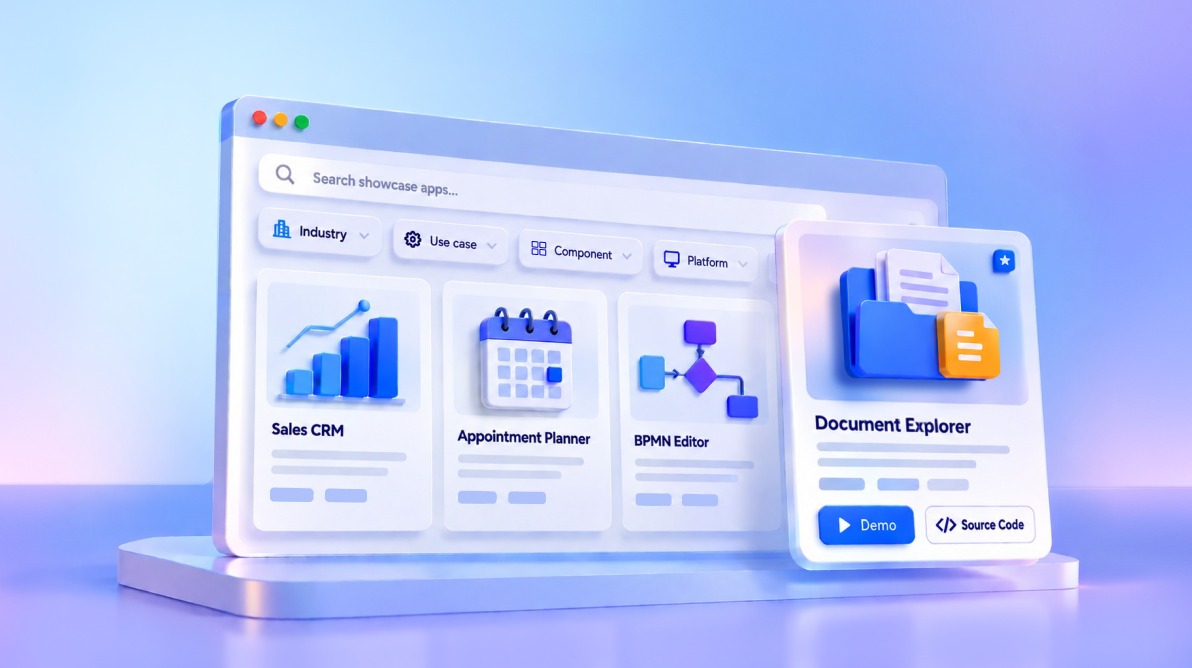
TL;DR: Discover how real-world applications are built using Syncfusion UI components across web, desktop, and mobile platforms. Explore showcase examples by industry, use case, platform, or component, see how controls such as DataGrid, Charts, Scheduler, Diagram, and Document Editor work together, and access demos and source code to accelerate your next project.
Choosing the right UI component is only the beginning. The bigger question is how those components fit together when building a complete application.
That’s where real application examples can make a difference. The Syncfusion Showcase brings together 50+ examples built using Syncfusion UI components across web, desktop, and mobile platforms, covering scenarios such as sales, healthcare, business process modeling, and document management.
You can explore these Syncfusion Showcase App based on the platform, component, industry, or use case that interests you. You can also run available live demos, explore application workflows, and view source code where provided.
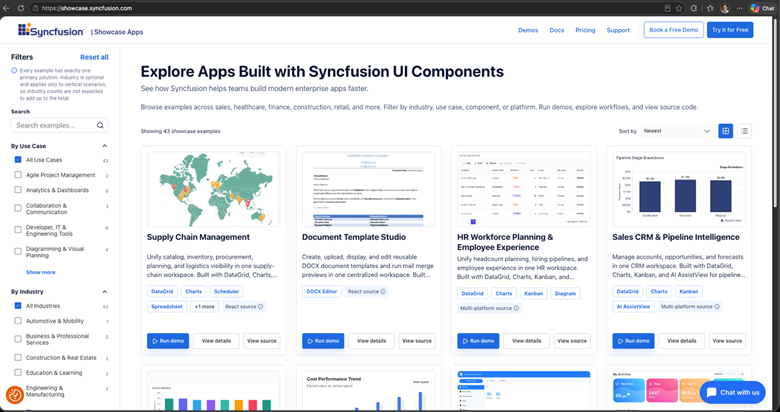
More than templates: Built with Syncfusion components
Unlike traditional template galleries that primarily provide ready-made UI layouts, the Syncfusion Showcase features applications built using Syncfusion UI components.
This means you can explore more than the visual design of an application. You can see how reusable components such as DataGrid, Charts, Scheduler, Kanban, Diagram, Document Editor, and PDF Viewer are combined to build complete application experiences.
Each application also helps you identify the Syncfusion components used, allowing you to move from an application example to the relevant component documentation, demos, and code examples.
This makes the Showcase useful not only for finding application inspiration, but also for understanding which reusable components you can use to build a similar application.
Explore applications across platforms
The Showcase includes applications associated with React, Angular, JavaScript, Vue, WPF, .NET MAUI, ASP.NET Core, ASP.NET MVC, and Blazor.
Platform availability varies by application. Each application’s details show the platforms available for live demos and source code.
For example, the Webmail showcase provides live demos and source code for Angular, JavaScript, JavaScript ES5, ASP.NET Core, and ASP.NET MVC. Other applications offer different platform combinations that you can explore individually.
Discover applications based on what you need
How you explore the Showcase can depend on where you are starting.
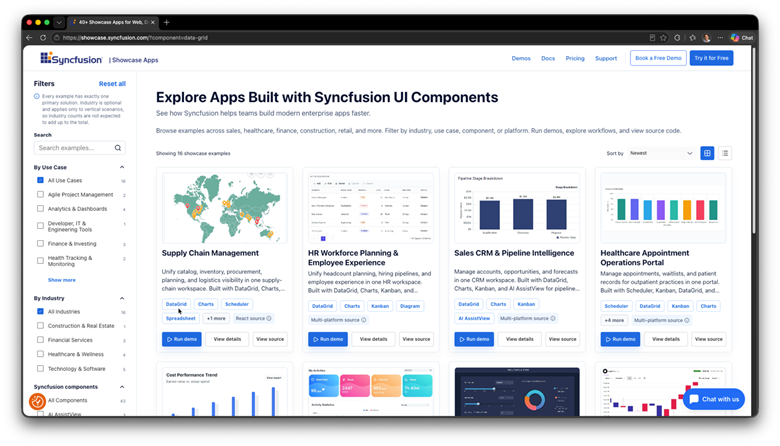
Explore by industry for scenarios such as sales, healthcare, finance, construction, and retail. Use use case filters to find relevant workflows, or explore by component to see how a Syncfusion component is used across different applications.
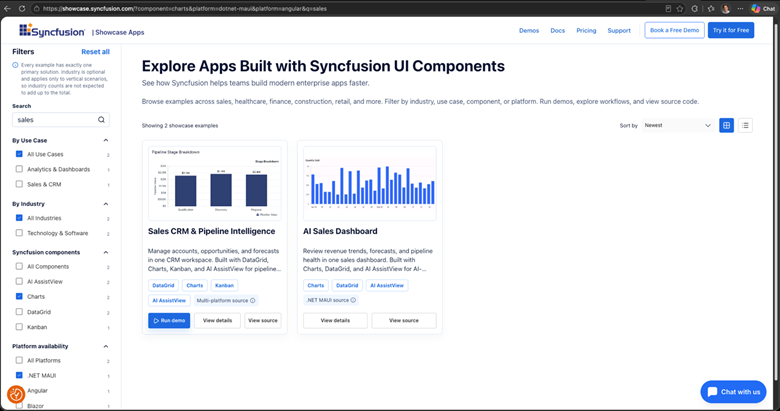
You can also filter by platform to find examples for your preferred technology.
For example, if you are building a sales application and want to see how Charts are used in that context, you can narrow the collection by the relevant industry and component.
You can combine these options to narrow the collection around a specific requirement. For example, you can search for sales-related applications that use Charts and then explore the available examples for selected platforms.
See how components work together
The Showcase provides a broader view of Syncfusion components by bringing multiple capabilities together within an application.
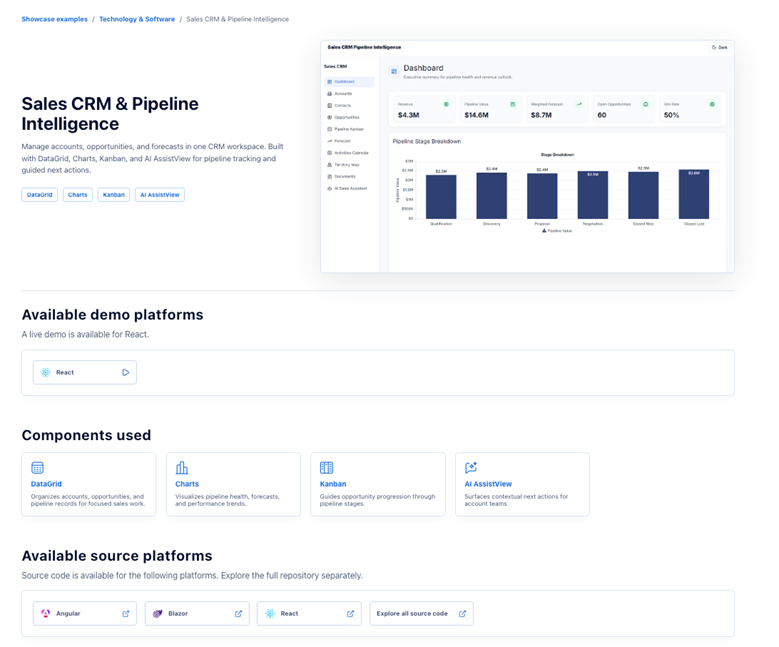
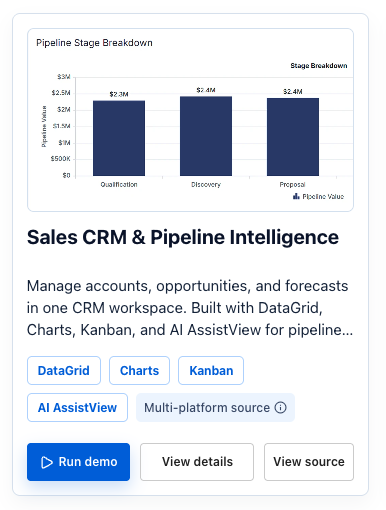
Let’s take Sales CRM & Pipeline Intelligence as an example. It combines DataGrid, Charts, Kanban, and AI AssistView to support a sales-focused application involving accounts, opportunities, and forecasts.
Appointment Planner takes a different approach, combining Scheduler, DataGrid, and Charts for a clinic scheduling scenario.
For workflow visualization, BPMN Editor uses the Diagram component to design, visualize, and refine business processes.
The Document Explorer brings together File Manager, Document Editor, Spreadsheet, and PDF Viewer to create a shared workspace for browsing, viewing, and editing documents.
These examples show the range of application scenarios available in the Showcase and how different Syncfusion components can be used together.
Explore the application beyond the interface
An application example can tell you more than what is visible in its interface.
Open an application’s details page to learn about its purpose, workflows, intended users, business value, and the Syncfusion components used. You can then try the available demo and explore source code where provided.
The demo and source-code options are listed separately because they can differ by platform. An application may provide a live demo for one platform while offering source code for several platforms.
Continue exploring through component tags
Sometimes, the first application you find leads to another question: Where else is this component being used?
Component tags let you continue that exploration.
Selecting a component such as Diagram can lead to other showcase applications involving visual modeling. Exploring DataGrid can reveal applications that use structured data views within different workflows.
Instead of stopping with one example, you can use these connections to discover related applications across the collection.
Explore a few Syncfusion Showcase apps
The collection includes applications covering different scenarios and component combinations. Here are a few examples to explore:
Sales CRM and Pipeline Intelligence
Explore a sales application for managing accounts, opportunities, and forecasts with DataGrid, Charts, Kanban, and AI AssistView.
Appointment planner
Explore a clinic scheduling application that combines Scheduler, DataGrid, and Charts for appointment planning and utilization insights.
BPMN Editor
Explore business process modeling with the Diagram component, including process design and refinement.
Document Explorer
Explore a document workspace that combines File Manager, Document Editor, Spreadsheet, PDF Viewer, and Image Editor.
Frequently Asked Questions
A showcase can provide implementation ideas, but access to its source code does not automatically grant every permission needed for commercial use. Review the repository’s license and the applicable Syncfusion licensing terms before reusing or distributing code.Can I Use a Showcase App as the Starting Point for a Commercial Project?
Treat each showcase as an example for evaluation, not as a guarantee of production readiness. Before deployment, review authentication, authorization, data validation, accessibility, error handling, performance, and dependency security based on your requirements.Are Showcase Applications Ready for Production Deployment?
Evaluate the same workflow across each available implementation, including behavior, accessibility, responsiveness, and integration needs. Similar application names do not guarantee feature parity, and demo availability may differ from source-code availability.How Should I Compare Implementations on Different Platforms?
That depends on the example’s framework, build output, backend services, and runtime requirements. Follow the repository instructions and confirm that your hosting environment supports those requirements before planning a deployment.Can I Deploy an Example to My Existing Hosting Environment?
That depends on the design of the specific implementation. Review the application’s data layer and API contracts carefully, keep credentials on the server, apply appropriate access controls, and test changes with nonproduction data before connecting business systems.Can I Connect an Example to My Own Backend or Database?
Avoid entering confidential, personal, or production data into a public demo unless its data-handling terms explicitly support your use. Synthetic data and controlled environments are safer for evaluating workflows that involve sensitive information.Should I Enter Real Customer Data Into a Public Demo?
No. Showcase applications help you understand workflow context. Component documentation remains the best source for supported APIs, configuration details, limitations, and version-specific behavior.Do These Examples Replace Component Documentation?
Record the repository URL, commit or release reference, dependency versions, and the workflows your team evaluated. A saved gallery link can preserve your discovery criteria, but it does not freeze a live demo or repository contents.How Can My Team Keep an Evaluation Reproducible as the Examples Change?
Explore the Syncfusion Showcase
The Syncfusion Showcase brings together application examples across platforms, industries, use cases, and components.
Whether you are exploring a particular technology, looking for a component in a broader application context, or browsing examples for a specific business scenario, the collection provides different ways to discover relevant applications.
Explore the Syncfusion Showcase and discover application examples built with Syncfusion UI components.




 No spam, just valuable updates.