
 Lokesh Arjunan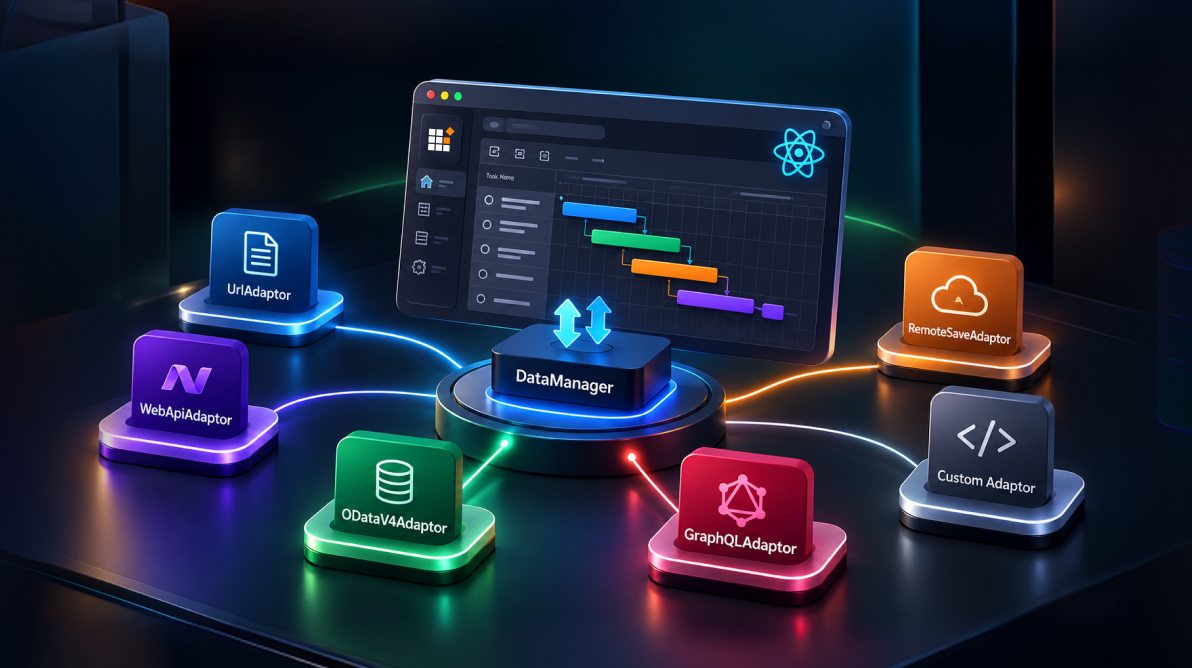
TL;DR: Selecting the correct DataManager adaptor is one of the most important decisions when integrating React Gantt Chart with a backend service. Different adaptors support different API patterns, request formats, and response contracts, which can directly affect data loading, CRUD operations, performance, and maintainability. This guide helps you choose the right DataManager adaptor for your backend by explaining when to use built-in adaptors and how to avoid common integration issues.
Integrating a React Gantt Chart with a backend API can seem straightforward until the data loads incorrectly, edits fail to persist, or the component remains empty despite successful HTTP responses. In many cases, the root cause is not the Gantt Chart configuration itself but the DataManager adaptor sitting between the component and your server.
The adaptor determines how requests are generated, how responses are interpreted, and how CRUD operations are sent back to the backend. Choosing the wrong adaptor can lead to subtle issues that are often difficult to diagnose.
This guide explains how each DataManager adaptor works, when to use it, and how to match it to your backend architecture. You’ll learn the differences between UrlAdaptor, WebApiAdaptor, ODataV4Adaptor, GraphQLAdaptor, RemoteSaveAdaptor, and custom adaptors, along with practical examples, expected request and response contracts, and troubleshooting techniques that can save hours of debugging.
Note: All code examples in this article use Syncfusion React Gantt Chart and Syncfusion EJ2 DataManager APIs, and the adaptor behaviors discussed are specific to those implementations.

Why adaptor selection matters
Most remote-binding issues in Syncfusion React Gantt Chart are caused by a mismatch between the selected adaptor and the backend contract.
Common examples:
- A team connects a custom REST API with an adaptor meant for a different server pattern. The Gantt Chart loads no tasks because the response shape does not match what DataManager expects.
- A team uses an OData v4 service with the wrong OData adaptor. Requests succeed, but the response is not interpreted correctly.
- A team gets initial loading to work, but edits fail because the configured CRUD endpoints or payloads do not match the adaptor’s expectations.
The simplest rule is: Choose the adaptor based on your backend protocol and response contract first, then configure the Gantt.
What DataManager does in React Gantt
In a React Gantt Chart application, DataManager acts as the communication layer between the component and your backend. Whenever the Gantt Chart needs data or sends an update, DataManager works with the selected adaptor to translate those operations into requests the server can understand and convert responses back into a format the component can use.
A simplified workflow looks like this:
- The Gantt Chart requests data or submits an edit.
- DataManager routes the operation through the configured adaptor.
- The adaptor builds the appropriate HTTP request.
- The server processes the request and returns a response.
- The adaptor transforms the response into the structure expected by the Gantt.
- The component renders the results or updates the UI.
Three adaptor methods are especially useful when troubleshooting integration issues:
| Method | Purpose | Common symptom when misconfigured |
| processQuery | Builds outgoing requests | Incorrect URLs, missing query parameters, unexpected payloads |
| processResponse | Parses server responses | Successful requests but no data displayed |
| beforeSend | Customizes requests before transmission | Authentication, token, or CORS-related failures |
Understand the difference between read and CRUD operations
A common mistake is assuming that successful data loading guarantees editing will work as well. In reality, the initial read operation and subsequent CRUD operations follow separate paths.
During the read flow, the Gantt Chart retrieves task data and renders the timeline. During the CRUD flow, DataManager sends insert, update, delete, or batch requests and expects a valid response from the server.
If tasks load successfully but edits fail to persist, the issue is usually related to CRUD endpoints, payload formats, or server-side processing rather than the initial read configuration.
Before choosing an adaptor
Before selecting an adaptor, document the backend contract first.
Make sure you understand:
- The read endpoint URL
- The insert, update, delete, or batch endpoints
- The expected request payload format
- The expected response format
- The authentication mechanism
- The primary key field
- The hierarchy field, such as
ParentID - Whether sorting, filtering, and paging occur on the client or server
Having these details upfront makes adaptor selection much easier and helps prevent the most common remote-binding issues later in the project.
A quick adaptor selection framework
- Start with the backend you already have.
- Use
ODataV4Adaptorwhen your service is an OData v4 endpoint that follows OData conventions for querying and responses. - Use
GraphQLAdaptorwhen your application communicates through GraphQL queries and mutations. - Use
WebApiAdaptorwhen your backend follows ASP.NET Web API patterns that align with Syncfusion’s documentedDataManagerexpectations. - Use
RemoteSaveAdaptorwhen the dataset is small enough to load into browser memory, and you want sorting, filtering, and searching to occur locally after the initial load. - Use
UrlAdaptorwhen you’re working with a custom REST API and need flexible remote communication withoutODataorGraphQLconventions. - Choose a custom adaptor only when a built-in adaptor almost fits your requirements, but additional request or response customization is necessary.
Expected Request and Response contracts by Adaptor
One of the fastest ways to identify integration issues is comparing the actual network response with the contract expected by the selected adaptor.
| Adaptor | Typical read response shape | Typical save pattern | Verify first |
| UrlAdaptor | { result: [...], count: n } for remote operations | CRUD or batch endpoints you define | Whether the server returns result and count when required |
| WebApiAdaptor | DataManager-compatible result structure | REST-style endpoints matching adaptor expectations | Whether server-side query handling matches DataManager conventions |
| ODataV4Adaptor | { "@odata.count": n, "value": [...] } | OData-style service behavior | Whether the endpoint is truly OData v4 |
| GraphQLAdaptor | Configured nested paths such as getTasks.result | GraphQL mutations | Whether result and count map to real response paths |
| RemoteSaveAdaptor | Initial read payload, then local operations | Remote save on add, edit, delete, or batch | Whether client-side interaction fits the dataset size |
| Custom adaptor | Depends on your transformation | Customizable | Whether a built-in adaptor would be enough |
Before modifying task mappings, editing settings, or component configuration, verify that the request and response format aligns with the adaptor being used.
If the contract does not match, the Gantt Chart may fail to render data correctly even when requests return successful HTTP responses.
The following examples show what those contracts look like in practice.
UrlAdaptor read response
{
  "result": [
    {
      "TaskID": 1,
      "TaskName": "Project initiation",
      "StartDate": "2026-08-01T00:00:00Z",
      "EndDate": "2026-08-05T00:00:00Z",
      "Duration": 5,
      "Progress": 40,
      "ParentID": null
    }
  ],
  "count": 1
}
OData v4 read response
{
  "@odata.context": "https://localhost:xxxx/odata/$metadata#Tasks",
  "@odata.count": 1,
  "value": [
    {
      "TaskID": 1,
      "TaskName": "Project initiation",
      "StartDate": "2026-08-01T00:00:00Z",
      "EndDate": "2026-08-05T00:00:00Z",
      "Duration": 5,
      "Progress": 40,
      "ParentID": null
    }
  ]
}
GraphQL response mapping
{
  "data": {
    "getTasks": {
      "count": 1,
      "result": [
        {
          "TaskID": 1,
          "TaskName": "Project initiation",
          "StartDate": "2026-08-01T00:00:00Z"
        }
      ]
    }
  }
}
If the response does not closely match the adaptor contract, fix the mismatch before changing the Gantt Chart configuration.
Adaptor comparison matrix
| Adaptor | Best for | Main caution |
| UrlAdaptor | Custom REST APIs | Requires a clear server contract |
| WebApiAdaptor | ASP.NET Web API patterns | Not a generic adaptor for arbitrary APIs |
| ODataV4Adaptor | OData v4 services | Must match actual OData v4 behavior |
| GraphQLAdaptor | GraphQL backends | Response path mapping must be exact |
| RemoteSaveAdaptor | Small datasets with fast local interaction | Can become stale in multi-user apps |
| Custom adaptor | Edge cases | Easy to overuse |
UrlAdaptor for custom REST APIs
Use UrlAdaptor when your backend is a custom REST API and does not expose OData or GraphQL conventions. This is often the best fit for Node.js, Python, Java, Go, or ASP.NET Core APIs where you own the contract.
Why it is useful
UrlAdaptor gives you flexibility. You define the API shape, and DataManager handles the remote request-response flow. For Gantt Chart projects, it is often the most practical choice when you need custom business rules, validation, or batch updates.
The following example configures a React Gantt Chart component to load and update task data through a custom REST API.
import { DataManager, UrlAdaptor } from '@syncfusion/ej2-data';
import { GanttComponent, Inject, Edit, Toolbar } from '@syncfusion/ej2-react-gantt';

const dataManager = new DataManager({
  url: 'https://localhost:xxxx/api/tasks',
  batchUrl: 'https://localhost:xxxx/api/tasks/batch',
  adaptor: new UrlAdaptor(),
  crossDomain: true
});

const taskFields = {
  id: 'TaskID',
  name: 'TaskName',
  startDate: 'StartDate',
  endDate: 'EndDate',
  duration: 'Duration',
  progress: 'Progress',
  parentID: 'ParentID'
};

const editSettings = {
  allowEditing: true,
  allowAdding: true,
  allowDeleting: true,
  mode: 'Auto'
};

<GanttComponent dataSource={dataManager} taskFields={taskFields} editSettings={editSettings}>
  <Inject services={[Edit, Toolbar]} />
</GanttComponent>
Common issues
| Symptom | Likely cause | Fix |
| Gantt Chart shows no records | Response shape does not match expected format | Return result and count when required |
| Edits do not persist | batchUrl or CRUD mapping is incomplete | Implement and test the batch or CRUD endpoints |
| Dates render incorrectly | Date format is inconsistent | Return ISO-style dates |
| Hierarchy is broken | Parent-child mapping is incomplete | Verify parentID mapping and root handling |
WebApiAdaptor for ASP.NET Web API patterns
Use WebApiAdaptor when your backend follows ASP.NET Web API patterns that support DataManager or OData-style query conventions. It is not a generic adaptor for arbitrary REST APIs.
Example server pattern
public IActionResult Get([FromQuery] DataManagerRequest request)
{
    var tasks = _repository.GetAllTasks();
    return Ok(new DataResult
    {
        Result = tasks,
        Count = tasks.Count
    });
}
Note: DataManagerRequest and DataResult come from Syncfusion.EJ2.Base namespace. Add the corresponding NuGet package and `using` directive before compiling this example.
React configuration
import { DataManager, WebApiAdaptor } from '@syncfusion/ej2-data';

const dataManager = new DataManager({
  url: 'https://localhost:xxxx/api/tasks',
  adaptor: new WebApiAdaptor(),
  crossDomain: true
});
Common issues
- Response shape does not match what DataManager expects
- Server does not process query parameters for sorting, filtering, or paging
- CRUD routes do not match expected controller patterns
If your API is just a custom REST API, UrlAdaptor is usually the safer starting point.
Note: The exact request and response contract may vary based on your Syncfusion version and Web API implementation. Always verify expected payload formats against the documentation for the version you deploy.
ODataV4Adaptor for OData v4 services
Use ODataV4Adaptor when your backend is an OData v4 compliant service.
React configuration
import { DataManager, ODataV4Adaptor } from '@syncfusion/ej2-data';

const dataManager = new DataManager({
  url: 'https://localhost:xxxx/odata/GanttTasks',
  adaptor: new ODataV4Adaptor(),
  crossDomain: true
});
Common issues
| Symptom | Likely cause | Fix |
| Gantt shows no records despite a 200 response | Count support is not enabled on the endpoint | Ensure $count=true is supported and returned by the service |
| Records load but paging/sorting looks wrong | Server does not fully implement OData v4 query conventions | Confirm $top, $skip, $orderby, and $filter are honored server-side |
| Edits fail silently | Primary key or taskFields.id mapping is incomplete | Verify the key field matches the OData entity key exactly |
Note: Use ODataV4Adaptor only with true OData v4 service. Earlier OData services may require a different adaptor. Using the wrong adaptor can cause data parsing issues even if the API request succeeds.
GraphQLAdaptor for GraphQL backends
Use GraphQLAdaptor when your backend exposes a GraphQL endpoint, and your data operations are modeled as queries and mutations.
Example configuration
import { DataManager, GraphQLAdaptor } from '@syncfusion/ej2-data';
const query = `
  query getTasks {
    getTasks {
      count
      result {
        TaskID
        TaskName
        StartDate
      }
    }
  }
`
const dataManager = new DataManager({
  url: 'https://localhost:xxxx/graphql',
  adaptor: new GraphQLAdaptor({
    response: { result: 'getTasks.result', count: 'getTasks.count' },
    query,
mutation: {
        update: 'updateTask',
        insert: 'addTask',
        remove: 'deleteTask'
      }
  }),
  crossDomain: true
});
Common issues
| Symptom | Likely cause | Fix |
| Gantt Chart stays empty | Response path mapping is wrong | Match result and count to the actual payload |
| Edits do not save | Mutation mapping is incomplete | Verify mutation names and action mapping |
| HTTP 200 but operation failed | GraphQL returned logical errors | Inspect the errors array, not just the status code |
Note: GraphQLAdaptor configuration options can vary slightly across Essential Studio releases. Validate response mapping and mutation configuration against the documentation for your target version.
RemoteSaveAdaptor for fast client-side interaction
RemoteSaveAdaptor works well when the entire working dataset can be loaded into the browser without causing memory or performance issues.
A typical workflow looks like this:
- Initial data is loaded from the server.
- Sorting, filtering, searching, and paging occur locally.
- CRUD operations are sent back to the server when changes are made.
This approach provides very responsive user interactions because most operations occur in memory rather than requiring additional network requests.
Considerations
RemoteSaveAdaptor is generally best suited for smaller datasets and lower-contention environments.
As dataset size increases, browser memory usage, hierarchy complexity, and client-side processing costs also increase. For collaborative applications where multiple users frequently update data, server-side operations may provide a more reliable approach.
When to use a custom adaptor
Built-in adaptors should always be your starting point.
For example, authentication headers can often be handled without creating a custom adaptor:
 import { ODataV4Adaptor } from '@syncfusion/ej2-data';


export class CustomAdaptor extends ODataV4Adaptor {

    processResponse() {
        const original = super.processResponse.apply(this, arguments);
        return original;
    }

    processQuery(dm, query) {
        dm.dataSource.url = 'https://localhost:xxxx/odata/GanttTasks';
        query.addParams('Syncfusion in React Gantt', 'true');
        return super.processQuery.apply(this, arguments);
    }

    beforeSend(dm, request, settings) {
        request.headers.set('Authorization', `Bearer ${(window).token}`);
        super.beforeSend(dm, request, settings);
    }
}
Consider a custom adaptor when you need:
- Dynamic request headers
- Response transformation
- Multi-tenant endpoint selection
- Legacy API compatibility
- Advanced request customization
Custom adaptors are powerful, but they also increase maintenance complexity. If a built-in adaptor meets most of your requirements, extending configuration is usually easier than creating a custom implementation.
Common integration mistakes
- Choosing the adaptor before understanding the backend
- Assuming all remote adaptors are interchangeable
- Treating read success as proof that editing is configured
- Forgetting Gantt-specific taskFields mapping
- Using a custom adaptor too early
- Ignoring the actual response body in network traces
How to debug an empty or non-editable Gantt
Use this order when troubleshooting:
- Check the network response body: Confirm the payload matches the adaptor contract.
- Verify taskFields mapping: Make sure ID, dates, name, duration, progress, and hierarchy fields are correct.
- Verify primary key mapping: IDs in taskFields must map to a genuinely unique field, duplicated or missing ID is one of the most common causes of failed edits, broken hierarchy, and dependency update problems
- Validate hierarchy: ParentID must reference valid, existing task IDs, root tasks must consistently use null (or the configured root value)
- Check date serialization: Return parseable ISO-style values.
- Separate read from CRUD: If loading works but edits fail, inspect insert, update, delete, or batch requests.
- Wire actionFailure: Log client-side failures so you can see validation and transport issues quickly.
- Inspect auth and CORS behavior: Missing headers and blocked cross-origin requests often look like adaptor issues.
- For GraphQL, inspect errors: A GraphQL response can return HTTP 200 and still fail logically.
Production checklist
Security
- Attach auth tokens through headers or request customization, not URL parameters.
- Enforce row-level access and authorization on the server.
- Validate filter, sort, and update inputs before using them in data access code.
- If you use cookie-based auth, account for CSRF protection as part of the server contract.
CRUD contract
- Implement required insert, update, delete, or batch endpoints.
- Return meaningful response payloads, not only empty success responses.
- Test hierarchy edits, dependency edits, and reassignment scenarios explicitly.
- Verify the actual batch request format in network traces, not just in examples.
Error handling
- Wire
actionFailurein the client. - Return meaningful HTTP status codes for validation, authentication, and server errors.
- For GraphQL, inspect the errors array in the response payload.
- Add server logging that helps correlate failed requests with payloads and user context.
Performance
- Return only the fields the Gantt Chart needs.
- Use server-side operations for larger or frequently changing datasets.
- Evaluate RemoteSaveAdaptor based on real payload size and collaboration needs, not a fixed row-count rule.
Maintainability
- Document the adaptor choice in code comments or architecture notes.
- Document the expected server request and response contract for future maintainers.
- Add integration tests for load and CRUD scenarios.
- Re-check adaptor behavior when upgrading Syncfusion packages.
Conclusion
The right React Gantt Chart DataManager adaptor is primarily a backend-contract decision, not a UI preference.
Each adaptor is designed for a specific integration pattern, and selecting the right one starts with understanding how your backend handles requests, responses, querying, and CRUD operations.
The most important takeaway is to select the adaptor based on how your backend actually behaves rather than the technology stack alone.
When troubleshooting a React Gantt Chart integration, inspect the network payload before changing component configuration. In many cases, the issue is not the Gantt Chart itself but a mismatch between the selected adaptor and the backend contract.
By making the adaptor decision early and validating request and response expectations upfront, you can reduce integration complexity, simplify debugging, and build a more reliable React Gantt Chart application from the start.
If you’re a Syncfusion user, you can download the setup from the License and Downloads page. Otherwise, you can download a free 30-day trial.
You can also contact us via our support forum, support portal, or feedback portal for queries. We are always happy to assist you!




 No spam, just valuable updates.