
Blazor Succinctly®

CHAPTER 1
Introduction
Blazor is an exciting technology that allows you to create web-based applications using C# instead of JavaScript. However, you can still implement custom JavaScript when you desire.
Blazor is an alternative to other single-page application frameworks such as Angular, React, or Vue.
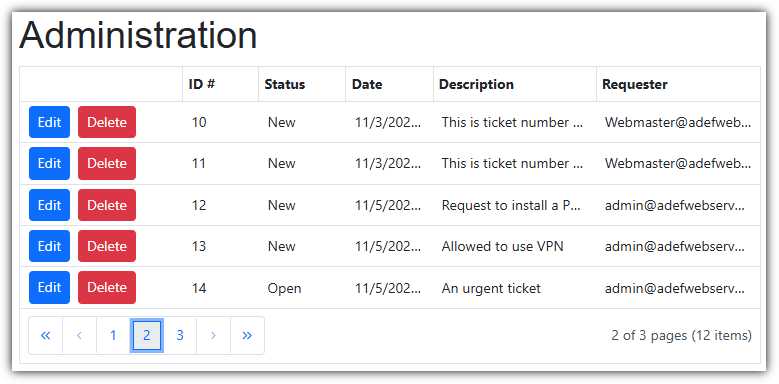
Figure 1: Help desk administration
In this ebook, we will cover the core elements of Blazor and then explore additional features by building a sample application called Syncfusion Help Desk.
This application will demonstrate:
· Implementing authentication and authorization.
· Inserting, updating, and deleting data from the database.
· Using forms and validation.
· Implementing email notifications.
· Implementing AI features such as smart paste.
The code for this book is available on GitHub. The step-by-step instructions use the Visual Studio 2022 Community edition. You can download Visual Studio Community for free at this link. You can also create Blazor applications using the Visual Studio Code IDE. See dotnet.microsoft.com/en-us/learn/aspnet/blazor-tutorial/intro for more information. In addition, the SQL Server Developer edition is recommended, and a free download is available at this link.
You may want to bookmark the official Microsoft Blazor documentation available here.


- 80+ high performance Blazor components.
- Lightweight and user friendly.
- Stunning Built-in themes with customization.