Try Our Live Demo
Organize and manage worksheets more effectively
Manage worksheet organization, control spreadsheet layouts, and improve workbook navigation with capabilities designed to keep content structured and easier to maintain.
Manage worksheet organization
Add, rename, duplicate, rearrange, and control worksheet visibility to maintain a clear and organized workbook structure.
Control worksheet layouts
Insert, delete, resize, show, and hide rows and columns to adapt worksheet structures as data and reporting needs evolve.
Customize worksheet display
Show or hide headers and gridlines to create worksheet views that align with editing, review, or presentation requirements.
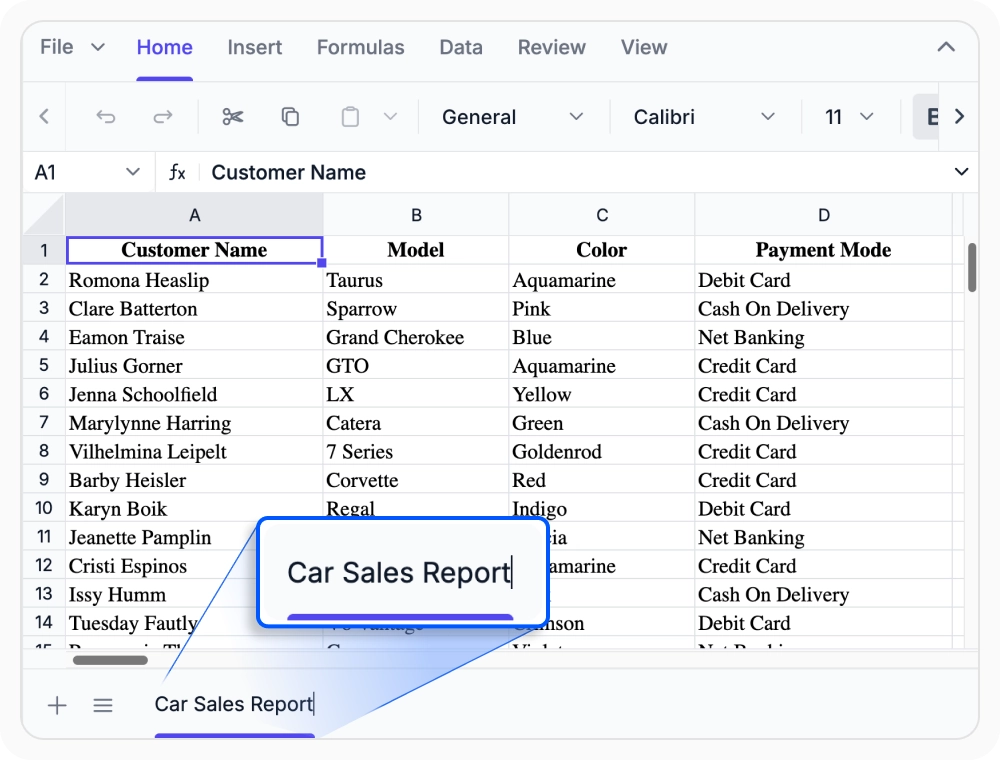
Manage worksheet tabs
Keep workbook data structured with intuitive worksheet controls for adding, deleting, renaming, duplicating, rearranging, and showing or hiding sheets as projects evolve.
- Add new sheets, remove old ones, and rename tabs so workbook structure stays easy to follow.
- Duplicate and rearrange worksheets to reuse layouts and keep related information in the right order.
- Manage worksheet visibility to simplify complex workbooks without removing important sheet content.
Flexible row and column layout
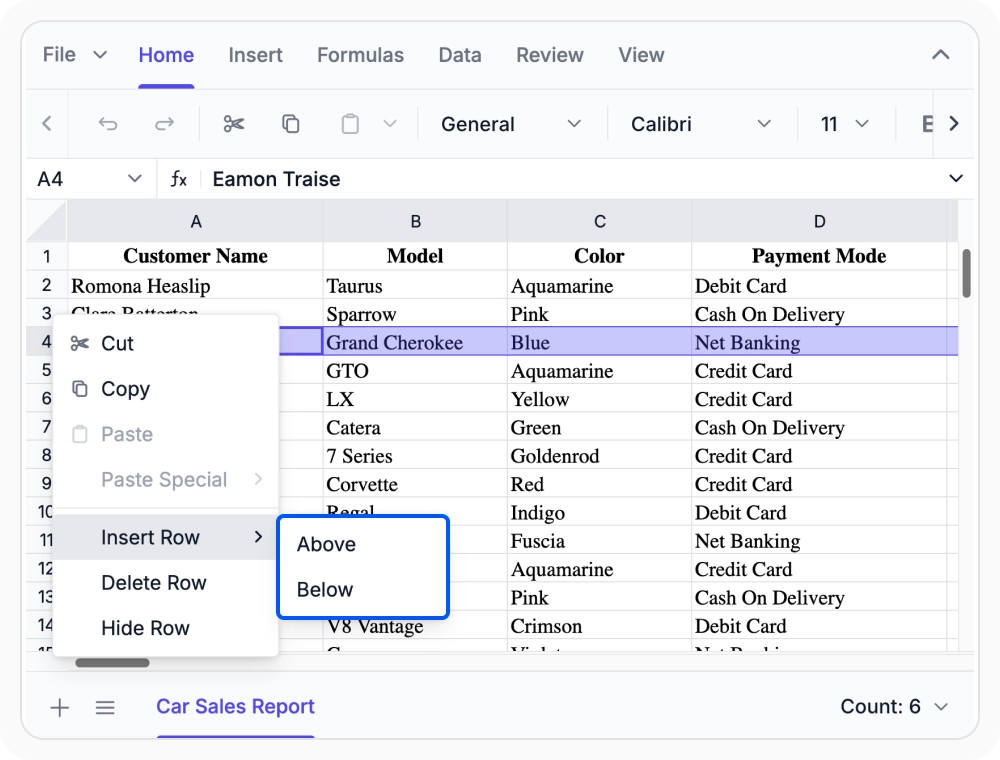
Adjust worksheet structure with row and column operations that help teams fit more data, refine spacing, and keep important information visible during editing.
- Insert or delete rows and columns as spreadsheet content grows, changes, or needs cleanup.
- Resize, show, or hide rows and columns to improve layout clarity and keep dense sheets easier to scan.
- Customize column headers and manage layout behavior so worksheet structure better matches the data being presented.
Customizable headers and gridlines
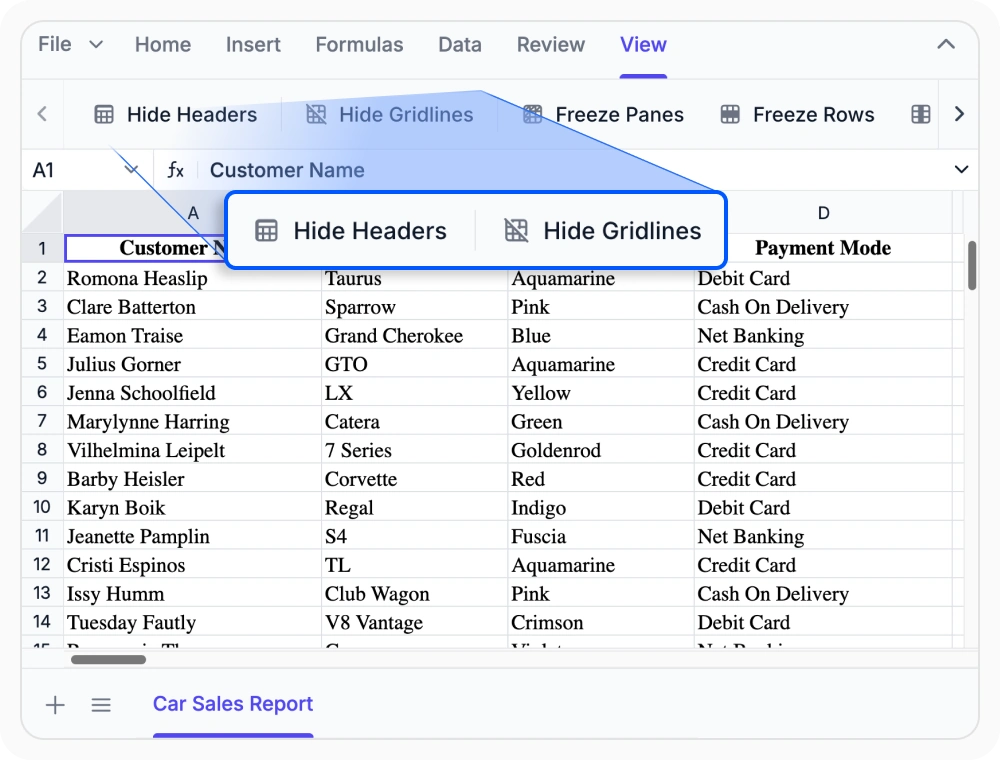
Show or hide worksheet headers and gridlines to match different editing, review, and presentation needs without changing the underlying spreadsheet data.
- Display or hide row and column headers to simplify the sheet view or keep cell references visible.
- Show or remove gridlines to change how worksheet content is visually separated.
- Apply header and gridline settings at load time or through built-in worksheet interactions.
PLATFORM SUPPORT
Worksheet support across platforms
Worksheet capabilities are supported across web and desktop platforms. Feature availability varies by platform for workflows such as workbook organization, worksheet layout management, row and column operations, and display customization.
| Capability | JS, React, Angular, Vue | Blazor | ASP.NET Core & MVC | WPF & WinForms | UWP |
|---|---|---|---|---|---|
| Add, Delete & Rename | |||||
| Row & Column Operations | |||||
| Headers & Gridlines |
Frequently Asked Questions
Can worksheets be added, renamed, or removed in the Spreadsheet Editor SDK?
Yes. The SDK supports adding, deleting, and renaming worksheets so workbook tabs can be organized around changing project needs.
Can rows and columns be inserted, deleted, or resized?
Yes. Rows and columns can be inserted, removed, resized, shown, or hidden to fit changing worksheet content and layout needs.
Can headers and gridlines be shown or hidden?
Yes. Headers and gridlines can be shown or hidden to create a cleaner editing view or a simpler presentation layout.
Can a worksheet be duplicated or rearranged?
Yes. Worksheets can be duplicated and reordered to reuse layouts and keep workbook tabs in a preferred sequence.
Can column headers be customized?
Yes. The worksheet supports column header customization to better match spreadsheet structure and presentation.
Can worksheet display settings be controlled when the sheet loads?
Yes. Display options such as headers and gridlines can be configured at initial load as part of worksheet setup.
Documentation
Explore documentation resources for worksheet capabilities, including implementation guidance, API references, and feature-specific examples.
Add, Delete & Rename
Manage worksheet tabs with built-in options for adding, deleting, renaming, duplicating, moving, and controlling visibility.
Row & Column Operations
Insert, delete, resize, show, hide, and customize worksheet rows and columns for more controlled spreadsheet layouts.
Headers & Gridlines
Show or hide worksheet headers and gridlines to refine spreadsheet readability and presentation.
Resources
Learn more about our Syncfusion Spreadsheet Editor SDK
Explore demos, KB articles, and documentation to get the most out of our Spreadsheet Editor SDK.
Explore guides, APIs, and quick-start tips
See live use cases in action
Ask, share, and connect with peers
Find solutions and best practices fast
Get expert help when you need it
Feature requests and bug reports
Track issues and suggest improvements
Awards
Greatness—it’s one thing to say you have it, but it means more when others recognize it. Syncfusion® is proud to hold the following industry awards.









