Try Our Live Demo
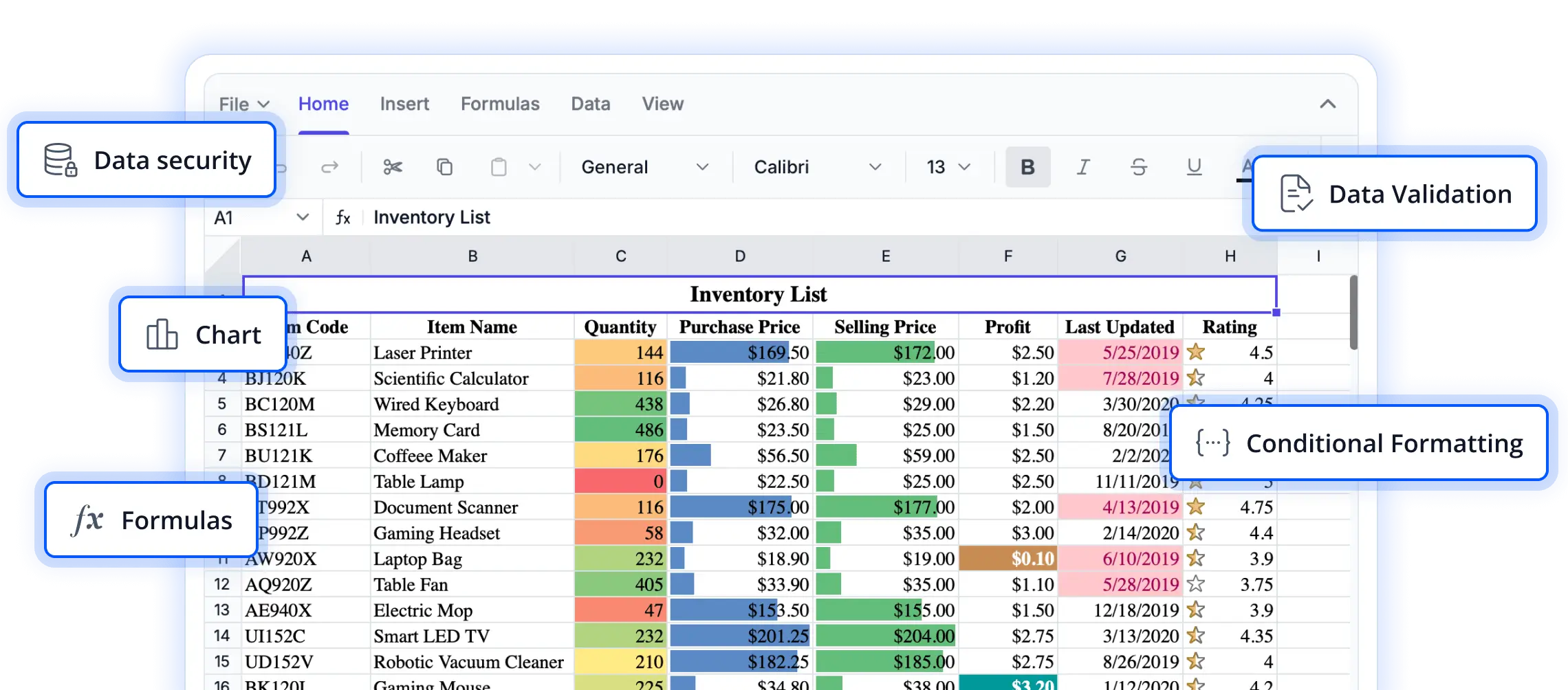
Protect critical spreadsheet content
Secure workbook data, control editing permissions, and maintain workbook structure with protection capabilities designed to reduce unwanted changes and preserve content integrity.
Secure workbook data
Protect sensitive worksheet content with encrypted password protection and controls that help prevent unauthorized modifications.
Manage edit permissions
Control where changes can be made by combining locked cells, editable ranges, and read-only access settings.
Maintain workbook structure
Restrict worksheet-level structural changes to help preserve workbook organization and content consistency.
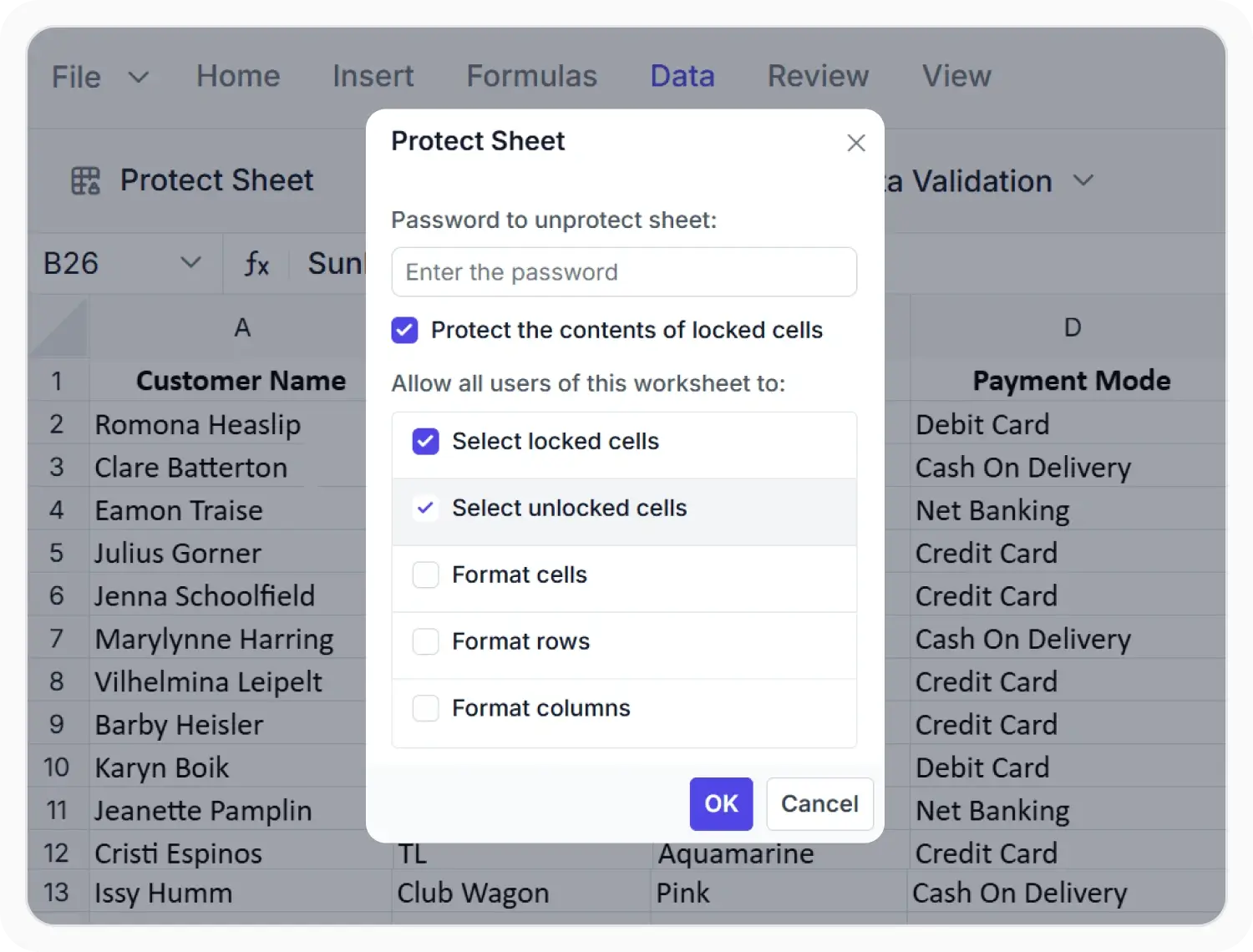
Protect worksheets with controlled editing
Protect important worksheet content with flexible controls that help prevent unwanted changes while maintaining access to authorized editing activities across spreadsheet workflows.
- Protect sheets to limit editing, formatting, insertion, deletion, and related changes across the worksheet.
- Allow selected actions through protection settings so teams can keep specific interactions available.
- Add encrypted password protection and unlock chosen cell ranges when only certain areas should stay editable.
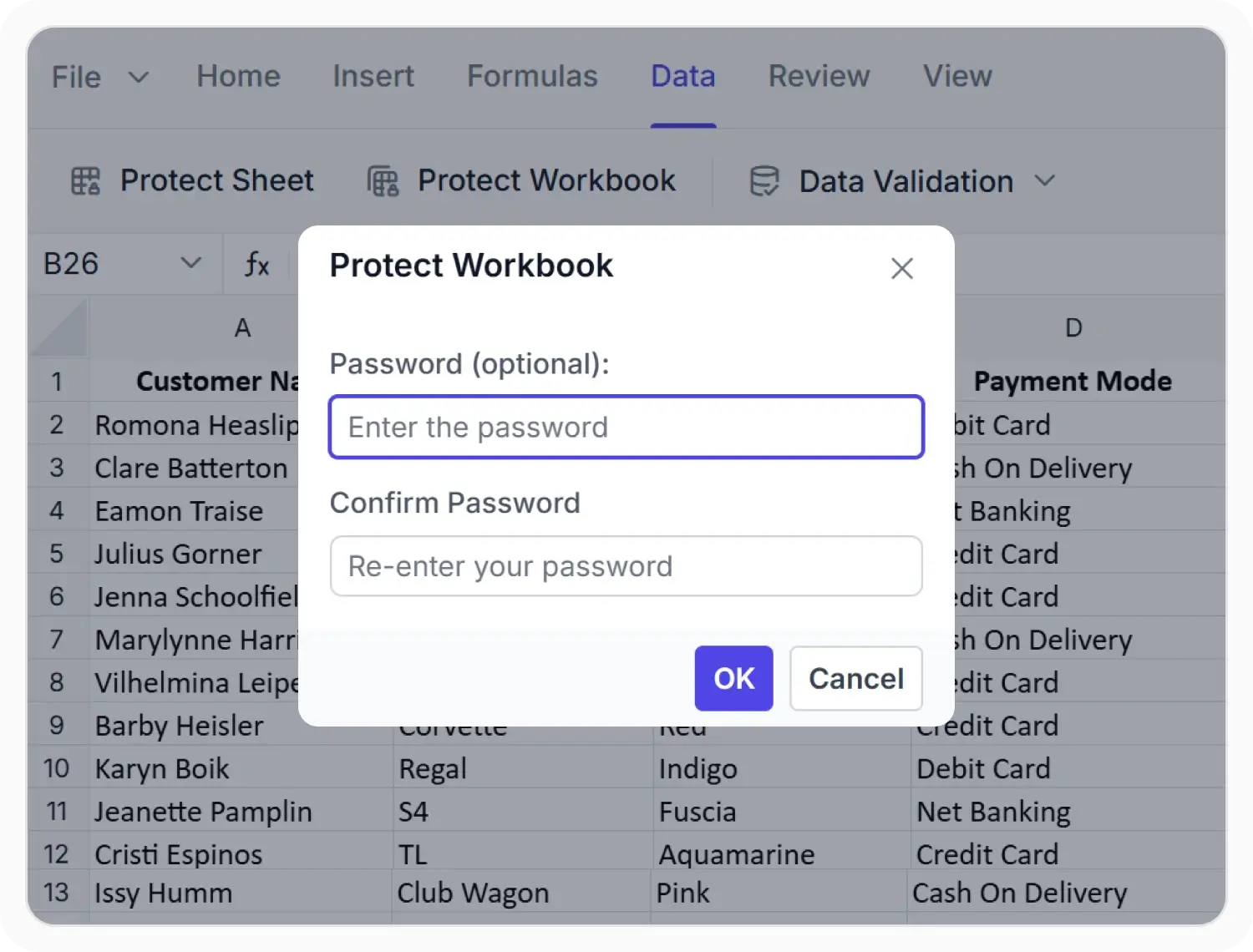
Protect workbook structure
Protection capabilities are supported across web and desktop platforms. Feature availability varies by platform for workflows such as worksheet security, editing control, workbook protection, and structure management.
- Protect workbook structure to restrict inserting, deleting, renaming, moving, copying, hiding, and unhiding worksheets.
- Apply encrypted password protection to control who can change workbook-level organization.
- Maintain workbook integrity across multi-sheet files without disrupting normal viewing and navigation.
PLATFORM SUPPORT
Protection support across platforms
Build secure spreadsheet experiences across web and desktop platforms. Protect worksheet content, control editing access, and preserve workbook structure while maintaining familiar spreadsheet workflows.
| Capability | JS, React, Angular, Vue | Blazor | ASP.NET Core & MVC | WPF & WinForms | UWP |
|---|---|---|---|---|---|
| Worksheet Protection | |||||
| Workbook Protection |
Frequently Asked Questions
Can worksheets be protected from editing and formatting changes?
Yes. Worksheet protection can restrict editing, formatting, insertion, deletion, and other changes while allowing selected actions when needed.
Can selected cells stay editable in a protected worksheet?
Yes. Specific cell ranges can be unlocked, and read-only access can be applied to chosen rows, columns, or cells without opening the full worksheet for editing.
Can protection be removed when updates are required?
Yes. Protected sheets and workbooks can be unprotected when authorized updates need to be made.
Is password protection available for protected sheets?
Yes. Protected worksheets and workbooks can be secured with encrypted password protection to control unauthorized changes.
What workbook-level actions can be restricted?
Workbook protection can restrict inserting, deleting, renaming, moving, copying, hiding, and unhiding worksheets to preserve workbook structure.
Does protection help maintain spreadsheet integrity across applications?
Yes. Protection settings help keep worksheet data and workbook structure consistent across shared spreadsheet workflows.
Documentation
Explore documentation resources for protection capabilities, including worksheet and workbook protection, implementation guidance, API references, and feature-specific examples.
Resources
Learn more about our Syncfusion Spreadsheet Editor SDK
Explore demos, KB articles, and documentation to get the most out of our Spreadsheet Editor SDK.
Explore guides, APIs, and quick-start tips
See live use cases in action
Ask, share, and connect with peers
Find solutions and best practices fast
Get expert help when you need it
Feature requests and bug reports
Track issues and suggest improvements
Awards
Greatness—it’s one thing to say you have it, but it means more when others recognize it. Syncfusion® is proud to hold the following industry awards.









