Try Our Live Demo
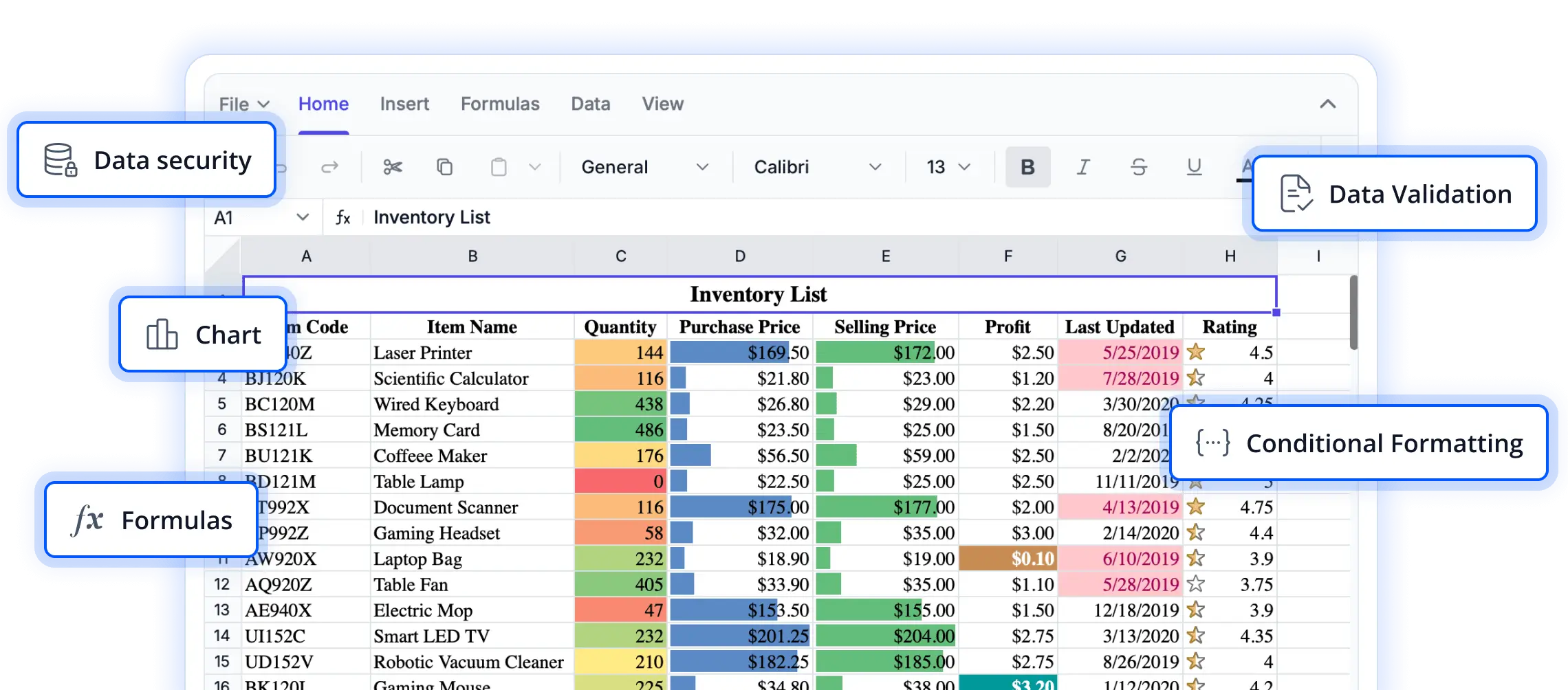
Exchange spreadsheet data with confidence
Move spreadsheet content across formats, streamline distribution workflows, and maintain workbook fidelity with flexible import, export, and printing capabilities.
Streamline file exchange
Import and export Excel and CSV files while preserving workbook structure, formulas, formatting, and worksheet content.
Simplify document sharing
Export worksheets to PDF for reporting, review, archiving, and distribution with configurable layout and orientation options.
Support print workflows
Print active worksheets or entire workbooks while preserving formatting, gridlines, and worksheet details.
Import and export Excel and CSV
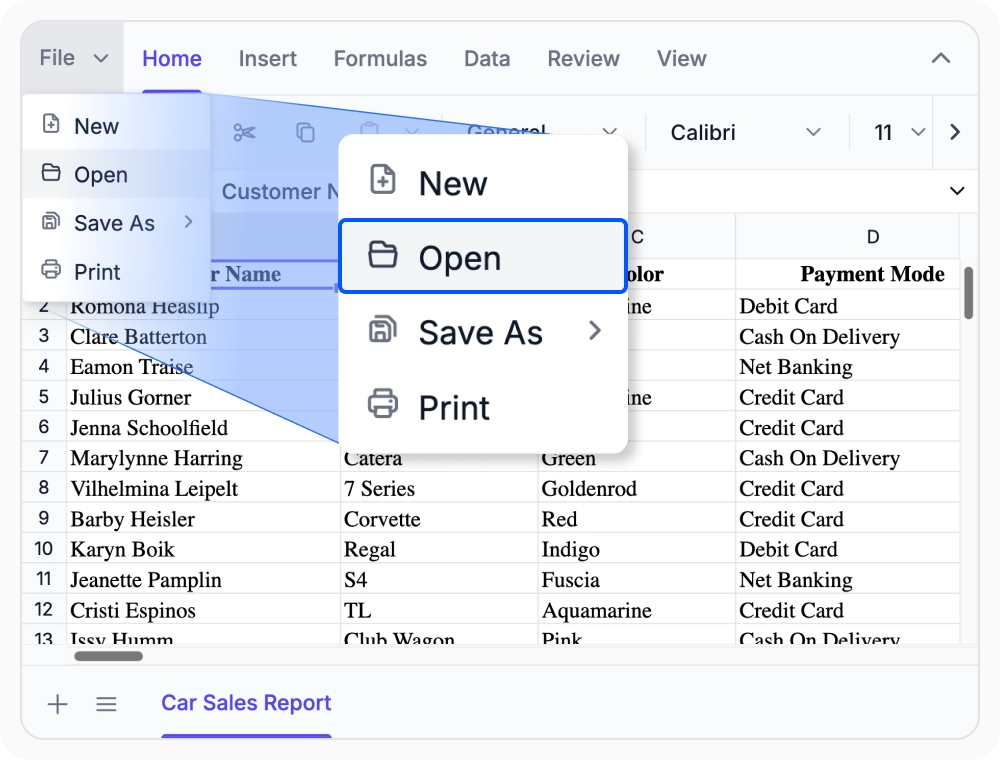
Handle Excel and CSV file exchange across the sources and delivery flows your application already supports while keeping workbook structure intact.
- Import and export Excel and CSV files from local storage, cloud storage, servers, JSON, Blob, and Base64 sources.
- Preserve workbook data, formulas, formatting, and sheet structure through open and save workflows.
- Fit file exchange into browser, service-based, and application-managed spreadsheet experiences.
Export worksheets as PDF
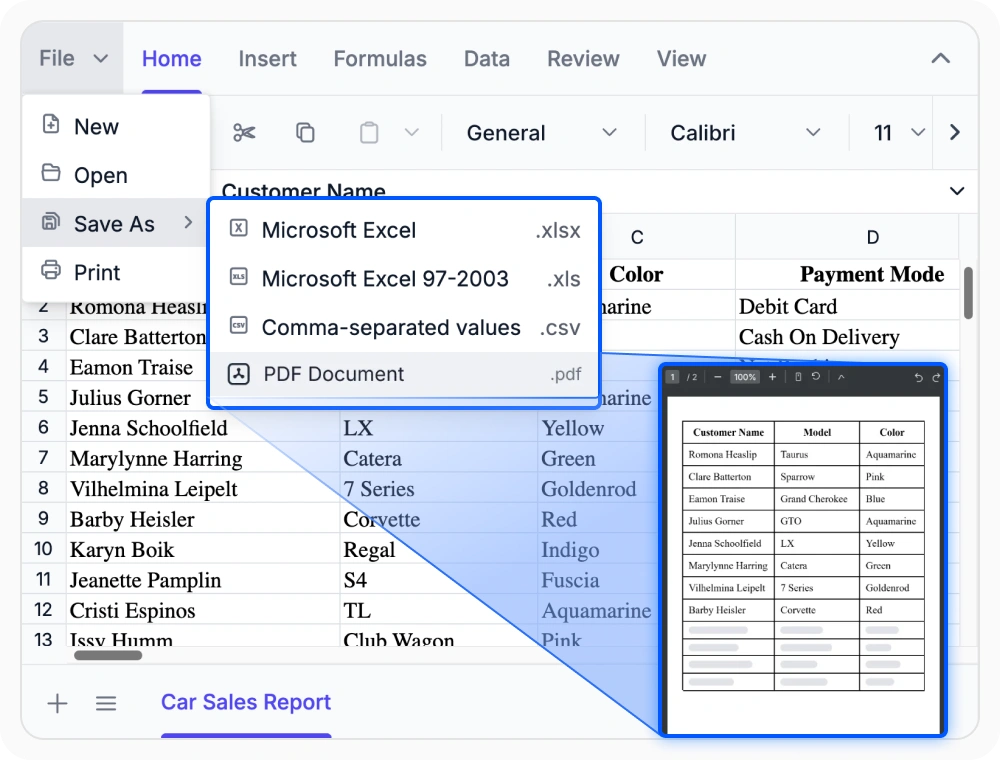
Turn worksheet content into PDF files that are ready for sharing, review, and distribution. Built-in export settings help teams prepare cleaner page output directly from the spreadsheet.
- Export worksheets to PDF for professional sharing, handoff, and archived reporting flows.
- Adjust layout behavior to fit worksheet content more cleanly on the page.
- Set PDF page orientation to portrait or landscape based on the worksheet layout.
Print sheets and workbooks
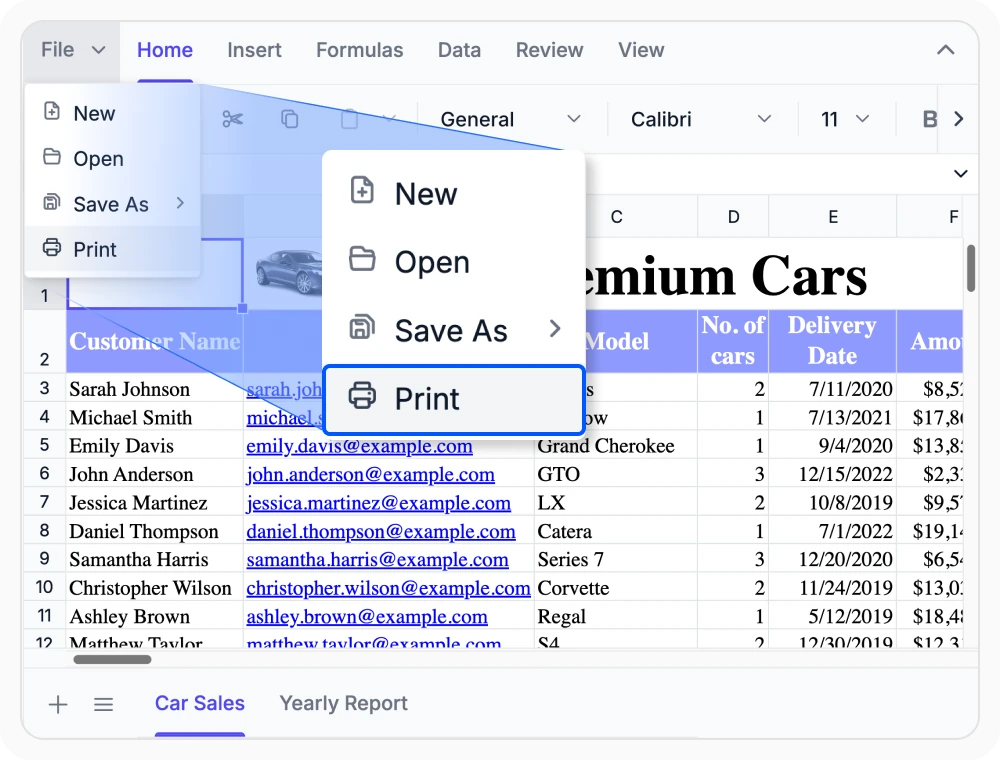
Print spreadsheet content directly from the application with clear control over what appears on the page. Choose active-sheet or workbook output and include the worksheet details needed for review and distribution.
- Print the active worksheet or the full workbook from built-in file menu, shortcuts, or custom commands.
- Include gridlines and row or column headers when printed output needs more worksheet context.
- Preserve charts, images, tables, and formatted spreadsheet content in print workflows.
PLATFORM SUPPORT
Import and export support across platforms
Import and export capabilities are supported across web and desktop platforms. Feature availability varies by platform for workflows such as file exchange, document sharing, PDF generation, and workbook printing.
| Capability | JS, React, Angular, Vue | Blazor | ASP.NET Core & MVC | WPF & WinForms | UWP |
|---|---|---|---|---|---|
| Excel & CSV | |||||
| PDF Export | |||||
Frequently Asked Questions
Can the Spreadsheet Editor SDK open and save both Excel and CSV files?
Yes. It supports importing and exporting Excel and CSV files while preserving workbook content and structure.
Does PDF export support page orientation control?
Yes. PDF export can be configured for portrait or landscape output to better match worksheet layouts.
Is it possible to print only the active sheet or the full workbook?
Yes. Print workflows support output for either the current sheet or the entire workbook.
Can spreadsheet data be exchanged through JSON, Blob, or Base64 workflows?
Yes. Workbook data can be handled through JSON, Blob, and Base64-based flows for application-managed import and export scenarios.
Can worksheets be exported to PDF for sharing and review?
Yes. Worksheets can be exported as PDF documents for distribution, review, and archived sharing workflows.
Can printed output include worksheet details such as gridlines and headers?
Yes. Print options can include gridlines along with row and column headers when that extra context is needed.
Documentation
Explore documentation resources for import and export capabilities, including implementation guidance, API references, and feature-specific examples.
Excel & CSV
Explore how to open and save Excel and CSV files from file, server, JSON, Blob, and Base64-driven spreadsheet workflows.
PDF Export
See how to export worksheets to PDF and adjust orientation settings for cleaner page layouts.
Review how to print active sheets or full workbooks with gridlines, headers, and formatted spreadsheet content.
Resources
Learn more about our Syncfusion Spreadsheet Editor SDK
Explore demos, KB articles, and documentation to get the most out of our Spreadsheet Editor SDK.
Explore guides, APIs, and quick-start tips
See live use cases in action
Ask, share, and connect with peers
Find solutions and best practices fast
Get expert help when you need it
Feature requests and bug reports
Track issues and suggest improvements
Awards
Greatness—it’s one thing to say you have it, but it means more when others recognize it. Syncfusion® is proud to hold the following industry awards.









