Try Our Live Demo

Accessibility compliance
Follow recognized accessibility guidelines, including WAI-ARIA roles, full keyboard navigation, and screen reader support. This helps teams meet compliance requirements while including every user, regardless of ability.
- Support WAI-ARIA, WCAG 2.2, and Section 508 standards.
- Enable complete keyboard navigation across views, dates, and event actions.
- Provide role, label, and state announcements for assistive technologies
- Ensure parity samples verify the same accessibility behavior across web, desktop, and mobile platforms

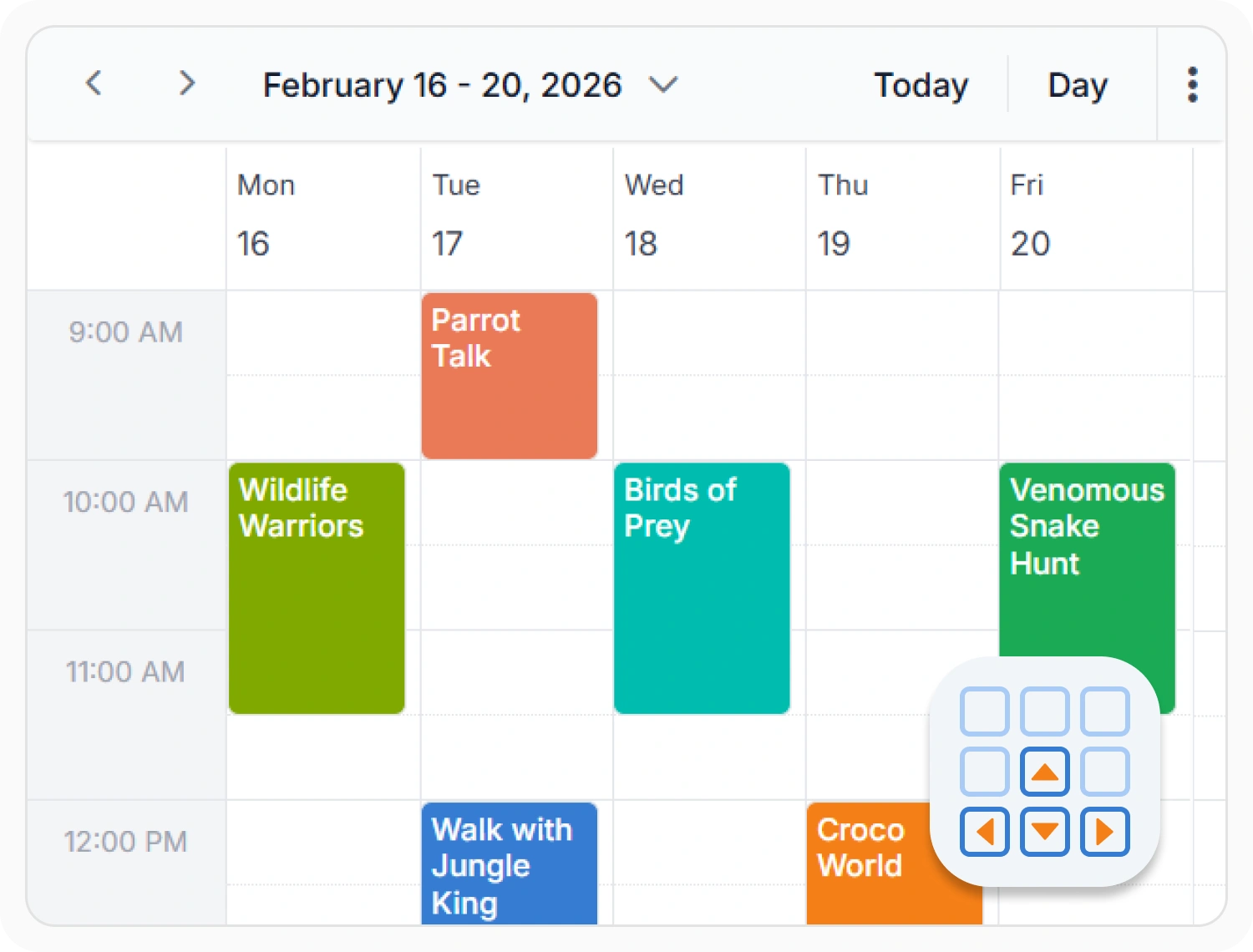
Keyboard navigation
Navigate, create, and manage events using keyboard shortcuts and navigation patterns. Use keyboard navigation when applications support keyboard-only interactions.
- Support keyboard-only navigation for high-volume schedules
- Enable keyboard shortcuts for call center scheduling workflows
- Provide keyboard control for operations and dispatch scheduling
- Maintain keyboard navigation parity across web, desktop, and mobile platforms
Localization and globalization
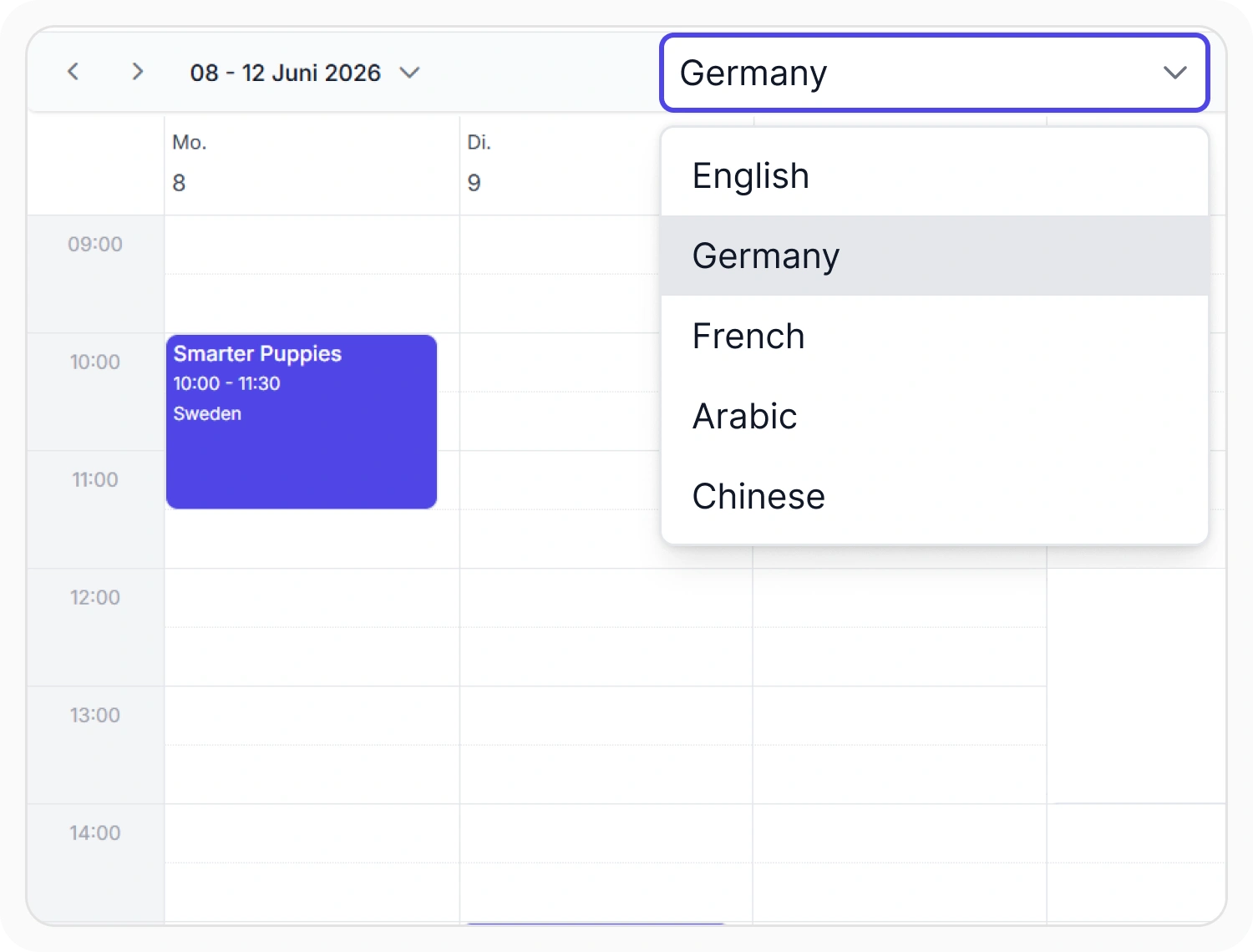
Display dates, times, and numbers according to the conventions of a chosen culture, not just one default format. Use it when scheduling applications serve users across multiple regions or languages.
- Support culture-specific date, time, and number formatting.
- Provide automatic timezone conversion across regional schedules.
- Enable translation of every static label and calendar message.
- Ensure region-specific first-day-of-week and calendar conventions are honored.
Right-to-left layout support
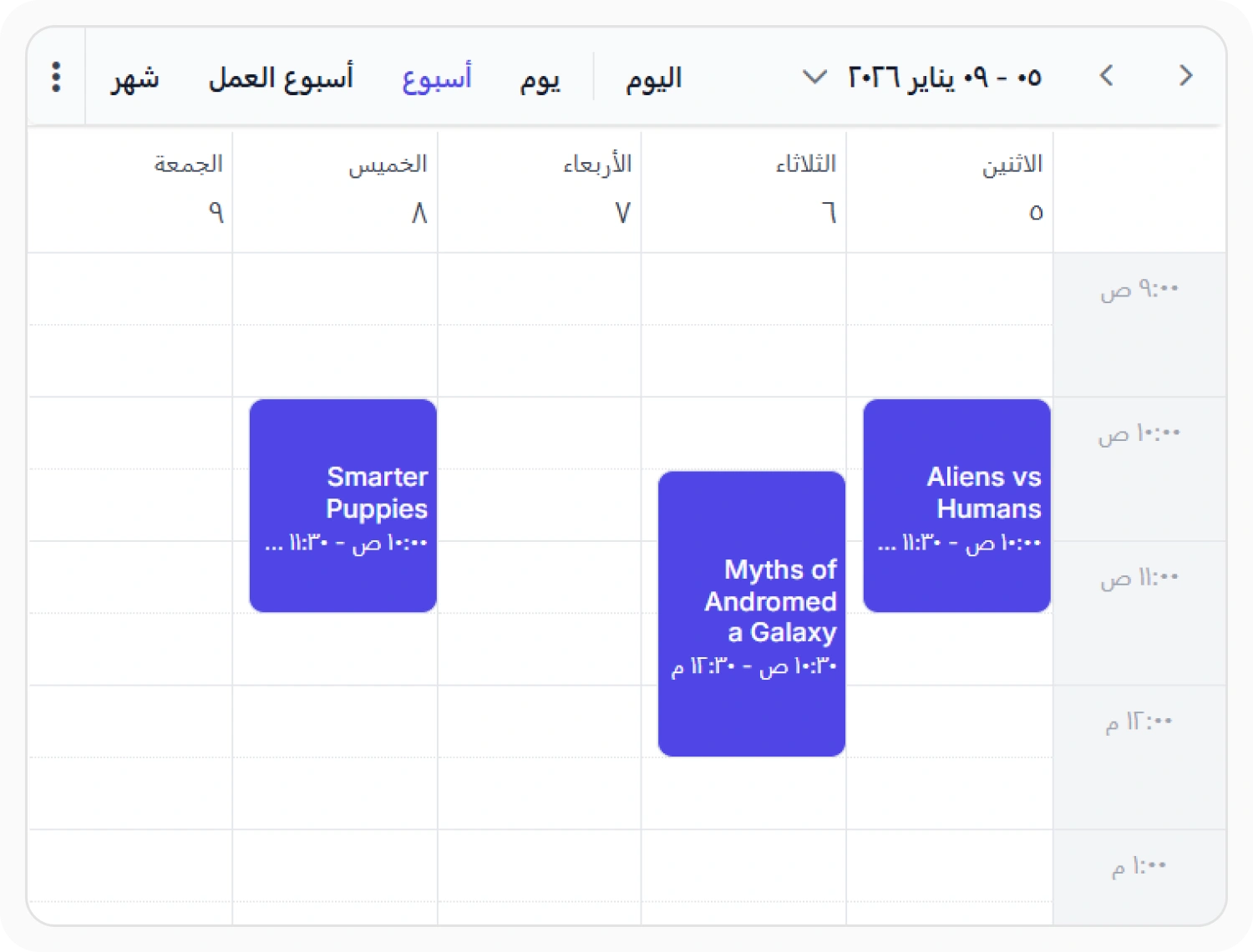
Right-to-left support mirrors Scheduler layouts for languages that read from right to left. Use it when applications serve Arabic, Hebrew, or other RTL-language audiences.
- Support mirrored layouts for Arabic, Hebrew, and other RTL languages.
- Deliver RTL rendering parity across day, week, month, work week, and timeline views.
- Align text, icons, and controls with reading direction
- Deliver consistent RTL support across web, desktop, and mobile platforms
PLATFORM SUPPORT
Accessibility and localization, consistent across platforms
Scheduler accessibility features are available across web, desktop, and cross-platform frameworks. Support includes accessibility standards, keyboard navigation, and screen reader compatibility.
| Capability | JS, React, Angular, Vue | Blazor | ASP.NET Core & MVC | WPF, WinUI, WinForms | .NET MAUI |
|---|---|---|---|---|---|
| Accessibility Standards | |||||
| Localization | |||||
| RTL layout |
Frequently Asked Questions
Does the Scheduler meet WCAG standards?
Yes. It’s built to WCAG 2.2 guidelines, including required color contrast ratios.
Can the Scheduler be used without a mouse?
Yes. Every date, view, and event action supports full keyboard navigation.
Does the Scheduler support right-to-left languages?
Yes. The entire layout can mirror for languages like Arabic and Hebrew.
Is Section 508 compliance supported by the Scheduler?
Yes. The Scheduler is designed to meet Section 508 requirements.
Which screen readers does the Scheduler support?
Major screen readers, including Narrator and VoiceOver, are supported in the Scheduler.
Do dates and times follow regional formatting automatically?
Yes. Formatting follows the selected culture’s conventions unless set otherwise.
Resources
Learn more about our Scheduler
Explore demos, KB articles, and documentation to get the most out of our Scheduler.
Explore guides, APIs, and quick-start tips
See live use cases in action
Ask, share, and connect with peers
Find solutions and best practices fast
Get expert help when you need it
Feature requests and bug reports
Track issues and suggest improvements
Awards
Greatness—it’s one thing to say you have it, but it means more when others recognize it. Syncfusion® is proud to hold the following industry awards.









