Try Our Live Demo
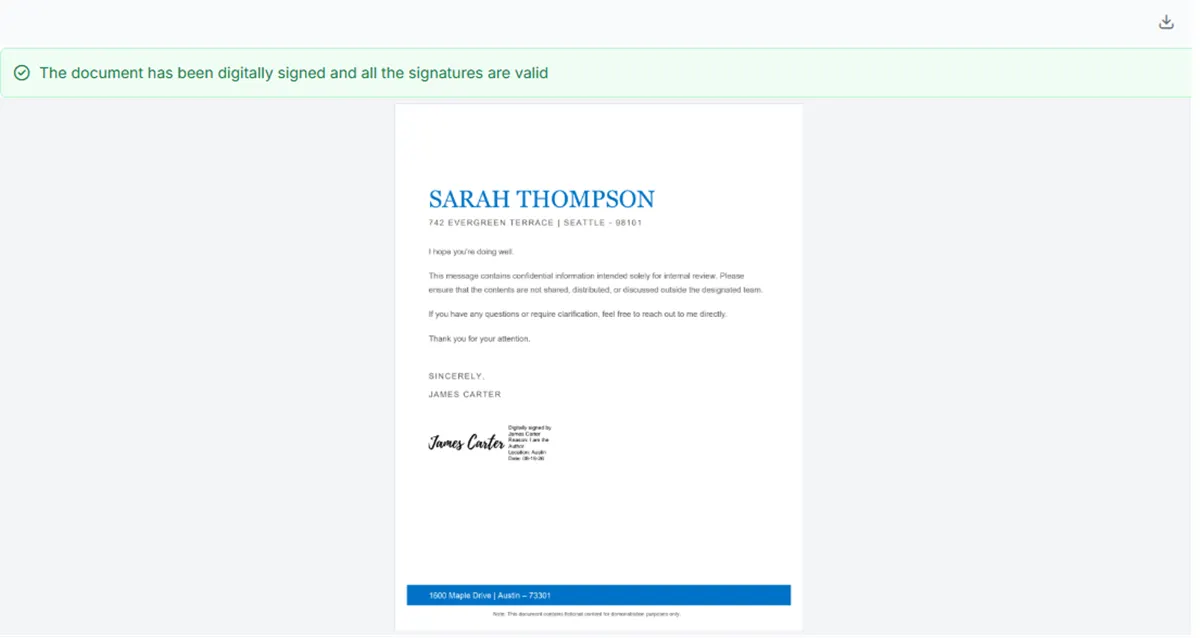
Sign, validate, and review PDF documents
Add certificate-based digital signatures to PDF viewing and approval processes. Verify document integrity, inspect signature and certificate information, and present signed documents for review within a unified workflow.
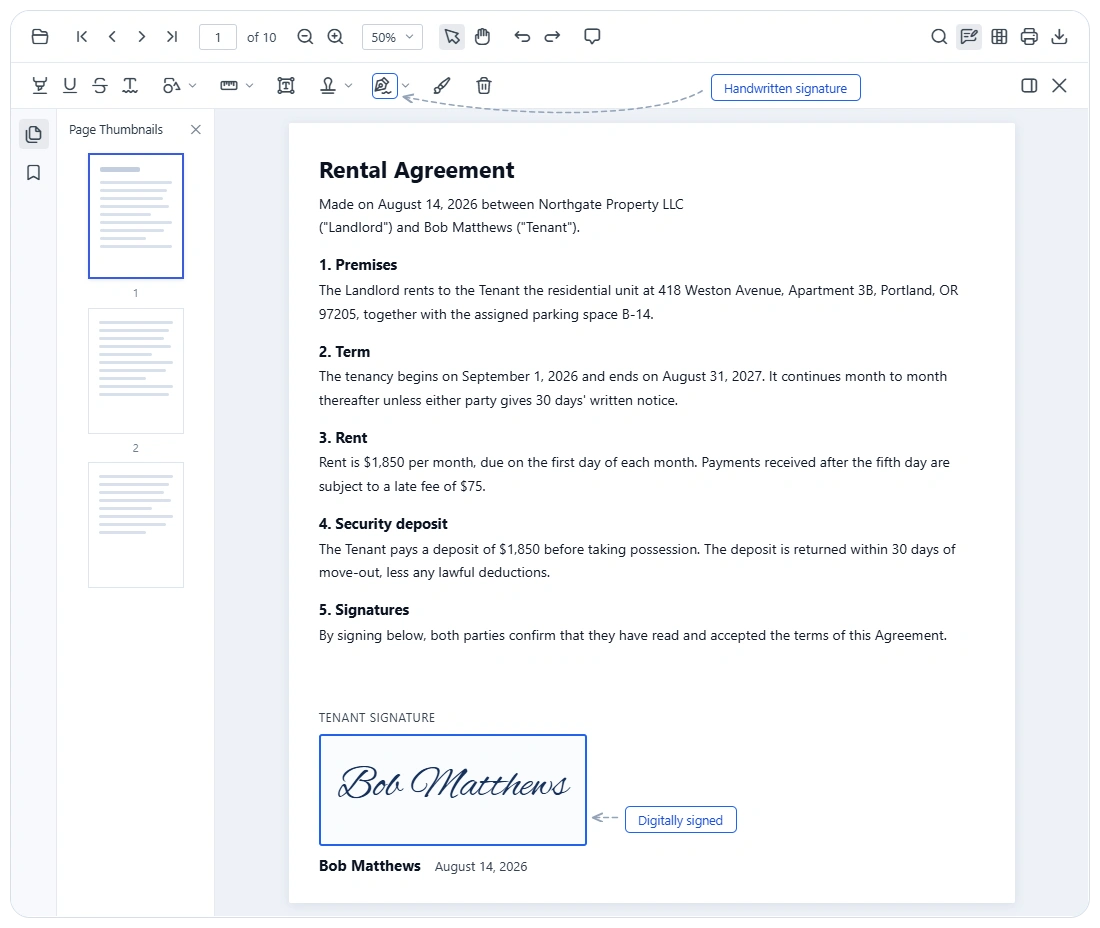
Apply digital signatures
Sign PDFs using supported certificates and private keys to protect the integrity of the signed document content.
Validate signed PDFs
Verify signature integrity, inspect certificate information, and determine whether protected PDF content changed after signing.
Support approval workflows
Support digital signing workflows from signature preparation to validation and review, helping teams streamline approval processes with confidence.
Apply certificate-based digital signatures
Apply certificate-based digital signatures to help verify signer identity, protect document integrity, and support trusted approval workflows. Advanced signing operations are enabled through Syncfusion PDF Library integration.
- Support PDF digital signature workflows for approval-driven document processes.
- Enable certificate-based signing through Syncfusion PDF Library integration.
- Help preserve document authenticity and detect post-signing changes.
- Keep signing aligned with document review and approval workflows.
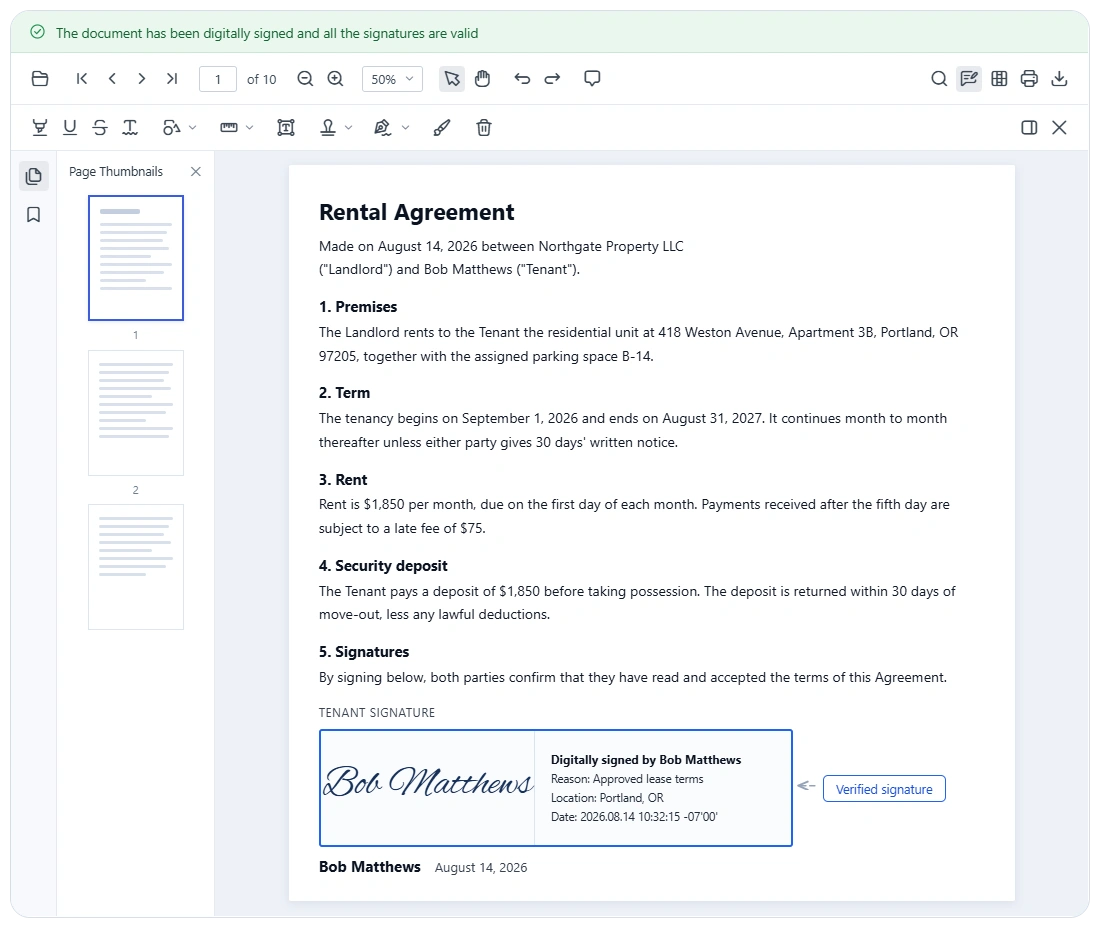
Validate signed PDFs
Verify digital signatures and determine whether a document has been modified after signing. Review signature status, certificate trust, and document integrity before accepting, approving, or distributing documents.
- Validate signed PDF documents during review workflows.
- Check signature validity, certificate trust, and document integrity.
- Identify whether content has been altered after signing.
- Support dependable verification through Syncfusion PDF Library integration.
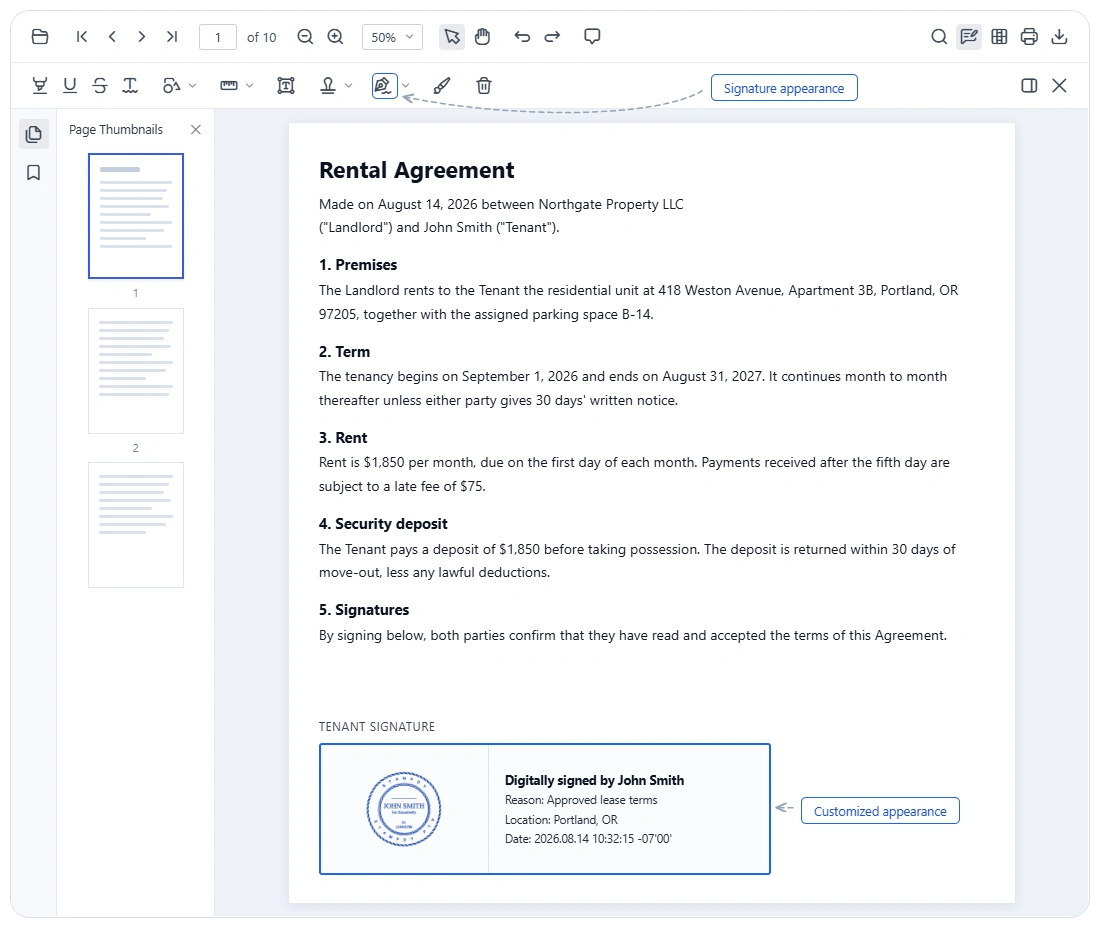
Customize signature appearance
Control how visible digital signatures appear in PDF documents. Include signer information, images, timestamps, and other presentation details to create signing experiences that align with business and compliance requirements.
- Customize visible signature content for signed PDF documents.
- Include signer information, images, and timestamps in the signature appearance.
- Present signatures in a format that fits business review requirements.
- Create consistent signature experiences through Syncfusion PDF Library integration.
CERTIFICATE-BASED SIGNING PROCESS
Move PDFs from preparation to signature review
Digital signature workflows often involve more than a single signing step. The Syncfusion PDF Viewer SDK supports a structured path from signature field preparation to signing, validation, and final review. Advanced PKI-based signing and verification are enabled through integration with the Syncfusion PDF Library.
01
Prepare
Add or place signature fields where approvals are required in the PDF workflow.
02
Sign
Apply a certificate-based digital signature through Syncfusion PDF Library integration.
03
Validate
Check signature validity, certificate trust, and document integrity after signing.
04
Review
Review the signed document and move it forward with greater confidence.
PLATFORM SUPPORT
PDF digital signature capabilities across platforms
Certificate-based signing, signature validation, visible appearance customization, and digital signature workflows are available across supported PDF Viewer SDK platforms. Certificate access, private-key storage, validation configuration, and implementation details vary by platform.
| Capability | JS, React, Angular, Vue | Blazor | ASP.NET Core & MVC | WPF | .NET MAUI | Flutter |
|---|---|---|---|---|---|---|
| Add digital signatures | ||||||
| Validate digital signatures | ||||||
| Customize signature appearance | ||||||
| Digital signature workflows |
Frequently Asked Questions
Does the PDF Viewer SDK support certificate-based digital signatures?
Yes. The Syncfusion PDF Viewer SDK supports digital signature workflows, and advanced certificate-based signing is enabled through integration with the Syncfusion PDF Library.
Can the visual appearance of a digital signature be customized?
Yes. Visible digital signature appearance can be customized with signer information, images, timestamps, and related presentation details through the Syncfusion PDF Library.
Are digital signatures the same as handwritten or typed signatures?
No. Digital signatures are certificate-based and used to verify authenticity and integrity. Handwritten or typed signatures are visual signature experiences and serve different workflow needs.
Can signed PDF documents be validated?
Yes. Digital signature validation can verify whether a document has been modified after signing by checking signature validity, trust status, and document integrity through Syncfusion PDF Library support.
Does this support complete signing workflows?
Yes. The Syncfusion PDF Viewer SDK supports workflows that include signature field preparation, document signing, signature validation, and review for approval-driven PDF processes.
Is Syncfusion PDF Library required for advanced digital signature operations?
Yes. Advanced PKI-based digital signing, validation, and visible signature appearance customization require integration with the Syncfusion PDF Library.
Resources
Learn more about our PDF Viewer SDK
Explore demos, KB articles, and documentation to get the most out of the PDF Viewer SDK.
Explore guides, APIs, and quick-start tips
See live use cases in action
Ask, share, and connect with peers
Find solutions and best practices fast
Get expert help when needed
Feature requests and bug reports
Track issues and suggest improvements
Awards
Greatness—it’s one thing to say you have it, but it means more when others recognize it. Syncfusion® is proud to hold the following industry awards.









