Try Our Live Demo
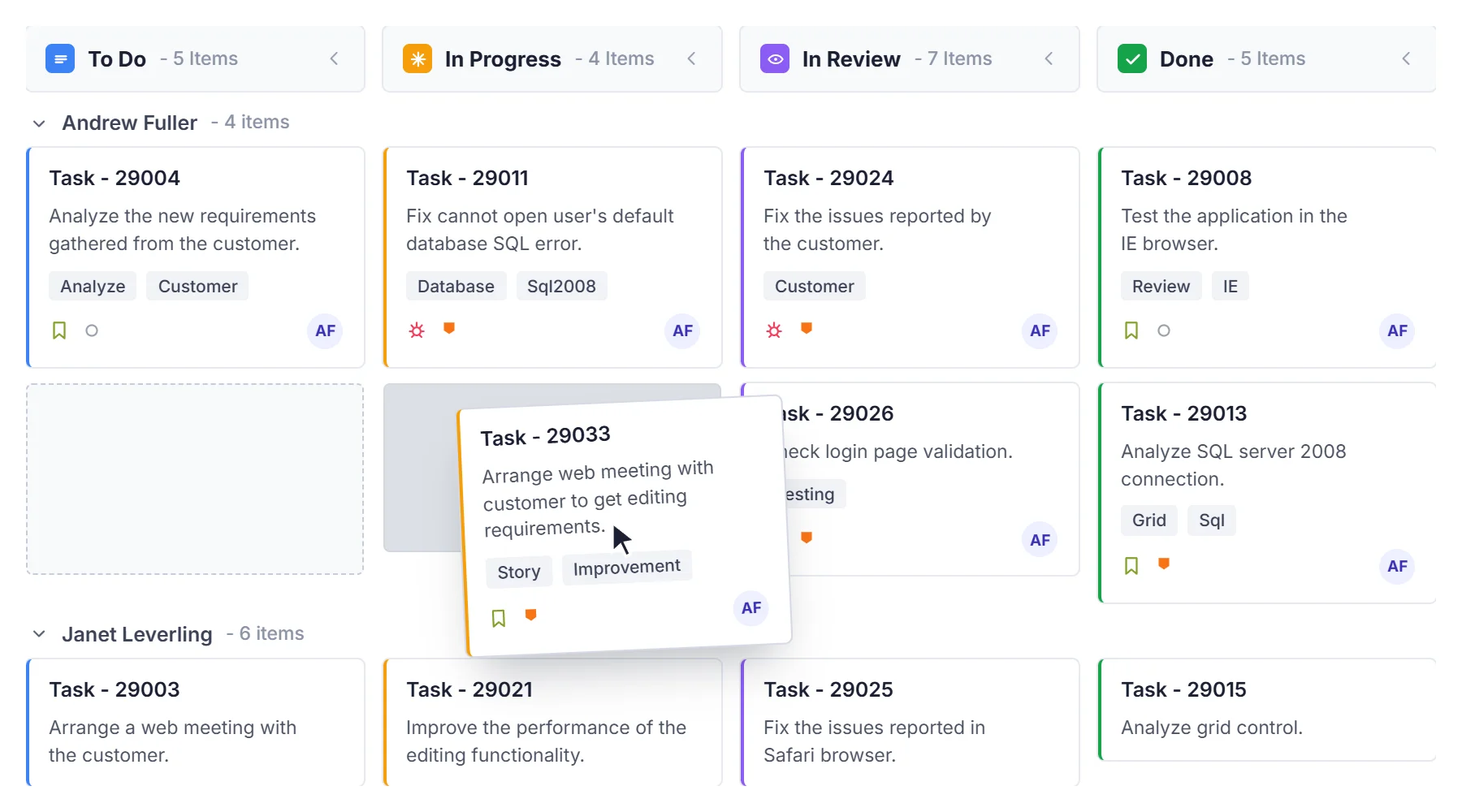
Streamline task management with flexible kanban configuration
Manage tasks with configurable work limits, flexible column configurations, intuitive card editing, powerful templates, and seamless drag-and-drop interactions. Build customizable solutions that adapt to your workflow and help teams track progress and identify bottlenecks.
Configure kanban boards
Organize work with customizable columns for workflow stages, support card editing with validation, rich templates for cards and headers, virtual scrolling for large datasets, and work-in-progress limits to prevent bottlenecks.
- Configure flexible columns representing workflow stages with custom headers and transitions
- Edit cards with built-in dialogs supporting multiple field types and validation rules, plus customize cards, column headers, swimlane headers, and tooltips with templates
- Render large datasets efficiently with virtual scrolling and on-demand card loading
- Enforce work-in-progress limits with visual validation indicators at column and swimlane levels
Swimlane layouts
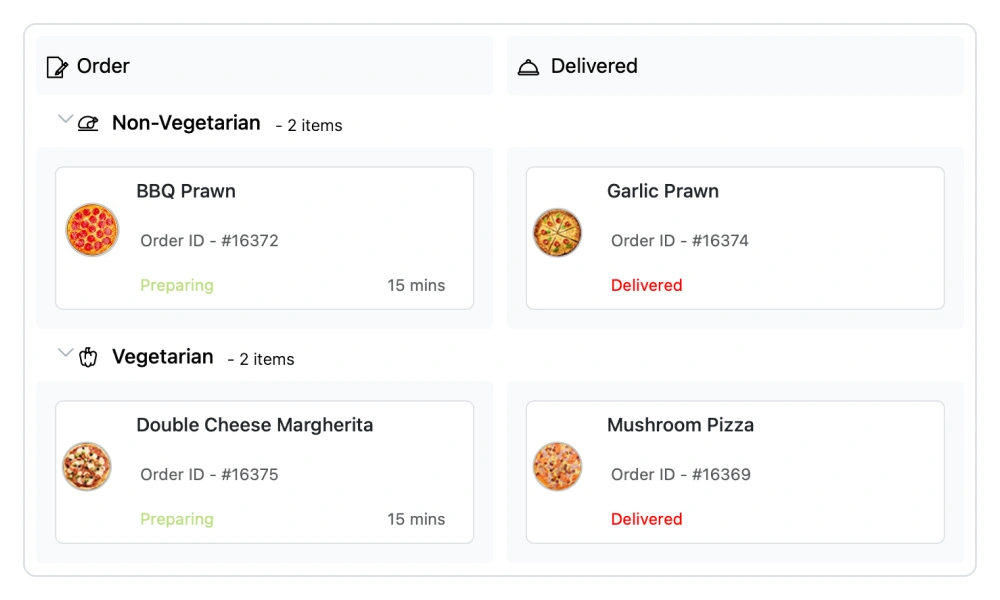
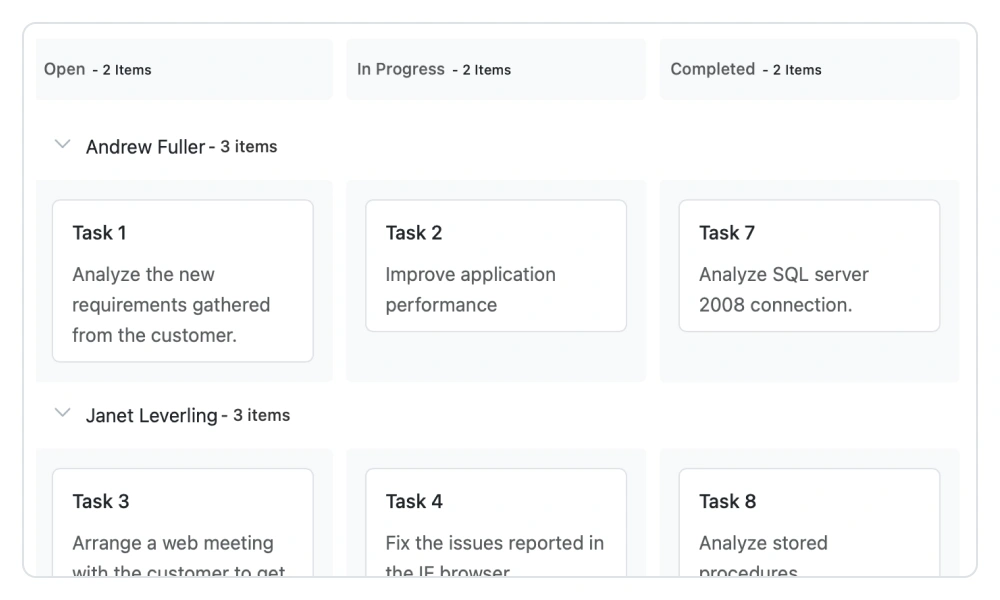
Group cards into horizontal swimlanes organized by team, priority, or custom dimension. Support cross-lane drag and drop and swimlane-level constraints for flexible workload management.
- Group cards by any data field for flexible organizational structures and render swimlane headers with custom text or templates
- Sort swimlane rows in ascending or descending order and support cross-lane drag and drop to reassign and rebalance work
- Enforce swimlane-level WIP constraints to manage work limits per group
- Visualize team workload and resource allocation across grouped swimlanes
Drag-and-drop interactions
Update task status and reassign work by moving tasks across columns and swimlanes. Support internal and external drag and drop interactions with visual feedback.
- Move cards between workflow stages with column drag and drop and between groups and teams with swimlane drag and drop.
- Reorder tasks within columns to prioritize work and provide visual drop zone indicators and feedback during dragging.
- Support external drag and drop between multiple kanban boards and sources.
- Maintain data consistency with automatic status updates during drag-and-drop operations.
PLATFORM SUPPORT
Kanban Board management across platforms
Flexible columns, card editing, swimlane grouping, drag-and-drop interactions, templates, and WIP validation are supported across web, desktop, and cross-platform implementations. All platforms provide comprehensive kanban management capabilities for flexible task organization.
| Capability | JS, React, Angular & Vue | Blazor | ASP.NET Core & MVC | WPF | UWP | .NET MAUI | WinUI |
|---|---|---|---|---|---|---|---|
| Flexible Columns | |||||||
| Card Editing | |||||||
| Swimlane Grouping | |||||||
| Drag and Drop | |||||||
| Templates | < | ||||||
| WIP Validation |
Frequently Asked Questions
How does the Syncfusion Kanban help organize work across teams?
The Syncfusion Kanban helps teams organize work through flexible columns representing workflow stages, swimlanes for grouping by team or priority, and visual templates that display relevant task information.
How do swimlanes improve team collaboration?
Swimlanes group work by team member, priority, or other dimensions, improving visibility into who is working on what and how work is distributed. This promotes better communication, helps identify overloaded team members, and supports balanced workload management.
How does drag and drop support task management?
Drag and drop enables intuitive task management by allowing users to move cards between columns to update status, across swimlanes to reassign work, and between boards to synchronize tasks. This reduces manual data entry and accelerates workflow transitions.
Can the Syncfusion Kanban help visualize team workload?
Yes. The Syncfusion Kanban provides swimlanes that group cards by team member, priority, or custom dimensions, giving clear visibility into workload distribution, capacity, and resource allocation across teams.
When should I use WIP limits in my kanban board?
Use WIP limits to prevent workflow bottlenecks and ensure balanced task progression. Set maximum limits on columns to prevent overloading, and minimum limits to keep columns active. This helps identify constraints and maintain steady workflow through your process.
Can kanban templates be customized to match our workflow?
Yes. Kanban templates are fully customizable with HTML and CSS, allowing you to design cards, column headers, swimlane headers, and tooltips that display exactly the information your team needs for effective task management and decision-making.
Resources
Learn more about our Kanban Board
Explore demos, KB articles, and documentation to get the most out of our Kanban Board.
Explore guides, APIs, and quick-start tips
See live use cases in action
Ask, share, and connect with peers
Find solutions and best practices fast
Get expert help when needed
Feature requests and bug reports
Track issues and suggest improvements
Awards
Greatness—it’s one thing to say you have it, but it means more when others recognize it. Syncfusion® is proud to hold the following industry awards.









