Try Our Live Demo
One Gantt Chart for every project update workflow
Support project changes through direct task editing, timeline interactions, hierarchy updates, and schedule revisions. Enable teams to maintain project integrity while adapting plans as work progresses.
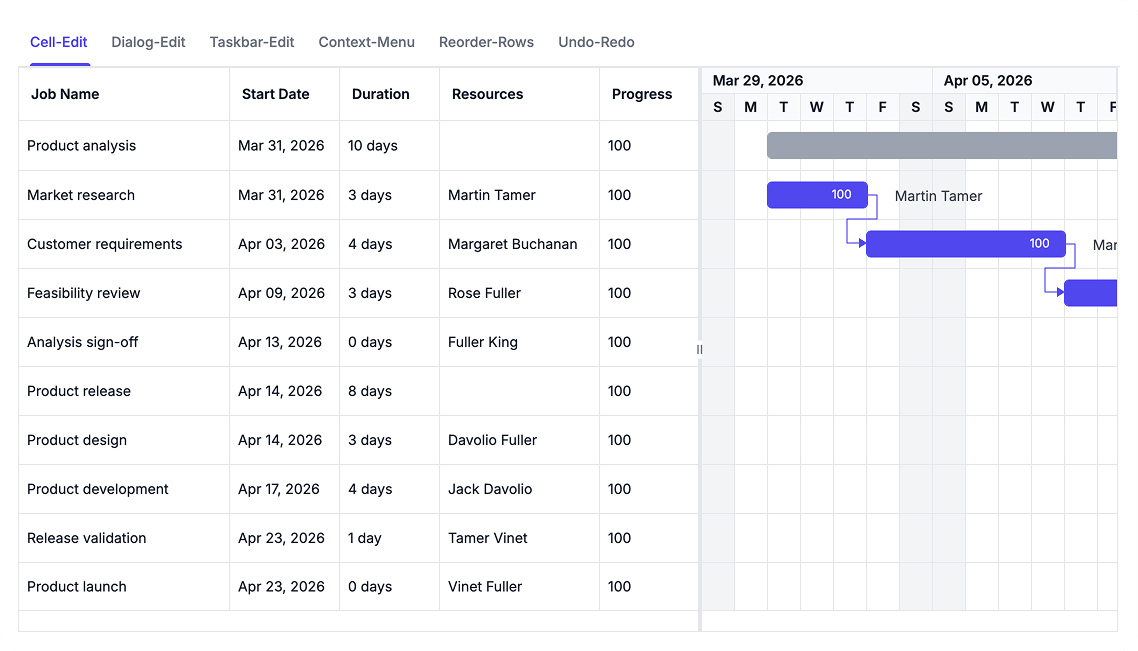
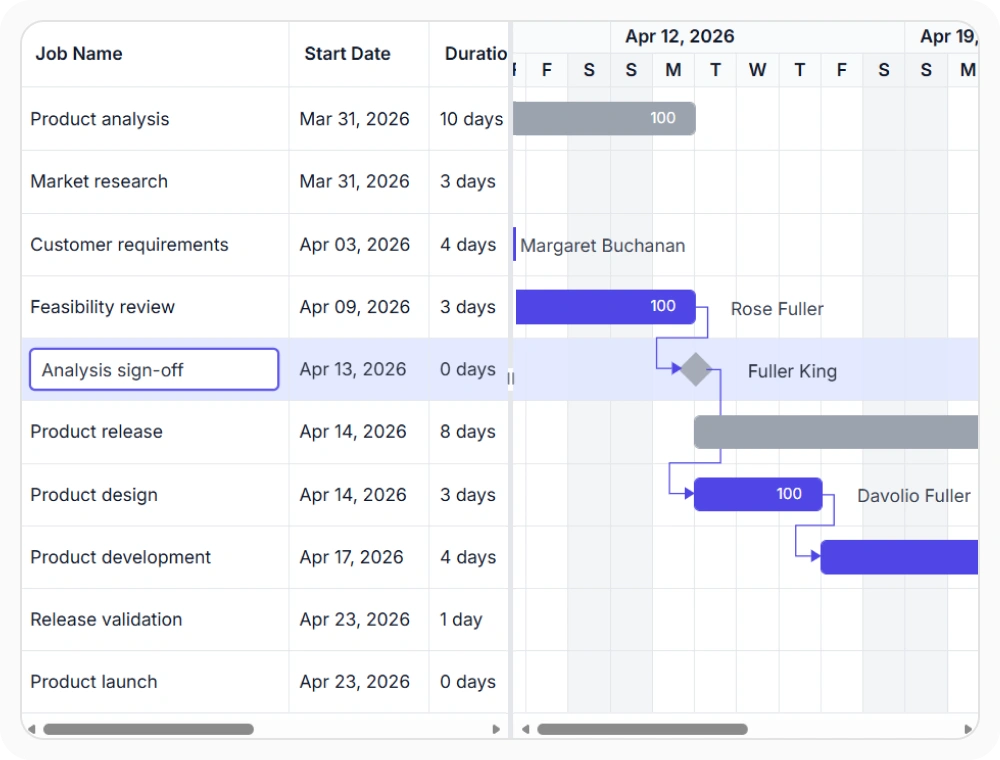
Edit task values with cell editing
Update task information directly within grid cells for fast and focused changes. Cell editing helps teams modify project data without opening dedicated editing interfaces.
- Update specific task fields directly within the project grid, making quick changes without editing the full task record
- Reduce effort when managing large project plans and improve efficiency for frequent task updates
- Support streamlined project maintenance workflows
- Enable minimal disruption to project flow during routine data modifications
Manage tasks with dialog editing
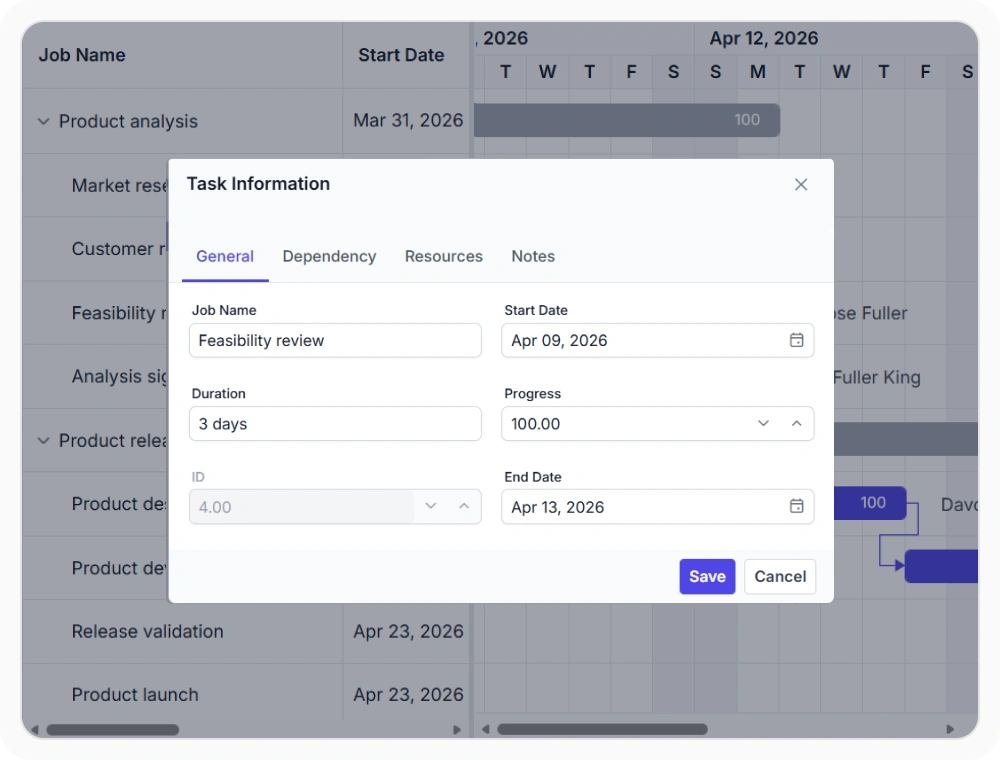
Edit multiple task properties from a centralized interface. Dialog editing provides structured access to task details, dependencies, resources, and schedule information.
- Update multiple task properties in a single workflow, organizing editing actions through dedicated sections for dependencies and resource assignments
- Ensure data integrity during complex project updates and simplify task maintenance across large schedules
- Centralize access to related task information for comprehensive project updates
- Support structured workflows that prevent incomplete or inconsistent task modifications.
Adjust schedules with taskbar editing
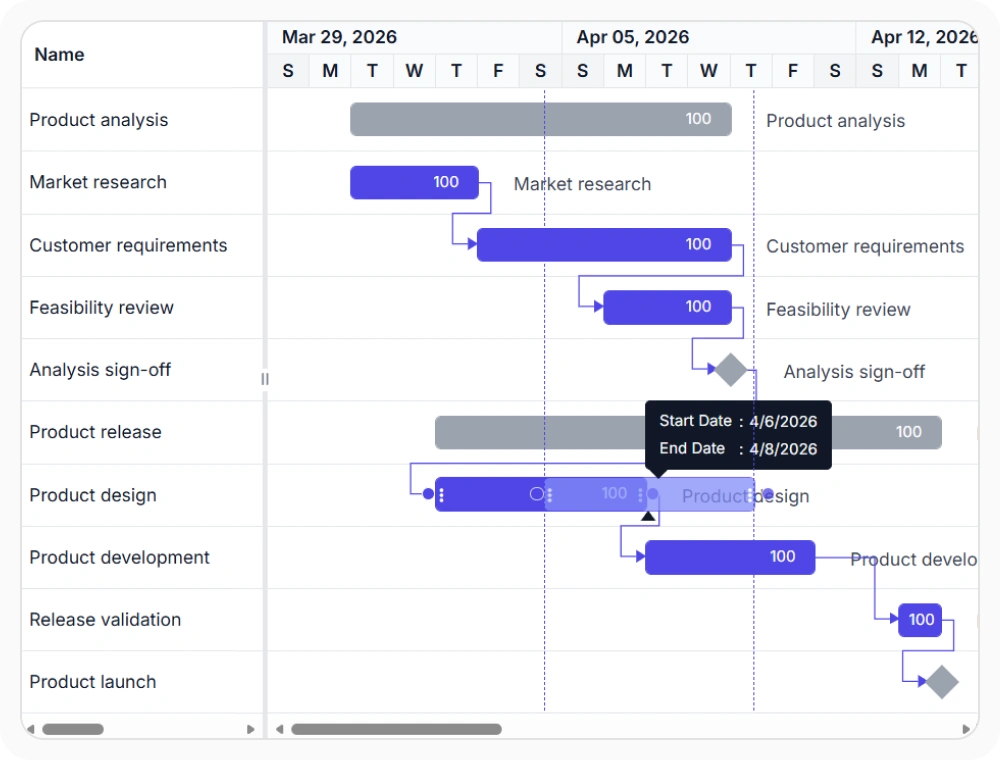
Modify task dates, duration, progress, and dependencies directly on the timeline. Visual editing helps teams understand schedule impact while making changes.
- Update timelines directly within the Gantt Chart view, adjusting task duration and progress visually.
- Create and modify schedule relationships to improve project planning through timeline interactions.
- Reduce effort when refining project schedules.
- Enable real-time visibility into schedule impact during task adjustments.
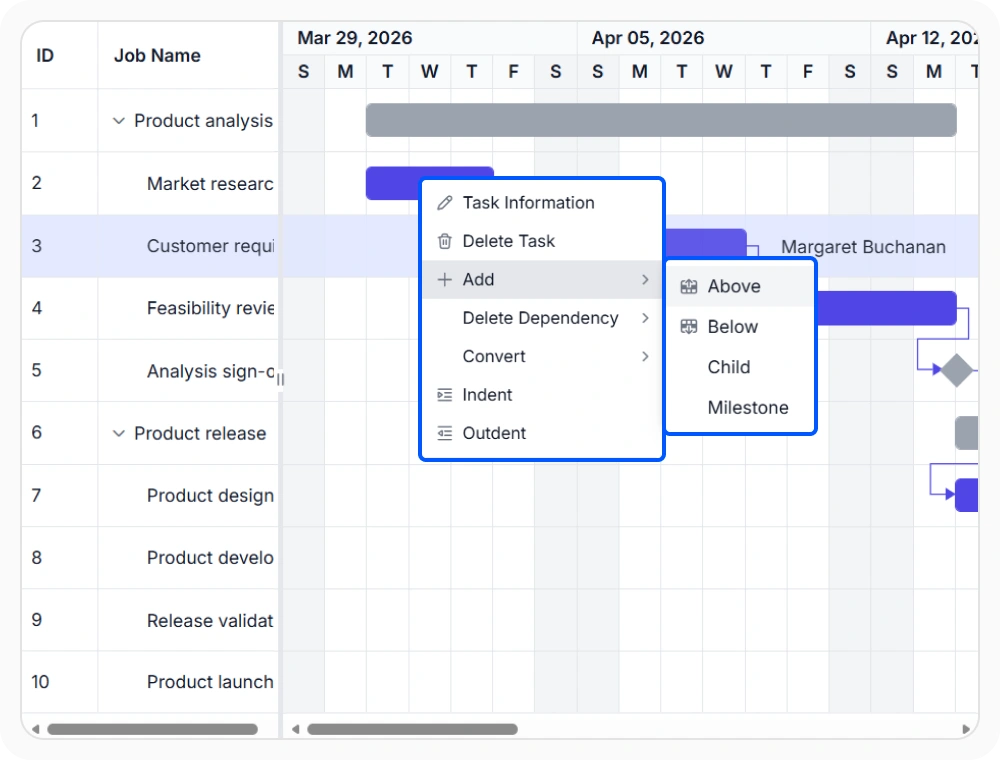
Perform actions with context menus
Access frequently used editing commands directly from the selected task or row. Context menus help teams complete updates without leaving the current view.
- Access common task actions quickly and reduce navigation during schedule updates.
- Keep editing actions close to the selected task to improve user productivity within large projects.
- Support faster project management workflows with context-sensitive operations.
- Minimize clicks and navigation steps required for routine task operations.
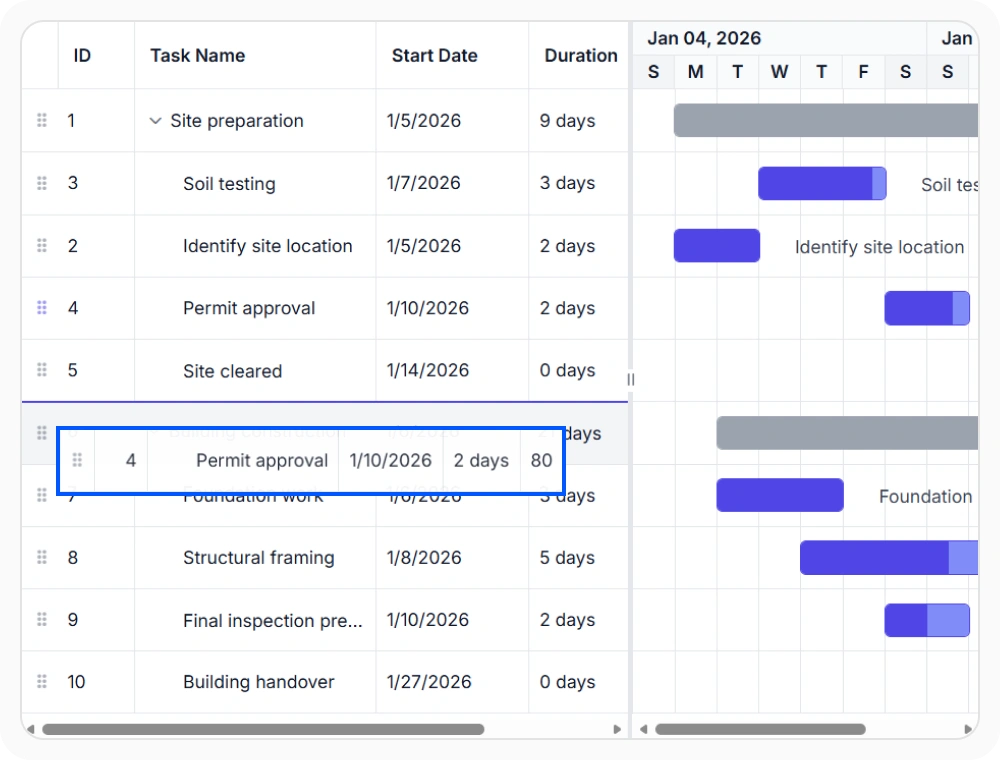
Drag and drop task reordering
Move tasks and restructure project hierarchies using drag-and-drop interactions. Update project organization without manually changing hierarchy fields.
- Reorder tasks directly within the project view and move tasks between parent activities.
- Simplify project restructuring activities while maintaining hierarchy relationships visually.
- Improve schedule organization as projects evolve.
- Reduce time required for large-scale project reorganization and reclassification.
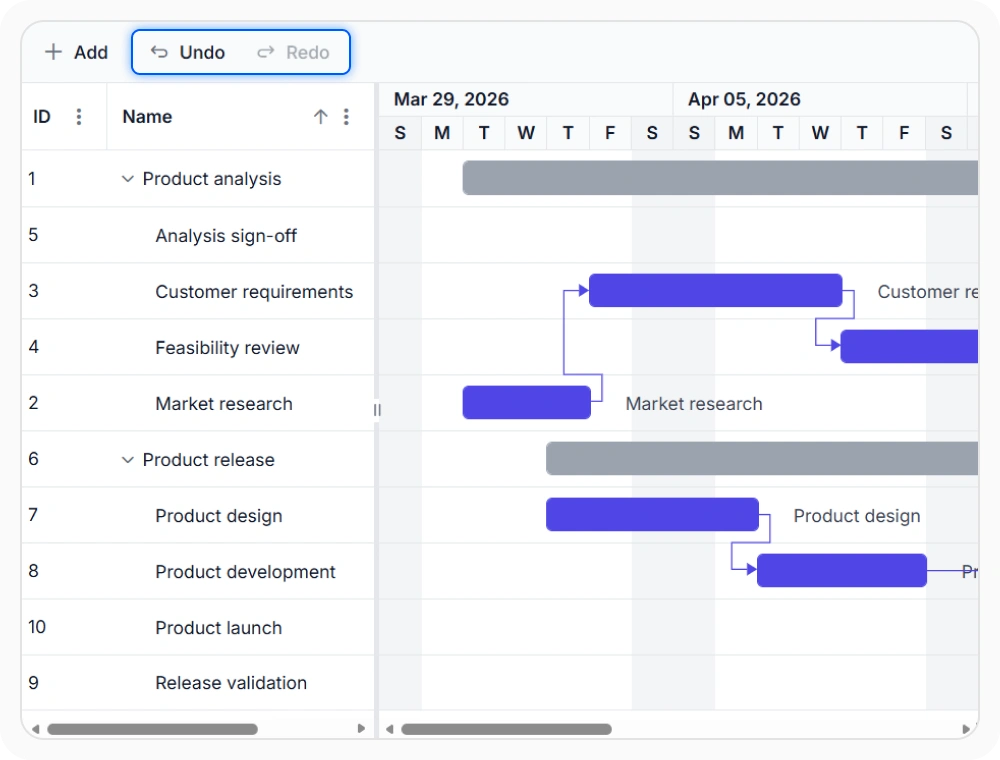
Undo and redo changes
Reverse or reapply project updates without recreating task information. Undo and redo actions help teams evaluate changes and recover from unintended edits.
- Restore previous project states quickly and reapply valid changes after review.
- Reduce risk during schedule modifications and improve confidence when adjusting project plans.
- Support iterative planning and schedule refinement.
- Enable experimentation with schedule changes without permanent consequences.
PLATFORM SUPPORT
Gantt Chart interactive editing across platforms
Cell editing, dialog editing, taskbar editing, dependency editing, row drag and drop, and undo/redo are supported across web, desktop, and cross-platform implementations. All platforms provide comprehensive editing capabilities.
| Capability | JS, React, Angular & Vue | Blazor | ASP.NET Core & MVC | WPF | UWP |
|---|---|---|---|---|---|
| Cell Editing | |||||
| Dialog Editing | |||||
| Taskbar Editing | |||||
| Dependency Editing | |||||
| Row Drag and Drop | |||||
| Undo and Redo |
Frequently Asked Questions
How does Gantt Chart’s dependency editing maintain task relationships during schedule changes?
Gantt Chart enables dependency editing through visual timeline interactions and dedicated editing interfaces. Create, modify, and manage dependencies while maintaining task relationships, ensuring project schedule integrity during updates.
How does Gantt Chart’s drag-and-drop reordering simplify project hierarchy restructuring?
Gantt Chart’s row drag-and-drop functionality enables intuitive task reordering and hierarchy restructuring. Move tasks between parent activities while maintaining project structure visually, simplifying large-scale project reorganization.
How does the context menu improve editing in a Gantt Chart?
The context menu provides instant access to common task actions from the selected row. Teams can complete editing, scheduling, and management operations without leaving the current view-improving productivity and reducing update time.
What undo and redo capabilities does Gantt Chart provide for confident editing workflows?
Gantt Chart supports comprehensive undo and redo operations to reverse or reapply recent changes without recreating task information. Reduce editing errors and support iterative planning and schedule refinement workflows.
When should I use cell editing versus dialog editing in a Gantt Chart?
Use cell editing for quick updates to individual task values within the project grid. Use dialog editing for a centralized interface to update multiple properties (schedules, dependencies, resources, task details). Choose based on update complexity.
How does taskbar editing help manage project schedules in a Gantt Chart?
Taskbar editing allows users to adjust task dates, duration, progress, and dependencies directly on the timeline. This visual editing approach helps teams understand the impact of schedule changes in real time, making it easier to update project plans while maintaining timeline management and task relationships.
Documentation
Cell editing
Update individual task values directly within grid cells for fast project maintenance and efficient schedule updates.
Dialog editing
Manage task details, dependencies, resources, and schedule information through a structured editing interface.
Taskbar editing
Modify task dates, duration, progress, and relationships directly on the timeline for visual schedule management.
Row drag and drop
Reorganize project structures and task hierarchies using intuitive drag-and-drop interactions.
Context menu actions
Access frequently used editing operations directly from selected tasks and project records.
Undo and redo
Restore or reapply project changes to support confident editing and schedule refinement workflows.
Resources
Learn more about our Gantt Chart
Explore demos, KB articles, and documentation to get the most out of our Gantt Chart.
Explore guides, APIs, and quick-start tips
See live use cases in action
Ask, share, and connect with peers
Find solutions and best practices fast
Get expert help when needed
Feature requests and bug reports
Track issues and suggest improvements
Awards
Greatness—it’s one thing to say you have it, but it means more when others recognize it. Syncfusion® is proud to hold the following industry awards.









