Try Our Live Demo
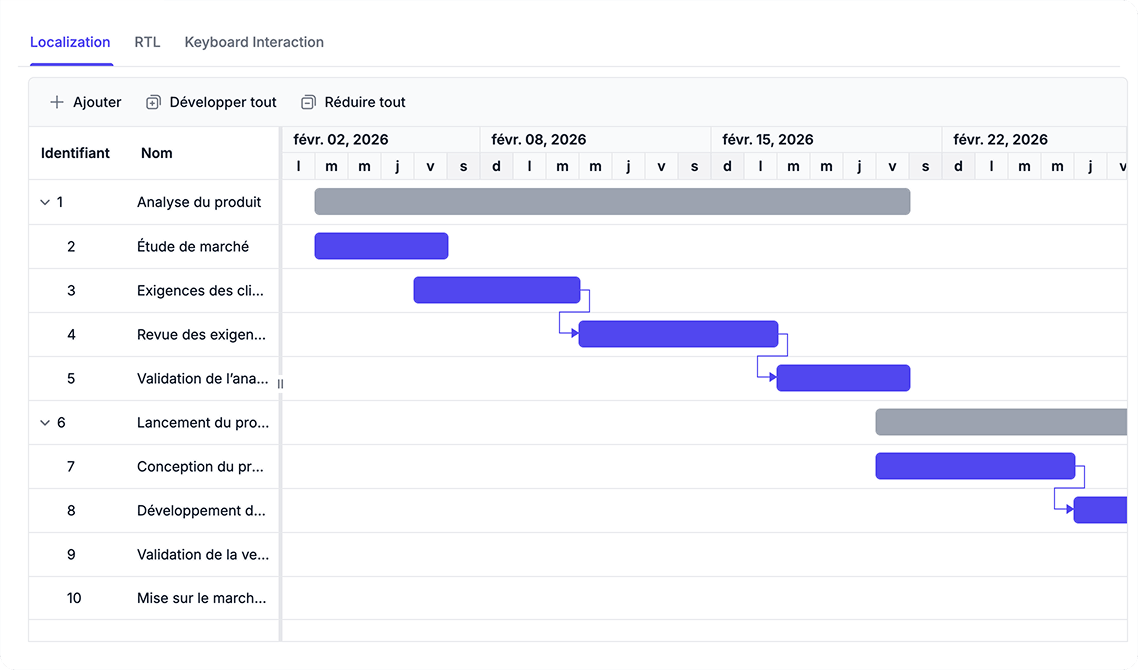
Support global teams with keyboard-driven and localized interfaces
Implement keyboard navigation for efficient task interaction, deploy right-to-left layouts for regional requirements, and configure localized text and date formats for distributed teams. Accessibility features work alongside technical standards to make scheduling accessible to all team members.
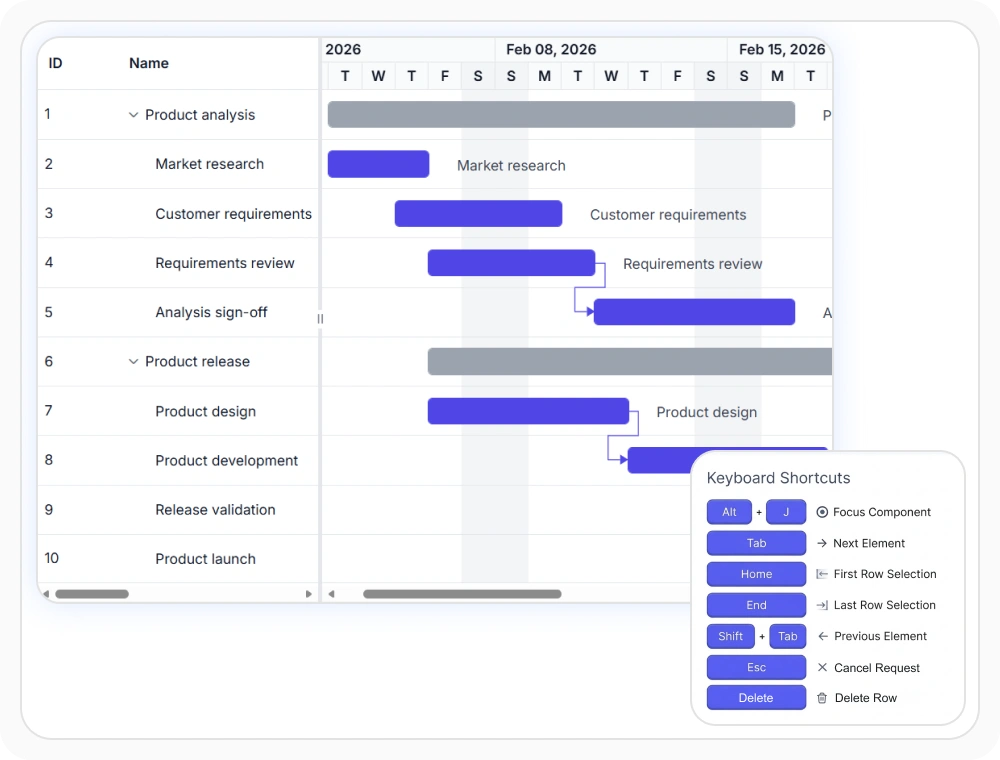
Navigate with keyboard shortcuts
Keyboard navigation enables users to navigate tasks, columns, and timeline content without mouse interaction. This allows teams to manage schedules using keyboard controls, reducing dependency on pointing devices.
- Support keyboard-only operation for uninterrupted task management and workflow efficiency
- Enable users with assistive technology through established keyboard conventions
- Remove accessibility barriers for users with motor control or mobility limitations
- Maintain functionality across different input devices and requirements
Deploy right-to-left schedule layouts
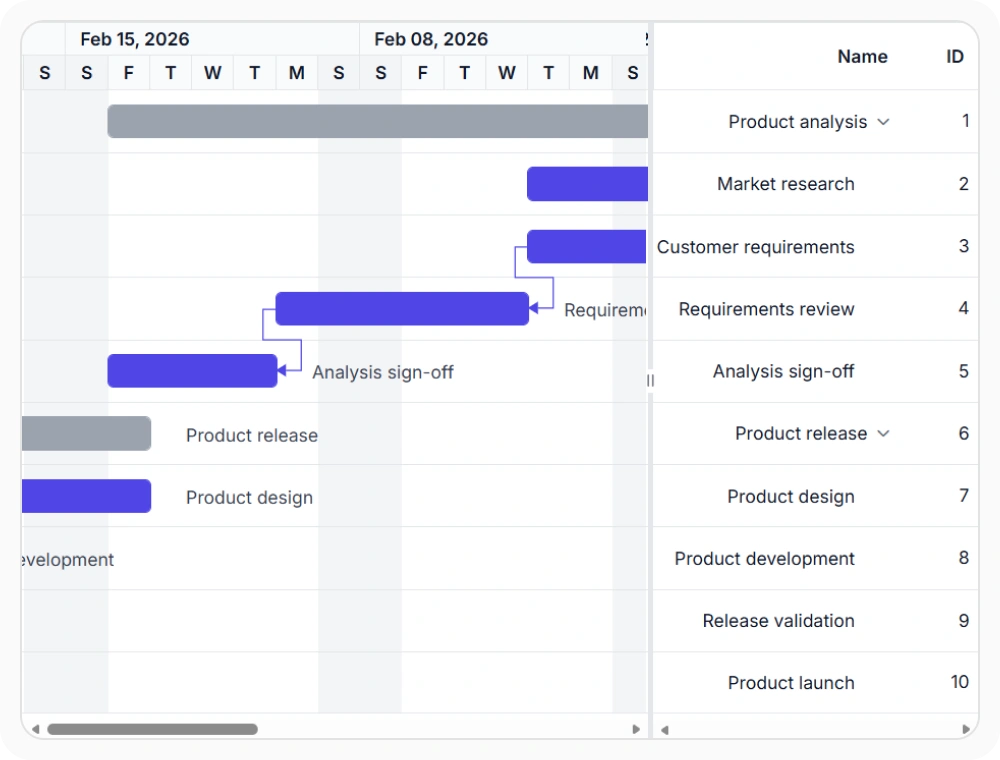
Right-to-left layout support adjusts the schedule interface for RTL languages. This maintains proper alignment of columns, headers, and timeline content for regional language requirements.
- Serve right-to-left language regions including Arabic, Hebrew, and Persian without redesigning interfaces
- Preserve navigation patterns and interactive features when switching between LTR and RTL modes
- Support enterprise deployments across multiple geographic markets with one codebase
- Maintain layout integrity across mixed-language organizational environments
Localize content for global teams
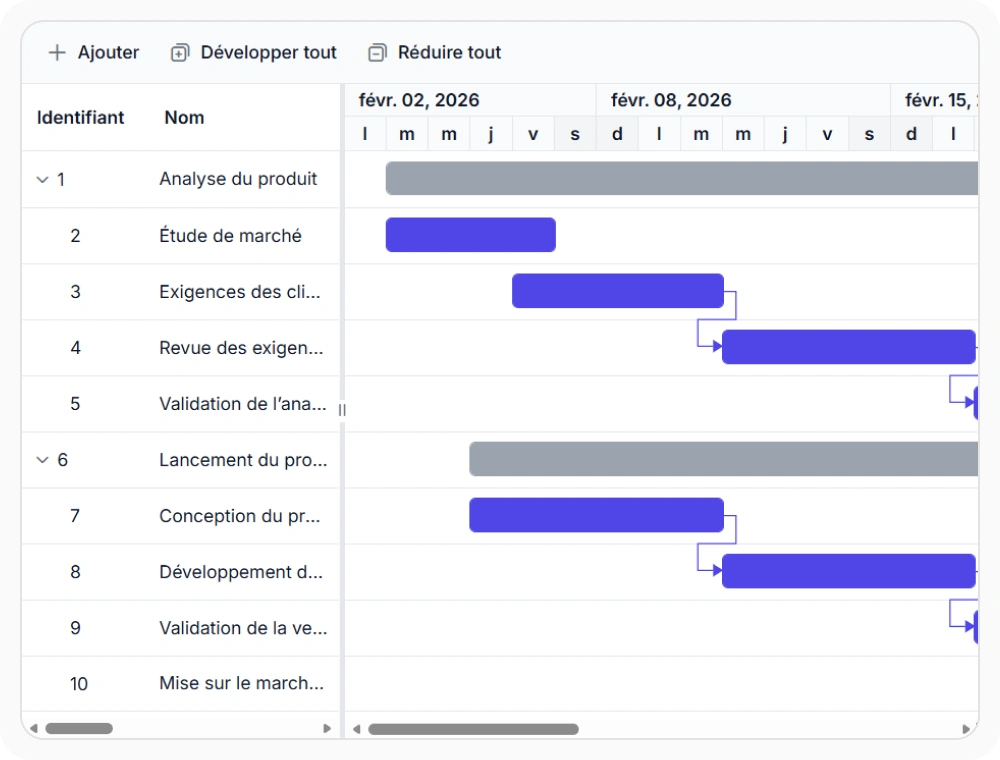
Localization adapts schedule text, messages, and date formatting to match regional language needs. This keeps labels and content appropriate for local language expectations across distributed teams.
- Deploy schedules internationally without separate UI development for each language
- Present dates, times, and numbers in regional formats automatically
- Reduce localization effort through built-in multi-language support
- Enable distributed teams to share scheduling systems with cultural preferences intact
PLATFORM SUPPORT
Gantt Chart accessibility and localization across platforms
Keyboard navigation, right-to-left (RTL) layout support, multilingual localization, and WCAG compliance are supported across web, desktop, and cross-platform implementations. All platforms provide comprehensive accessibility capabilities.
| Capability | JS, React, Angular & Vue | Blazor | ASP.NET Core & MVC | WPF | UWP |
|---|---|---|---|---|---|
| Keyboard Navigation | |||||
| RTL Layout Support | |||||
| Multilingual Localization |
Frequently Asked Questions
What keyboard shortcuts are available in Gantt Chart?
Gantt Chart supports the following keyboard shortcuts: Arrow Keys (↑↓) - Navigate between task rows; Arrow Keys (←→) - Expand/collapse summary tasks; Enter - Edit selected task; Escape - Cancel editing; Tab - Focus next interactive element; Shift+Tab - Focus previous element.
How do I implement RTL layout in Gantt Chart?
Enable RTL mode through configuration settings or by detecting the document language direction. The schedule automatically mirrors columns, headers, and controls while preserving all interactive functionality.
Can I switch languages dynamically at runtime?
Yes. Gantt Chart supports dynamic language switching without reloading the application. Users can change localization settings on demand and the schedule updates immediately with new language and regional formatting.
How do I test keyboard navigation in my implementation?
Test keyboard navigation by enabling keyboard interaction using API and use keyboard controls (Tab, Arrow Keys, Enter, Escape) to navigate and interact with all Gantt features.
Documentation
Keyboard navigation
Enable keyboard-driven interaction for schedule management and task navigation without mouse dependency.
Right-to-left support
Deploy schedules in RTL language environments with mirrored layout and proper content alignment.
Localization and formatting
Configure localized UI text and regional date and number formatting for global team requirements.
Resources
Learn more about our Gantt Chart
Explore demos, KB articles, and documentation to get the most out of Gantt Chart.
Explore guides, APIs, and quick-start tips
See live use cases in action
Ask, share, and connect with peers
Find solutions and best practices fast
Get expert help when needed
Feature requests and bug reports
Track issues and suggest improvements
Awards
Greatness—it’s one thing to say you have it, but it means more when others recognize it. Syncfusion® is proud to hold the following industry awards.









