Try Our Live Demo
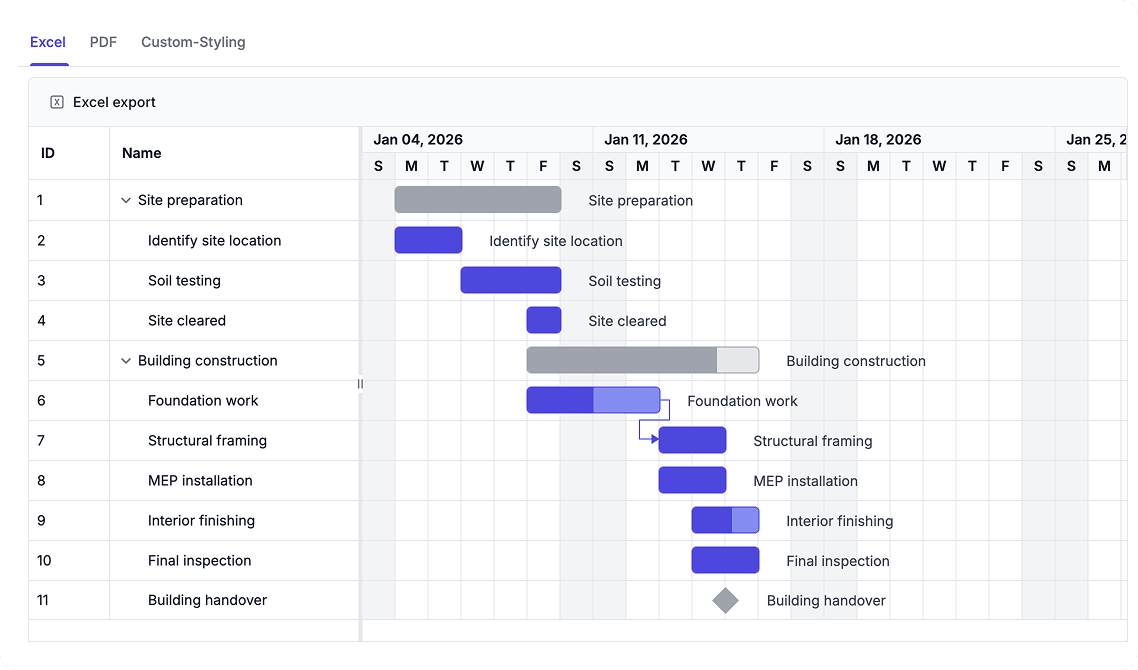
Manage large project schedules effortlessly with export and performance
Make project schedules accessible to stakeholders through multiple formats, and optimize performance to handle large-scale project plans efficiently.
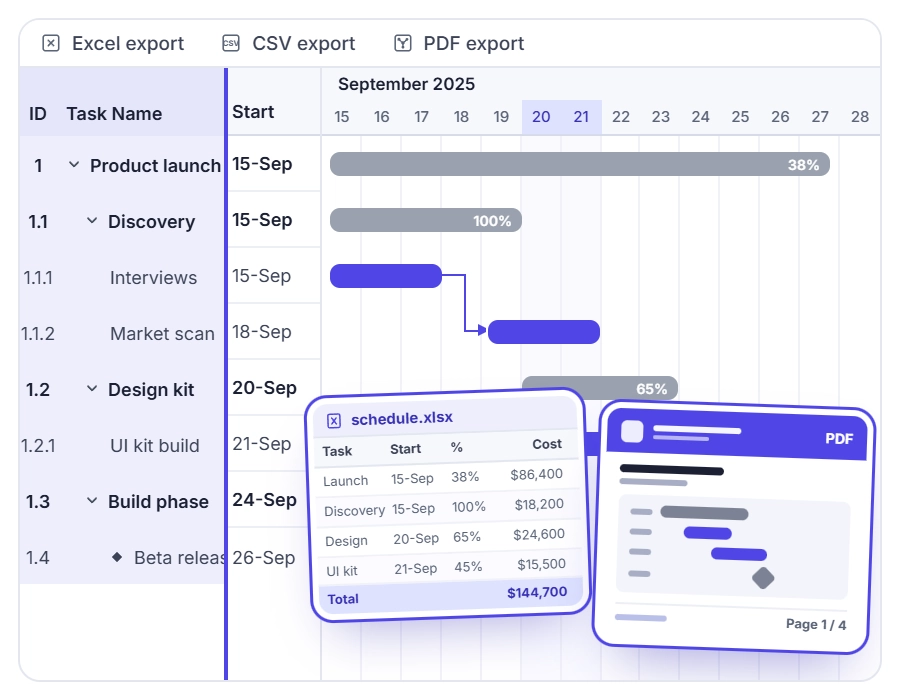
Export to Excel and PDF
Share project schedules in Excel or PDF formats to keep stakeholders aligned. Use Excel for detailed analysis and comparison, or PDF for polished, print-ready reports that maintain consistent formatting across all reviewers.
- Export complete schedule data to Excel for reporting and integration with financial or resource planning tools
- Generate PDF documents with fixed layouts for printing, archiving, and sharing—ideal when consistent formatting is needed
- Customize exported files with headers, footers, and branding to create professional reports that reflect organizational identity
- Choose grid-only exports for data tables and spreadsheet analysis, or timeline exports for schedule visualization
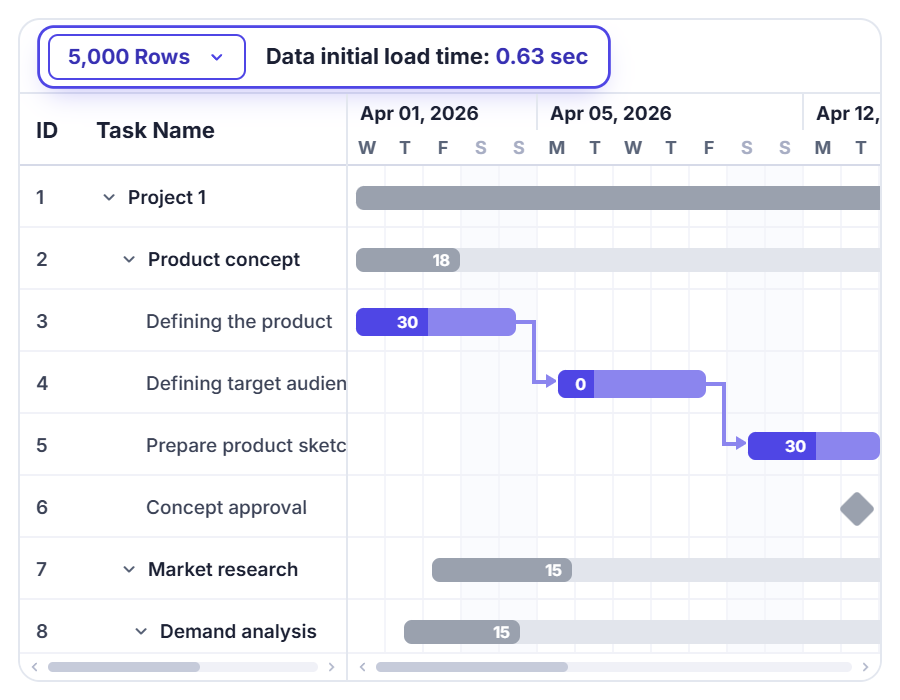
Virtualization and Load on Demand
Maintain smooth performance with projects containing thousands of tasks through row virtualization, timeline virtualization, and load-on-demand data retrieval. Scroll through long task lists and extended timelines without slowdowns.
- Render only visible task rows with row virtualization for responsive vertical scrolling and reduced rendering overhead
- Limit timeline rendering to needed cells with timeline virtualization for smooth horizontal navigation
- Retrieve child task data on demand to reduce initial data processing overhead and memory consumption
- Prepare schedule data in advance to optimize rendering performance for large datasets and complex hierarchies
PLATFORM SUPPORT
Gantt Chart export and performance across platforms
Excel and PDF export capabilities, along with virtualization and load-on-demand optimization, are supported across web, desktop, and cross-platform implementations. All platforms deliver responsive performance with large project schedules.
| Capability | JS, React, Angular & Vue | Blazor | ASP.NET Core & MVC | WPF | UWP |
|---|---|---|---|---|---|
| Excel Export | |||||
| PDF Export | |||||
| Row Virtualization | |||||
| Timeline Virtualization | |||||
| Load on Demand |
Frequently Asked Questions
Can I add custom headers, footers, or branding to Gantt Chart exported documents?
Yes. The Gantt Chart allows exported files to be customized with elements such as headers, footers, and branding. This helps create professional reports that align with your organization’s document standards.
How to export project data from Gantt Chart to Excel for analysis?
The Gantt Chart supports Excel export, making it easier to analyze schedule data, prepare reports, and review project information in spreadsheets.
How does timeline virtualization improve Gantt Chart performance?
Timeline virtualization renders only the timeline cells in view, preventing lag when navigating multi-year or multi-decade project schedules. This keeps horizontal scrolling smooth even across extended timelines.
Why use Gantt Chart PDF export for project schedules?
PDF export creates a fixed-layout schedule document that remains identical when shared, printed, or archived. Use PDF when all stakeholders need to see the exact same view—preventing confusion and ensuring alignment on the schedule baseline.
How does row virtualization improve Gantt Chart performance?
Row virtualization renders only the task rows currently visible in the viewport. This significantly reduces rendering overhead when navigating long task lists, keeping scrolling smooth and responsive even with thousands of records.
How can I optimize Gantt Chart performance for enterprise-scale projects?
Optimize Gantt Chart performance by using virtualization, load-on-demand data retrieval, prepared schedule data, and timeline rendering optimizations to efficiently manage large project schedules.
Resources
Learn more about our Gantt Chart
Explore demos, KB articles, and documentation to get the most out of Gantt Chart.
Explore guides, APIs, and quick-start tips
See live use cases in action
Ask, share, and connect with peers
Find solutions and best practices fast
Get expert help when needed
Feature requests and bug reports
Track issues and suggest improvements
Awards
Greatness—it’s one thing to say you have it, but it means more when others recognize it. Syncfusion® is proud to hold the following industry awards.









