Try Our Live Demo
Create rich document experiences
From document navigation to personalized content and references, provide users with the tools they need to create structured, informative, and connected documents.
Easy document navigation
Generate tables of contents from headings and add hyperlinks and bookmarks to help readers quickly find and access information.
Generate documents at scale
Create reusable templates with merge fields and populate them with data from your business systems to generate personalized documents at scale.
Add context and references
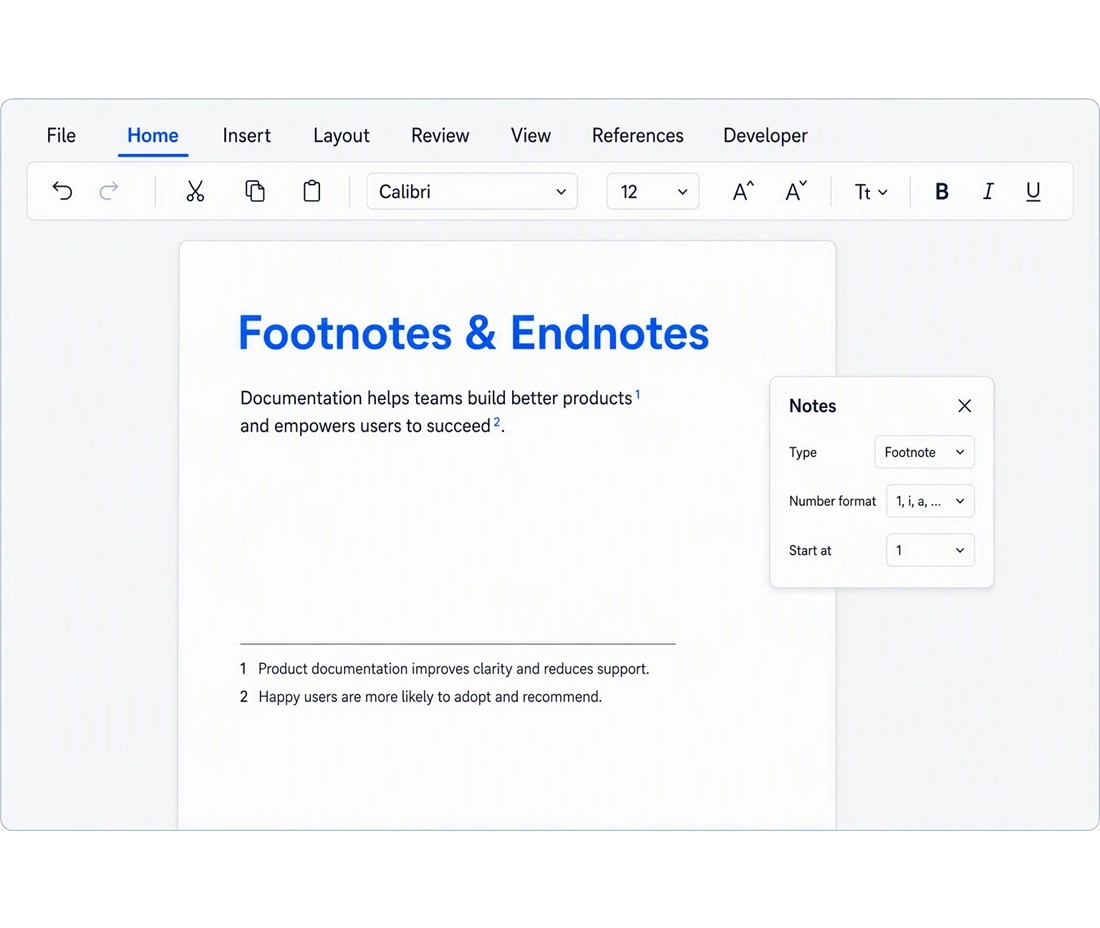
Include footnotes and endnotes to provide references, citations, and supporting information while keeping the main content clear and easy to read.
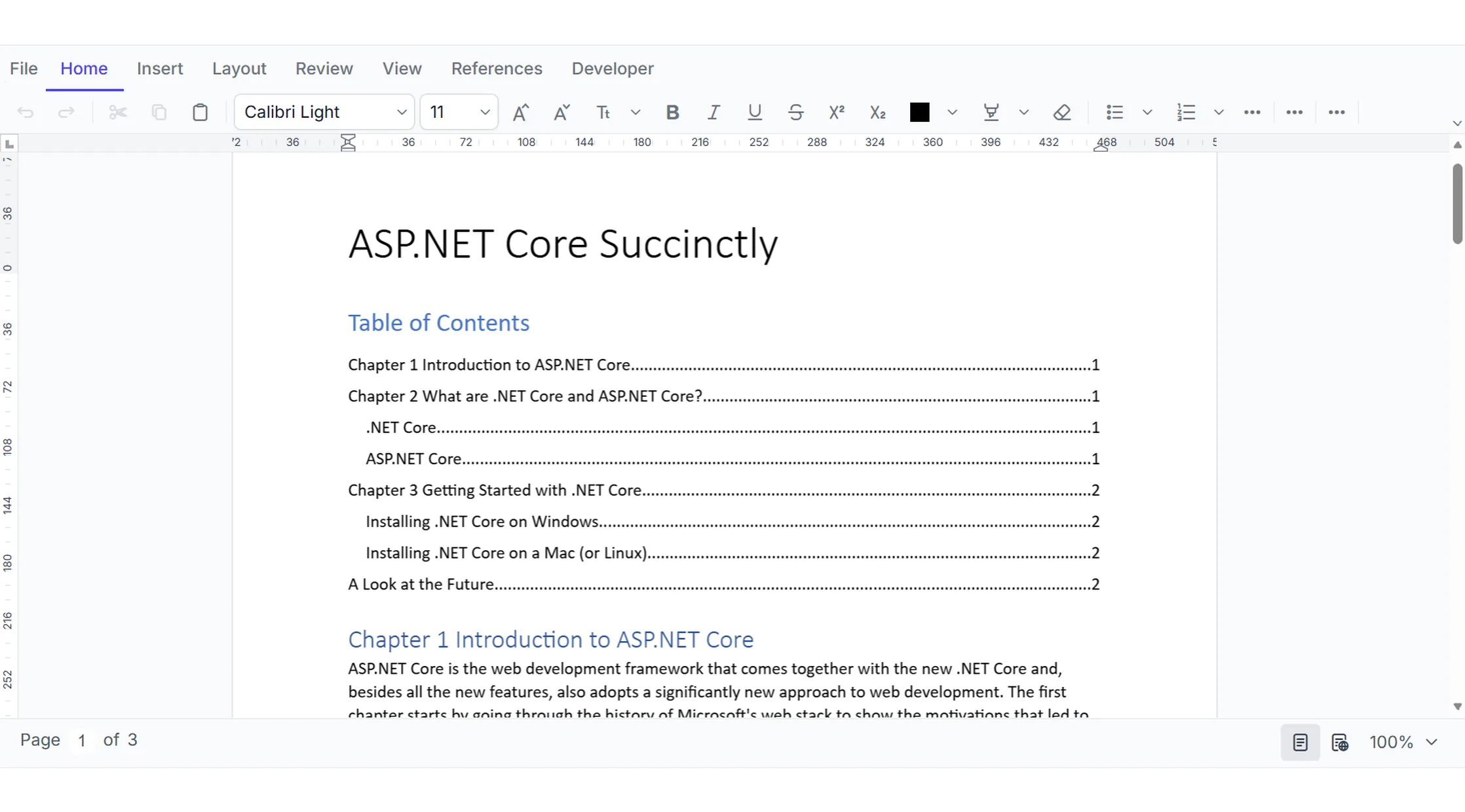
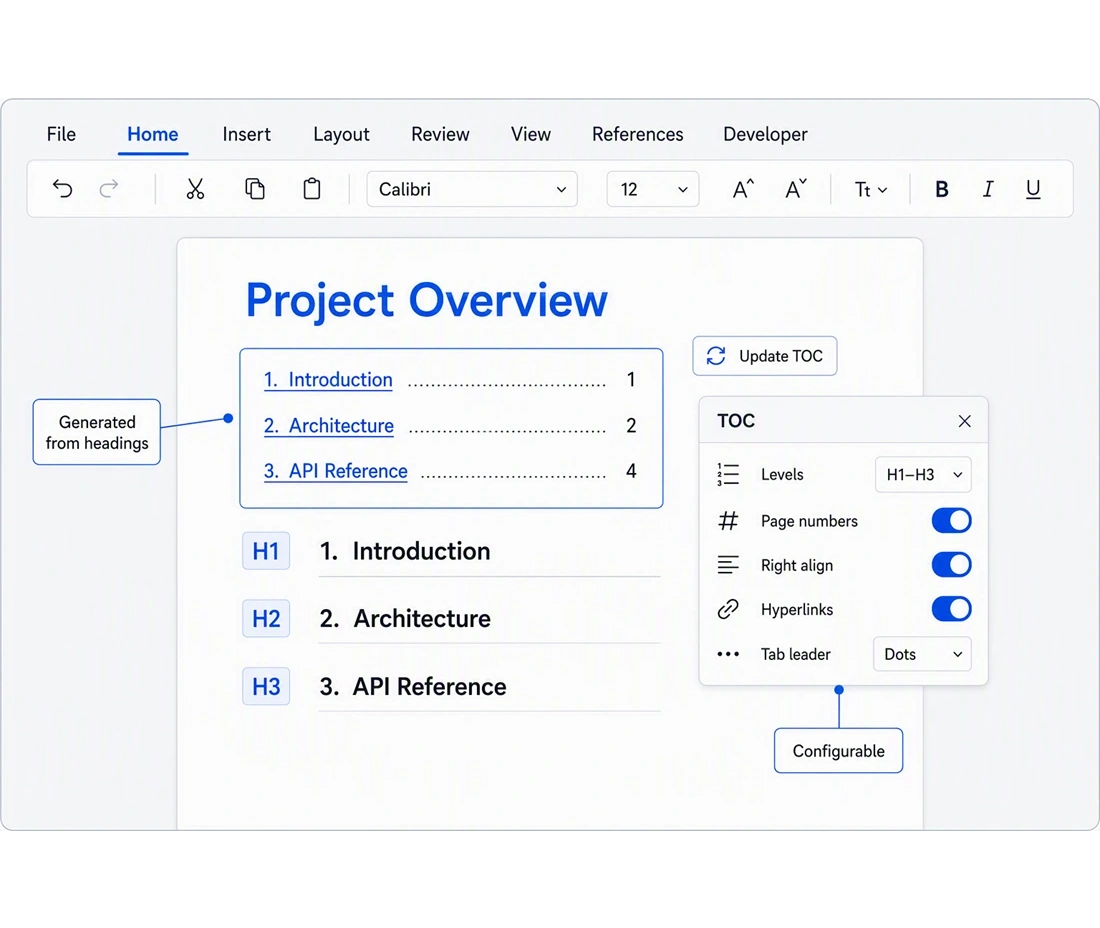
Insert and update a table of contents
The DOCX Editor SDK generates a table of contents from document headings with configurable heading levels, page numbers, hyperlinked entries, and tab leader styles. The TOC can be updated at any time to reflect content changes.
- Configurable start/end heading levels (e.g., H1–H3) for tailored depth
- Toggle page numbers, right-alignment, and heading hyperlinks independently
- Update or re-insert TOC programmatically or via the built-in context menu
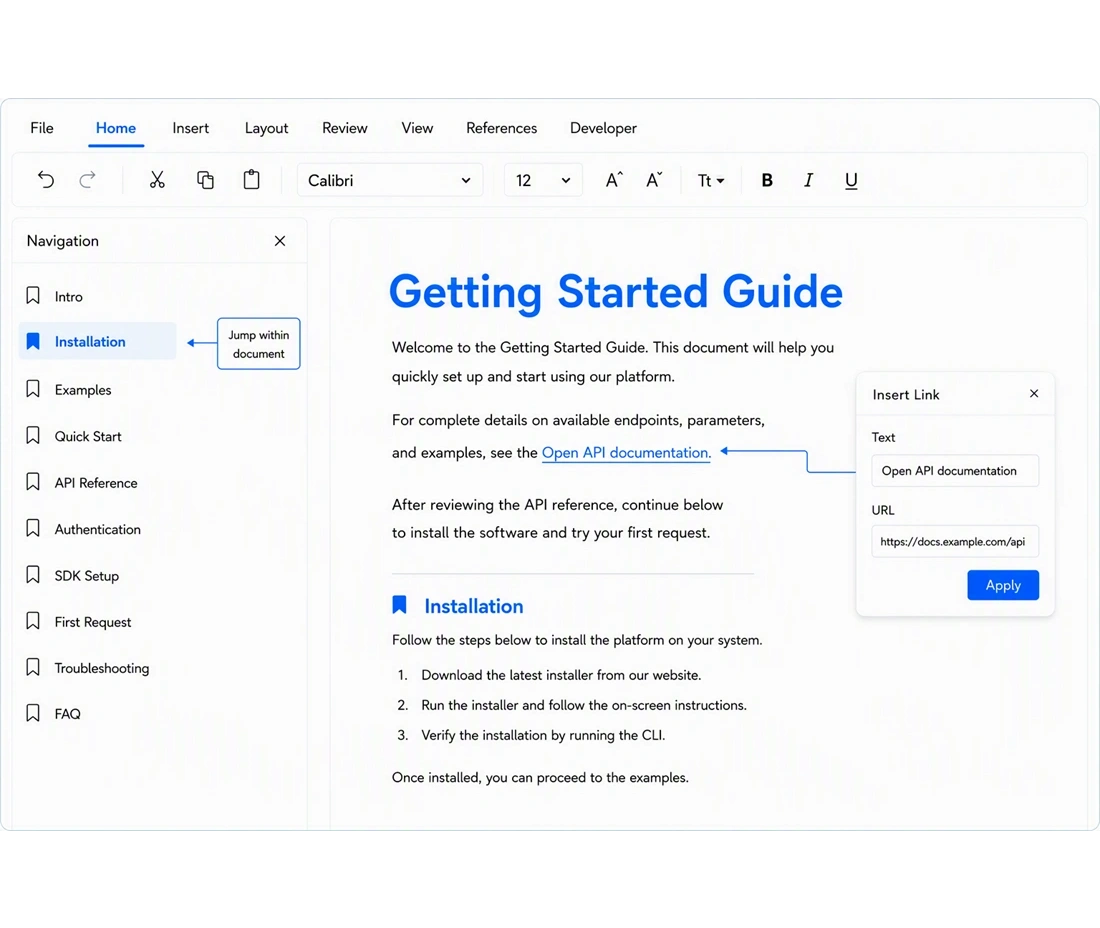
Hyperlinks and bookmarks for in-document navigation
The DOCX Editor SDK supports hyperlinks to web URLs, email addresses, file paths, and in-document anchors. Named bookmarks mark specific locations that can be linked, selected, or hidden within the document.
- Typed URLs are detected and converted to live links automatically
- Named bookmarks with insert, select, delete, and content-replace APIs
- Show/hide bookmark indicators for authoring and review workflows
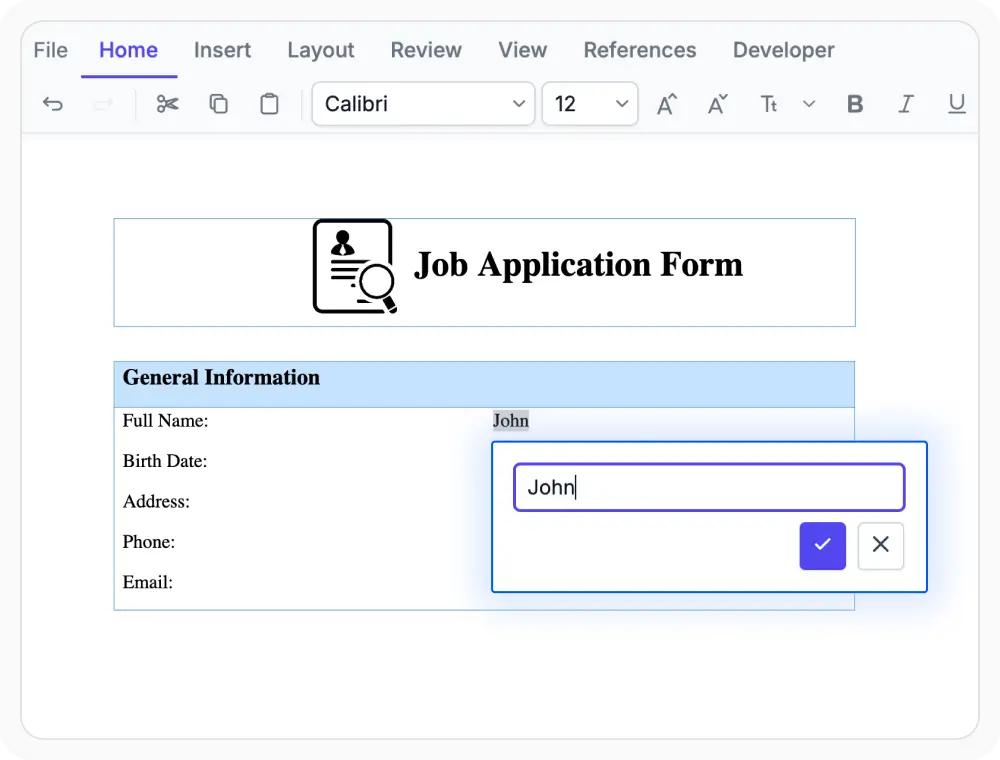
Create forms and templates in DOCX documents
The DOCX Editor SDK supports form fields and modern content controls, including text, check box, date picker, combo box, and picture types. Content controls restrict editing to defined zones, protecting the rest of the document structure.
- Text, Check Box, and Drop-Down form fields with number/date validation
- Rich Text, Plain Text, Combo Box, and Picture content controls
- Restrict editing to content control regions to protect document structure
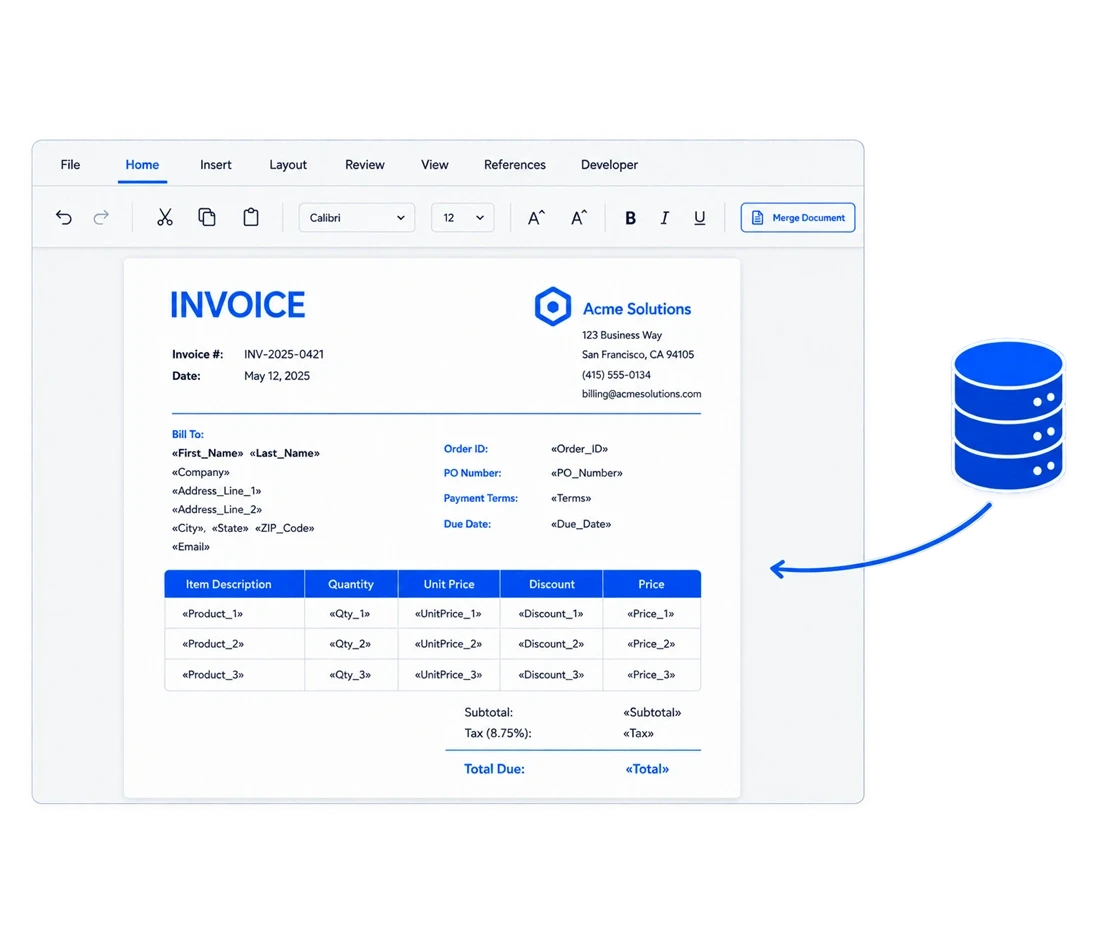
Document Generation with Mail Merge
The DOCX Editor SDK supports mail merge with named field placeholders that are populated from data sources to produce personalized documents. Merged output can be reviewed in the editor and exported to DOCX or PDF.
- Define merge field placeholders in the visual editor without any developer tooling
- Populate from JSON or other server-side data sources via the Word library API
- Preview merged output in the editor, then export to DOCX or PDF instantly
Footnotes and endnotes for document references
The DOCX Editor SDK supports footnotes and endnotes with customizable number formats, including Arabic, Roman, and alphabetic styles. Both note types support full rich-text editing and configurable starting values.
- Insert footnotes and endnotes at cursor position or at end of selected text via API
- Customize number format (Arabic, Roman, alphabetic) and starting value through the built-in dialog
- Full rich-text editing within footnote and endnote bodies
PLATFORM SUPPORT
Document elements across supported platforms
Table of contents, forms and content controls, mail merge, and footnotes and endnotes are fully supported on web platforms. Support for these features varies across desktop platforms.
| Capability | JS, React, Angular, Vue | Blazor | ASP.NET Core & MVC | WPF & UWP |
|---|---|---|---|---|
| Table of contents | ||||
| Hyperlinks and bookmarks | ||||
| Forms and content controls | ||||
| Mail merge | ||||
| Footnotes and endnotes |
Frequently Asked Questions
Which platforms support all five document element features?
React, Angular, Vue, Blazor, ASP.NET Core, ASP.NET MVC, and JavaScript support all five features. WPF and UWP have limited support — hyperlinks are available, but table of contents, bookmarks, forms, mail merge, footnotes, and endnotes are not supported on those platforms.
How does mail merge work with JSON data?
A template is created in the DOCX Editor with merge field placeholders. On the server side, the Syncfusion Word library opens the template, runs the mail merge API with a JSON payload, and saves the output. The merged file can then be loaded back into the editor for review or exported directly to PDF.
Are content controls different from form fields?
Yes. Form fields (Text, Check Box, Drop-Down) are the legacy Word model and support number/date validation. Content controls are the modern model and offer more types — Rich Text, Plain Text, Date Picker, Combo Box, and Picture — along with the ability to lock the rest of the document for guided data entry. Both models are supported in the DOCX Editor SDK.
Is it possible to link a hyperlink to a specific bookmark within the same document?
Yes. When inserting a hyperlink, the bookmark option can be selected to point to any named bookmark in the document. This allows cross-referencing between sections — for example, linking a summary paragraph to a detailed section further in the document. The bookmark must exist before the hyperlink is created.
Is it possible to insert a table of contents programmatically without the dialog?
Yes. Calling documenteditor.editor.insertTableOfContents(tocSettings) with a TableOfContentsSettings object applies the specified start/end levels, page number visibility, right-alignment, and tab leader style. The same method updates an existing TOC when the cursor is placed inside one.
Can bookmarks be preserved when replacing content?
Yes. Calling selectBookmark("name", true) excludes the bookmark start and end markers from the selection. Any subsequent text insertion replaces only the content between the markers, leaving the bookmark intact. Passing false (or omitting the parameter) includes the markers in the selection and removes the bookmark along with the content.
Can footnote numbering be restarted on each page or section?
Yes. The built-in Footnote/Endnote dialog (accessible via right-click context menu) allows setting the number format and the starting value, giving full control over numbering continuity across sections.
Can mail merge field names be defined directly in the document editor without writing code?
Yes. Merge field placeholders can be inserted through the DOCX Editor’s built-in toolbar. The field names are entered as plain text within the standard merge field syntax, and the visual editor renders them as highlighted tokens. The actual data population is handled server-side using the Syncfusion Word library API.
Resources
Learn more about our DOCX Editor SDK
Explore demos, KB articles, and documentation to get the most out of the DOCX Editor SDK.
Explore guides, APIs, and quick-start tips
See live use cases in action
Ask, share, and connect with peers
Find solutions and best practices fast
Get expert help when needed
Feature requests and bug reports
Track issues and suggest improvements
Awards
Greatness—it’s one thing to say you have it, but it means more when others recognize it. Syncfusion® is proud to hold the following industry awards.









