Try Our Live Demo
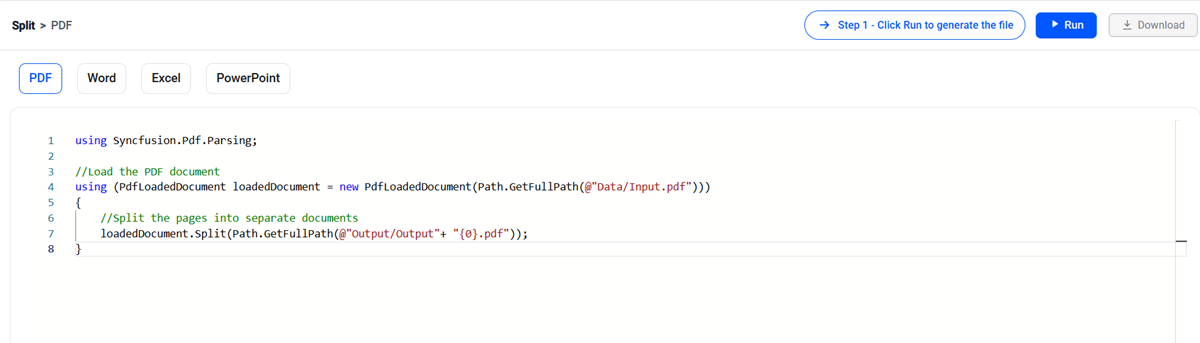
Split any document with precision
Build reliable document-splitting workflows without Microsoft interop, or format-specific infrastructure.
Split with precision
Split documents using PDF page ranges, Word headings, Excel worksheets, and PowerPoint sections, or define custom criteria based on your requirements.
Preserve document fidelity
Keep the original content, layout, formatting, and supported document structure intact as you create smaller files for downstream workflows.
Automate anywhere in .NET
Run document processing in server, desktop, web, cloud, and cross-platform .NET applications with APIs designed for unattended workflows.
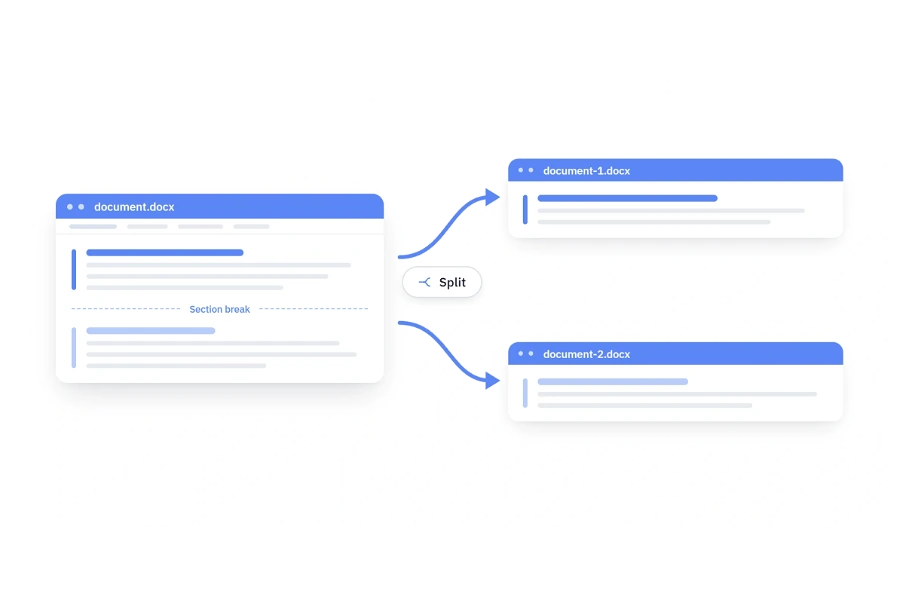
Split Word documents dynamically
Break long contracts, reports, manuals, and generated documents into focused Word files. Use sections, headings, bookmarks, placeholder text, or matched content as split points, so every output aligns with the way your business organizes information.
- Split a whole document and create an individual document for each section or heading-based chapter.
- Extract bookmarked content, placeholder-delimited content, or matched keywords into separate files.
- Save split content as Word, RTF, HTML, PDF, or image output for the next step in your workflow.
Split PDFs by page and bookmark
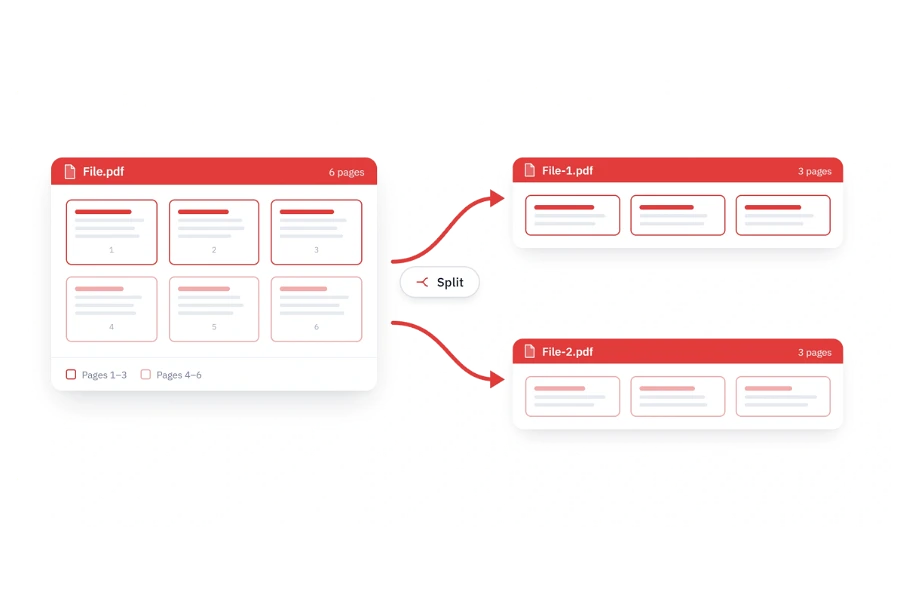
Turn lengthy reports, statements, packets, and manuals into smaller PDFs that are easier to route, share, and archive. Select individual pages, define page ranges, split at fixed intervals, or use bookmarks to create meaningful output files.
- Split every page into its own PDF or group pages into custom and fixed-size ranges for distribution.
- Select pages by number or application-defined criteria and combine them in a new PDF document.
- Preserve supported accessibility tags and optimize output size by removing unused resources without changing content.
Split Excel workbooks by worksheet
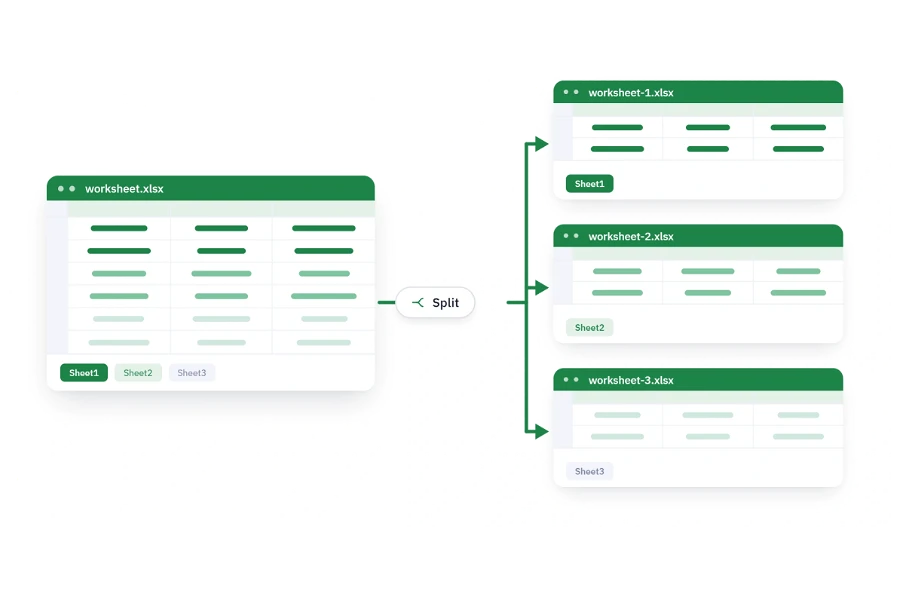
Separate complex Excel workbooks by worksheet so teams, customers, and automated systems receive only the data relevant to them. Copy each selected sheet into a standalone workbook and retain its spreadsheet content and supported formatting.
- Split every worksheet into an individual workbook or export only selected sheets.
- Select worksheets by name, position, or conditions defined by your application.
- Preserve supported cell formatting, formulas, charts, tables, and worksheet settings.
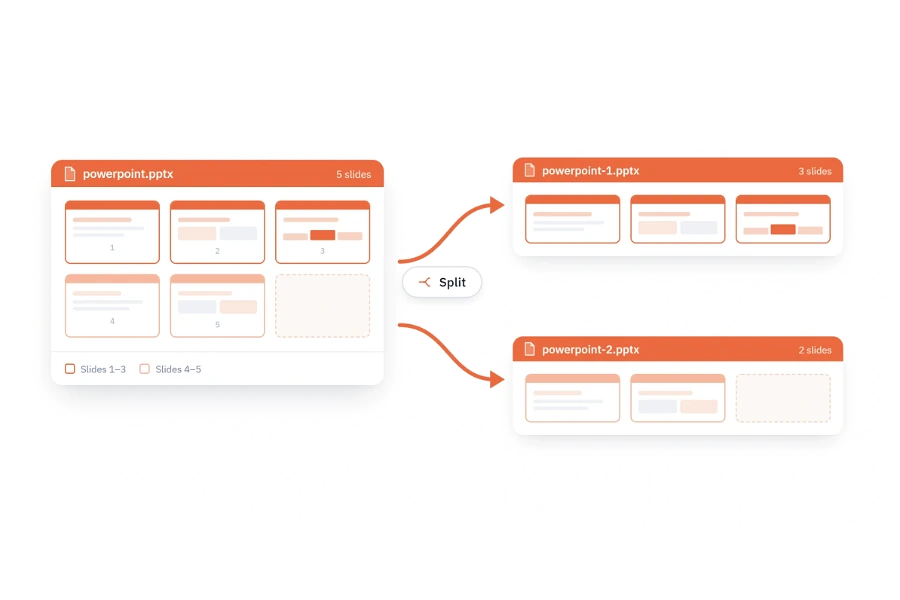
Split PowerPoint decks by slides
Break large decks into audience-specific presentations for sales, training, reporting, or content reuse. Select individual slides, ranges, or sections and create new PowerPoint files while retaining the visual design and slide content.
- Split an entire presentation into separate files, either one file per slide or grouped by section.
- Choose slides by index or application-defined logic to build tailored decks automatically.
- Retain slide content, formatting, layouts, themes, and master-slide relationships in the new presentation.
Frequently Asked Questions
Which document formats can I split with Syncfusion Document SDK?
You can build splitting workflows for Word, PDF, Excel, and PowerPoint files. The split unit depends on the format: sections, headings, bookmarks, or matched content for Word; pages, ranges, fixed page counts, or bookmarks for PDF; worksheets for Excel; and individual slides, slide ranges, or sections for PowerPoint.
Does splitting change the original file?
No. Your application opens the source and creates new output documents according to the rules you define. The original file can remain unchanged.
Do I need Microsoft Office or Adobe Acrobat installed?
No. Syncfusion Document SDK processes Word, Excel, PowerPoint, and PDF files programmatically without Microsoft Office COM interop or Adobe Acrobat.
Can I merge the split files again later?
Yes. Syncfusion’s format-specific libraries also provide merging capabilities, allowing your application to combine compatible split outputs into a new Word, PDF, Excel, or PowerPoint file when needed.
Can I process uploaded files and cloud-storage streams?
Yes. The libraries support stream-based workflows, making them suitable for web uploads, APIs, cloud storage, background services, and other in-memory processing scenarios on supported .NET platforms.
Will the output retain the original formatting?
The libraries are designed to retain supported content, formatting, and document structure when content is copied into new files. Exact results can depend on the source format and the elements selected; validate representative documents as part of your implementation.
Can I split documents using custom business rules?
Yes. Your application controls the selection logic. You can use page or slide indexes, sections, worksheet names, headings, bookmarks, placeholder text, content matches, metadata, user selections, or other application-defined criteria.
What .NET application types can use these capabilities?
Support varies by document library, but Syncfusion Document SDK is built for common .NET workloads including ASP.NET Core, Blazor, .NET MAUI, WinForms, WPF, and WinUI. Check the selected library’s page for the exact framework and feature combination you plan to ship.
Resources and documentation
Learn more about our Document SDK
Explore guides, APIs, and quick-start tips
See live use cases in action
Ask, share, and connect with peers
Find solutions and best practices fast
Get expert help when you need it
Feature requests and bug reports
Track issues and suggest improvements
Awards
Greatness—it’s one thing to say you have it, but it means more when others recognize it. Syncfusion® is proud to hold the following industry awards.









