Try Our Live Demo
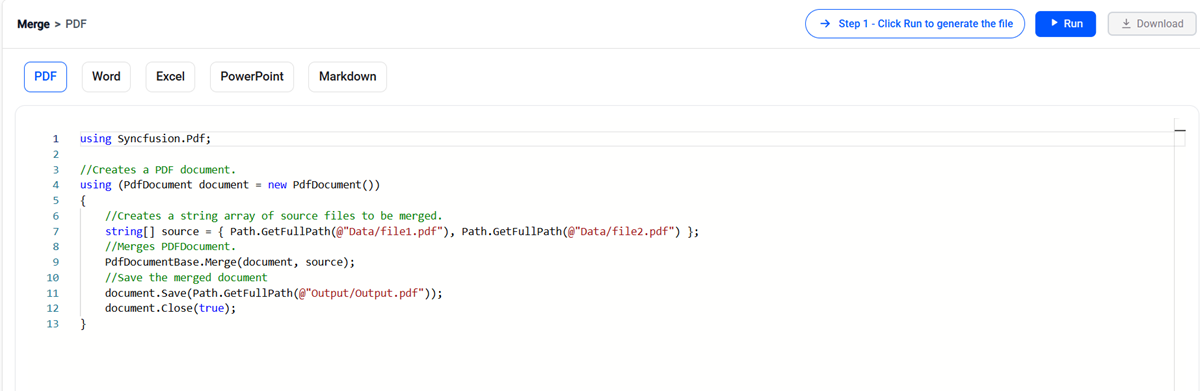
Combine multiple documents with a single SDK
Add reliable same-format merging to reports, contracts, records, workbooks, presentations, knowledge bases, and other document-heavy applications, using familiar C# APIs tailored to each document type.
Preserve document fidelity
Keep the source content and supported formatting that matter to users, including Word styles, PDF annotations, Excel formattings, PowerPoint themes, and Markdown structure.
Control exactly what gets merged
Combine complete files or work at a finer level where supported—such as Word sections, PDF page ranges, Excel worksheets, PowerPoint slides, and cloned Markdown content.
Run without desktop Office
Process files inside .NET applications and services without installing Microsoft Word, Excel, or PowerPoint and without relying on Office interop or COM dependencies and libraries.
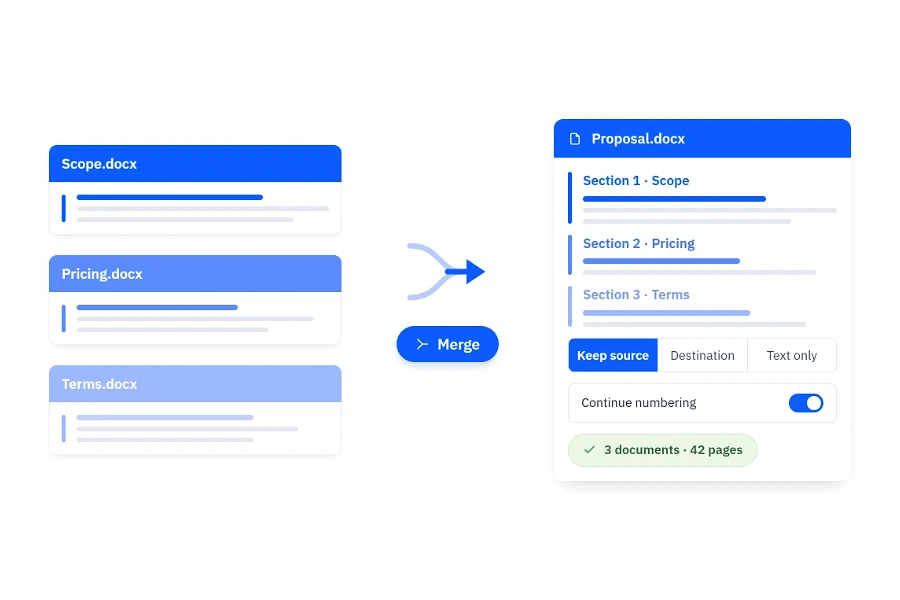
Merge Word files with formatting
Combine templates, chapters, clauses, and generated sections into a single Word document. Choose how imported content fits the destination so teams can automate document merging without sacrificing the look and structure of the final file.
- Retain source formatting or apply destination styles.
- Continue or restart list numbering when content is imported.
- Merge complete documents, selected sections, or plain text.
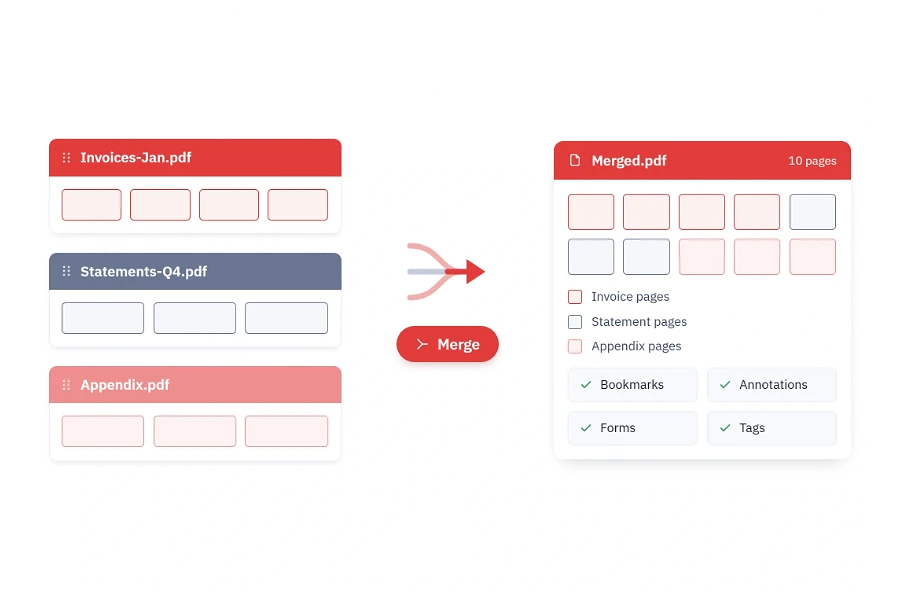
Merge PDFs with page-level control
Consolidate invoices, statements, reports, or uploaded PDFs into one PDF document. Preserve the original appearance and supported interactive or structural elements while giving users control over which pages belong in the result.
- Merge complete PDFs or selected pages from multiple PDF files efficiently.
- Retain layout, images, annotations, bookmarks, form fields, and accessibility tags.
- Optimize unused resources during merging and extend page margins when required.
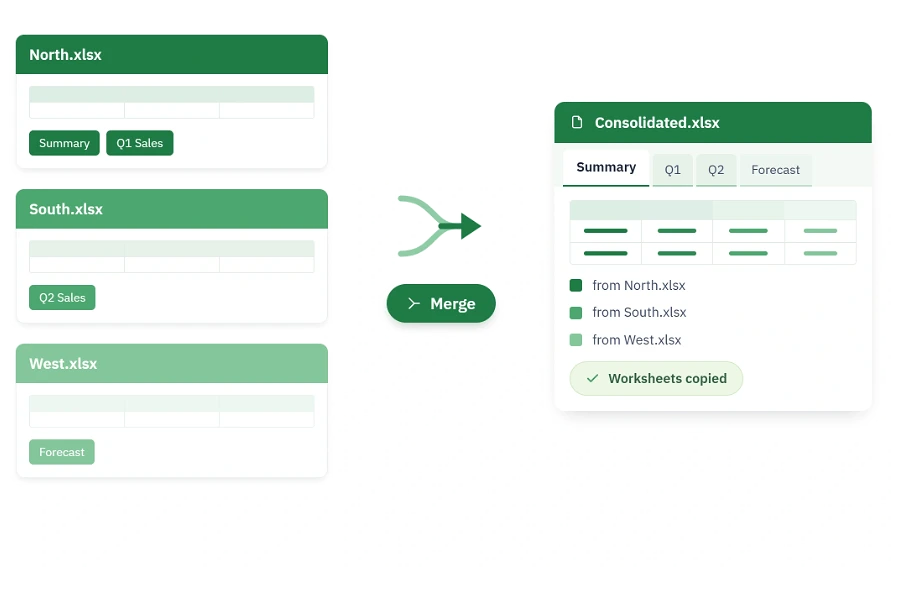
Combine workbooks into one file
Bring worksheets distributed across departments, exports, or reporting periods into a single workbook. Automate repetitive consolidation workflows and deliver one organized file that is easier to review, distribute, and archive.
- Save the consolidated result as a standard Excel workbook.
- Copy worksheets from multiple workbooks into a new workbook.
- Process files from folders or streams for server-side workflows.

Merge PowerPoints with style control
Combine complete presentations or selected slides into a single deck for sales, training, executive reviews, and customer deliverables. Decide whether imported slides keep their original design or adopt the destination theme.
- Retain the source design or apply the destination presentation’s theme.
- Merge multiple presentations or clone only the slides you need efficiently.
- Automate batch workflows, including supported password-protected presentations.
Combine Markdown content
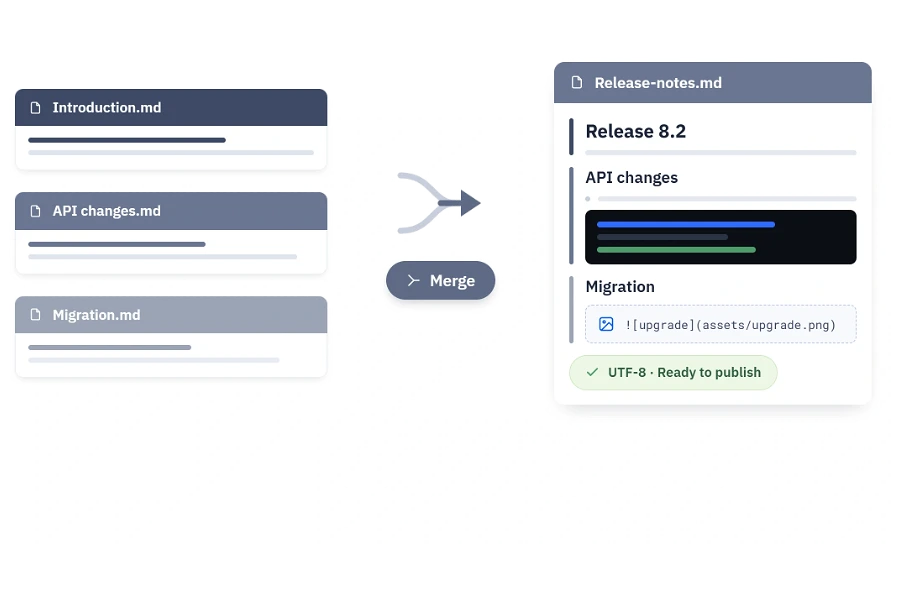
Load, clone, manipulate, and save Markdown content programmatically for release notes, technical portals, generated reports, and content pipelines. Merge reusable content while keeping the result easy to store, transform, and publish.
- Reuse document content safely across merging and document workflows.
- Load Markdown from a path, stream, or string and save to a file or stream.
- Control text encoding and customize image handling during import and save.
Frequently Asked Questions
Can the Document SDK merge PDF, Office, and Markdown files into one mixed-format file?
The SDK provides native merge workflows for each document family: Word documents into a Word document, PDFs into a PDF, Excel worksheets into a workbook, PowerPoint slides into a presentation, and Markdown content into Markdown. If a workflow needs one common final format, convert the source documents to a shared format—such as PDF before merging them—as a separate processing step where the relevant library supports it.
What merge controls are available for Word documents?
You can import complete documents or selected sections, retain source formatting, apply destination styles, merge text only, and choose whether list numbering continues or restarts. Supported output options include Word formats, PDF, HTML, and images.
Can I merge selected PowerPoint slides instead of complete presentations?
Yes. Clone selected slides into a destination presentation and choose whether they retain the source design or use the destination theme. Supported merge formats include PPTX, PPTM, POTX, and POTM.
Does the Document SDK require Microsoft Office to merge Word, Excel, or PowerPoint files?
No. Word, Excel, and PowerPoint processing runs programmatically without Microsoft Office or Office interop. This makes the libraries suitable for web applications, APIs, background services, and cloud-hosted workflows.
What content is retained when PDF documents are merged?
The PDF Library is designed to retain the original layout and appearance along with supported elements such as text, images, annotations, bookmarks, form fields, and accessibility tags. It can merge entire documents or selected page ranges.
Can document merging run in a server-side or batch process environments?
Yes. The APIs work with files and, where supported, streams, allowing you to build upload pipelines, folder-based batch jobs, scheduled document merging, and in-memory processing into .NET applications and services.
Resources
Learn more about our Document SDK
Explore demos, KB articles, and documentation to get the most out of our Document SDK.
Explore guides, APIs, and quick-start tips
See live use cases in action
Ask, share, and connect with peers
Find solutions and best practices fast
Get expert help when you need it
Feature requests and bug reports
Track issues and suggest improvements
Awards
Greatness—it’s one thing to say you have it, but it means more when others recognize it. Syncfusion® is proud to hold the following industry awards.









