Try Our Live Demo
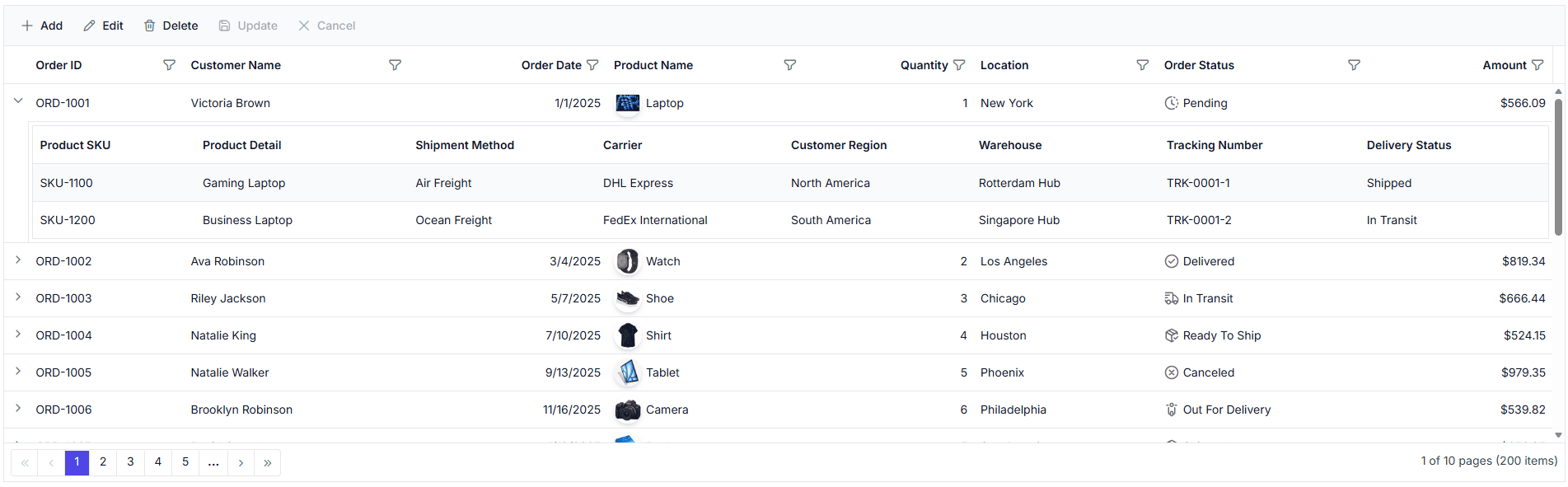
Hierarchical Data Grid view options
Select a view that matches the data structure: a tree layout for related records, a child-grid layout for parent-child data, or a detail panel for row-level information.
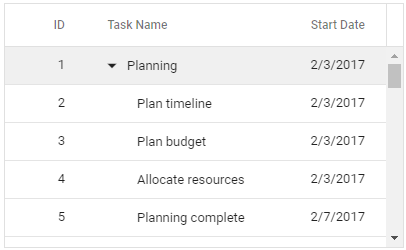
Tree Grid
Render related records in a tabular hierarchy where levels can share a common data presentation. Use a Tree Grid when hierarchical records follow a related structure, such as tasks with subtasks or categories with items.

Hierarchy Grid
Display related child records beneath a parent row in a separate grid view. Use a Hierarchy Grid when parent and child records represent different entities, such as customers with orders or departments with employees.

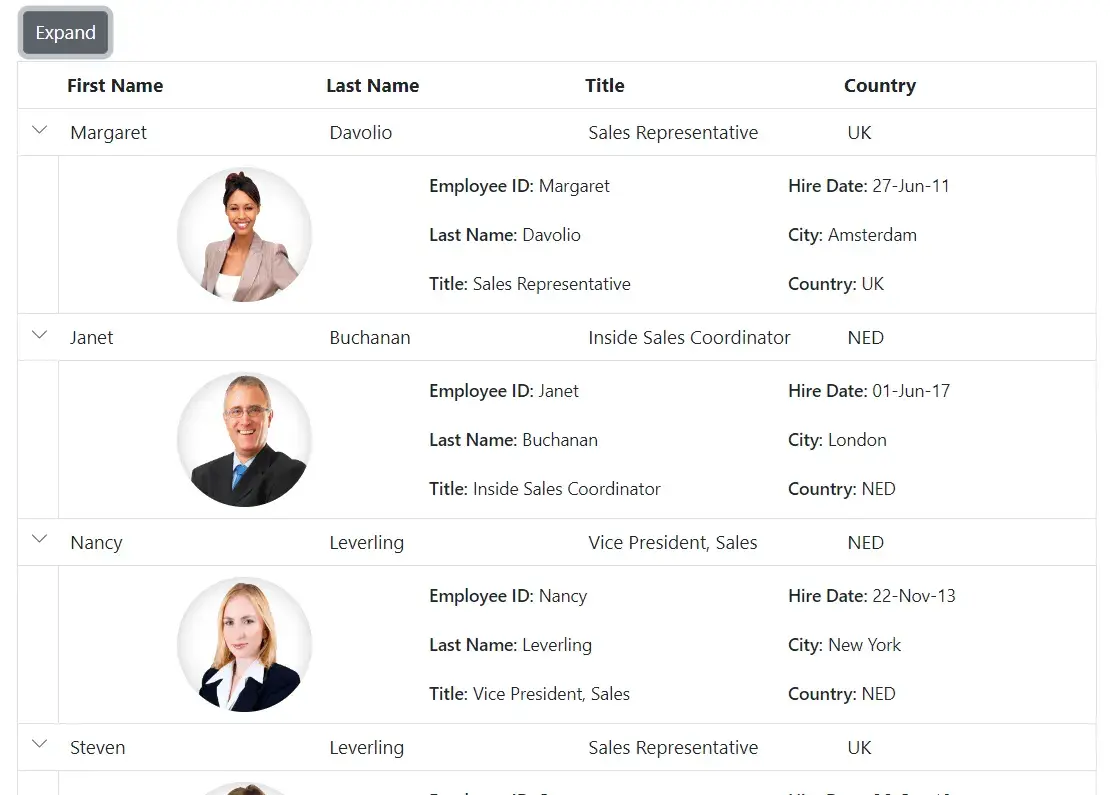
Detail Template
Render related row information in an expandable detail panel. Use a Detail Template when the detail view requires a layout beyond a fixed child-grid structure, such as a profile summary or information panel.
Same columns at every level
Use a Tree Grid when related levels can share a tabular presentation and common fields.
- Support hierarchical datasets where parent and child records must maintain a consistent column structure across all levels.
- Enable uniform data comparison between records at different hierarchy levels without changing column layouts.
- Provide standardized reporting views when nested data requires the same fields throughout the hierarchy.
- Ensure consistent validation, sorting, and filtering behavior across parent and child records using identical columns.
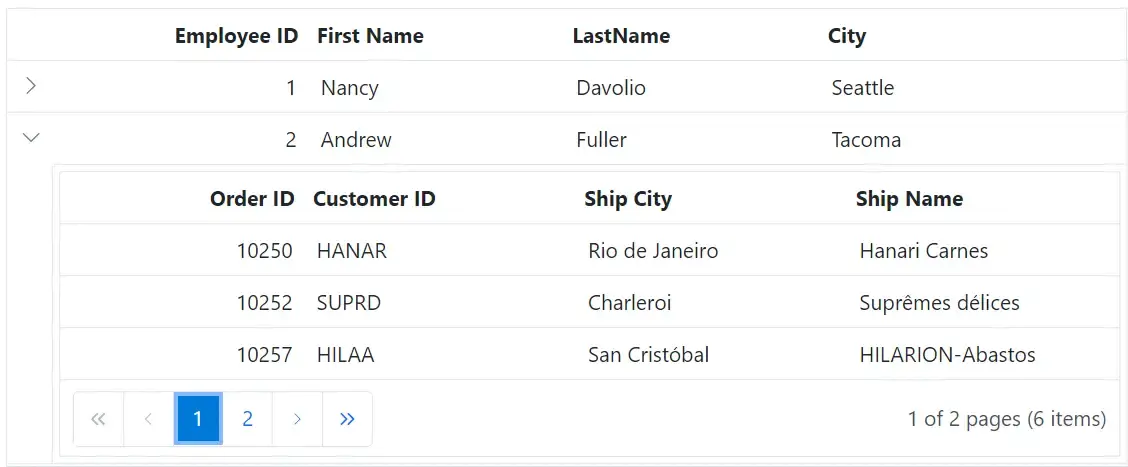
Different columns for child records
Use a Hierarchy Grid when child records represent a separate entity and require their own data presentation.
- Support hierarchical data structures where child records contain fields that differ from parent records.
- Enable specialized data views by displaying relevant columns for each child record level.
- Provide flexible master-detail configurations when nested records require distinct schemas and layouts.
- Ensure consistent data presentation and validation for parent and child records with independent column definitions.
Rich or mixed-content detail panels
Use a Detail Template when related row information requires a detail panel rather than a child-grid presentation.
- Provide contextual information in an expandable detail panel when row data requires more than a tabular layout.
- Enable display of rich content such as forms, charts, images, and custom UI elements within a row’s detail section.
- Support master-detail scenarios where related information must be presented without adding a child grid.
- Ensure consistent detail-view experiences across web, mobile, and desktop Data Grid implementations.
PLATFORM SUPPORT
Hierarchy Grid across supported platforms
Data Grid Hierarchy Grid capabilities vary by platform. The support matrix identifies availability for master-detail views, row expansion, child-grid configuration, and multi-level nesting.
| Capability | JS, React, Angular, Vue | Blazor | ASP.NET Core & MVC | WPF & WinForms | .NET MAUI | Flutter | UWP | WinUI |
|---|---|---|---|---|---|---|---|---|
| Master-detail hierarchy grid | ||||||||
| Expand and collapse rows | ||||||||
| Independent child grid configuration | ||||||||
| Multi-level nesting | ||||||||
| Sorting and filtering in child grid |
Frequently Asked Questions
Which Data Grid view suits hierarchical records?
A Tree Grid suits related records that follow a common hierarchical structure. A Hierarchy Grid or detail panel may be more suitable when parent and child information requires a separate presentation.
Can multiple Data Grid hierarchical views be used together?
Yes. Different Data Grid instances can use different hierarchical views when each selected control supports the required approach.
How does Hierarchy Grid differ from a detail template?
A Hierarchy Grid presents related child records in a separate grid view. A Data Grid detail template presents related information in an expandable row-detail panel where that capability is supported.
Do Data Grid hierarchical views support row expansion features?
Yes. Tree Grid, Hierarchy Grid, and detail-panel views support row expansion. Behavior varies by platform and view type.
Resources
Learn more about Data Grid hierarchical data
Explore demos, KB articles, and documentation to get the most out of the Data Grid.
Explore guides and quick-start tips
See live use cases in action
Ask, share, and connect with peers
Find solutions and best practices fast
Get expert help when needed
Feature requests and bug reports
Track issues and suggest improvements
Awards
Greatness—it’s one thing to say you have it, but it means more when others recognize it. Syncfusion® is proud to hold the following industry awards.









