Try Our Live Demo
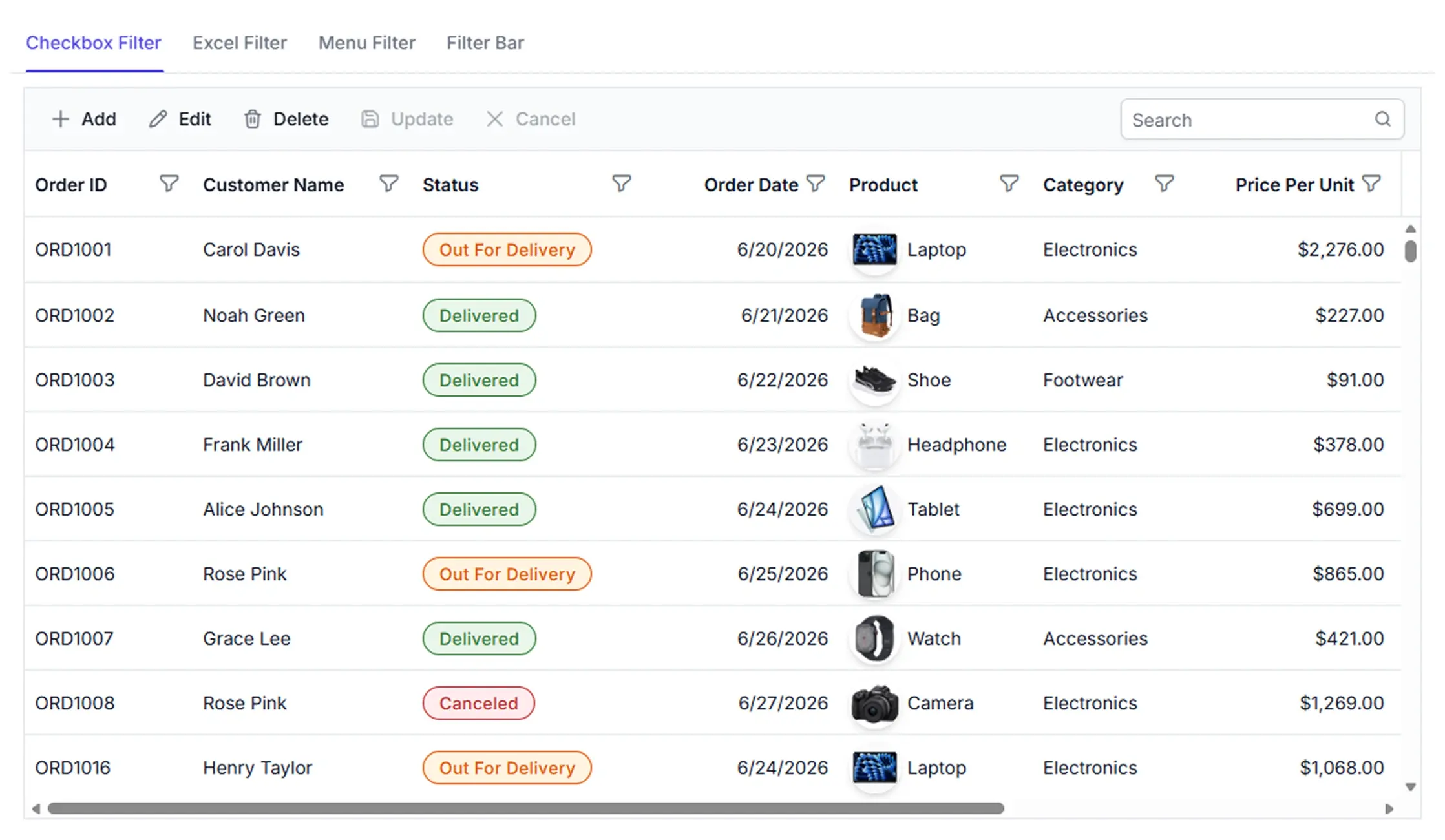
Find and refine Data Grid records
Search and filtering capabilities help locate records, narrow displayed data, and focus on relevant information without modifying the underlying dataset.

Search records instantly
Locate matching records across visible columns using a single search input.

Filter with precision
Filter data by column and display only the records that match selected values or conditions.

Refine data views
Display records that match selected conditions to keep data views focused during review and analysis.
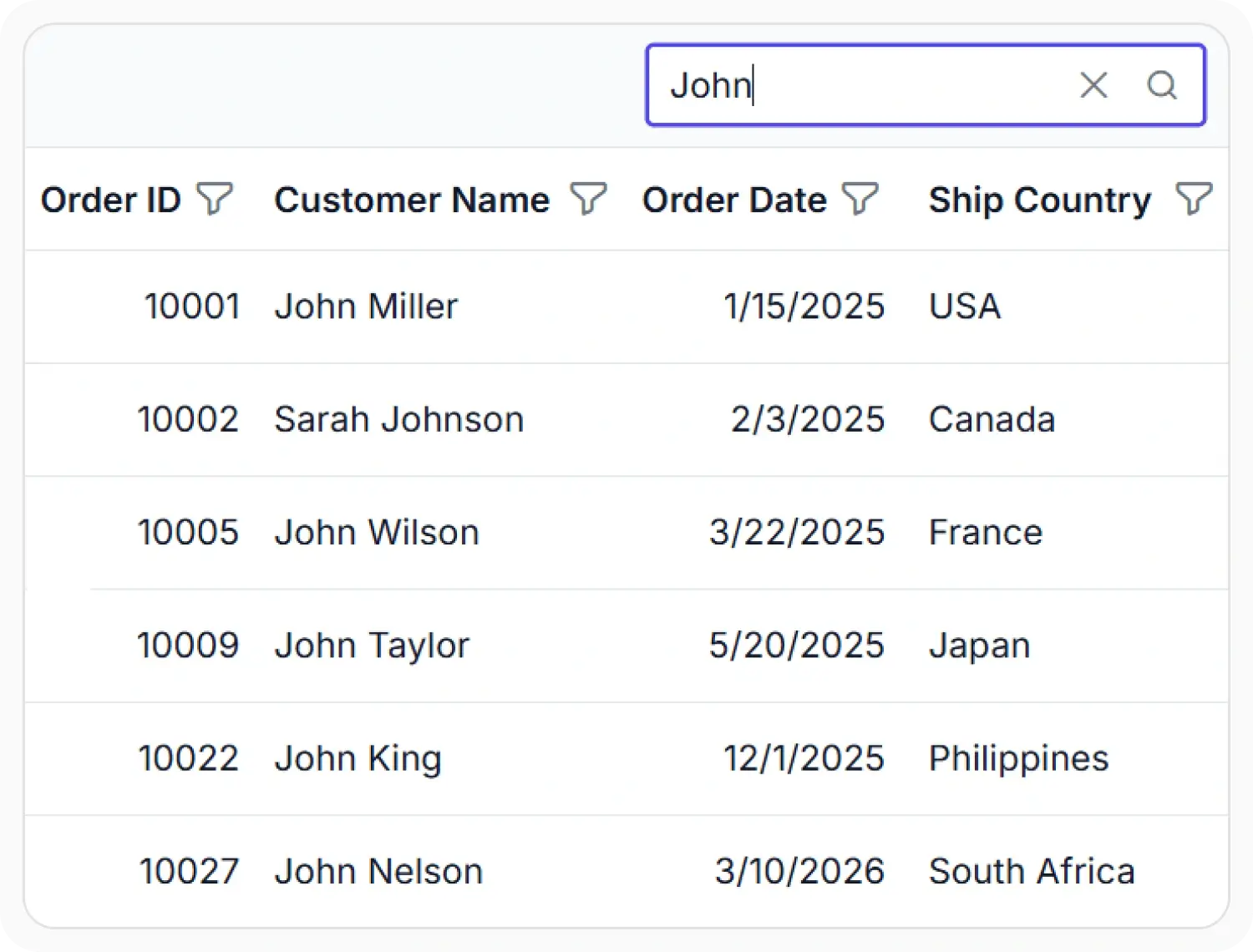
Search records across columns
Search across multiple columns using a single search box to quickly locate matching records. Reduce the time spent reviewing data and focus on relevant information faster.
- Support search across multiple data fields.
- Enable keyword matching within available records.
- Provide focused results for data review.
- Ensure relevant information remains accessible during analysis.
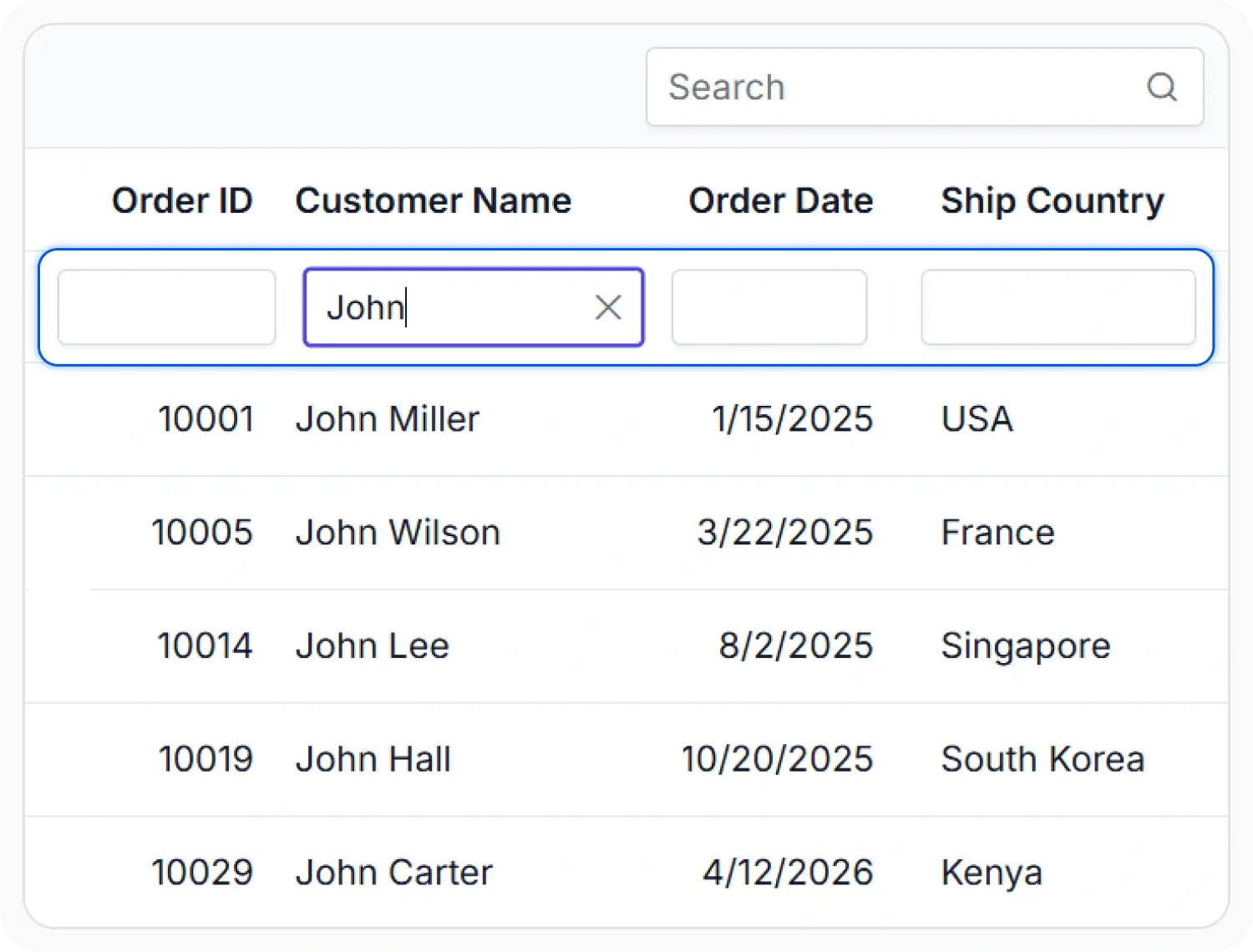
Inline filtering
Filter records directly within the grid using a dedicated filter row. Enter values in individual columns to narrow displayed data and focus on matching records.
- Support filtering by individual column conditions.
- Enable direct refinement within the grid view.
- Provide combined conditions across multiple fields.
- Ensure filtered results remain focused for review.
Excel-style filtering
Combine value selection, search, and filtering options within a familiar Excel-style interface. Narrow displayed records using multiple filtering methods from a single view.
- Support value selection from available filter entries.
- Enable search within filtering choices where provided.
- Provide combined conditions from one filtering view.
- Ensure advanced filtering remains focused on selected data.
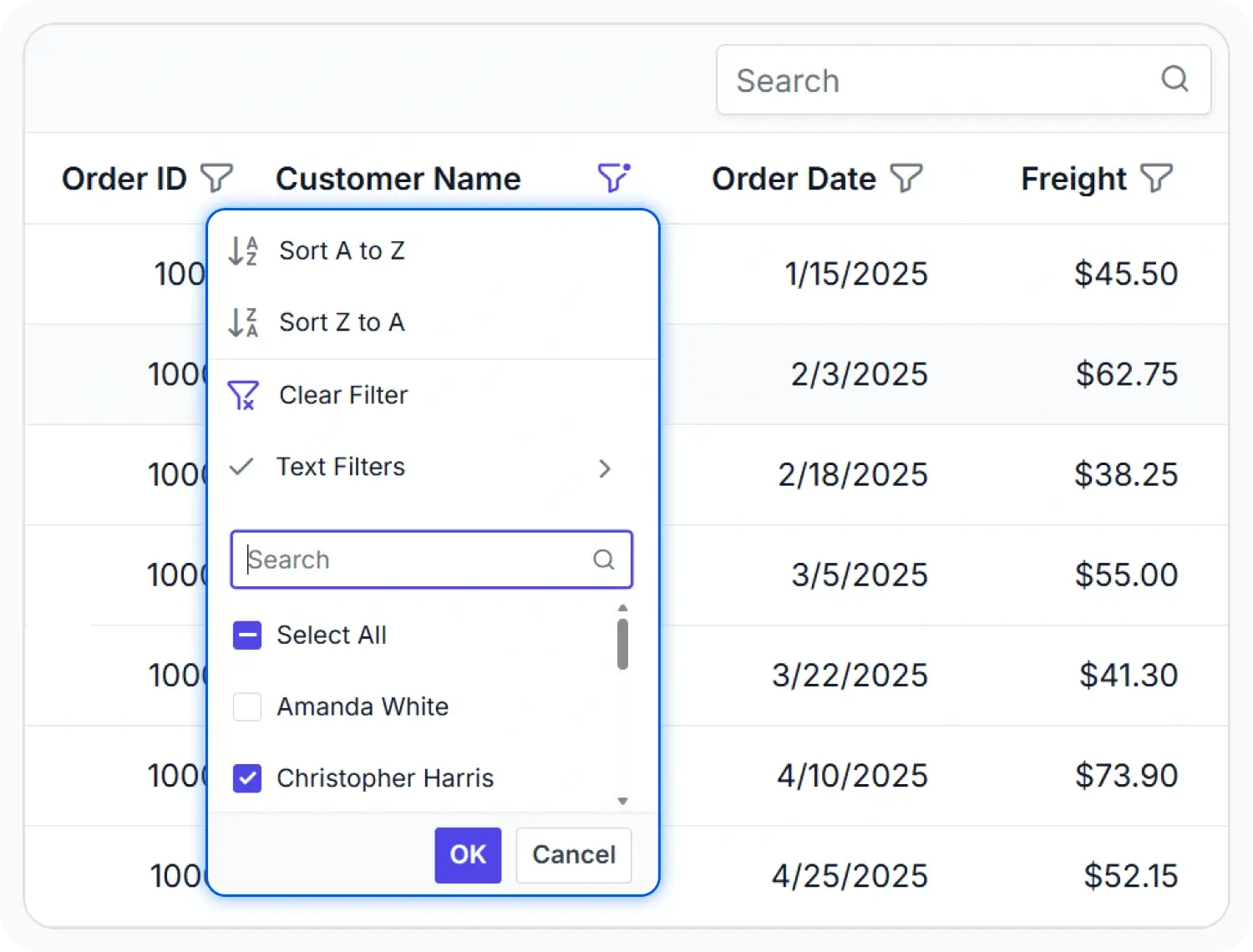
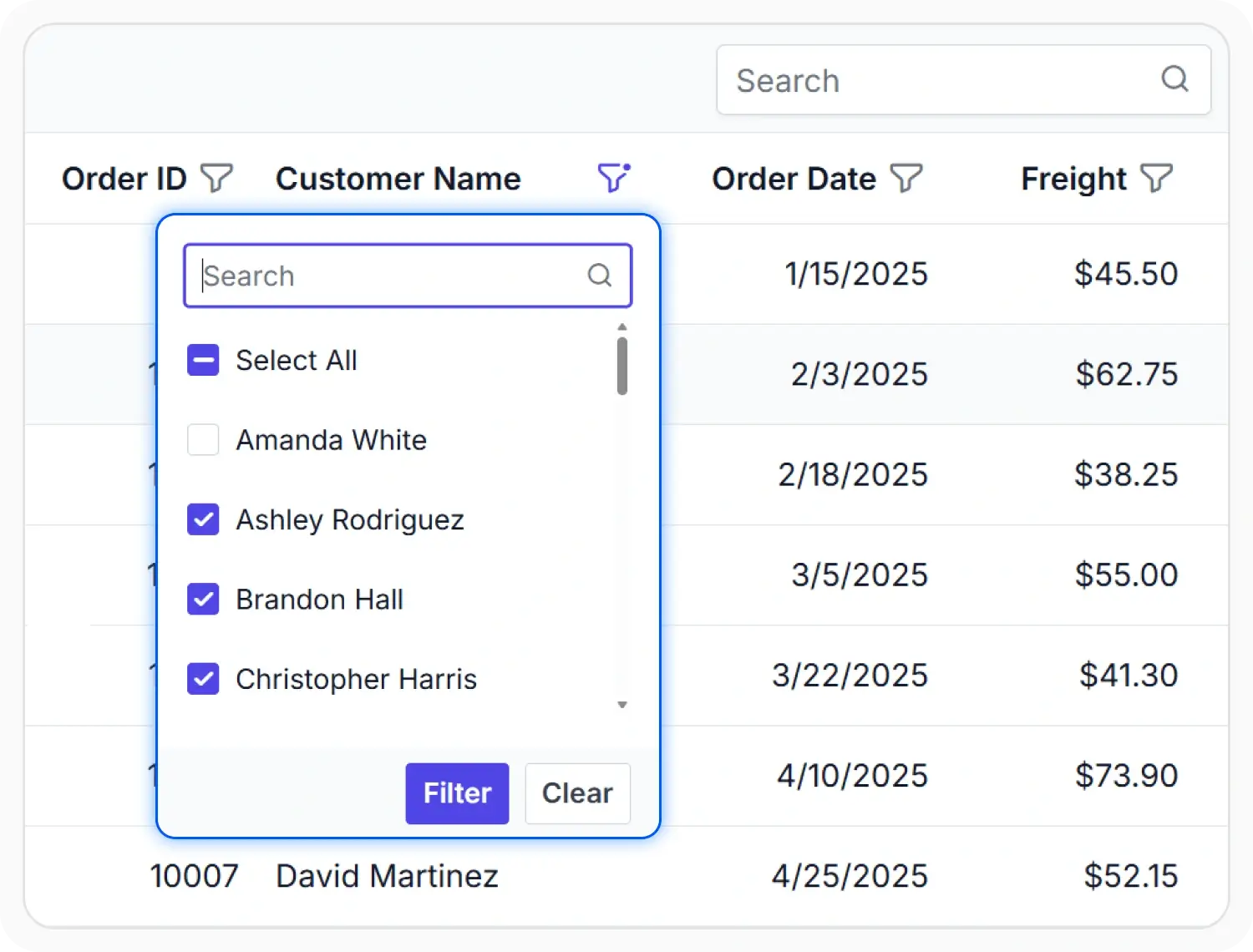
Multi-value filtering using checkboxes
Select one or more values from a list of unique entries to quickly include or exclude matching records. Simplify filtering when working with categorical data.
- Support filtering by one or more available values.
- Enable selection from unique filtering choices.
- Provide multi-value filtering for categorical data.
- Ensure filtered results reflect selected categories.
Advanced filtering with menu
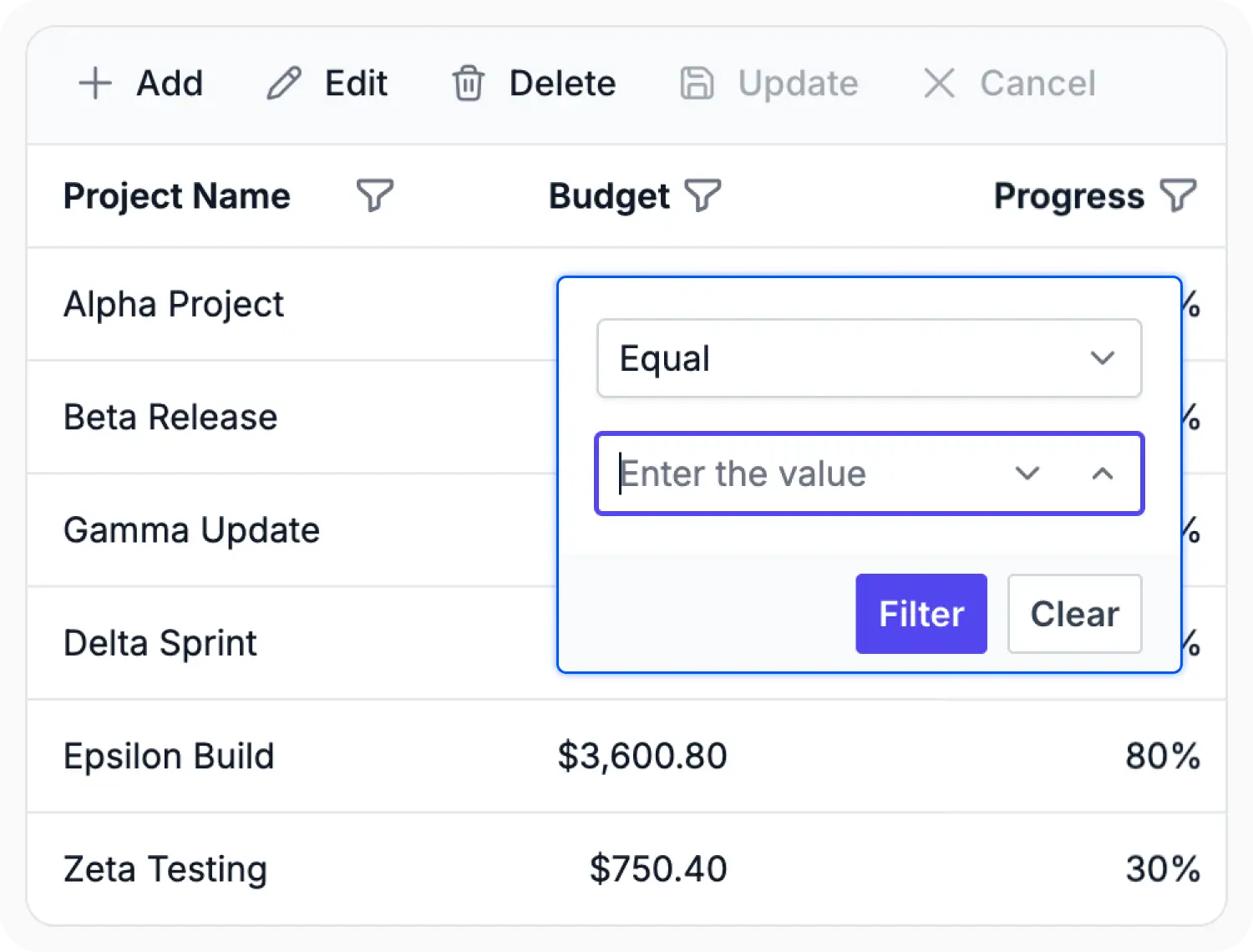
Apply condition-based filters through a dedicated menu that adapts to the column data type. Create precise filtering criteria to refine displayed records.
- Support condition-based record refinement.
- Enable options suited to available data types.
- Provide combined conditions for complex data views.
- Ensure filtering supports focused analysis.
PLATFORM SUPPORT
Search and filtering support across platforms
Core search and filtering capabilities are available across web, desktop, and cross-platform frameworks. Availability may vary for advanced filtering options depending on platform implementation.
| Capability | JS, React, Angular, Vue | Blazor | ASP.NET Core & MVC | WPF & WinForms | .NET MAUI | Flutter | UWP | WinUI |
|---|---|---|---|---|---|---|---|---|
| Global search | ||||||||
| Filter bar | ||||||||
| Menu filtering | ||||||||
| Checkbox filtering | ||||||||
| Excel-style filtering |
Frequently Asked Questions
Can the Data Grid search records across all columns?
Yes. The Data Grid can locate matching values across multiple visible columns using a single search input.
Can the Data Grid apply multiple filters at once?
Yes. The Data Grid supports multiple filtering conditions to display records that satisfy defined criteria.
Can the Data Grid disable filtering for specific columns?
Yes. The Data Grid allows filtering to be enabled or disabled independently for individual columns.
Can the Data Grid combine search and filtering?
Yes. The Data Grid allows search and filtering to be used together to further refine displayed records and narrow results.
Resources
Learn more about Data Grid
Explore demos, KB articles, and documentation to get the most out of the Data Grid.
Explore guides and quick-start tips
See live use cases in action
Ask, share, and connect with peers
Find solutions and best practices fast
Get expert help when needed
Feature requests and bug reports
Track issues and suggest improvements
Awards
Greatness—it’s one thing to say you have it, but it means more when others recognize it. Syncfusion® is proud to hold the following industry awards.









