Try Our Live Demo
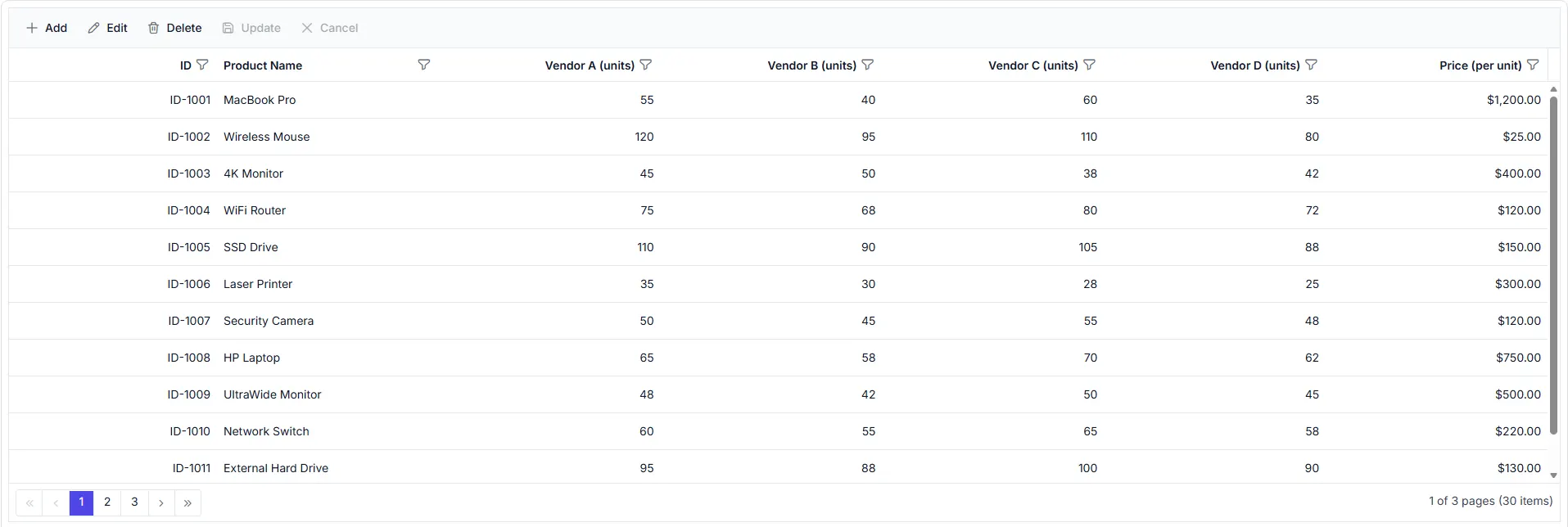
Manage repetitive data updates
Copy, paste, and extend values across multiple records without manual re-entry. Use clipboard features to support data maintenance and bulk updates.

Reuse existing information
Copy selected cells and records for reuse within the Data Grid or external applications. Reduce repeated data entry by working with existing information.

Update records faster
Paste clipboard content into selected cells and records. Use copied information to update data without manually entering the same values.

Fill data ranges
Extend values across multiple cells using AutoFill operations. Populate repetitive or sequential data during record update.
Copy data across records
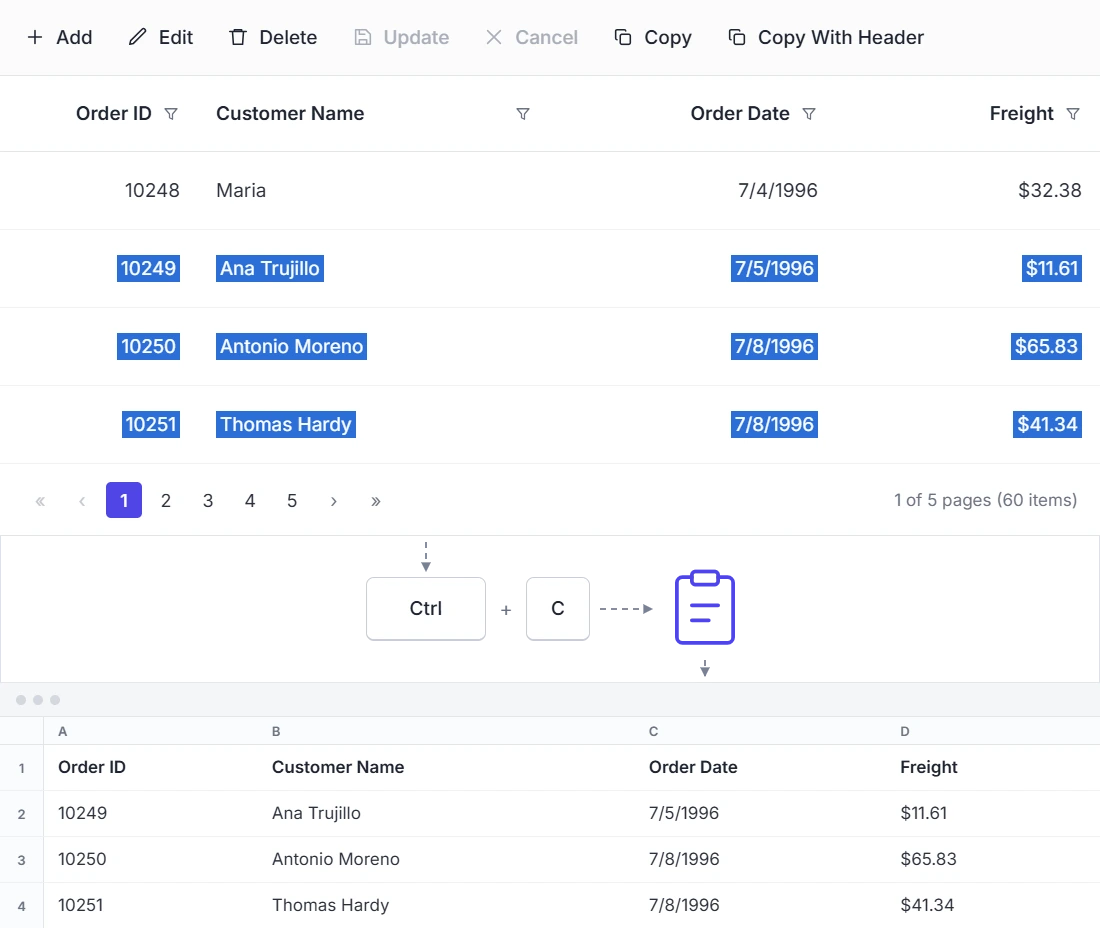
Copy selected cells and records to the system clipboard for reuse within the Data Grid or in other applications. Use this feature when the same values need to appear in multiple places without retyping.
- Copy selected cells and rows.
- Provide clipboard actions for selected data.
- Include column headers during copy operations.
- Transfer data to external applications.
Paste data into cells
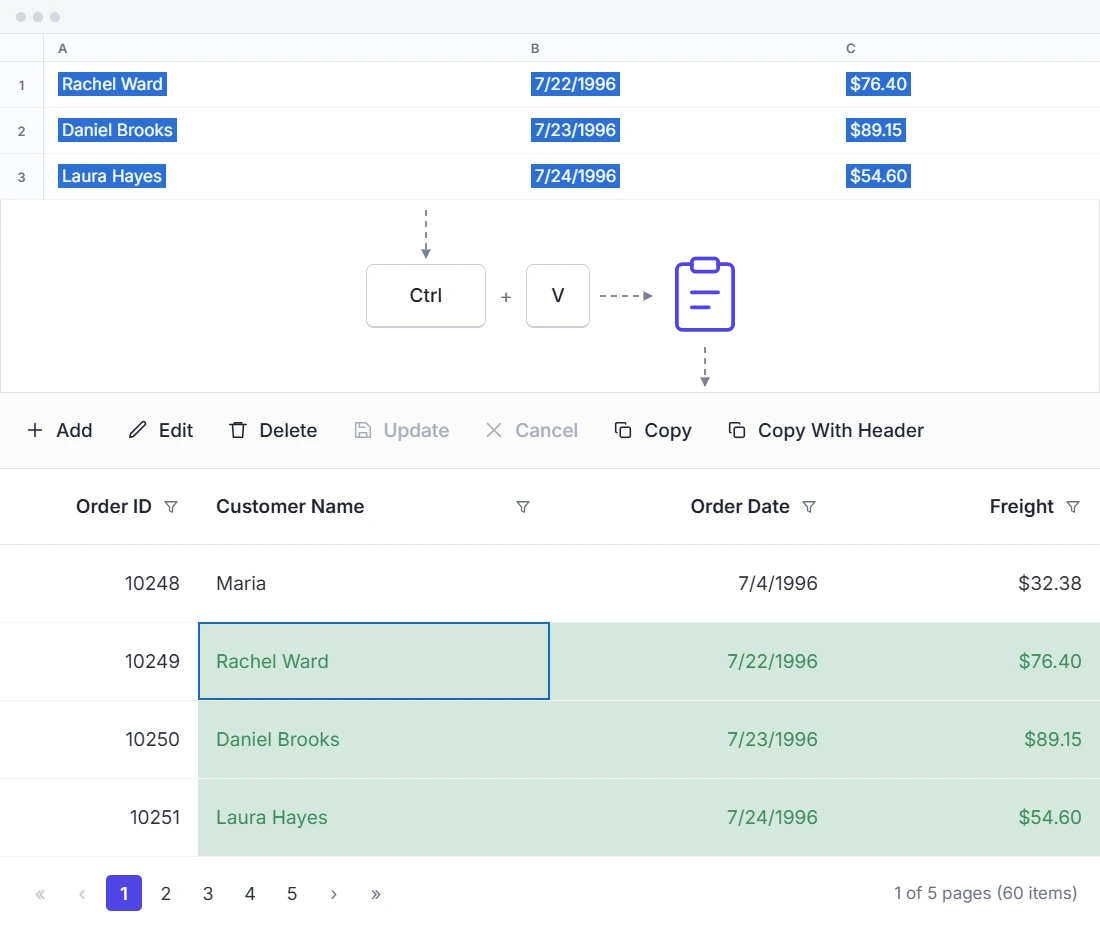
Paste clipboard content directly into selected cells and records to update information quickly. Use this feature when existing data needs to be entered into the grid without typing it manually.
- Paste values into selected cells.
- Update multiple records efficiently.
- Transfer data from external applications.
- Support clipboard-based data entry.
Extend values with AutoFill
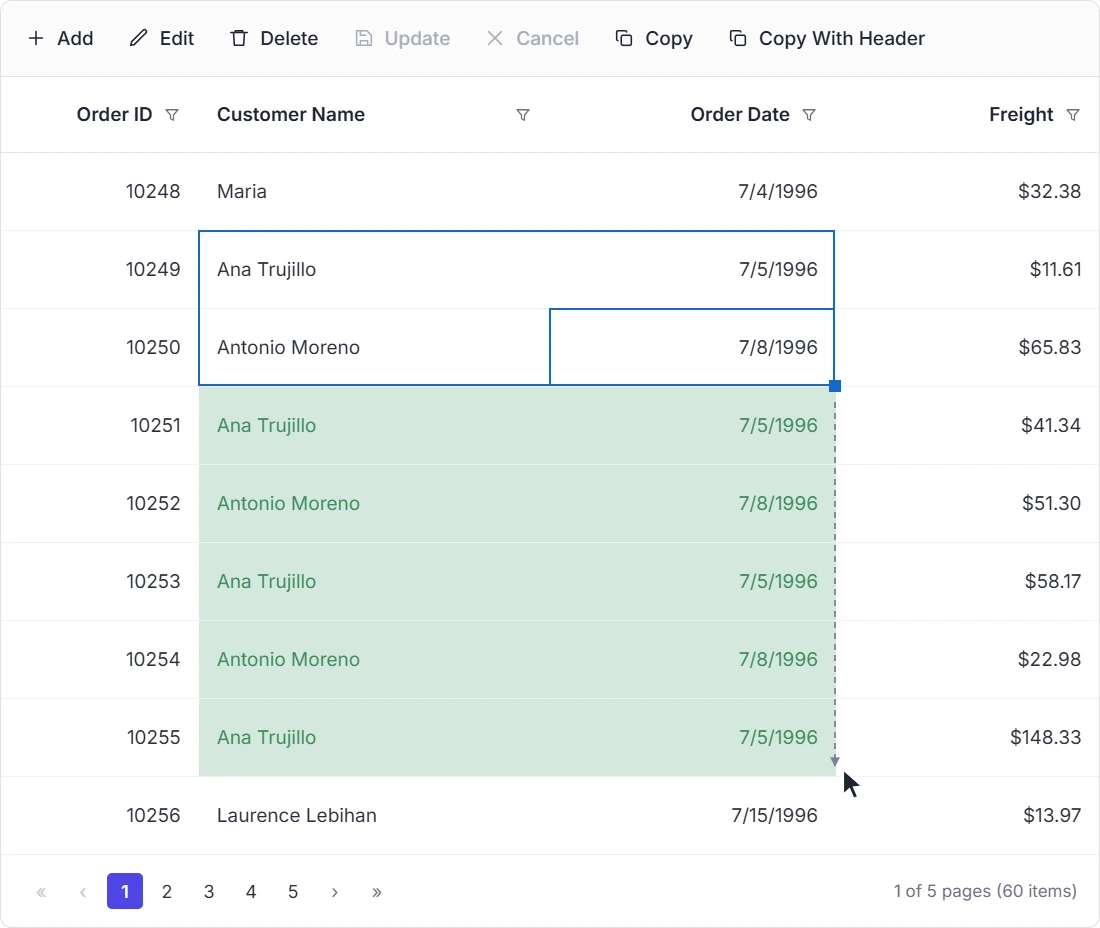
Use AutoFill to extend values across multiple cells and ranges. Use this feature when a range of cells needs the same or a sequential value.
- Extend values across target cells.
- Copy values across data ranges.
- Populate repetitive or sequential data.
- Support data-entry workflows with repeated values.
PLATFORM SUPPORT
Use clipboard operations across platforms
Clipboard operation features are available across web, desktop, and cross-platform frameworks. Support varies by platform for capabilities such as copy, paste, and AutoFill.
| Capability | JS, React, Angular, Vue | Blazor | ASP.NET Core & MVC | WPF & WinForms | .NET MAUI | Flutter | UWP | WinUI |
|---|---|---|---|---|---|---|---|---|
| Copy | ||||||||
| Paste | ||||||||
| AutoFill |
Frequently Asked Questions
What clipboard actions are available in the Data Grid?
The Data Grid supports copy, copy with headers, paste, and AutoFill operations for transferring information between cells and records.
How does Data Grid AutoFill support data entry?
Data Grid AutoFill extends values from a selected range into target cells for repetitive data entry.
Can data be pasted into selected cells in the Data Grid?
Yes. Clipboard content can be pasted into selected cells for data-entry and record update tasks in the Data Grid.
When should Data Grid paste and AutoFill be used?
Use Data Grid paste to move clipboard content into selected cells. Use AutoFill when repeated values must be extended across a range.
Resources
Learn more about the Data Grid
Explore demos, documentation, and support resources to get the most out of Data Grid clipboard features.
Explore guides, APIs, and quick-start tips
See live use cases in action
Ask, share, and connect with peers
Find solutions and best practices fast
Get expert help when needed
Feature requests and bug reports
Track issues and suggest improvements
Awards
Greatness—it’s one thing to say you have it, but it means more when others recognize it. Syncfusion® is proud to hold the following industry awards.









