What’s new in 2010 Vol. 1: Chart Areas in WPF Chart | Syncfusion Blogs
Detail-Blog-Page-skeleton-loader-new

Summarize this blog post with:

Essential Chart for WPF now supports SyncChartAreas. Multiple ChartAreas are used to visualize the graphs side by side. With this new feature – SyncChartAreas, ChartAreas could be aligned across one primary x-axis. Please refer to the below XAML:


By default, SyncChartArea uses the StackPanel to layout the ChartAreas. This could be replaced with any custom panels using the ItemsPanelTemplate. The following XAML uses Grid panel to lay out the ChartAreas with the proportional sizing.


Screenshot: 
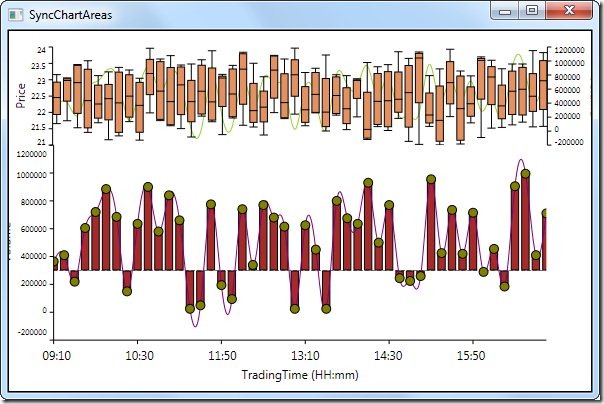
SyncChartAreas

A demo sample can be downloaded from this link: SyncChartAreas

Thanks!

Be the first to get updates

Jay NatarajanJay Natarajan profile icon

Meet the Author

Jay Natarajan

Seasoned technology leader at Syncfusion since 2003, with a proven track record in support, development, product management, and team leadership. Currently serving as Pre-Sales Manager for Bold BI and Bold Reports, leveraging deep product expertise and global client engagement experience to drive customer success.

Leave a comment