


jQuery Toolbar Control
- Responsive JavaScript toolbar (navigation bar or command bar) with pop-up modes for accommodating many commands.
- Better user experience navigating through commands from a collection.
- Built-in features for templating, orientation, and more.
Trusted by the world’s leading companies

Overview
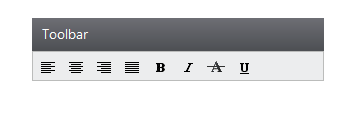
The toolbar provides a single interface for selecting a command from a collection of commands. The orientation of the toolbar can be changed, and it supports templates.
75+ jQuery UI WIDGETS
ALL WIDGETS
GRIDS
DATA VISUALIZATION
EDITORS
NAVIGATION
NOTIFICATION
FRAMEWORK
MISCELLANEOUS
BUSINESS INTELLIGENCE
REPORTING
FILE FORMAT LIBRARY
Media






Our Customers Love Us
Having an excellent set of tools and a great support team, Syncfusion® reduces customers’ development time.Here are some of their experiences.

We're using the file formats and Windows/JavaScript list controls a lot. They're fast, easy to use, and the documentation is good and contains examples. Tickets with questions or suggestions were answered within a day, so we're happy to use the Syncfusion libraries.
Using Syncfusion Angular and JavaScript controls makes front-end web development a piece of cake. Each component has many properties that can be configured as per your desire, methods that can be used to interact with the element, and a lot of events that trigger at different stages, which makes modifying your components according to the state of the application an easy task. Also, their support is amazing! They always offer a sample working project, which makes it very simple to solve your question about your code.
Rated by users across the globe



Syncfusion jQuery Resources
Learning
 Documentation
 Documentation


Awards
Greatness—it’s one thing to say you have it, but it means more when others recognize it. Syncfusion® is proud to hold the following industry awards.









