
 Vinoth Kumar Sundara Moorthy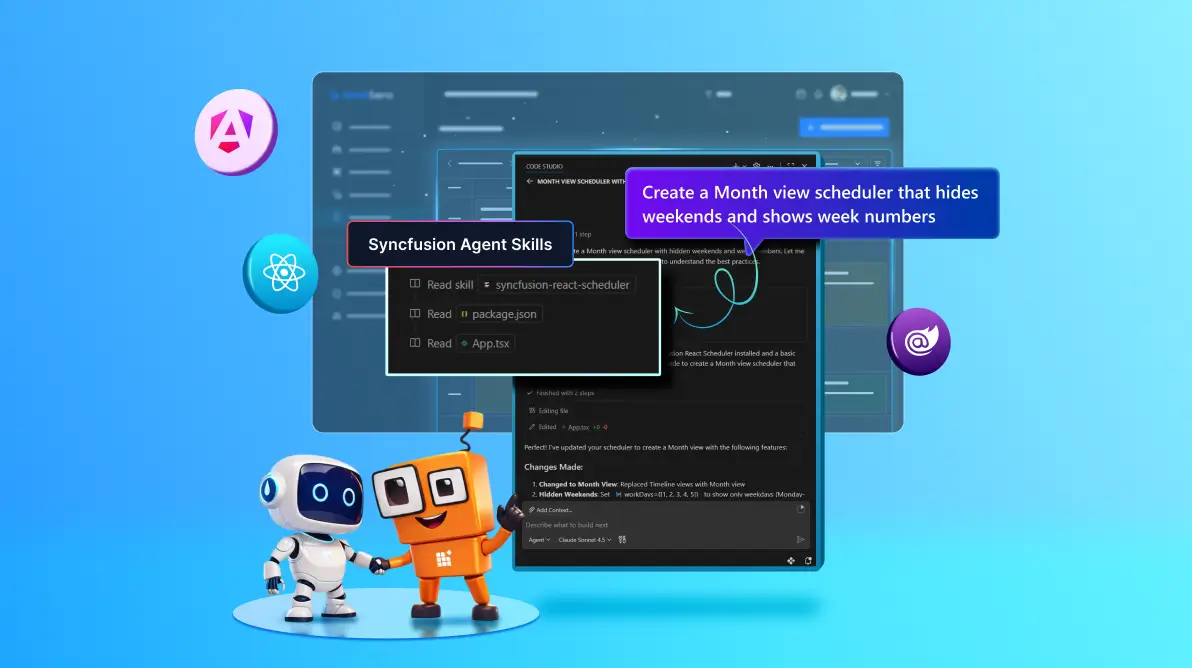
TL;DR: Most AI-generated UI code is almost right. Syncfusion Agent Skills fixes that by giving your AI assistant component-specific intelligence, so it generates accurate, working Syncfusion code, not something you have to fix later.
This looks right, but why isn’t it working?
You ask your AI assistant to build a UI. It responds instantly. The code looks clean. Everything seems correct until you run it.
- The grid renders, but export doesn’t work.
- A module is missing (again).
- The props look valid, but aren’t.
- Something subtle is off, and now you’re debugging.
It’s not wrong code. It’s just incomplete in ways that cost you time. And that “almost right” is where most of your effort goes.
So, what’s actually missing?
AI today is powerful, but when working with UI component libraries like Syncfusion, it often lacks deep, component-level understanding.
It knows what a DataGrid is. But it doesn’t always know:
- Which modules must be injected.
- The correct configuration sequence.
- Which APIs are current vs outdated.
- How Syncfusion components are actually wired together.
Introducing Syncfusion Agent Skills
This is where things change. Syncfusion® Agent Skills give your development workflow something it didn’t have before: Structured, reliable, and component-specific context.
Instead of relying on generic knowledge, your tools now follow a defined playbook for each Syncfusion component. These playbooks live in simple, readable files called SKILL.md.
They define:
- How to use a component correctly.
- What setup is required.
- Which APIs and patterns to follow.
- What a correct implementation looks like.
Built for Syncfusion Essential Studio
Syncfusion Agent Skills are designed to work across the full range of components and SDKs available in Syncfusion Essential Studio, so you can apply the same accuracy and consistency across your entire development stack.
UI Component Suite
| Document SDK
| Viewer & Editor SDKs
|
Below are install commands and GitHub packages of all the available skills:
| Framework / SDK | Install Command | GitHub |
| React UI | npx skills add syncfusion/react-ui-components-skills | React UI Component Skills |
| Angular UI | npx skills add syncfusion/angular-ui-components-skills | Angular UI Component Skills |
| Blazor UI | npx skills add syncfusion/blazor-ui-components-skills | Blazor UI Component Skills |
| .NET MAUI | npx skills add syncfusion/maui-ui-components-skills | .NET MAUI UI Component Skills |
| Flutter | npx skills add syncfusion/flutter-ui-components-skills | Flutter UI Component Skills |
| WPF | npx skills add syncfusion/wpf-ui-components-skills | WPF UI Component Skills |
| WinForms | npx skills add syncfusion/winforms-ui-components-skills | WinForms UI Component Skills |
| WinUI | npx skills add syncfusion/winui-ui-components-skills | WinUI UI Component Skills |
| Document SDK | npx skills add syncfusion/document-sdk-skills | Document SDK Skills |
| PDF Viewer SDKs | npx skills add syncfusion/pdf-viewer-sdk-skills | PDF Viewer SDK Skills |
| DOCX Editor SDK | npx skills add syncfusion/docx-editor-sdk-skills | DOCX Editor SDK Skills |
| Spreadsheet Editor SDK | npx skills add syncfusion/spreadsheet-editor-sdk-skills | Spreadsheet Editor SDK Skills |
What changes when you use Syncfusion Agent Skills
Let’s make this real.
| Without Syncfusion Agent Skills | With Syncfusion Agent Skills |
| Partial or incomplete implementation | Complete, ready-to-use implementation |
| Missing modules or configuration | Correct setup with required modules and services |
| Frequent manual debugging | Minimal fixes and faster validation |
| Multiple trial-and-error prompts | Reliable output in fewer iterations |
Same prompt. Significantly better result.
How Syncfusion Agent Skills works
Syncfusion Agent Skills follow a standard, lightweight approach supported by modern AI development tools:
- Skills are added to your project (typically under
.agents/skills). - Tools automatically detect available skills.
- When you make a request, the relevant skill is applied.
- The generated output follows the defined Syncfusion patterns.
This ensures accuracy without adding complexity to your workflow
Example scenarios
UI Components
Prompt: “Add Excel export to DataGrid”
- Required modules added
- Toolbar configured
- Works immediately
Document SDK
Prompt: “Convert a Word document to PDF”
- Correct API usage
- Proper conversion configuration
Editor SDK
Prompt: “Enable track changes in Document Editor”
- Feature configured correctly
- No missing setup
Getting started with Syncfusion Agent Skills (React)
- Install the skills using the skills CLI:
npx skills add syncfusion/react-ui-components-skills -yOr install interactively:
npx skills add syncfusion/react-ui-components-skills - After installation, a
.agents/skillsfolder is added to your project. Your AI assistant automatically detects available skills.
Why Syncfusion Agent Skills matter now
AI is already part of modern development. But UI development still has a gap:
- AI can scaffold but struggles to finish correctly. Syncfusion Agent Skills close that gap.
- They turn AI from a helpful assistant into a reliable implementation partner
Who should use Syncfusion Agent Skills?
Syncfusion Agent Skills are ideal for:
- Developers using Syncfusion UI components.
- Teams building modern apps.
- Anyone using AI coding assistants for UI development.
- Developers who want to reduce debugging and rework.
Frequently Asked Questions
Syncfusion Agent Skills are component-specific AI instructions that help generate accurate Syncfusion UI code using structured SKILL.md files.What are Syncfusion Agent Skills?
AI coding assistants are general-purpose, while Agent Skills provide specialized guidance for Syncfusion components.How are Agent Skills different from AI coding assistants?
React, Angular, Blazor, .NET MAUI, Flutter, WPF, WinForms, and WinUI.Which frameworks are supported?
Yes. They ensure correct configuration and significantly reduce errors in generated code.Do Syncfusion Agent Skills reduce debugging time?
Conclusion: Build Faster with Confidence
Syncfusion Agent Skills redefine how developers use AI with UI component libraries.
Instead of:
- Fixing AI-generated code
- Iterating prompts repeatedly
- Debugging configuration issues
You can now:
- Generate accurate Syncfusion code
- Apply correct patterns instantly
- Build faster with fewer errors
With Syncfusion Agent Skills, your AI assistant becomes component-aware, reliable, and production-ready
Try Syncfusion Agent Skills in Your Project
Install a skill pack, try a real UI or document task, and experience the difference.
- Less fixing
- More building
- Faster delivery
Questions or feedback?
Reach out via our support forum, support portal, or feedback portal for queries. We are always happy to assist you!




 No spam, just valuable updates.