Overview
The Syncfusion .NET Word Library lets developers convert Word documents to PDF in C# with just a few lines of code. Convert DOC and DOCX files while preserving layouts, fonts, images, tables, hyperlinks, and document formatting without installing Microsoft Word or relying on Office Interop. The library also supports PDF/A conversion for long-term archiving, accessible PDF/UA output, fillable PDF forms, tracked changes, comments, bookmarks, and configurable font embedding and substitution. Use it in desktop, web, server, cloud, Docker, and cross-platform .NET applications.
Convert a DOCX file to PDF in C#
This C# example shows how to convert a Word document to PDF with just a few lines of code using the Syncfusion .NET Word Library.
Key features of Word-to-PDF conversion
Accessible PDF conversion
Create a 508-compliant accessible Word document using Microsoft Word or the Syncfusion .NET Word Library, and convert it into a tagged PDF (PDF/UA) while enforcing the required PDF/A conformance level to ensure accessibility, standards compliance
Font Fallback and Substitution
Configure fallback fonts to render Unicode characters when the selected font lacks the required glyphs and use font substitution to automatically replace missing fonts with device or custom fonts for consistent document rendering.
Custom Font Registration
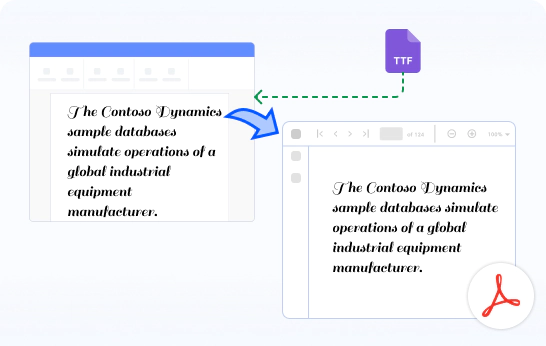
Register custom fonts from specific folders or font streams during application startup. This allows the application to use fonts that are not installed on the operating system when converting Word documents to PDF. The fonts are stored in a private font repository, ensuring accurate font rendering and consistent document output during conversion.
Fillable PDF Forms
Design your application forms as Word documents using Microsoft Word and convert them to fillable PDF forms using the Syncfusion .NET Word Library.
Comments
Preserve comment balloons in the converted PDF from the Word document. Also, customize balloon colors for enhanced visual clarity.
Bookmarks
Export the paragraphs with heading styles or bookmarks as PDF bookmarks.
Identical Image Optimization
Enable the settings to reduce main memory usage during Word-to-PDF conversion by reusing identical images in the Word document.
Hyphenation
Enables the addition of hyphens to text within a Word document during Word-to-PDF conversion, using specified language dictionaries.
Track Changes
Preserve revision marks in the converted PDF, retaining tracked changes from the Word document and offering customization options for track changes markup.
Alternate Chunks
Import or ignore the embedded alternate chunks (other Word documents) in a document when converting it to PDF.
Explore Word-to-PDF conversion references
Discover these resources from our knowledge base to enhance your efficiency in converting Word documents to PDF:
Knowledge base
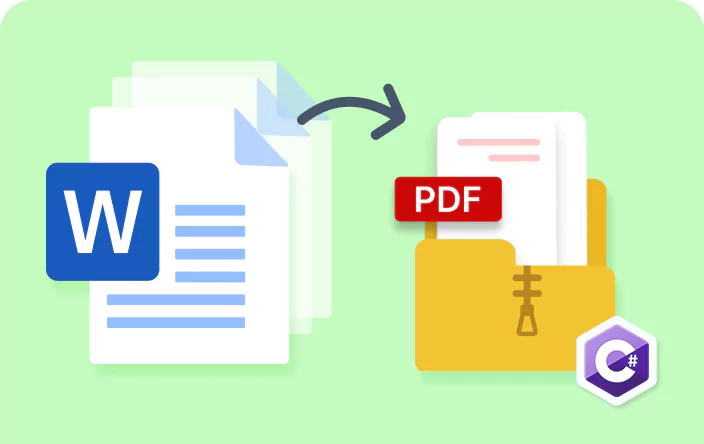
How to convert multiple Word documents to multiple PDFs and then zip the PDFs in C#
Knowledge base
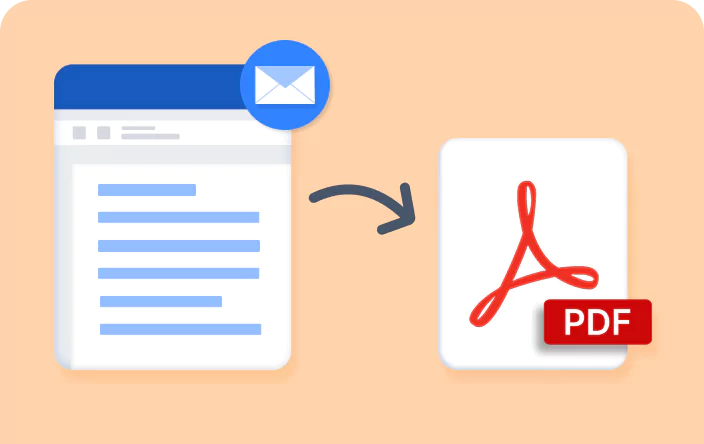
How to preserve simple markup, all markup, and no markup of tracked changes during Word-to-PDF conversion
Syncfusion .NET Word Library Resources
Explore these resources for comprehensive guides, knowledge base articles, insightful blogs, and ebooks.


Product Updates


Technical Support


Frequently Asked Questions
What file formats does the .NET Word Library support for conversion to PDF?
Word file formats such as DOC, DOT, DOCX, DOTX, DOCM, DOTM, Word Processing 2007 XML, Word 2003 XML Document (*.xml), as well as other formats including HTML, text, and Markdown are supported.
Can it convert password-protected Word documents?
Yes. Supply the password as the third argument when the document is opened: new WordDocument(fileName, FormatType.Automatic, “password”), or document.Open(stream, FormatType.Automatic, “password”) when working from a stream. Convert as normal afterwards.
Reference: Loading and saving a Word document.
Does Word-to-PDF conversion run on Linux, in Docker and in the cloud?
Yes, with a guide for each host. Install Syncfusion.DocIORenderer.Net.Core plus SkiaSharp.NativeAssets.Linux and HarfBuzzSharp.NativeAssets.Linux for Linux targets. Linux, Docker (with Dockerfiles for Alpine, Debian, Ubuntu, CentOS, Fedora and RHEL), Azure App Service, Azure Functions v4 and AWS Lambda are all documented.
Install fonts on slim images. The Docker guide’s Alpine example adds fontconfig and ttf-dejavu; without a font package, text falls back and pagination shifts.
Is multithreading supported in Word-to-PDF conversion?
Yes. Syncfusion DocIO supports multithreaded execution and is designed to be thread-safe for Word document processing and conversion scenarios. This enables developers to process multiple Word-to-PDF conversions concurrently, helping improve throughput in enterprise and large-scale applications.
Can I run a mail merge and convert the result to PDF in one pass?
Yes - and this is the job most Word-to-PDF traffic is actually trying to do. Merge your data into a Word template with MailMerge.Execute(), then convert the merged WordDocument with DocIORenderer.ConvertToPDF() in the same operation.Mail merge documents thirteen data sources including DataTable, DataSet, IEnumerable, dynamic objects, XML and JSON, and nested group mail merge handles master-detail data such as an invoice with line items via ExecuteNestedGroup().
How can I use Word-to-PDF conversion functionality in my application?
You can access it through the Syncfusion.DocIORenderer.Net.Core NuGet package. Detailed code samples and tutorial video are available in the documentation.
How do I convert a DOCX file to PDF in C#?
Load the document into a WordDocument, create a DocIORenderer, call ConvertToPDF() and save the resulting PdfDocument. Four lines, and Microsoft Word does not need to be installed.
Full example: Convert Word to PDF in .NET. One documented caveat if you are on .NET Framework: initialize ChartToImageConverter manually to preserve charts - on .NET Core this happens automatically.
Do I need Microsoft Word or Office Interop installed on the server?
No. The conversion overview states conversion works “without requiring Adobe or Microsoft Word installations” - there is no COM interop, no print driver and no Office licence to provision on the machine doing the work.
That is what makes it safe to run inside a web server, a container or a serverless function. Documented hosts include WinForms, WPF, ASP.NET MVC and Core, Blazor, WinUI and .NET MAUI, on Windows, Linux, macOS and Docker, and on Azure, AWS and Google Cloud.
Does it support PDF/A and accessible PDF/UA output?
Yes. Set PdfConformanceLevel on the renderer’s settings for archival output - the documented value is Pdf_A1B (PDF/A-1b), shown in How to convert Word to PDF/A-1b.For accessibility, set AutoTag, documented on the conversion settings page as preserving “document structured tags in the converted PDF document for accessibility (508 compliance) support”. The feature page states the library converts DOC and DOCX to “PDF, PDF/A, and PDF/UA”.
What happens if the required fonts are not installed on the production machine?
The converter substitutes a font, and because glyph widths differ, line breaks and pagination can change. The documented default is Microsoft Sans Serif when the requested font is unavailable.
Two documented ways to control it. Hook the SubstituteFont event on FontSettings and supply your own AlternateFontName or AlternateFontStream per font - the docs note you must hook it after the document is loaded. Or configure fallback fonts per script with FontSettings.FallbackFonts, using InitializeDefault() or per-ScriptType entries for Arabic, Hebrew, Chinese, Japanese, Thai and Korean text.
On Linux, install the fonts themselves - the Linux FAQ documents ttf-mscorefonts-installer, and in Docker you copy fonts into /usr/local/share/fonts/.
Trusted by the world’s leading companies
Our Customers Love Us




Want to create, View, and edit Word documents in C# or VB.NET?
No credit card required.