
 Thangavel E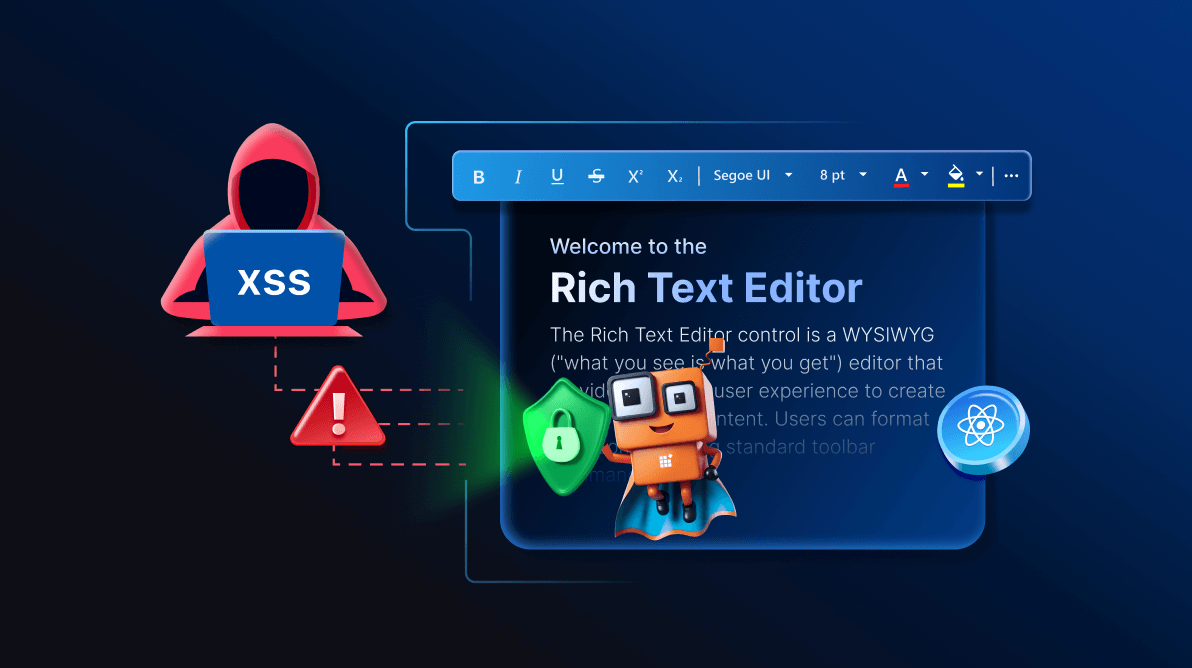
TL;DR: React Rich Text Editor is vulnerable to XSS attacks when rendering user input. This guide shows how to prevent XSS attacks in React Rich Text Editor using built‑in HTML sanitization, DOMPurify, and best practices like CSP and safe coding.
Are you building React apps that rely on rich text editing? If so, you know how risky it can be when user-generated content isn’t properly secure.
Cross-Site Scripting (XSS) attacks remain one of the most common threats to web applications. Attackers inject malicious scripts that can steal session cookies, compromise user data, or manipulate app behavior. The Syncfusion® React Rich Text Editor empowers users to create and render dynamic HTML content, which is a prime target for these exploits.
In this guide, you’ll learn how to prevent XSS attacks in React Rich Text Editor using built-in sanitization, custom filters, and proven best practices.
Why XSS matters in Rich Text Editors
Cross‑Site Scripting (XSS) attacks occur when malicious scripts are injected into a web application and executed in a user’s browser. In rich text editors, attackers often exploit HTML or JavaScript inputs like:
<script>alert('hacked')</script>
<div onmouseover="javascript:alert(1)">Malicious content</div>
Once executed, these scripts can steal cookies, redirect users, or alter application behavior.
The Syncfusion React Rich Text Editor is a WYSIWYG tool designed to handle dynamic HTML content, making strong security measures essential to protect users and their data.
Built-in XSS protection
The Syncfusion React Rich Text Editor includes HTML sanitization by default. The enableHtmlSanitize property automatically removes dangerous elements and attributes, such as <script> tags or onmouseover events.
For example:
<div onmouseover='javascript:alert(1)'>Malicious content</div>
<script>alert('hi')</script>
After sanitization, these scripts and attributes are stripped out, preventing execution. This provides a solid baseline for security. Spend less time building content editing features from scratch. Syncfusion React Rich Text Editor includes ready-to-use support for formatting, media insertion, hyperlinks, tables, lists, and rich HTML content editing.
Customizing sanitization with beforeSanitizeHtml Event
Need more control? Use the beforeSanitizeHtml event to define custom filtering logic. For instance, you can allow safe <iframe> tags while blocking <script> tags, as shown in the code example below.
import {HtmlEditor, Table, PasteCleanup, Image, Inject, Link, QuickToolbar, RichTextEditorComponent, Toolbar} from '@syncfusion/ej2-react-richtexteditor';
import './App.css';

function App()
{
  const editorValue = `<div>Prevention of Cross-Site Scripting (XSS)</div><script>alert('hi')</script><iframe src="https://safe-site.com"></iframe>`;

  const beforeSanitizeHtml = (e) =>
  {
    if (e.selectors && e.selectors.tags)
    {
      // Filter out iframe tags that are not from trusted sources
      e.selectors.tags = e.selectors.tags.filter((tag) => tag !== 'iframe:not(.e-rte-embed-url)');
      e.selectors.tags.push('iframe[src^="https://safe-site.com"]');
    }
  };

  return (
    <RichTextEditorComponent value={editorValue} beforeSanitizeHtml={beforeSanitizeHtml}>
      <Inject services={[Toolbar, Image, Link, HtmlEditor, QuickToolbar, Table, PasteCleanup]} />
    </RichTextEditorComponent>
  );
}

export default App;
This code ensures that only <iframe> tags with trusted sources (e.g., https://safe-site.com)are allowed, while <script> tags are removed.
You can even override the default sanitization by setting e.cancel = true and implementing your own logic:
const editorValue = `<div>Prevention of Cross-Site Scripting (XSS)</div><script>alert('hi')</script>`;

const beforeSanitizeHtml = (e) =>
{
  e.cancel = true;
    // Write the custom sanitization code here.
};
This approach explicitly removes <script> tags, giving developers full control over sanitization.
Additional security best practices
While the Syncfusion React Rich Text Editor offers strong built-in protection, combining it with industry-standard practices ensures maximum security:
- Validate and sanitize inputs: Always validate and sanitize user inputs on both client and server sides. Use libraries like DOMPurify to sanitize HTML content before rendering. DOMPurify removes malicious scripts while preserving safe HTML and CSS.
- Content Security Policy (CSP): A strict CSP limits where scripts, styles, and resources can load from.
For example:Content-Security-Policy: script-src 'self'This prevents external scripts from executing, reducing XSS risks.
- Escape user inputs: React automatically escapes values in JSX when using curly braces {}.
For example:<div>{userInput}</div>This ensures user input is treated as text, not executable code.
- Avoid dangerouslySetInnerHTML: Use
dangerouslySetInnerHTMLonly when absolutely necessary and only with sanitized content. If you must use it, pair it with DOMPurify for extra safety. - Keep dependencies updated: Regularly update your editor and other libraries to apply the latest security patches. Outdated dependencies can introduce vulnerabilities.
Practical example: Secure Rich Text Editor implementation
Here’s a complete code example of a secure Syncfusion React Rich Text Editor implementation with DOMPurify for an extra layer of XSS protection:
import {HtmlEditor, Table, PasteCleanup, Image, Inject, Link, QuickToolbar, RichTextEditorComponent, Toolbar} from '@syncfusion/ej2-react-richtexteditor';
import {detach} from '@syncfusion/ej2-base';
import DOMPurify from 'dompurify';
import './App.css';

function App()
{
  // Sanitize initial value with DOMPurify
  const editorValue = `<div>Prevention of Cross-Site Scripting (XSS)</div><script>alert('hi')</script>`;

  const beforeSanitizeHtml = (e) =>
  {
    e.cancel = true;
    e.helper = (value) =>
    {
      const temp = document.createElement('div');
      temp.innerHTML = DOMPurify.sanitize(value); // Use DOMPurify for additional sanitization
      const scriptTag = temp.querySelector('script');
      if (scriptTag)
      {
        detach(scriptTag);
      }
      return temp.innerHTML;
    };
  };

  return (
    <RichTextEditorComponent value={editorValue} beforeSanitizeHtml={beforeSanitizeHtml}>
      <Inject services={[Toolbar, Image, Link, HtmlEditor, QuickToolbar, Table, PasteCleanup]} />
    </RichTextEditorComponent>
  );
}

export default App;
Conclusion
Thank you for taking the time to read our blog post. In this guide, we explored how to secure the Syncfusion React Rich Text Editor against XSS attacks. You’ve learned how to protect your editor by using built-in features like enableHtmlSanitize and beforeSanitizeHtml, along with best practices such as input validation, implementing a Content Security Policy, and keeping dependencies up to date.
By staying vigilant, keeping dependencies updated, and testing often, you can ensure your applications remain protected against evolving XSS threats. To explore more, check out Syncfusion’s online demos and documentation.
The Syncfusion Rich Text Editor is also available in other components such as Blazor, JavaScript, Angular, Vue, .NET MAUI, ASP.NET Core, and ASP.NET MVC.
If you’re a Syncfusion user, you can download the setup from the license and downloads page. Otherwise, you can download a free 30-day trial.
You can also contact us through our support forum, support portal, or feedback portal for queries. We are always happy to assist you!



 No spam, just valuable updates.