
 RajaVignesh BalaSankar
TL;DR: Learn how JavaScript PDF viewers often struggle with hyperlink reliability due to annotation handling, canvas rendering, browser differences, accessibility layers, and complex PDF structures, along with the considerations involved in rectifying these issues in real-world applications.
Hyperlinks play a vital role in making PDF documents more user-friendly, accessible, and interactive. Whether you’re jumping to a specific section within a file, opening a webpage, or linking to another document, hyperlinks help users navigate content efficiently, especially in lengthy PDFs like manuals, reports, or eBooks.
But in many web applications, JavaScript-based PDF viewers often fall short when it comes to handling hyperlinks smoothly. Users may encounter broken links, unresponsive clicks, or unexpected behaviour, which can be frustrating and reduce the overall usefulness of the document. This is especially problematic in environments where seamless navigation is expected.
In this guide, we’ll take a closer look at why hyperlink navigation tends to fail in JavaScript PDF viewers and how Syncfusion® PDF Viewer offers a reliable solution to overcome these challenges.
Common hyperlink issues in JavaScript PDF Viewers
Although hyperlinks are crucial in PDFs, many JavaScript-based viewers are unable to handle them consistently. The most frequent problems that developers and users encounter are listed below:
1. Non-functional links
- Links appear clickable but don’t respond due to missing event listeners or incorrect annotation rendering. This issue is commonly discussed in developer forums such as PDF.js Viewer and Pdfvuer.
- Overlapping visual elements may block pointer events, making links unresponsive.
2. Incorrect navigation
- Links may lead to wrong destinations because of parsing errors or poor annotation support. This is a known issue discussed in the PDF.js GitHub repository.
- Relative URLs and broken internal references often fail, especially in iframes or multi-source setups.
3. Canvas rendering limitations
- HTML5 <canvas> rendering can omit hyperlinks, making them invisible or non-clickable.
- Canvas-based viewers lack accessibility support, preventing screen readers from detecting links.
- For more details and potential workarounds, refer to this Stack Overflow discussion on hyperlinks in canvas using PDF.js.
4. Lack of support for internal and external links
- Some viewers support only one type of link (internal or external), limiting interactivity.
- Poor visual cues (e.g., missing underlines or hover effects) make links hard to identify and use.
5. Inconsistent behaviour across browsers and devices
- Link functionality varies across browsers due to differences in rendering engines and event handling.
- On mobile devices, touch gestures may misfire, causing missed or unintended link activations.
How Syncfusion JavaScript PDF Viewer handles hyperlink issues
Hyperlinks in PDFs should just work, but in many JavaScript viewers, they don’t. Syncfusion’s JavaScript PDF Viewer changes the game by making link navigation seamless, reliable, and accessible. Here’s how:
Smart link detection
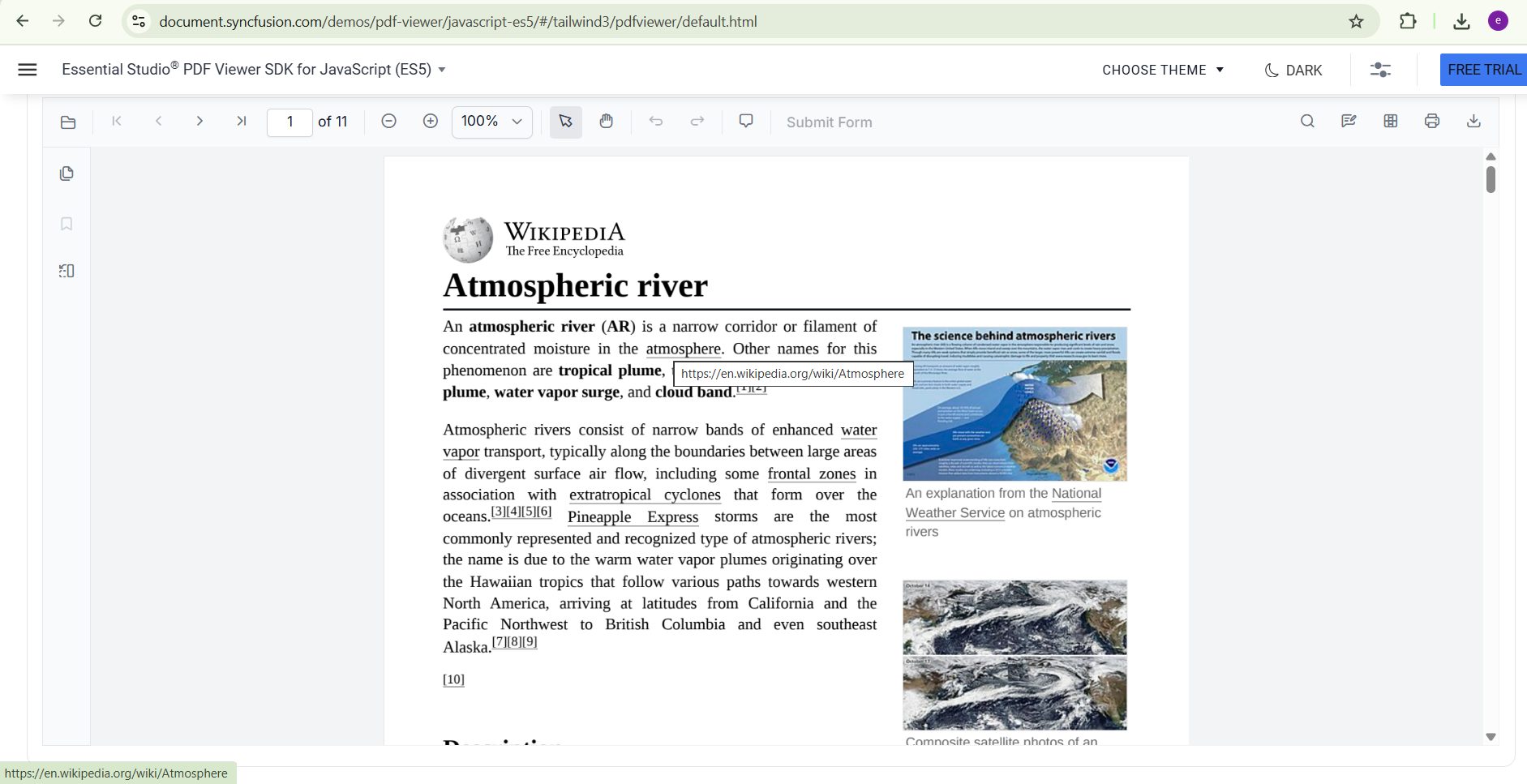
Whether it’s a page reference, a web URL, or an email address, Syncfusion automatically detects and renders both internal and external links; no extra setup needed.
Instant and interactive navigation
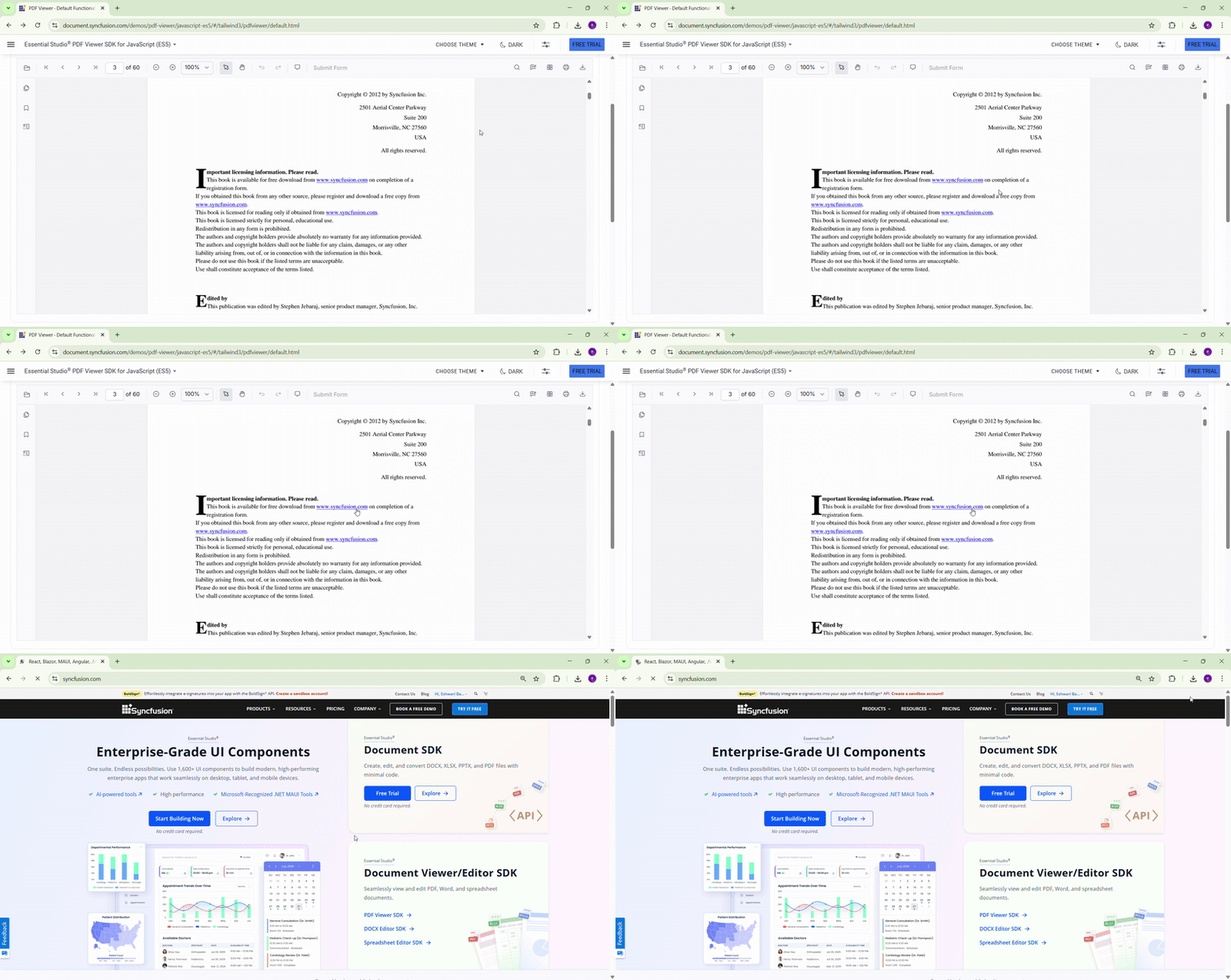
Click a link and go; no delays, no misfires. Internal links jump to the right page, and external ones open in a new tab, keeping the reading flow smooth and engaging.
No canvas, no compromise
If you’re seeing “PDF hyperlink is not working” in canvas-based viewers, Syncfusion’s DOM-based rendering preserves clickable links and accessibility.
Accurate link interpretation in layered & annotated PDFs
Got nested bookmarks, encoded annotations, or layered content? No problem. Syncfusion accurately interprets and renders hyperlinks, even in the most intricate documents.
Consistent across browsers & devices
Chrome, Firefox, Safari, Edge—Syncfusion’s viewer is tested across all major platforms to ensure hyperlinks behave consistently, even on mobile.
Advanced hyperlink customization in Syncfusion JavaScript PDF Viewer
Syncfusion JavaScript PDF Viewer enables developers to customize how hyperlinks behave and function precisely. This is especially helpful for online programs where context and user flow are important.
1. Customizing hyperlink behaviour
Using the hyperlinkOpenState API, you can precisely control how hyperlinks behave within embedded PDFs. This feature allows you to define whether links should:
- Open in the same tab for seamless navigation,
- Launch in a new tab to preserve the current context, or
- Be disabled entirely to prevent external navigation.
<div id="pdfViewer" style="height: 100%;width: 100%;"></div>

let viewer: PdfViewer = new PdfViewer();
    viewer.serviceUrl = "https://ej2services.syncfusion.com/production/web-services/api/pdfviewer";
    viewer.documentPath = "PDF_Succinctly.pdf";
    viewer.hyperlinkOpenState = 'NewTab';
    viewer.appendTo("#pdfViewer");
This level of control is particularly valuable in web applications where maintaining user flow and context is critical.
2. Intercepting hyperlink clicks
To implement custom logic when a hyperlink is clicked, use the hyperLinkClick event. This event gives you complete control over the navigation flow. By setting args.cancel = true, you can intercept and override the default behaviour. This gives you the flexibility to:
- Log link clicks for analytics.
- Show confirmation dialogs before navigation.
- Prevent navigation based on user roles or permissions.
You may refer to the official API documentation for detailed information.
Best practices for developers
To ensure reliable hyperlink functionality in JavaScript PDF viewers, developers should follow these universal best practices:
1. Enable hyperlink features in the PDF Viewer
Most PDF viewers offer configuration options to enable or enhance hyperlink support. Check the documentation for flags like:
enableHyperlinklinkAnnotationEnabledopenExternalLinksInNewTab
These settings help control how links behave within the viewer.
2. Use clear and accessible link design
Design hyperlinks to be:
- Visually distinct (e.g., underlined or colored).
- Descriptive (e.g., “Download Report” instead of “Click here”).
- Keyboard and screen-reader friendly, improving accessibility for all users.
3. Validate external URLs
When linking to external resources:
- Ensure URLs are valid and secure (use HTTPS).
- Avoid hardcoding links that may break over time.
- Consider opening links in a new tab to preserve the user’s session.
Frequently Asked Questions
Yes. Syncfusion PDF Viewer supports both internal and external hyperlinks without extra configuration.Does Syncfusion JavaScript PDF Viewer support both internal and external links?
Yes. Syncfusion PDF Viewer automatically detects web URLs and email links without additional configuration.Is email and web links supported?
Yes. You can control whether links open in the same tab, new tab, or are disabled using the hyperlinkOpenState setting.Can I control how links open in Syncfusion PDF Viewer?
Yes. The hyperLinkClick event lets developers track, intercept, or prevent navigation.Can developers customize hyperlink click behavior?
The Syncfusion PDF Viewer supports Page, Bookmark, Thumbnail, Table of content and Hyperlink navigations for seamless document interaction.What types of navigation are supported in Syncfusion JavaScript PDF Viewer?
Conclusion
Thank you for reading! Hyperlinks are essential for creating interactive and accessible PDF documents, especially in web-based applications. However, many JavaScript PDF viewers struggle to render hyperlinks consistently due to limitations in canvas-based rendering, browser inconsistencies, and a lack of support for complex PDF structures.
By following best practices during PDF creation and viewer setup, developers can significantly improve the reliability and usability of PDF hyperlink navigation. For those looking for a dependable and feature-rich solution, Syncfusion JavaScript PDF Viewer offers accurate link detection, smooth navigation, and consistent performance across browsers—all without the limitations of canvas rendering. If your application depends on reliable hyperlink navigation in PDFs, Syncfusion is a smart, scalable choice.
Explore our JavaScript PDF Viewer documentation to dive deeper into its technical capabilities and see how it can streamline document rendering and interaction in your web apps.
Try it live: JavaScript PDF Viewer Demo
If you’re a Syncfusion user, you can download the setup from the license and downloads page. Otherwise, you can download a free 30-day trial.
You can also contact us through our support forum, support portal, or feedback portal for queries. We are always happy to assist you!


 No spam, just valuable updates.