
 Graham High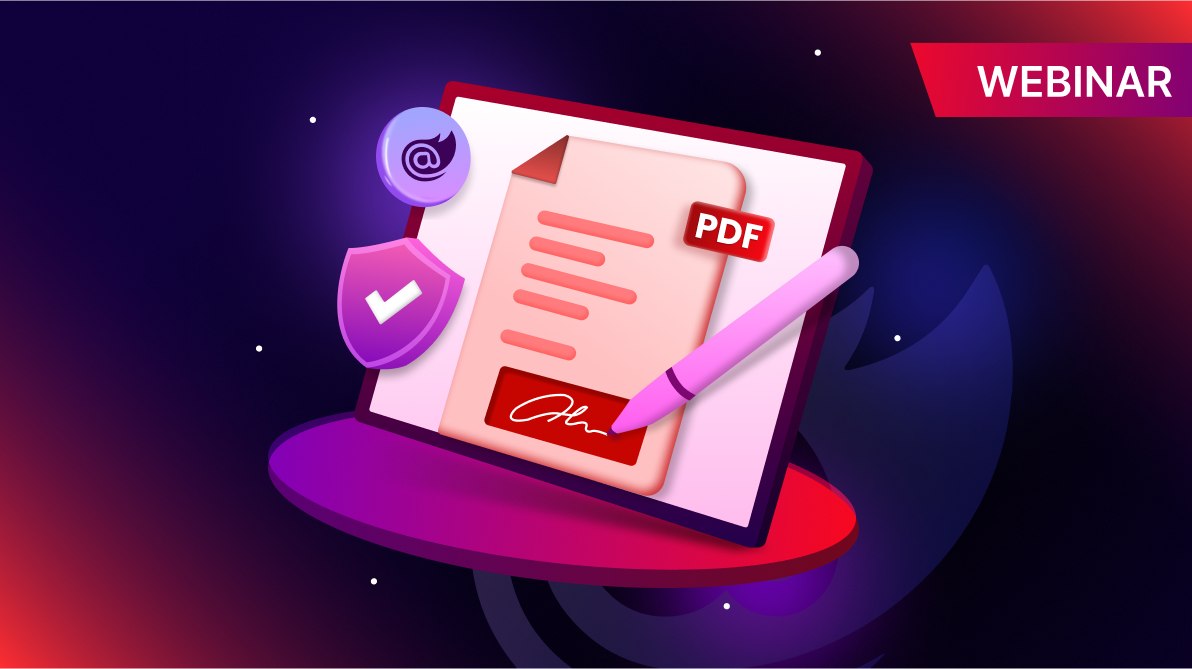
In this webinar, Shriram S dives into how to implement digital signatures in Blazor Server applications using the Syncfusion® .NET PDF Library. Whether you’re monitoring document authenticity, automating signing processes, or ensuring long-term validation, this session has something for every .NET developer working with PDFs.
Key takeaways
- Sign existing PDF fields: Add customized digital signatures to already prepared form fields by using a PFX certificate.
- External signature workflows: Ideal for automated, high-volume signing on secure servers using hardware security modules (HSMs).
- Windows certificate store integration: Retrieve certificates directly for a secure and manageable signing process.
- Long-term validation (LTV): Ensure signatures remain valid even if the root certificate is revoked, ideal for archiving.
- Signature validation techniques: Validate all signatures at once, individually, or against a trusted list for maximum control.
Timestamps
[00:00] Introduction
[00:33] What you’ll learn today
[01:03] Overview of the Syncfusion® .NET PDF Library
[01:15] Demo setup and prerequisites
[04:03] Signing an existing signature field in a PDF
[13:22] Testing signature validity
[14:09] Signing PDFs with an external signature by using HSMs
[23:14] Using Windows certificate store for signing
[27:59] LTV signatures
[32:05] Validating PDF signatures
[34:55] Validating individual signatures
[37:45] Validating signatures against a trusted list
[39:36] Recap and key takeaways
[40:23] Wrap-up
Q&A
Q1: Are we also going to see how to leverage Azure Key Vault, instead of local store?
A: No, this webinar does not cover how to leverage Azure Key Vault. We will assess the feasibility of covering this topic and consider it for a future webinar session.
However, we have already documented how to sign PDF documents using Azure Key Vault in ASP.NET Core applications. We hope this knowledge base article will be helpful to you.
Q2: Are we also going to see how to use OCSP revocation info?
A: No, this webinar does not cover how to use OCSP revocation info. We will assess the feasibility of covering this topic and consider it for a future webinar session.
We support long-term validation (LTV), which embeds OCSP and CRL information along with the signature in signed PDF documents to ensure long-term validity. We have also documented how to enable long-term validation and how to retrieve the revocation (OCSP or CRL) information from the digitally signed document.
Q3: Can anyone tell me what “an external signature” is?
A: External signing a PDF refers to a digital signature process where the actual signing operation is performed outside the PDF document workflow, typically by a third-party signing service or a hardware security module. This approach is especially useful in enterprise or secure environments where private keys are stored externally and never exposed to the application generating the PDF.
Q4: What type of certificate do we have to purchase for this usage?
A: For external PDF signing, you need a document signing certificate issued by a trusted certificate authority. These certificates are specifically designed for signing documents like PDFs and are not interchangeable with SSL or code signing certificates.
Q5: Why not PAdES?
A: PAdES (PDF Advanced Electronic Signatures) are specifically designed for signing PDF documents. CAdES (CMS Advanced Electronic Signatures), on the other hand, are designed for signing any type of data and are not limited to PDFs. While both standards are similar in purpose, they serve different use cases. The Syncfusion® .NET PDF Library supports both CMS/CAdES and PAdES standards.
Note: Please refer to blog post: Create PDF digital signatures with CAdES and different hashing algorithms.
Q6: Why not use ECC for the algorithm?
A: In the example, we use a digest algorithm, which is a hash function that produces a fixed-size hash value (digest) from input data that we can use to ensure data integrity in digital signatures. The Syncfusion® PDF Library supports processing digital signature certificates that use various cryptographic algorithms, including RSA, DSA, and ECDSA (ECC).
Q7: How do I sign a PDF using a qualified signature from a USB token?
A: Please refer to this knowledge base article: How to digitally sign a PDF document using a USB token in a Windows Forms application.
Q8: If there are multiple signature controls on a single or multiple pages, can they be signed one by one, where one user signs first, and a day later, another user signs another control?
A: Yes, a PDF document can be signed multiple times without any restrictions on the number of signatures or pages. One user can sign and save the document, and another user can subsequently open, sign, and save it again. However, it’s important to note that within a single session of opening the document, only one user can apply a signature.
By default, the Syncfusion® PDF Library supports multiple signatures. If needed, this behavior can be restricted by configuring DocumentPermissions and adjusting PdfCertificationFlags, such as disabling AllowFormFill.
We’ve documented this process in our guides on how to add a certified signature with document permissions and adding multiple signatures.
Q9: Does Syncfusion® have options to allow developers to build a web-based portal that can display a PDF in the browser and allow an end user to sign a PDF, similar to the functionality that Adobe e-sign would have?
A: Yes, you can use the Syncfusion® PDF Library and PDF Viewer component to achieve this.
Q10: Can you show how to sign a special X509Certificate2 from Windows Store with ECDSA keys? Also, can you show timestamped signatures, LTV-enabled signatures, and OCSP revocation information embedded?
A: No, this webinar does not cover these scenarios. We will assess the feasibility of covering this topic and consider it for a future webinar session.
The Syncfusion® PDF Library supports signing PDF documents using an X509Certificate2 from the Windows Certificate Store with ECDSA keys. It also provides support for both time stamps and long-term validation (LTV), including OCSP information, provided the certificate contains OCSP details.
We have also documented how to digitally sign a PDF document using the Windows Certificate Store, along with time stamps and LTV support.
Q11: Do I need to purchase BoldSign® to do this operation, or can it be done with the regular package?
A: No, you do not need to purchase BoldSign® to perform this. It can be done using the Syncfusion® .NET PDF Library.
Q12: When you sign a second field, is the first not invalidated?
A: No, signing a second signature field does not invalidate the first one.
The Syncfusion® PDF Library supports multiple independent digital signatures in a PDF document. Each signature is applied to the document as it exists at the time of signing, preserving the integrity of previously signed content.
When a second user signs the document, the first signature remains valid as long as the content covered by that signature has not been altered. This behavior is a standard feature of incremental updates in PDF signing, where each signature is appended without modifying previously signed data.
If you want to restrict further modifications after a signature is applied, you can use certified signatures with specific DocumentPermissions and PdfCertificationFlags (e.g., disabling AllowFormFill). This ensures that only permitted actions can be performed after certification.
Q13: Can you add a time stamp to an existing signature after the signing process?
A: No, it is not possible to add a timestamp to an existing signature after the document has been signed, as timestamps must be embedded during the certificate signing process.
However, there is an alternative known as a document-level time stamp. This type of time stamp validates the document’s existence and integrity at a specific point in time, such as when the document was created or modified. Unlike a signature timestamp, a document-level timestamp is not linked to the original signature but is added separately at the document level.
We have documented how to add a timestamp to an existing PDF document in our knowledge base.


 No spam, just valuable updates.