
 Rajendran R
TL;DR: Struggling with slow Blazor apps or lacking AI integration? Blazor components 2025 Volume 3 release delivers solutions like AI-powered Blazor components, Blazor DataGrid enhancements for up to 99% faster lazy loading, and optimized features for better UX in .NET projects.
As a .NET developer, have you ever wished for smarter Blazor tools that handle AI seamlessly and boost performance without extra hassle?
The Syncfusion® Blazor suite reaches new heights with the 2025 Volume 3 release. This update introduces a newly restructured Essential Studio® edition, addresses key user experience gaps, and delivers powerful AI-powered components. Existing components have also been enhanced with advanced functionality.
Whether building Blazor Server or WebAssembly applications, this release includes valuable features to streamline development and elevate user experience.
Why Syncfusion® Blazor Components matter for .NET developers
The 2025 Volume 3 update focuses on solving common developer challenges through strategic improvements:
- Essential Studio Editions: Now split into focused, purpose-built packages for better modularity.
- AI-powered components: Includes the production-ready AI-powered components like Smart Paste Button and Smart TextArea.
- User experience enhancements: Improvements across key enterprise scenarios.
- Performance optimization: Up to 99% faster operations in specific functionalities.
Restructured Essential Studio® editions
Essential Studio® has been reorganized into targeted editions to simplify adoption and improve clarity:
| Edition | Key components |
| UI Edition | DataGrid, Charts, Scheduler, Diagram, Gantt, Rich Text Editor, and more |
| Document SDK | PDF, Word, Excel, PowerPoint processing |
| PDF Viewer SDK | Advanced PDF viewing capabilities |
| DOCX Editor SDK | Word-like document editing |
| Spreadsheet Editor SDK | Excel-compatible spreadsheet features |
| Enterprise Edition | Full access to all components across editions |
Note: Explore the editions in detail in our dedicated blog post.
Production-ready AI-powered Blazor components
The following smart components have moved from preview to production-ready status:
- Smart Paste Button: Context-aware paste functionality that formats content based on the destination.
- Smart TextArea: Enhanced text input with intelligent suggestions, auto-completion, and formatting assistance.
DataGrid enhancements
- Tooltip with custom content support: Tooltips provide contextual information when hovering over grid content and header cells. Header tooltips display the column name, while Content cell tooltips show the corresponding data value, offering quick insights without extra clicks. The TooltipTemplate property allows full customization, enabling the use of rich HTML content and dynamic rendering based on cell data. For more details, please refer to the demo.
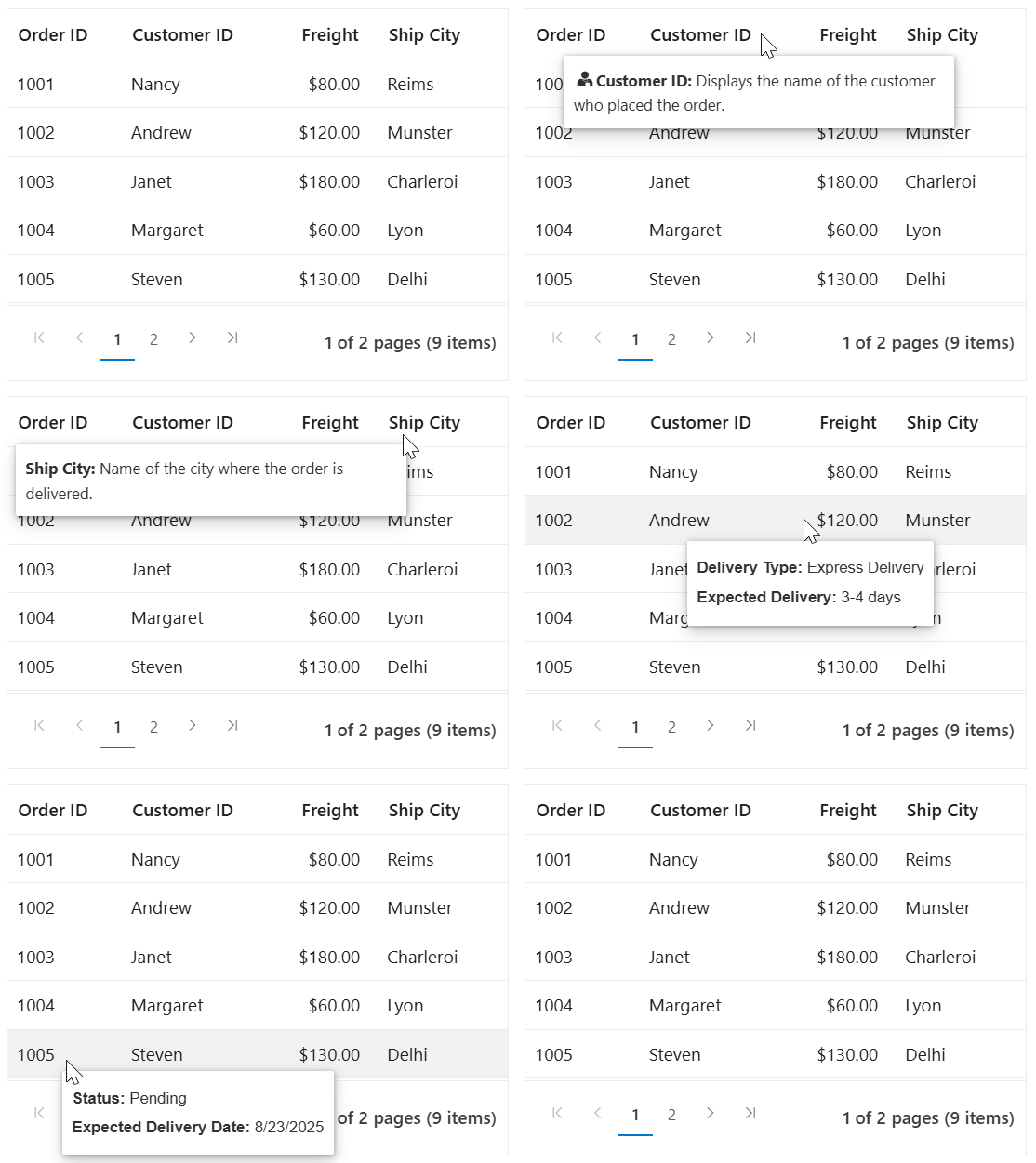
Blazor DataGrid tooltip with custom content
- Persistent grouping state: The DataGrid now retains the expand/collapse state of grouped rows during operations such as sorting, filtering, editing, paging, and exporting. This ensures a consistent experience and preserves user preferences across interactions. Kindly check the demo for more details.
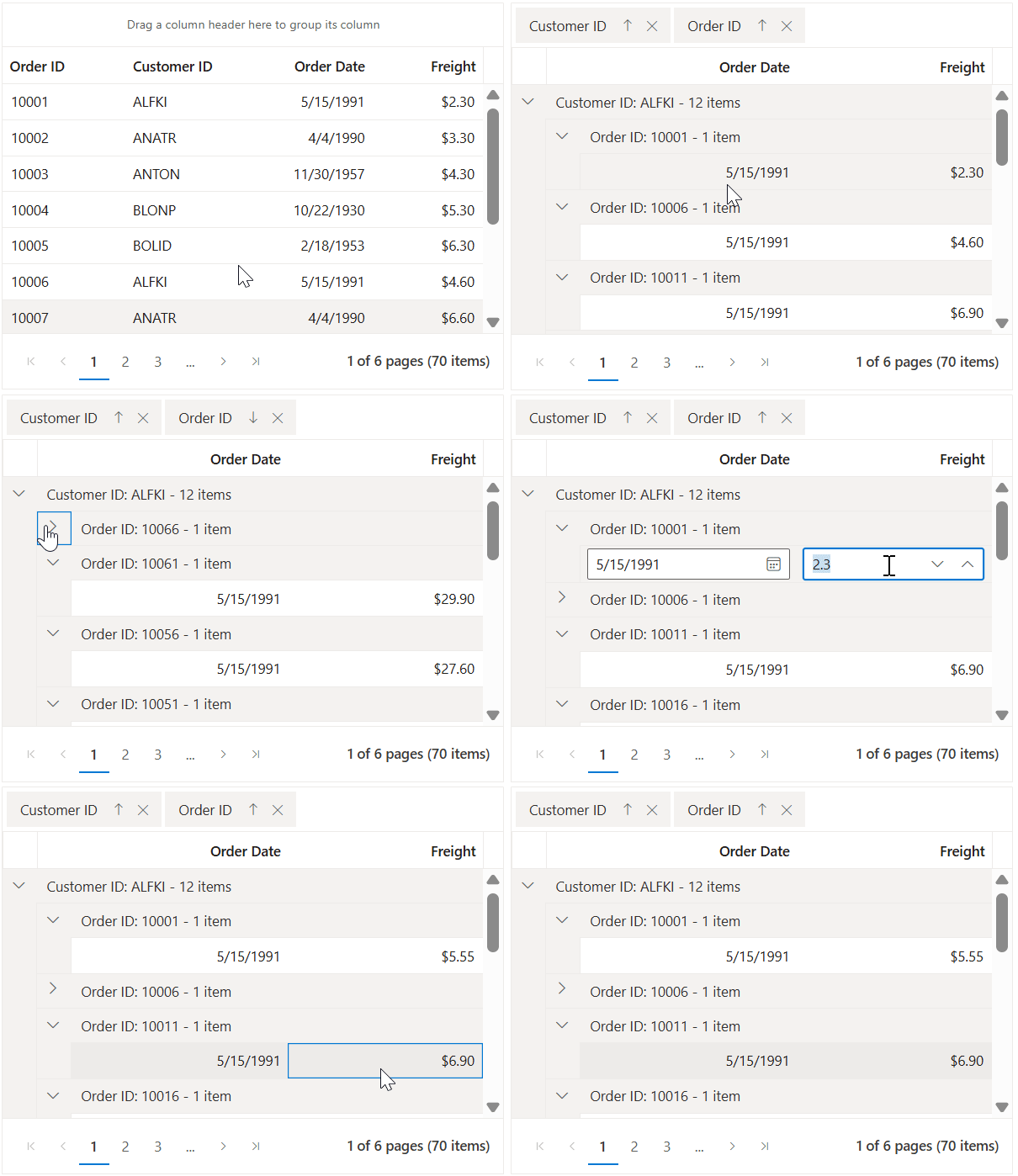
Persistent grouping state in Blazor DataGrid - Cross-page row selection with navigation: The SelectRowAsync method now supports row selection across all pages. The grid automatically navigates to the target page and selects the specified row, enabling seamless selection across the entire dataset! ASP.NET Core Blazor DataGrid cross-page row selection.
- Performance improvements for lazy load grouping: Significant performance enhancements have been made to lazy load grouping with paging. Benchmark results show dramatic reductions in rendering time when expanding child rows, especially in large datasets. Kindly refer to the demo for more details.
Performance metrics
| Dataset size | Page size | Before (ms) | After (ms) | Improvement |
| 200,000 rows | 10 | 8,801 | 87 | 99% faster |
| 200,000 rows | 100 | 9,241 | 138 | 98% faster |
| 200,000 rows | 1,000 | 9,106 | 1,476 | 84% faster |
Rich Text Editor enhancements
- Table management with quick insert for rows and columns: The Rich Text Editor now offers an intuitive way to insert rows and columns. When users hover over the first row or column, a subtle dot icon appears. Clicking the + icon instantly inserts a new row or column at that position. Kindly refer to the demo for more details.
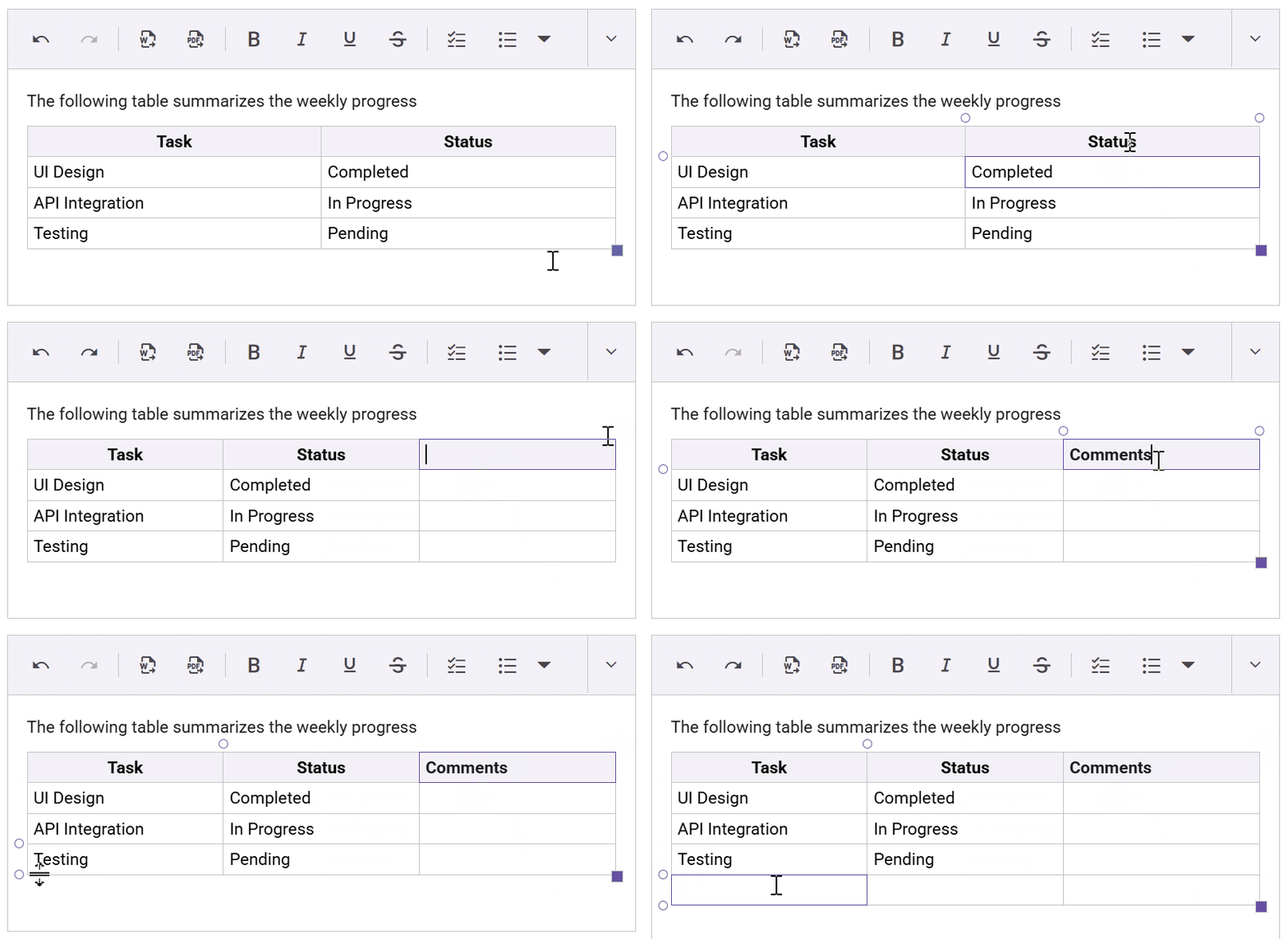
Quick insert for rows and columns in Rich Text Editor
- Structured HTML source code view: The source code view has been redesigned with improved formatting and indentation for both block-level and inline HTML elements, offering a cleaner and more readable editing experience. Kindly check the demo for more details.
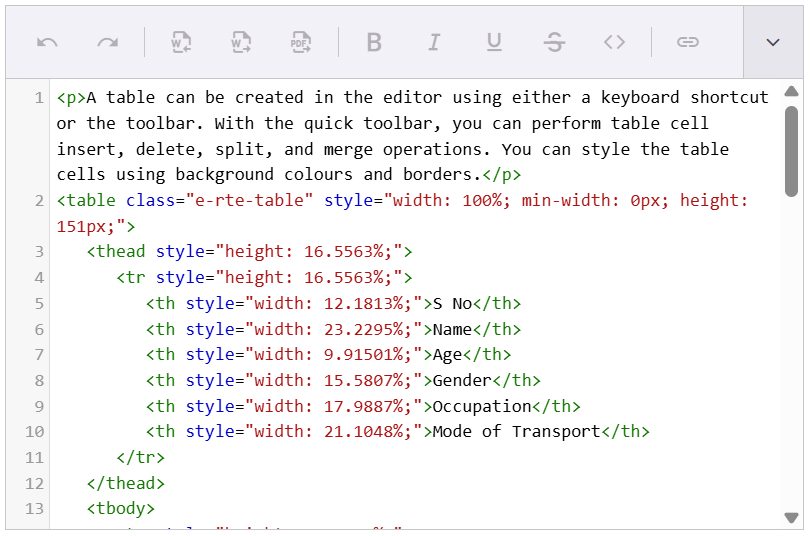
Structured HTML view in Rich Text Editor - Selection change event: The Rich Text Editor now supports the SelectionChanged event, which triggers when a non-empty selection of text, image, or range is made or updated via mouse, keyboard, or code. It provides detailed context via SelectionChangedEventArgs and works in both HTML and markdown modes. Kindly refer to the demo for more details.
- Streamlined document import with drag-and-drop support: The Word document import feature now uses a dialog interface, allowing better customization. Upload events are triggered automatically, and file size restrictions can be enforced using the MaxFileSize property. Check the demo for more details.
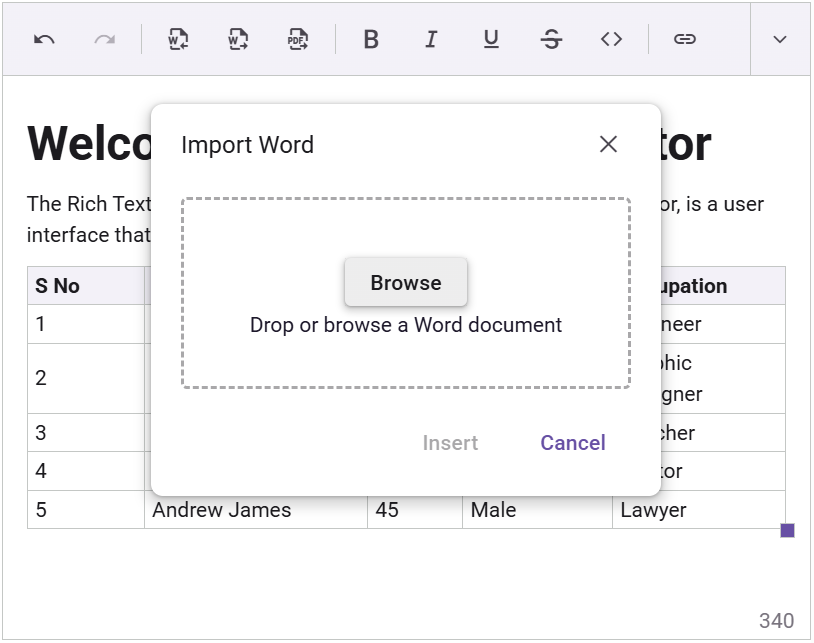
Drag and drop document import in Rich Text Editor - Programmatic list formatting (ordered/unordered): Developers can now programmatically apply numbered and bulleted list formatting using the BulletFormatList and NumberFormatList options in the ExecuteCommandAsync method.
Chart customization enhancements
- Dynamic axis customization with HTML templates: Axis labels in the Blazor Chart component can now be customized using HTML templates via the LabelTemplate property in ChartAxis. This allows for more expressive and flexible chart designs. Kindly refer to the demo for more details.
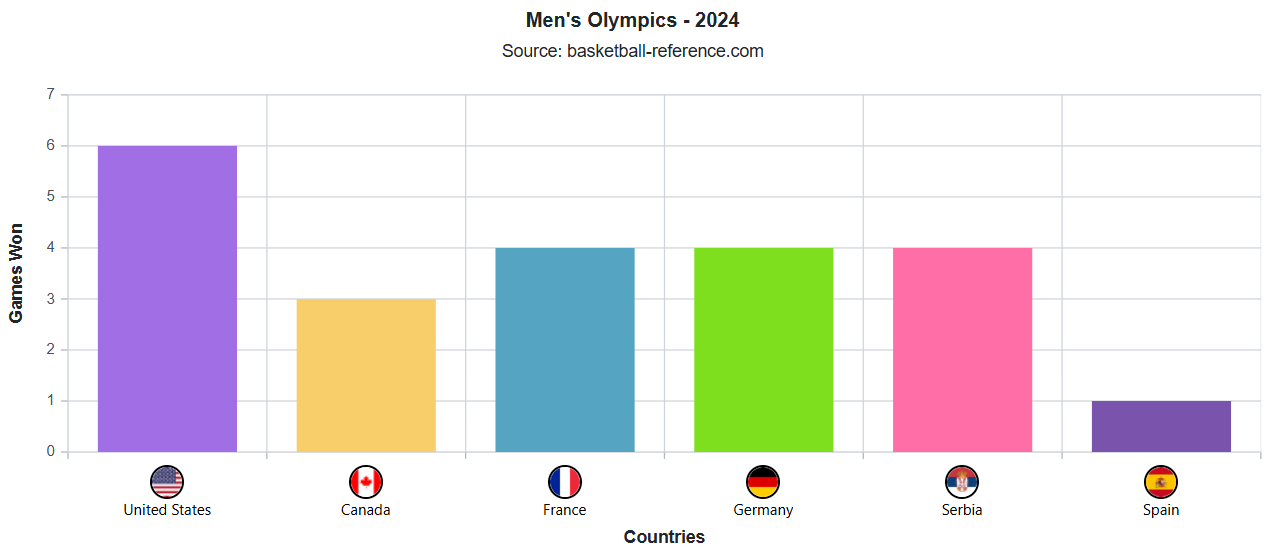
Dynamic axis label templates in Blazor Charts
- Last data label indicators, Endpoint visualization: Charts now support highlighting the last value of a data series using a label and grid line indicator, configurable via the ChartLastDataLabel property. This feature improves readability and provides a clear visual reference for the series endpoint. Check the demo for more details.
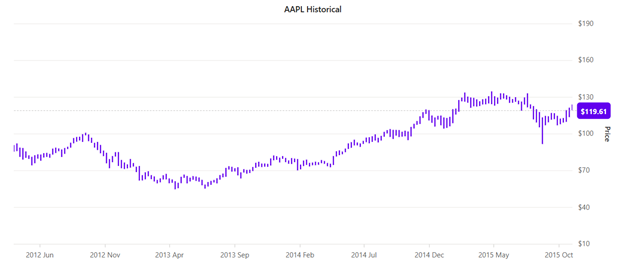
Endpoint data visualization in Blazor Charts
- Custom no-data templates for better UX: The NoDataTemplate property in chart allows developers to define custom templates for scenarios where chart data is unavailable. This improves user experience by providing meaningful feedback or guidance. Check the demo for more details.

Custom no data templates in Blazor Charts
Diagram enhancements
- Streamlined Symbol Palette with tooltip: The Symbol Palette now supports enhanced tooltip customization via the ShowTooltip property. Developers can enable or disable tooltips for shapes and connectors, override default content (previously limited to element IDs), and deliver a more contextual and user-friendly experience.
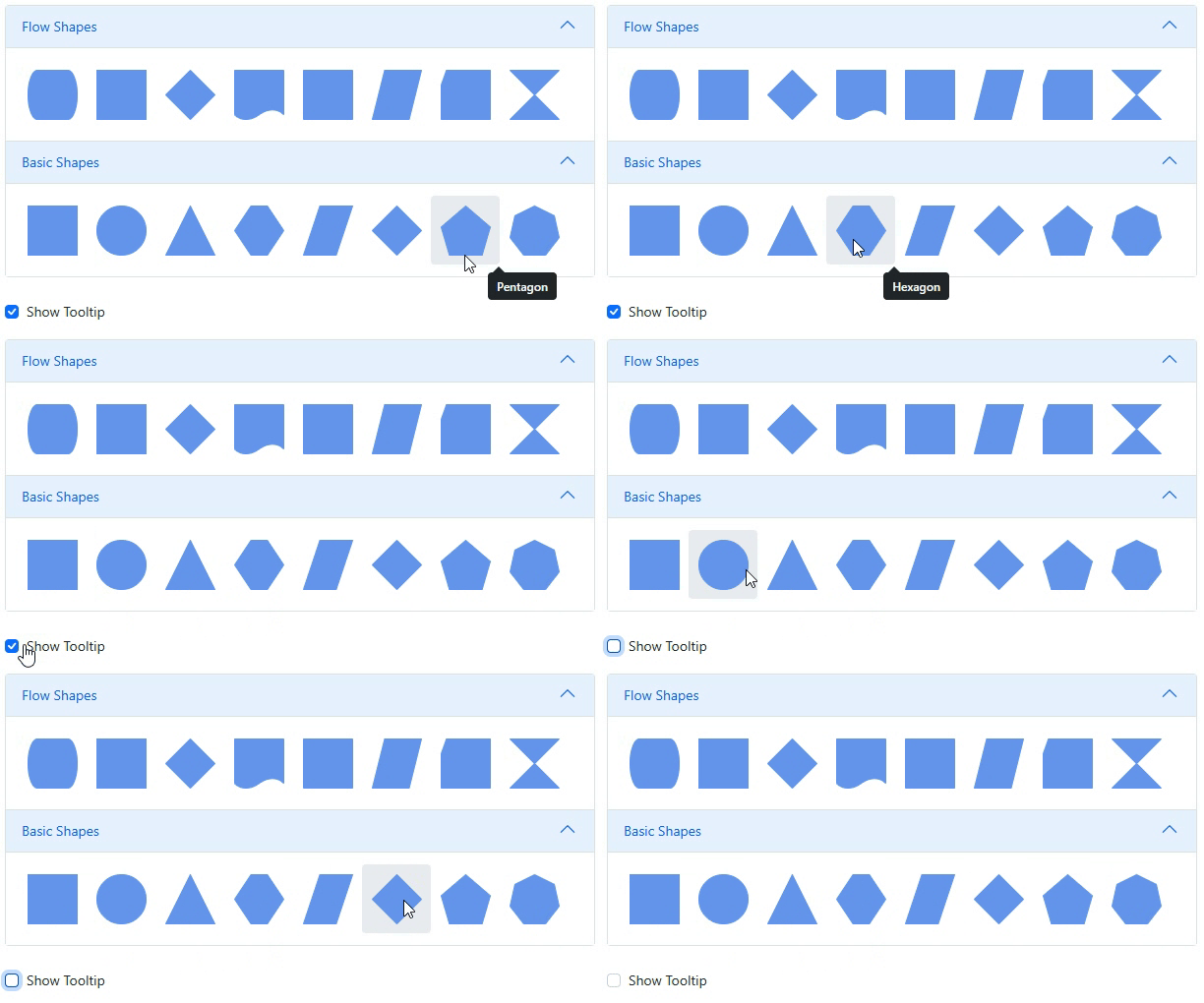
Symbol Palette with tooltip
- Advanced mind map layouts, vertical orientation: Mind map diagrams now support vertical orientation, expanding the existing LayoutOrientation options. This layout enables top-down hierarchical visualization, improves readability for complex structures, and offers greater flexibility for diverse mind mapping scenarios.
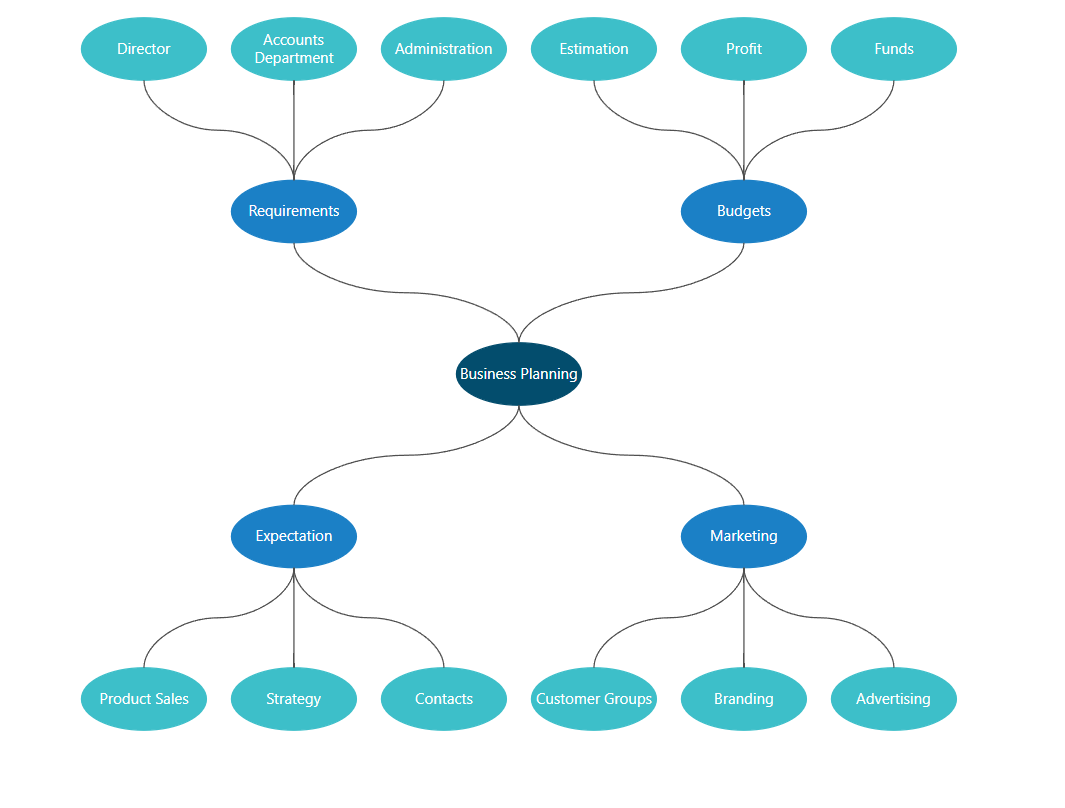
Vertical mind map layout
- Performance-optimized connector segment thumb limitation: A new MaxSegmentThumbs property has been introduced to limit the number of segment thumbs (interactive control points) on connectors. This helps maintain diagram clarity, prevents excessive customization, and improves performance, especially for orthogonal connectors.
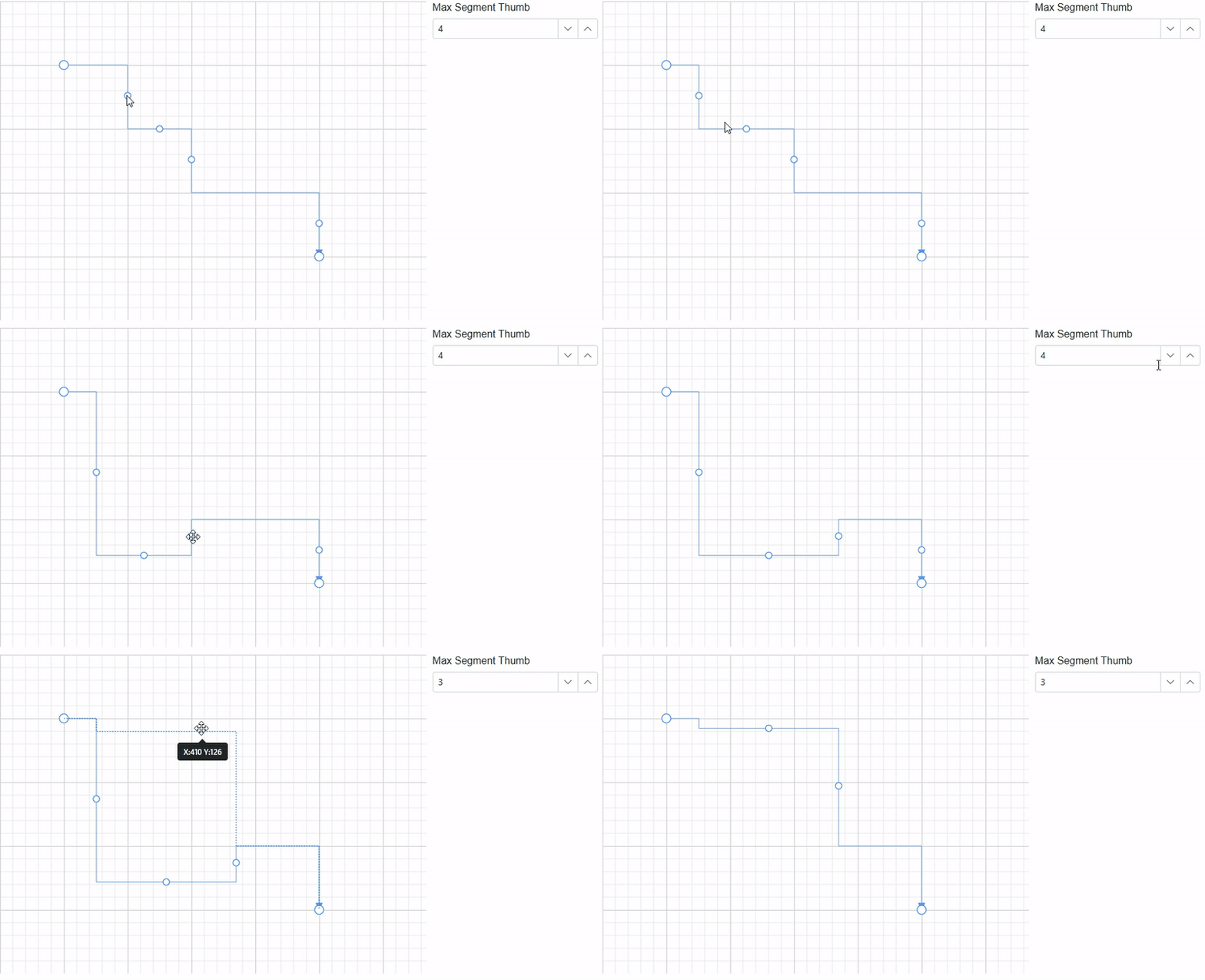
Connector segment thumb limitation
TreeGrid enhancements
- Custom empty record message: The new EmptyRecordTemplate feature allows you to customize the message or image shown when the TreeGrid has no records. Instead of the default No records to display, you can display custom messages, icons, or interactive components to improve user experience.
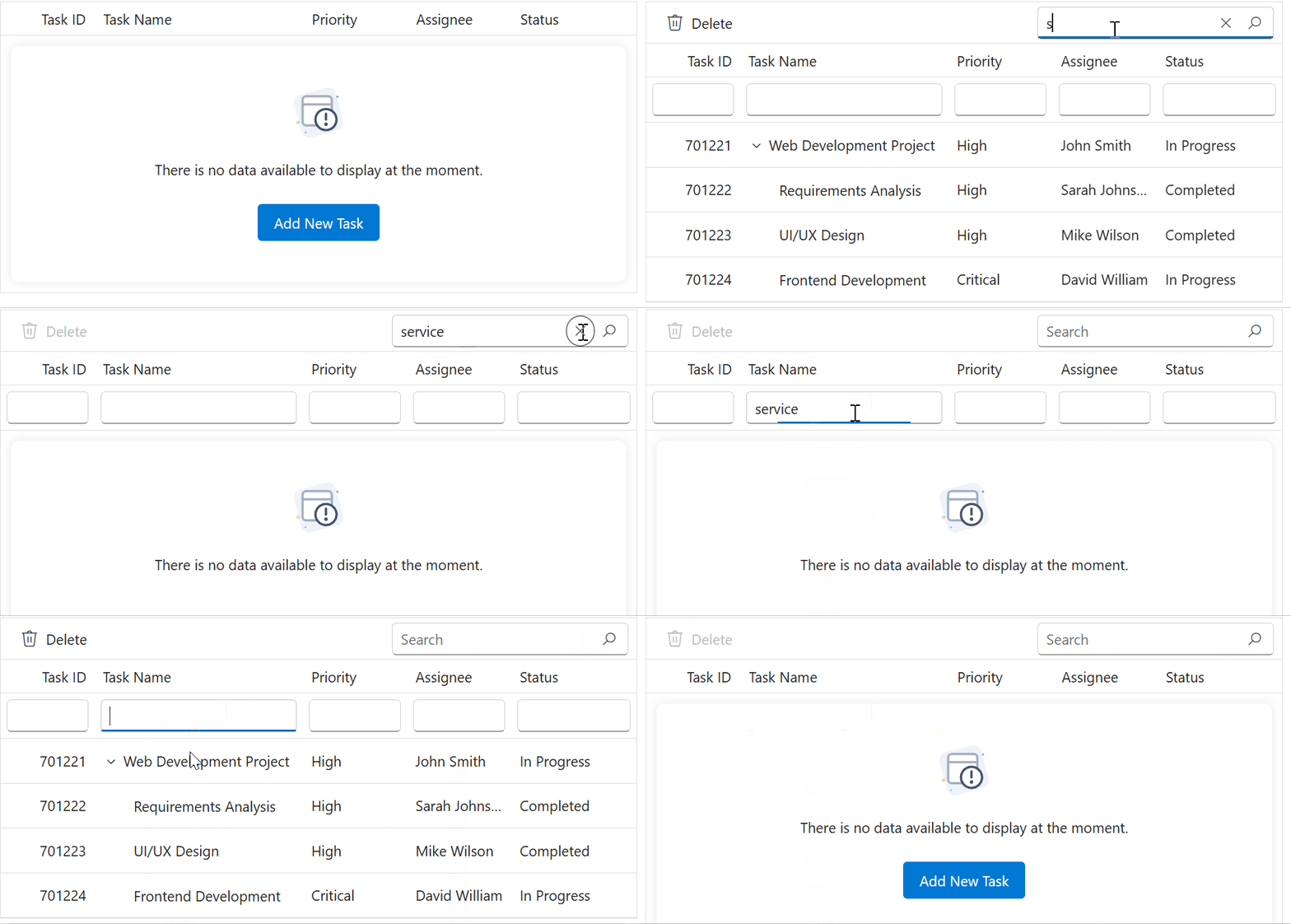
Custom empty record message in Blazor TreeGrid
- Sticky headers: The TreeGrid now supports sticky headers using the EnableStickyHeader property. Column headers remain anchored at the top during vertical scrolling, improving readability and maintaining context in large hierarchical datasets.
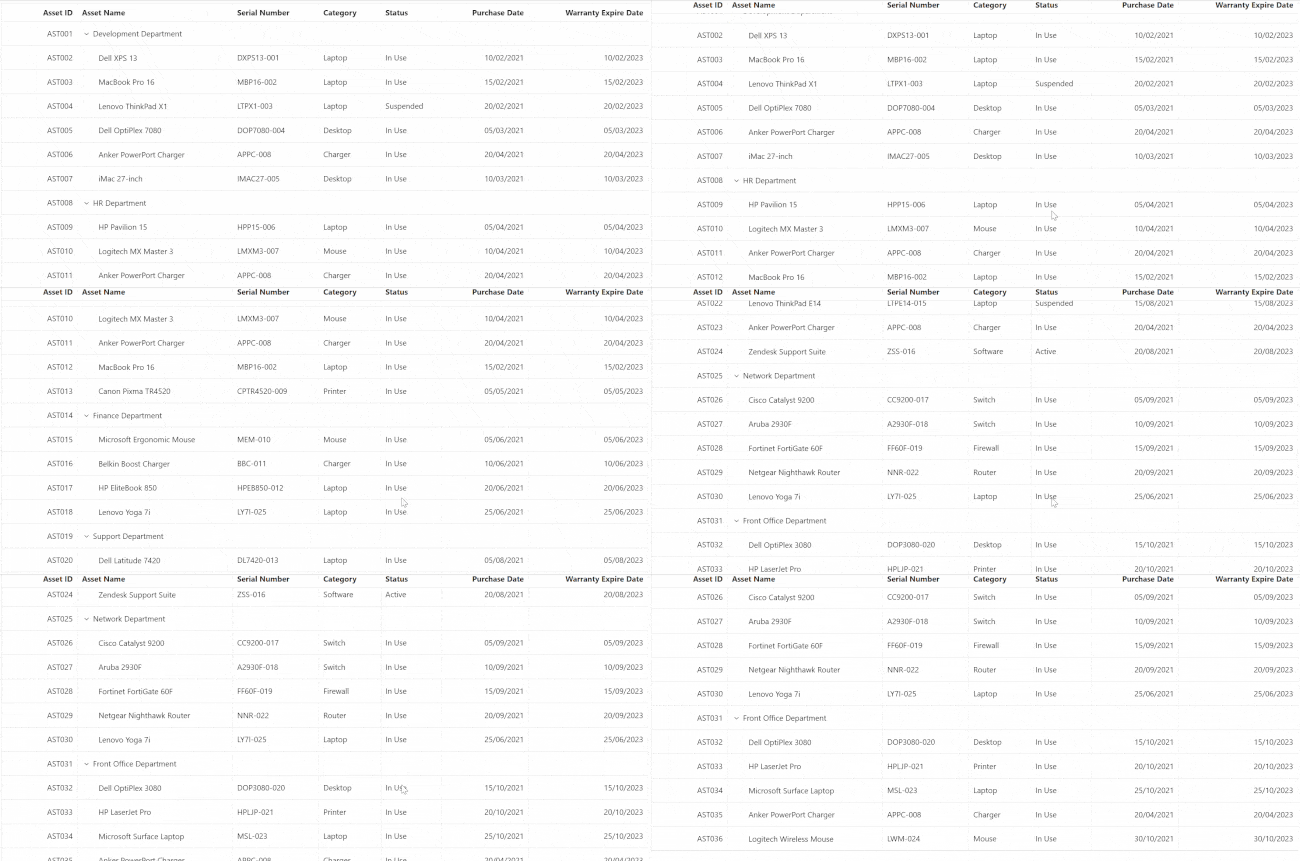
Sticky headers in Blazor TreeGrid
- Observable collection binding: TreeGrid now supports reactive data updates through observable collections. Changes such as adding, removing, or refreshing data are automatically reflected in the UI without manual intervention. This enables seamless real-time updates during add, delete, or update operations.
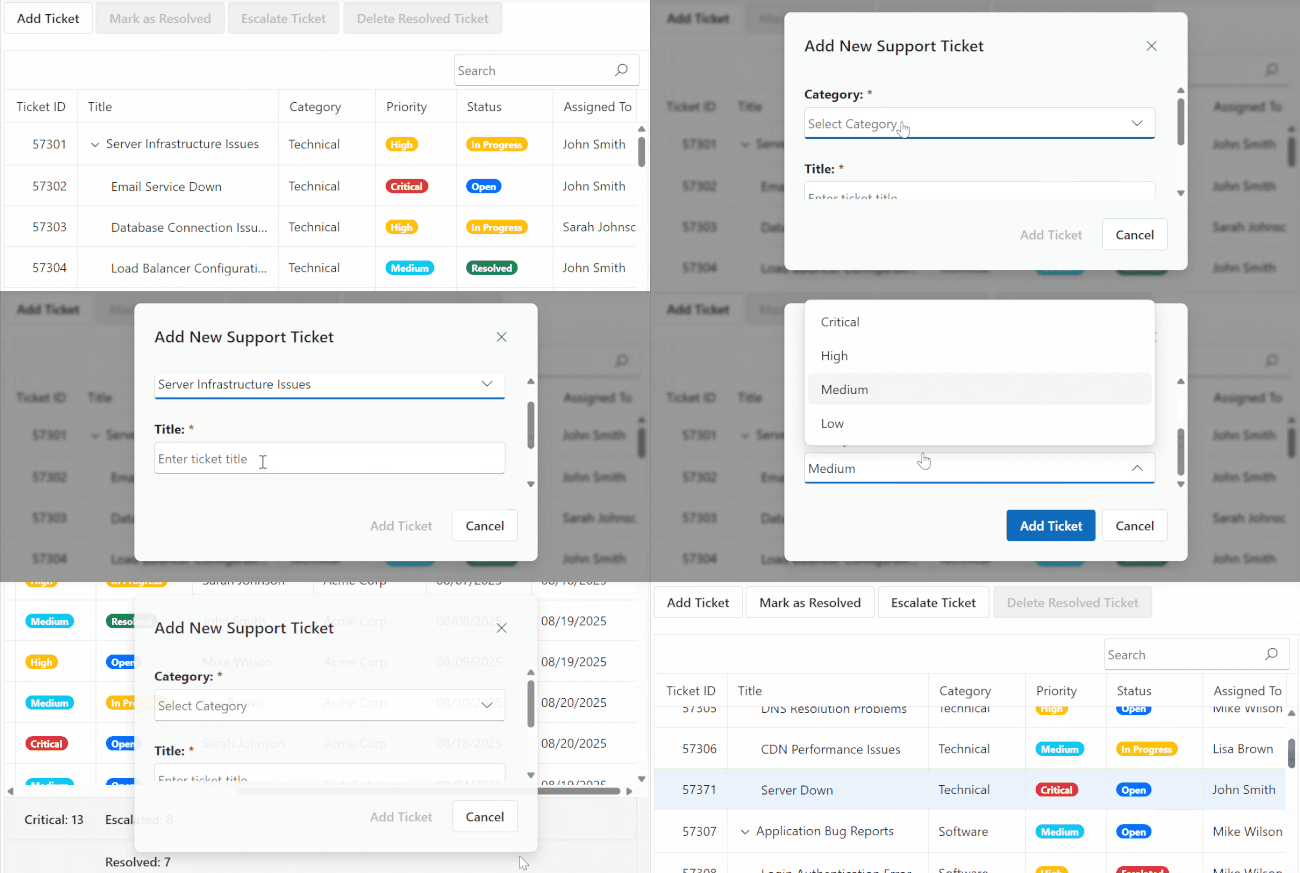
Observable collection binding in Blazor TreeGrid
- Programmatic data refresh: The new RefreshDataAsync method provides advanced data refresh capabilities with state preservation. It allows seamless updates to the TreeGrid while maintaining user context and UI state.
Gantt Chart enhancements
- Work Breakdown Structure (WBS) implementation: The Blazor Gantt Chart now supports Work Breakdown Structure (WBS) codes and predecessors. Tasks are displayed with hierarchical codes (e.g., 1, 1.1, 1.1.1) based on their position in the task hierarchy. This helps users visualize task organization and analyze dependencies using WBS-based relationships.
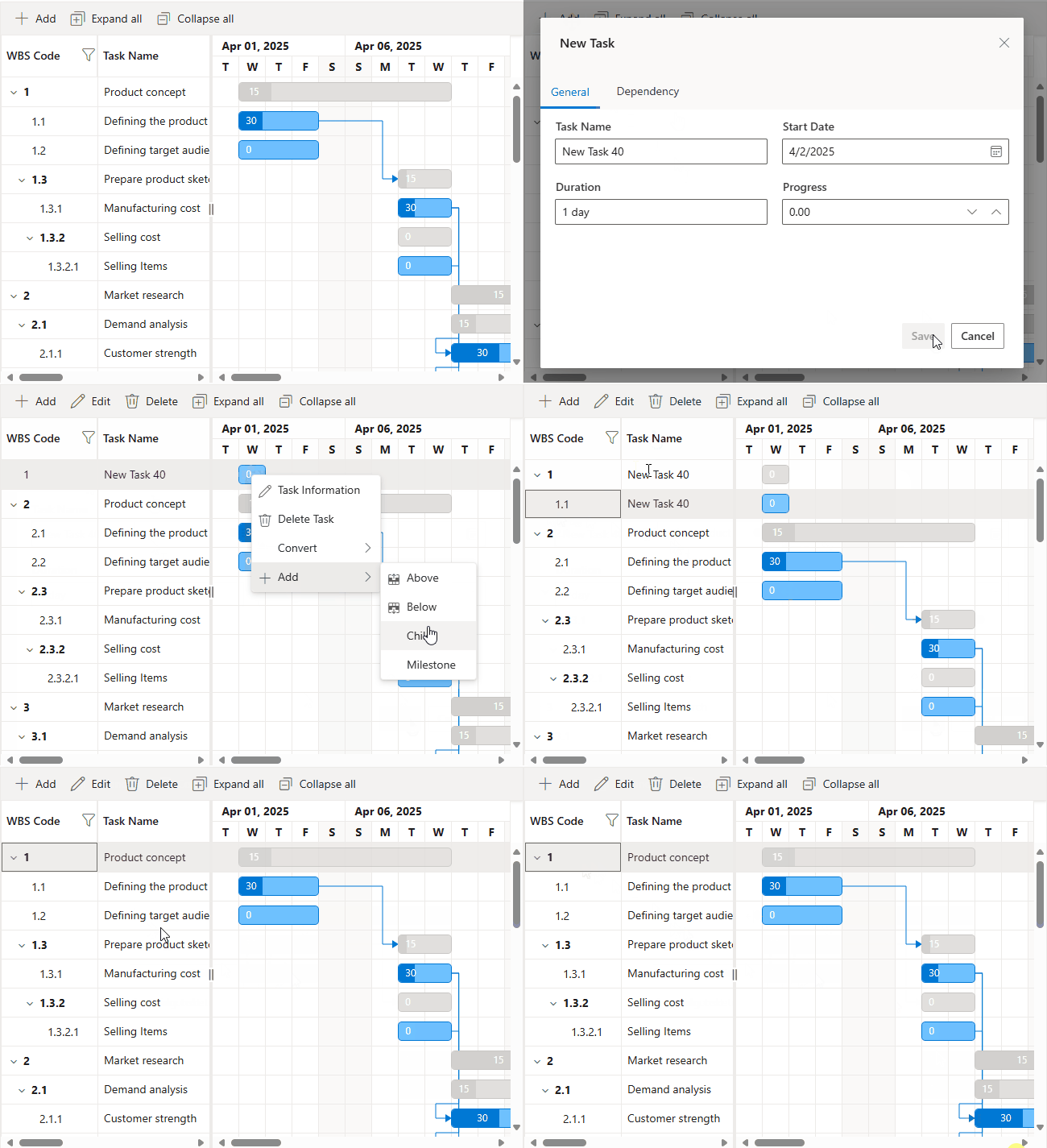
Work Breakdown Structure in Blazor Gantt Chart
- Global timezone support for distributed teams: Gantt Charts now support timezone configuration, allowing task start and end dates to be displayed accurately based on the selected timezone. This ensures proper scheduling and coordination for teams working across different regions.
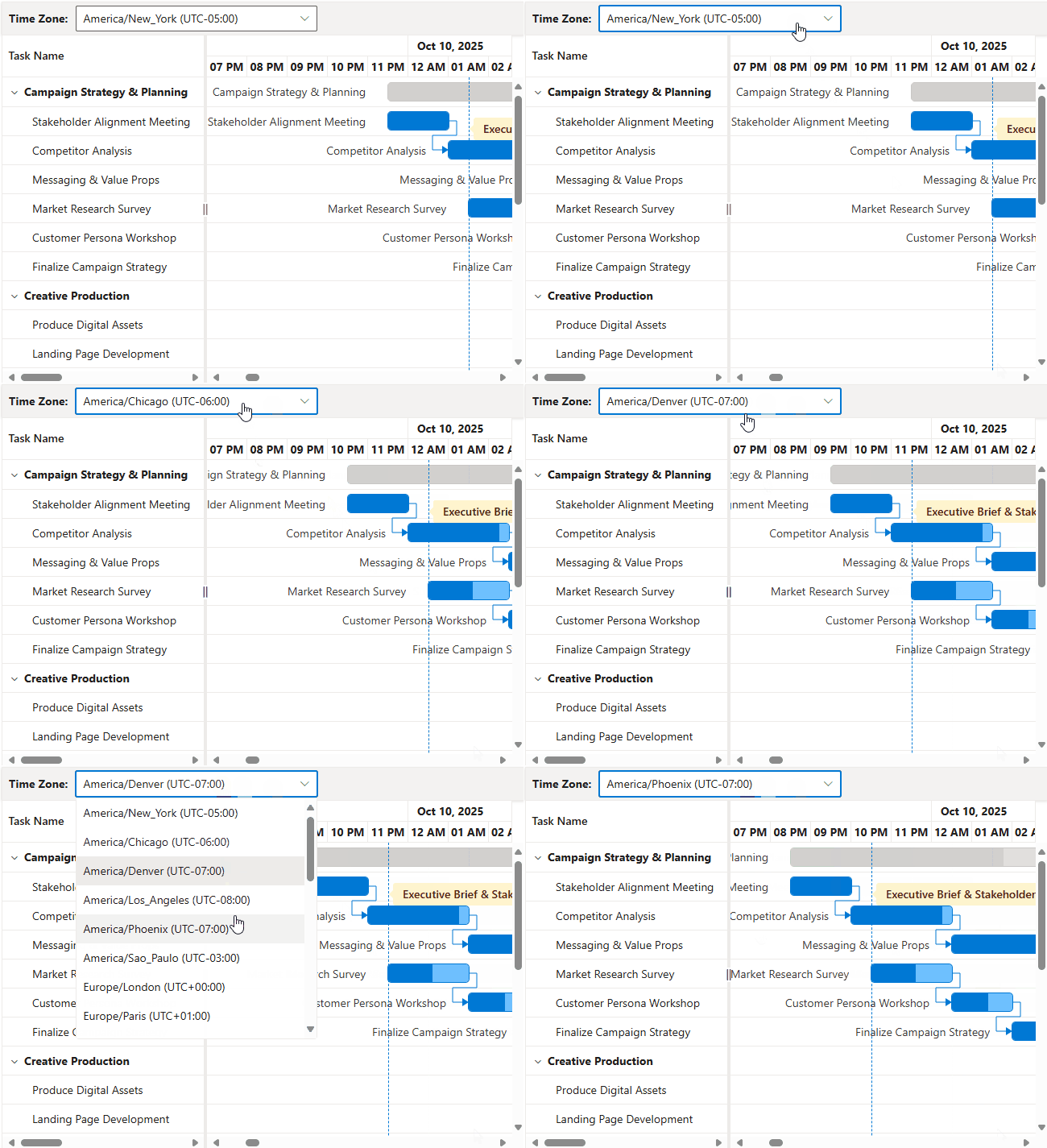
Global timezone support in Blazor Gantt Chart
- Advanced Excel-style filtering: Excel-like filtering is now available in the Gantt Chart by setting the FilterType to Excel. Users can filter data using checkboxes and search boxes, making it easier to view and manage tasks with precision.
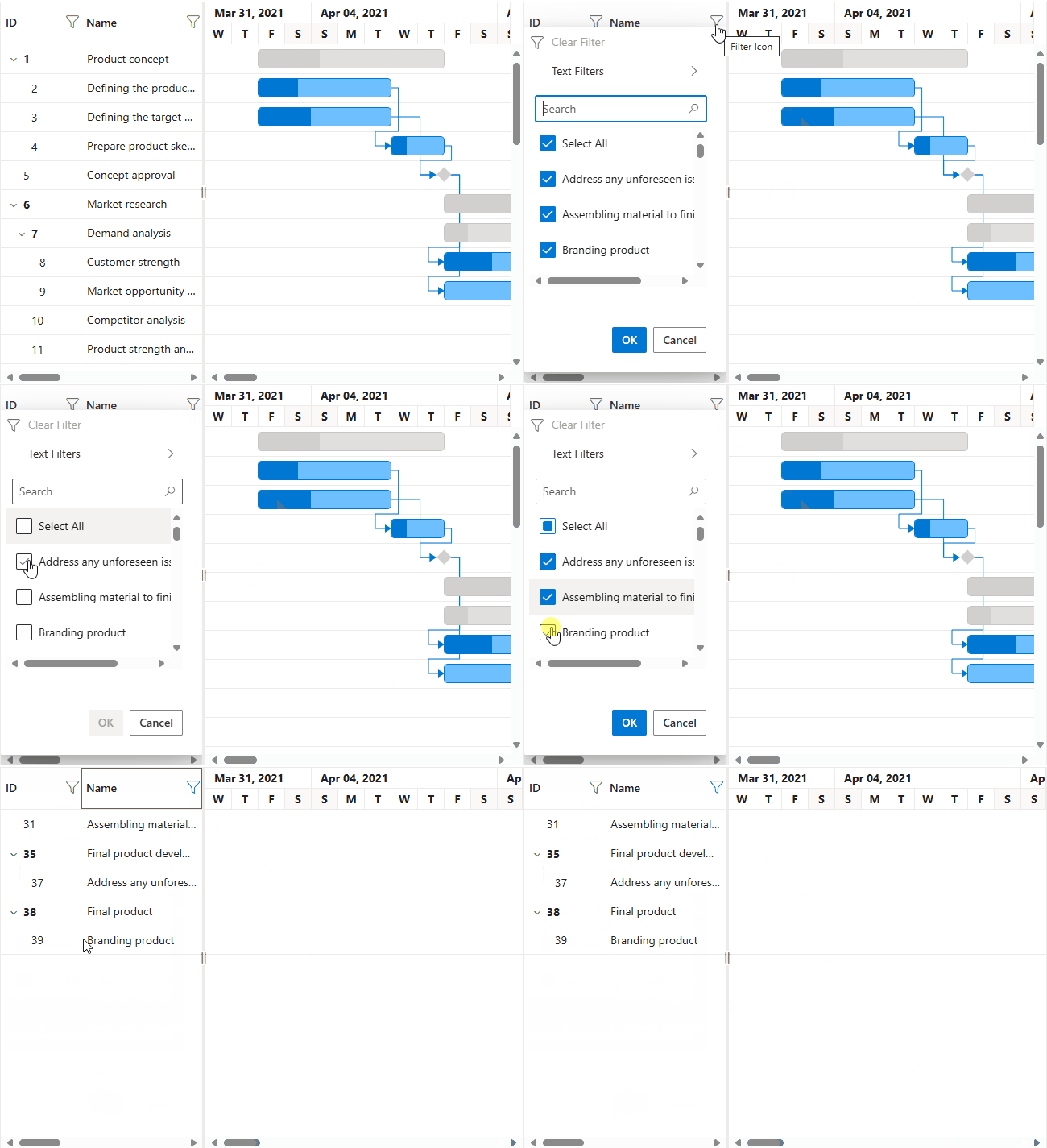
Excel-style filtering in Blazor Gantt Chart - Enhanced drag events: The Gantt Chart now supports comprehensive drag selection events, including RowDragSelectionStarting, RowDragSelectionCompleting, and RowDragSelectionCompleted. These events provide greater control over selection behavior and enable custom drag-and-drop workflows.
Stock Chart enhancements
- Last data label indicators: This feature highlights the most recent data point in a series using a label and an indicator line, making it easier to identify the latest value at a glance. Explore the demo.
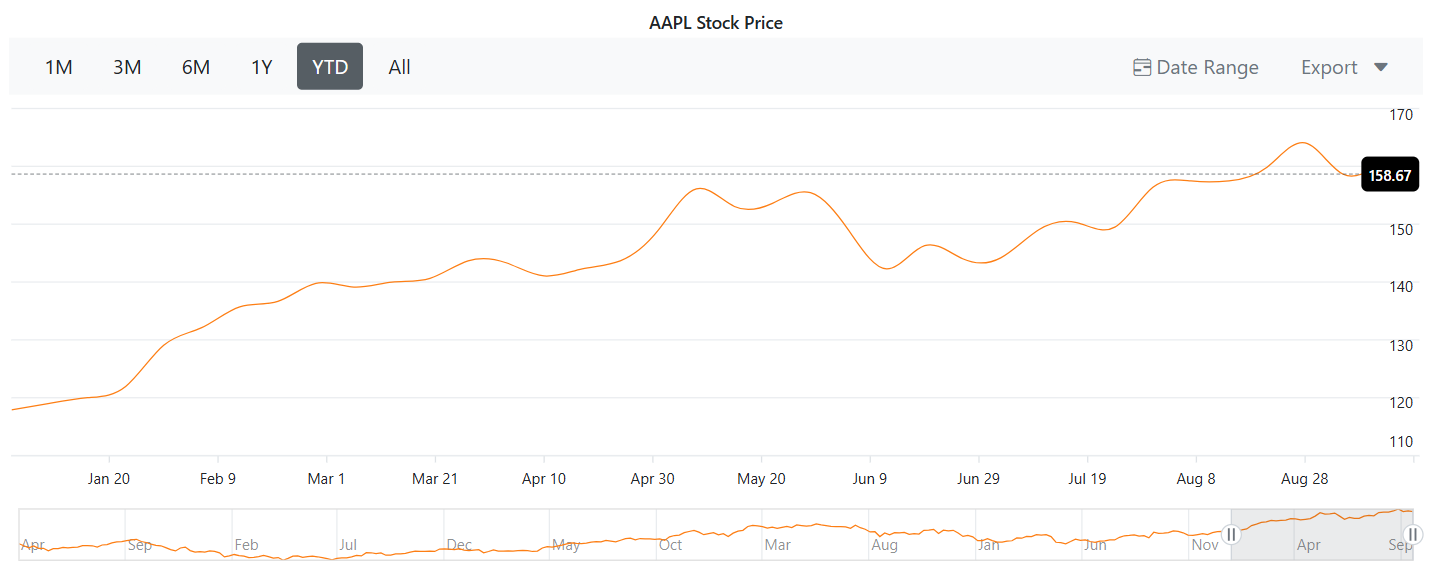
Last data label indicators in Stock Chart - Custom empty data templates: When no data is available, the NoDataTemplate property allows you to display custom HTML content, such as messages or images, to visually represent the absence of data.
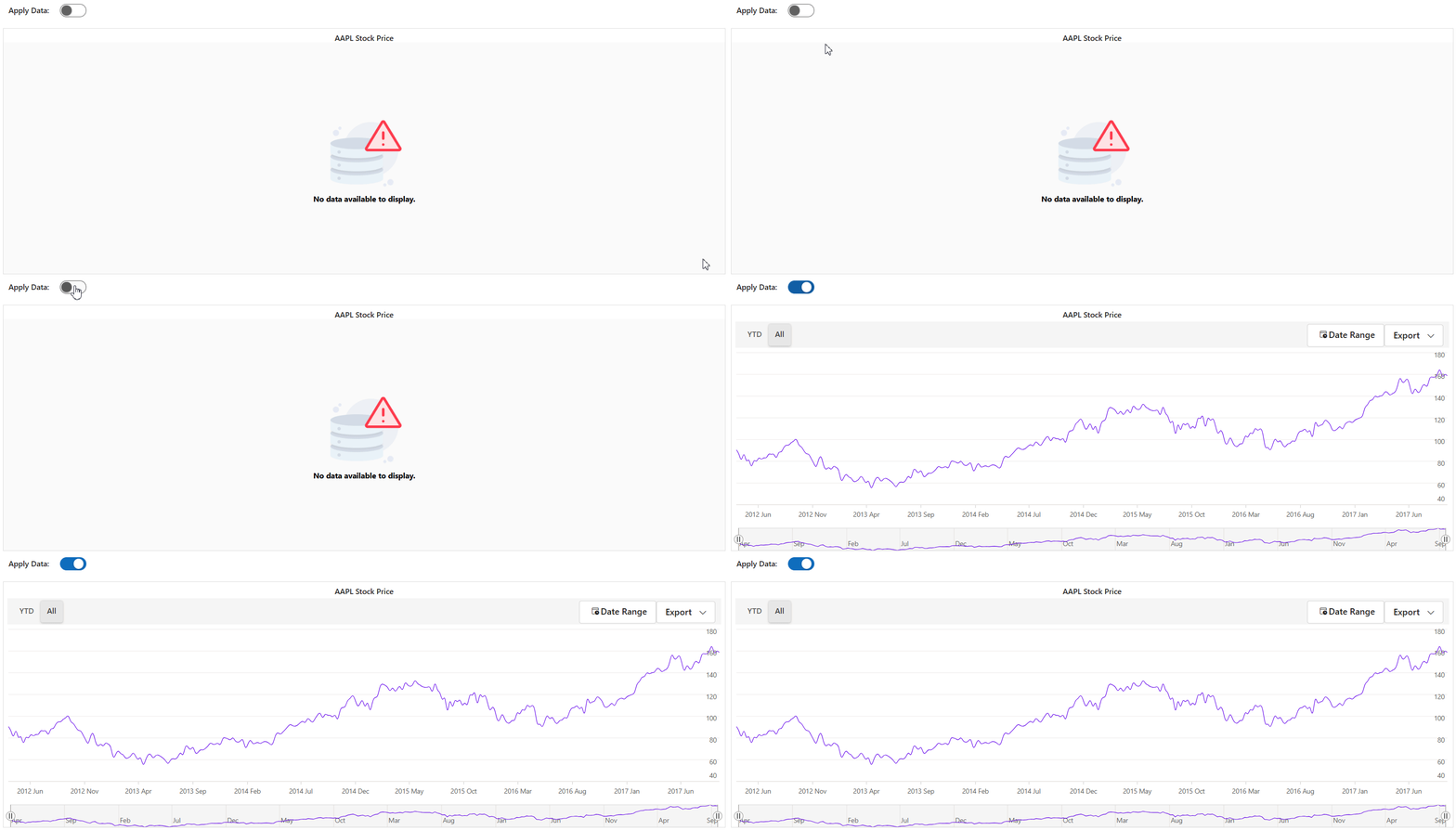
Custom empty data templates in Stock Chart
Chat UI improvements
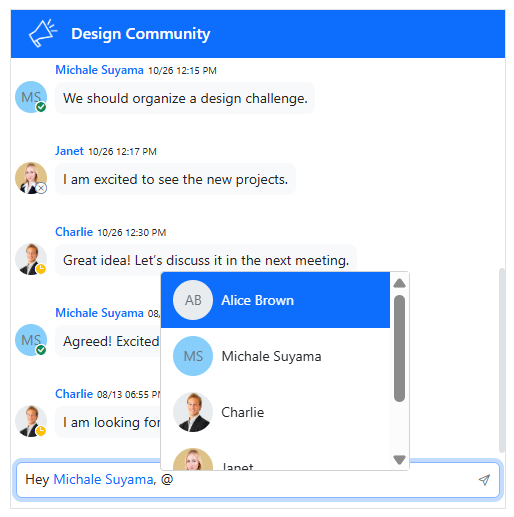
The Chat UI now supports @mention functionality, allowing users to tag specific individuals in conversations. Triggered by the @ symbol, a suggestion pop-up appears with a list of users to select from. This feature is controlled using the MentionUsers property. Explore the demo.
Dropdown Tree performance optimization
The Dropdown Tree component has received significant performance improvements, especially during pop-up opening. These enhancements are particularly beneficial for applications handling large hierarchical datasets.
Performance gains for large-scale operations:
| Operation scenario | Performance improvement |
| 10K nodes checked (100 parent, 100 child) | 35% faster |
| 10K nodes selected (100 parent, 100 child) | 82% faster |
These optimizations ensure smooth user interactions even with extensive tree structures, making the component ideal for enterprise-scale applications.
FAQs
Q1. Is OpenAI a dependency for Smart Paste and Smart TextArea?
No, OpenAI is not a direct dependency in the 2025 Volume 3 release. Developers must configure and integrate OpenAI services at the application level.
Q2. Can I select a record located on the 10th page using SelectRowAsync in the DataGrid?
Yes, the SelectRowAsync method supports cross-page row selection. The grid will automatically navigate to the appropriate page and select the specified row.
Q3. Can I quickly remove a column or row in the Rich Text Editor (RTE)?
Direct removal of rows or columns is not currently supported through a dedicated option. However, users can remove them using the quick toolbar or context menu. The editor does support quick insertion of rows and columns via hover-based controls.
Q4. Does the DataGrid retain grouping state during exporting and other operations?
Yes, the DataGrid now preserves the expand/collapse state of grouped rows during operations such as sorting, filtering, editing, paging, and exporting, ensuring a consistent user experience.
Q5. Can I customize tooltips in the DataGrid?
Absolutely. The TooltipTemplate property allows full HTML customization of tooltips for both header and content cells.
Q6. Is sticky header support available in the TreeGrid?
Yes, the TreeGrid supports sticky headers using the EnableStickyHeader property. This ensures that column headers remain visible during vertical scrolling, improving usability
Q7. Can I bind the TreeGrid to observable collections for real-time updates?
Yes, the TreeGrid now supports reactive data binding. Any changes made to the observable collection, such as adding, removing, or updating records, are automatically reflected in the UI without manual refresh.

Conclusion
Syncfusion’s 2025 Volume 3 release for Blazor set a new standard for .NET web development, blending AI-powered Blazor components and Blazor DataGrid enhancements for faster, smarter apps.
Whether you’re building enterprise applications, data dashboards, or modern web experiences, these enhancements will accelerate your development workflow and elevate user experience.
To explore these powerful new features, visit the Syncfusion® Blazor components, browse the Blazor demos, and review the official Blazor documentation.
Start exploring these updates today to enhance your Blazor applications with modern capabilities that set new standards for web development excellence.
If you’re already a Syncfusion® user, you can download the latest version of Essential Studio® from the license and downloads page. New to Syncfusion® Start your journey with a 30-day free trial and explore over 1,900 UI components, including powerful charting tools for Blazor.
If you need assistance, please do not hesitate to contact us via our support forum, support portal, or feedback portal. We are always eager to help you!






 No spam, just valuable updates.