
 Nipuni Arunodi
TL;DR: Helping enterprise teams choose the right React animation library by grouping tools by real use cases rather than popularity. It explains what scales well, what breaks in large apps, and what to avoid, based on enterprise-level constraints. The core takeaway: minimal, intentional animation scales far better than complex motion in enterprise React apps.
Animations can make a React application feel intuitive and polished or slow, bloated, and difficult to maintain.
From our experience working with enterprise‑scale React apps and UI components at Syncfusion, animation decisions tend to fall into two extremes:
- Either teams over‑animates because modern libraries make it easy, or
- They avoid animation altogether after running into performance or maintenance issues.
Most articles rank React animation libraries by popularity or features. That approach doesn’t help teams build dashboards, internal tools, SaaS platforms, or long‑lived enterprise products.
This guide offers a different approach!
Instead of popularity, we group React animation libraries by real production use cases, and clearly explain:
- Where each library works well,
- Where it causes problems at scale, and
- Which ones should you be cautious about in large apps?

How enterprise teams should think about animations
In enterprise React apps, animation is not decoration. It is a UX and architectural decision.
Large apps typically involve:
- Deep component trees,
- Frequent state updates,
- Long user sessions, and
- Multiple teams contributing over time.
At this scale, animation choices affect:
- Perceived performance,
- Accessibility,
- Debugging complexity, and
- Long‑term maintainability.
With that context, let’s look at the libraries by use case, not by hype.
Best for micro‑interactions and UI feedback
Framer Motion
Framer Motion is often the first animation library teams adopt, and when used intentionally, it’s an excellent choice.
In internal demos and customer‑facing React apps, we’ve found Framer Motion particularly effective for micro‑interactions that provide immediate user feedback, such as:
- Modal transitions,
- Expandable panels, and
- Drag‑and‑drop interactions.
Best choice for: Buttons, modals, menus, hover states, gestures
Installation
We can install the Motion package via npm or yarn.
npm install framer-motionor
yarn add framer-motionUsage
After installation, import Motion and wrap the elements in a <motion.div> or similar element. Use animate and transition properties for declarative animations.
import { motion } from "framer-motion";

export default function App() {
 return (
   <div style={{ padding: 40 }}>
     <motion.div
       animate={{ scale: [1, 1.2, 1] }}
       transition={{ duration: 2, repeat: Infinity }}
       style={{ padding: 20, background: "#007bff", color: "white", borderRadius: 8, display: "inline-block" }}
     >
       Framer Motion
     </motion.div>
   </div>
 );
}
Features
- Declarative syntax for variants and orchestration: Define reusable animation states and orchestrate complex sequences across components effortlessly.
- Built-in support for gestures: Handle drag, hover, tap, pan, and more with intuitive properties for interactive experiences.
- Automatic layout animations: Smoothly animate position, size, and layout changes without manual configuration.
- Exit and entrance animations: Powerful coordination via AnimatePresence for handling mounting and unmounting transitions.
- Excellent server-side rendering compatibility: Optimized for frameworks like Next.js with minimal hydration issues.
For more details, find the Motion demos on Stackblitz.
Why it works
- Declarative API that fits React’s mental model.
- Built‑in gesture support (hover, tap, drag).
- Easy collaboration between designers and developers.
Where teams run into trouble
- Bundle size grows quickly when used everywhere.
- Over‑animation in dashboards hurts perceived performance.
- Animating data‑heavy components increases render cost.
Recommendations
- Use Framer Motion selectively for interaction‑level UI.
- Avoid blanket usage across large, data‑dense screens.
Best for state‑driven, fluid motion
React Spring
React Spring takes a physics‑based approach, making animations feel natural and responsive to state changes rather than scripted timelines.
We’ve seen React Spring work well in scenarios where animation reacts continuously to user input or state:
- Sliders,
- Interactive panels, and
- Responsive UI elements.
Best choice for: Animations tightly coupled to app state.
Installation
Install the web-targeted package via npm or yarn.
npm install @react-spring/webor
yarn add @react-spring/webUsage
Use hooks like useSpring and wrap the elements with <animated.div>. Define properties for physics-based motion, including from, to, and config.
import { useSpring, animated } from "@react-spring/web";

export default function App() {
 const props = useSpring({
   from: { opacity: 0 },
   to: { opacity: 1 },
   loop: { reverse: true },
   config: { duration: 1500 },
 });
 return (
   <animated.div
     style={{ ...props, padding: 20, background: "#28a745", color: "white", borderRadius: 8 }}
   >
     react-spring
   </animated.div>
 );
}
Features
- Hook-based API with flexible primitives: Includes
useSpring,useTrail,useTransition, anduseChainfor precise animation control. - Physics-driven interpolation: Delivers realistic, responsive motion with spring parameters for tension, friction, and mass.
- Support for orchestrating multiple animations: Chain, trail, or parallelize effects for sophisticated sequences.
- Cross-platform foundation: Shares core logic extendable to native, three-fiber, and other environments.
- Optimized rendering performance: Minimizes re-renders and leverages requestAnimationFrame for smooth playback.
For more details, refer to the react-spring demos on Stackblitz.
Why it works
- Natural, fluid motion.
- Good performance when animations are state‑driven.
- Flexible primitives.
Enterprise considerations
- Higher conceptual learning curve.
- Less predictable timing for design‑driven sequences.
- May confuse teams unfamiliar with physics‑based models.
Recommendations
- Good fit for state‑driven interactions.
- Not ideal for strict timelines or designer‑controlled sequences.
Best for enterprise dashboards and CRUD interfaces
React Transition Group
For enterprise dashboards, predictability usually matters more than expressiveness.
React Transition Group is intentionally limited, which makes it a strong choice for performance‑sensitive, long‑lived apps. We often recommend it for:
- Dashboards,
- Reporting tools, and
- Internal platforms.
Best choice for: Enter/exit transitions, layout changes, panel toggles.
Installation
Install the React Transition Group package via npm or yarn.
npm install react-transition-groupor
yarn add react-transition-groupUsage
Wrap the elements with <CSSTransition> and define CSS classes for enter/exit states.
import { CSSTransition } from "react-transition-group";
import { useState } from "react";

export default function App() {
 const [inProp, setInProp] = useState(true);
 return (
   <div style={{ padding: 40 }}>
     <button onClick={() => setInProp(!inProp)}>Toggle</button>
     <CSSTransition in={inProp} timeout={500} classNames="fade">
       <div style={{ marginTop: 20, padding: 20, background: "#6f42c1", color: "white", borderRadius: 8 }}>
         React Transition Group
       </div>
     </CSSTransition>
   </div>
 );
}
Features
- Lifecycle management: Tracks mount/unmount states without altering component behavior, ensuring children unmount only after exit animations complete.
- Minimal overhead: Extremely lightweight with no built-in animation logic, relies on CSS or external tools for actual motion.
- Accessibility support: Works well with ARIA attributes and reduced-motion preferences when implemented thoughtfully.
- Flexibility: Supports
mountOnEnter/unmountOnExitproperties to delay mounting or cleanup, optimizing performance.
Refer to the React Transition demo on StackBlitz for more information.
Why it scales well
- Lightweight with minimal bundle impact.
- Predictable behavior.
- Easy to reason about over time.
Limitations
- Not a full animation system.
- Relies on CSS for visual effects.
Recommendations
- Excellent choice for enterprise dashboards.
- Not suitable for rich or expressive motion.
AutoAnimate
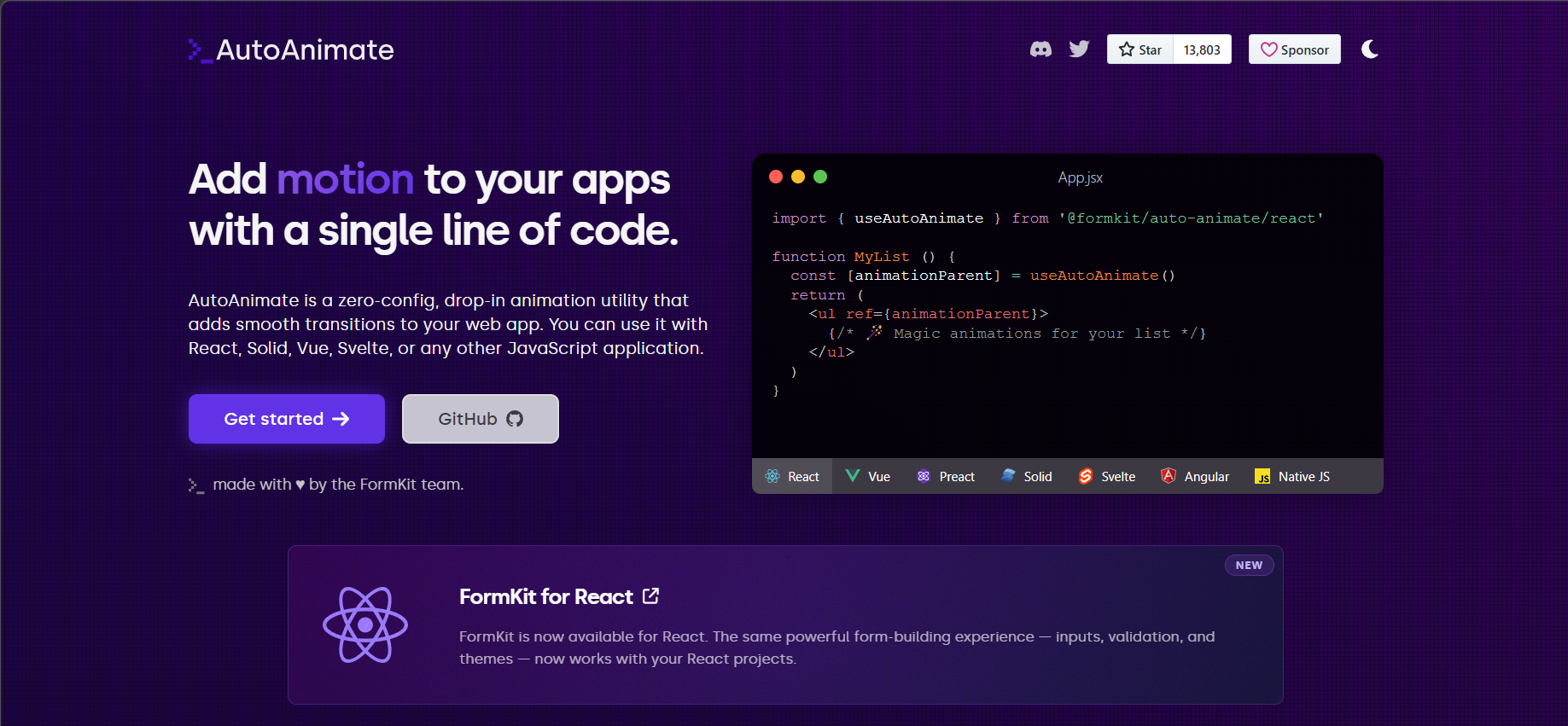
AutoAnimate solves a very specific and common problem: animating DOM changes automatically when items are added, removed, or reordered.
It’s especially popular in enterprise CRUD UIs where teams want animation without maintenance overhead.
Best choice for: Lists, tables, and expandable sections with zero configuration.
Installation
Install the AutoAnimate package via npm or yarn.
npm install @formkit/auto-animateor
yarn add @formkit/auto-animateUsage
Use the useAutoAnimate hook and attach the ref property to the parent container for automatic list transitions.
import { useAutoAnimate } from "@formkit/auto-animate/react";
import { useState } from "react";

export default function App() {
 const [items, setItems] = useState(["One", "Two"]);
 const [parent] = useAutoAnimate();
 return (
   <div style={{ padding: 40 }}>
     <button onClick={() => setItems([...items, "New"])}>Add</button>
     <ul ref={parent} style={{ marginTop: 20 }}>
       {items.map((item) => (
         <li key={item} style={{ padding: 10, background: "#f8f9fa", margin: 5 }}>
           {item}
         </li>
       ))}
     </ul>
   </div>
 );
}
Features
- Automatic detection of list changes: Seamlessly animates additions, removals, moves, and sorting without explicit instructions.
- Configurable duration and easing: Fine-tune behavior globally or per-element with a simple option object.
- Extremely lightweight design: Zero external dependencies and minimal bundle impact for fast loading.
- Scoped application via refs: Targets specific parent elements to avoid global interference.
- Compatibility with existing styles: Enhances CSS transitions and integrates seamlessly with other frameworks.
Additionally, you can find the React AutoAnimate demos on Stackblitz.
Why AutoAnimate works so well
- No animation logic to write.
- Automatically detects DOM changes.
- Extremely lightweight with no dependencies.
- Scoped via refs (safe in large apps.)
Where it fits best
- Lists and tables.
- Expandable sections.
- Dashboards with frequent UI updates.
Recommendations
- Ideal for enterprise UIs that need subtle motion.
- Not suitable for expressive or timeline‑based animations.
Best for complex timelines and animation‑centric experiences
GSAP (GreenSock Animation Platform)
GSAP remains one of the most powerful animation engines available. When animation is the core experience, GSAP excels.
However, GSAP’s imperative model does not align naturally with React’s declarative architecture.
Best choice for: Highly choreographed, animation‑driven experiences.
Installation
Install the core GSAP package via npm.
npm install @gsap/reactUsage
Use the useGSAP hook and gsap.to() method for imperative animations.
import { useGSAP } from "@gsap/react";
import gsap from "gsap";

export default function App() {
 useGSAP(() => {
   gsap.to(".box", {
     x: 200,
     rotation: 360,
     duration: 2,
     repeat: -1,
     yoyo: true,
   });
 });
 return (
   <div style={{ padding: 40 }}>
     <div className="box" style={{ width: 100, height: 100, background: "#ffc107", borderRadius: 8 }} />
   </div>
 );
}
Features
- Powerful timeline sequencing: Create and manage coordinated, nested timelines for intricate animation flows.
- ScrollTrigger plugin: Ties animations to scroll position, progress, and pinning with advanced scrubbing options.
- Extensive easing functions: Includes presets, custom bezier curves, and rough easings for varied motion feels.
- Broad plugin ecosystem: Supports advanced capabilities like morphing, drawSVG, motion paths, and more.
- Strong React integration: Provides context and cleanup hooks for safe imperative animations in components.
For more details, find the GSAP demos on Stackblitz.
Why GSAP still matters
- Precise timeline and sequencing control.
- Industry‑leading animation capabilities.
Enterprise risks
- Lifecycle management complexity in React.
- Higher maintenance costs in large codebases.
- Overkill for standard UI motion.
Recommendations
- Use GSAP only when animation is central to the product.
- Avoid it for standard enterprise UI transitions.
Best for SVG and precise, low‑level control
Anime.js with React
Anime.js is a framework‑agnostic, lightweight animation library that integrates well with React using refs and useEffect. It’s a mature and reliable tool.
Best choice for: SVG animations, precise transforms, lightweight control.
Installation
Install the core Anime.js package via npm or yarn.
npm install animejsor
yarn add animejsUsage
Use the anime() method inside useEffect to animate DOM elements via useRef.
import { useEffect, useRef } from "react";
import anime from "animejs";

export default function App() {
 const ref = useRef(null);
 useEffect(() => {
   anime({
     targets: ref.current,
     translateX: 200,
     rotate: 360,
     duration: 2000,
     loop: true,
     direction: "alternate",
     easing: "easeInOutSine",
   });
 }, []);
 return (
   <div style={{ padding: 40 }}>
     <div
       ref={ref}
       style={{ width: 80, height: 80, background: "#dc3545", borderRadius: 8 }}
     />
   </div>
 );
}
Features
- Versatile targeting and synchronization: Animate multiple properties across CSS, SVG, DOM, and JS objects simultaneously with a single API.
- Powerful timeline and staggering support: Create complex sequences, delays with stagger functions, and looped or alternating directions for intricate effects.
- Extensive easing and custom functions: Built-in presets plus bezier, spring, steps, and custom easing for natural or precise motion control.
- Scroll observer and advanced modules: Trigger animations based on scroll position with built-in observer API for interactive experiences.
- Lightweight and performant core: Minimal bundle size with hardware-accelerated rendering, ideal for smooth 60fps animations without overhead.
Find the working demo for react-animejs on Stackblitz.
Why teams use Anime.js
- Fine‑grained control over CSS, SVG, and JS objects.
- Powerful timelines and staggering.
- Small bundle size with good performance.
Enterprise considerations
- Imperative API requires discipline.
- Less aligned with React’s declarative patterns.
- Best kept isolated from core UI logic.
Recommendations
- Good for SVGs and controlled animations.
- Use carefully in large React apps.
Libraries to be careful with in large enterprise apps
Lottie (React‑Lottie)
Lottie works well for designer‑authored animations, such as onboarding flows and empty states. However, in large apps, we’ve seen issues with:
- Large animation files,
- Limited interactivity, and
- Poor integration with app state.
Installation
Install the Lottie React package via npm or yarn.
npm install lottie-reactor
yarn add lottie-reactUsage
Use the <Lottie> component with src, loop, and autoplay properties.
import Lottie from "lottie-react";

export default function App() {
 return (
   <div style={{ padding: 40, width: 200, margin: "0 auto" }}>
     <Lottie
       src="https://assets4.lottiefiles.com/packages/lf20_VwcwF8.json"
       loop
       autoplay
     />
   </div>
 );
}
Features
- High-fidelity rendering of After Effects exports: Faithful playback of Bodymovin JSON with vector precision.
- Comprehensive playback controls: Adjust speed, direction, segments, looping, and interactivity.
- Event handling capabilities: Callbacks for load, complete, frame updates, and error states.
- Optimized for efficiency: Small footprint focused on lightweight vector asset delivery.
- Responsive and scalable: Maintains quality across devices while preserving aspect ratios.
Explore the Lottie React demos on Stackblitz for more insights.
Recommendations
- Use for visual storytelling.
- Avoid for core UI interactions.
React animation libraries: Quick comparison
| Library | Best for | Ease of use | Performance | Ideal scenarios |
| Framer Motion | UI & interaction animations | Easy | High | Page transitions, gestures, micro‑interactions. |
| React Spring | Physics‑based motion | Medium | High | Natural, fluid, interactive animations. |
| GSAP | Complex, timeline animations | Advanced | Very high | Detailed sequences, SVGs, animation-heavy apps. |
| React Transition Group | Basic transitions | Easy | Medium | Simple enter/exit animations are tied to component state. |
| Anime.js | General JS & SVG animations | Medium | High | SVG animations, timeline-based effects outside React. |
| AutoAnimate | Automatic layout animations | Very easy | High | Adding motion with zero configuration. |
| Lottie React | JSON‑based vector animations | Easy | High | Playing designer‑created animations consistently. |
So, which React animation library is right for you? Let’s find out!
| If your goal is… | Choose this library | Why |
| Fast, modern UI animations | Framer Motion | Rich features with a React‑first API. |
| Natural, physics‑driven motion | React Spring | Realistic movement using springs. |
| Advanced control and timelines | GSAP | Precise control and industry‑grade performance. |
| Basic enter/exit transitions | React Transition Group | Simple and lightweight. |
| SVG or generic JS animations | Anime.js | Framework‑agnostic and flexible. |
| Add animations with almost no code | AutoAnimate | Automatically animates layout changes. |
| Use designer‑made animations | Lottie React | Plays high‑quality Lottie JSON files. |
Avoid these most common mistakes
- Using a heavy animation library for simple transitions.
- Animating everything instead of key moments.
- Ignoring reduced‑motion accessibility settings.
- Mixing multiple animation libraries without a clear reason.
Great animations should help users understand and delight, not distract!
Frequently Asked Questions
What is a React animation library?
It helps you create smooth, interactive animations in React without complex manual coding.
Which React animation library is best for beginners?
Framer Motion and React Spring are beginner friendly thanks to their simple APIs and comprehensive documentation.
Do React animations affect performance?
Modern libraries are optimized and perform well when used thoughtfully.
Can I use animation libraries with CSS or Tailwind?
Yes, they work seamlessly alongside existing CSS and Tailwind styles.
Are React animation libraries production ready?
Yes, many are widely used in real world production applications.
Final takeaway for enterprise teams
Thank you for reading! There is no single best React animation library for all cases.
From our experience building enterprise‑ready React UI components, the teams that succeed:
- Animate only what improves usability,
- Prioritize predictability over expressiveness, and
- Choose tools based on use case and scale, not popularity.
In large apps, restraint scales better than visual complexity.
Build performant, enterprise‑ready React UIs with Syncfusion
Choosing the right animation library is only part of building scalable React applications. Enterprise teams also need performance, accessibility, consistency, and long‑term reliability.
Syncfusion React UI Components are built for large‑scale apps, offering:
- Performance‑optimized components for data‑heavy dashboards.
- Built‑in accessibility and theming.
- Seamless integration with modern React workflows.
- Enterprise‑grade support trusted worldwide.
👉 Explore Syncfusion React Components to build responsive, maintainable React apps without sacrificing performance.
If you have questions, you can contact us through our support forum, support portal, or feedback portal. We are always happy to assist you!



 No spam, just valuable updates.