
 Mahesh Palanisamy
TL;DR: Meet the new Pure React Scheduler launched in the 2025 Volume 4 release! Built with hooks and functional components, it allows you to display and manage appointments and events with blazing performance, seamless Vite + TypeScript setup, drag-and-drop scheduling, and WCAG 2.2 accessibility for modern apps.
React developers building modern applications often need to integrate sophisticated event calendars and appointment scheduling interfaces. The challenge is that many existing solutions rely on older technologies or bulky class-based components. This often leads to lifecycle mismatches, bloated application bundles, and a complex integration with modern React state management and hooks.
The Syncfusion® Pure React Scheduler was introduced in Essential Studio 2025 Volume 4 main release. There are no wrappers, no legacy dependencies, just clean, scalable, and idiomatic React code.
Why choose a Pure React Scheduler?
- A native React scheduler component built with hooks and functional components.
- Zero wrapper overhead, full React integration, optimized bundle size.
- Setup time is < 5 minutes with Vite + TypeScript.
- Best for modern React applications like event management, resource scheduling, and booking systems.
Modern React applications demand performance, modularity, and maintainability. Unlike wrapper components around non-React libraries, a Pure React Scheduler gives you complete control over rendering, state management, and performance, ensuring your scheduling interface feels like a natural part of your application.
Introducing Syncfusion Pure React Scheduler
The Pure React Scheduler helps developers efficiently display and manage appointments and events, supporting both local and remote data sources. It handles complex operations like CRUD actions, drag-and-drop, and resizing while maintaining exceptional responsiveness, making it ideal for any data-intensive scheduling application.
Key advantages of the Pure React Scheduler
- Seamless React integration: Built with hooks and modern state management, the Scheduler works naturally within a functional React architecture.
- Modular design: Include only the features you need, optimizing your app’s performance and bundle size.
- Enterprise-ready: The component is ready to handle complex use cases, from simple calendars to advanced resource management and booking platforms.
- Developer-friendly: With a clear API and documentation, setup is fast, and development time is significantly reduced.
- Real-time data handling: The Scheduler supports dynamic updates, ensuring that data changes are reflected instantly with powerful data binding.
- Flexible event management: Features like drag-and-drop, resizing, and intuitive CRUD actions make scheduling easy.
- Material design: Consistent and modern UI built on Material design principles and components.
Let’s build it: Step-by-step guide
Let’s set up a basic scheduler to see how easy it is.
Step 1: Create a Vite + TypeScript project
First, set up a new project using Vite with the React and TypeScript template.
npm create vite@latest my-scheduler-app -- --template react-ts
cd my-scheduler-app
npm install
Note: For detailed instructions on creating a React Vite application, refer to the Vite documentation.
Step 2: Install the Pure React Scheduler package
Now, run the following command to install the Syncfusion React Scheduler package.
npm install @syncfusion/react-schedulerStep 3: Import required CSS references
To apply the Material theme and styles to the Scheduler, create or open your main CSS file (e.g., src/App.css) and add the following imports.
/* src/App.css */
@import '../node_modules/@syncfusion/react-base/styles/material.css';
@import '../node_modules/@syncfusion/react-buttons/styles/material.css';
@import '../node_modules/@syncfusion/react-inputs/styles/material.css';
@import '../node_modules/@syncfusion/react-popups/styles/material.css';
@import '../node_modules/@syncfusion/react-navigations/styles/material.css';
@import '../node_modules/@syncfusion/react-calendars/styles/material.css';
@import '../node_modules/@syncfusion/react-scheduler/styles/material.css';
Step 4: Configure the Scheduler component
Now, replace the content of src/App.tsx with the following code to configure a basic Scheduler.
import {
    DayView, WeekView, WorkWeekView, MonthView, Scheduler, EventSettings
} from '@syncfusion/react-scheduler';

export default function App() {
    const defaultData = [
        {
            Id: 1,
            Subject: 'Team Meeting',
            StartTime: new Date(2025, 10, 10, 10, 30),
            EndTime: new Date(2025, 10, 10, 11, 30),
            Location: 'Conference Room A',
            Description: 'Regular team status meeting',
        },
        {
            Id: 2,
            Subject: 'Project Review',
            StartTime: new Date(2025, 10, 14, 11, 30),
            EndTime: new Date(2025, 10, 14, 12, 30),
            Location: 'Conference Room B',
            Description: 'Review project progress and discuss next steps',
        },
    ];
    const eventSettings: EventSettings = { dataSource: defaultData };

    return (
        <Scheduler
            height="34.375rem"
            eventSettings={eventSettings}
            defaultSelectedDate={new Date(2025, 10, 11)}>
            <DayView />
            <WeekView />
            <WorkWeekView />
            <MonthView />
        </Scheduler>
    );
}
This code imports the Scheduler and its views, defines a sample event, and renders the component with Day, Week, Work Week, and Month views available.
Step 5: Run the application
To see the Scheduler in action, run the development server.
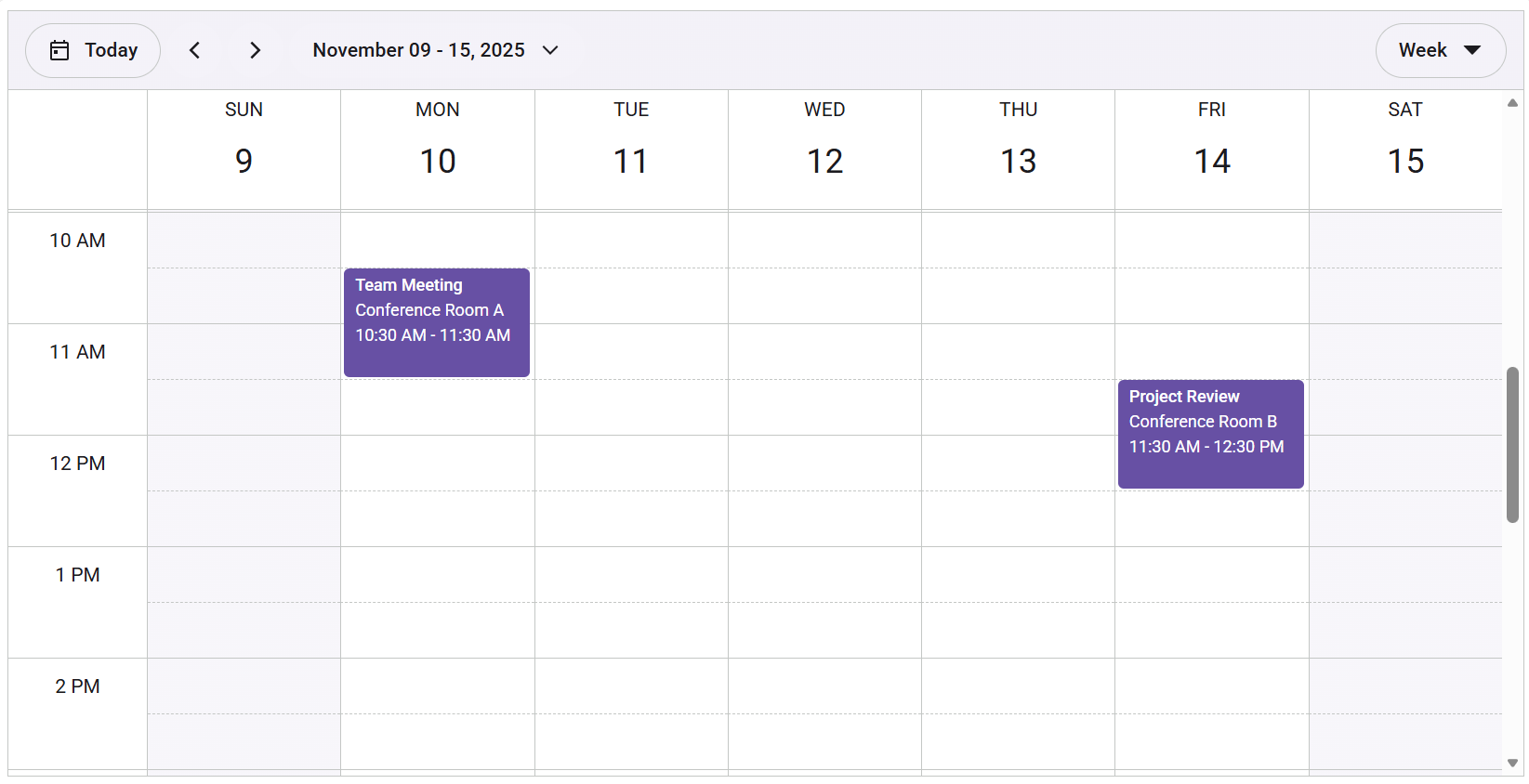
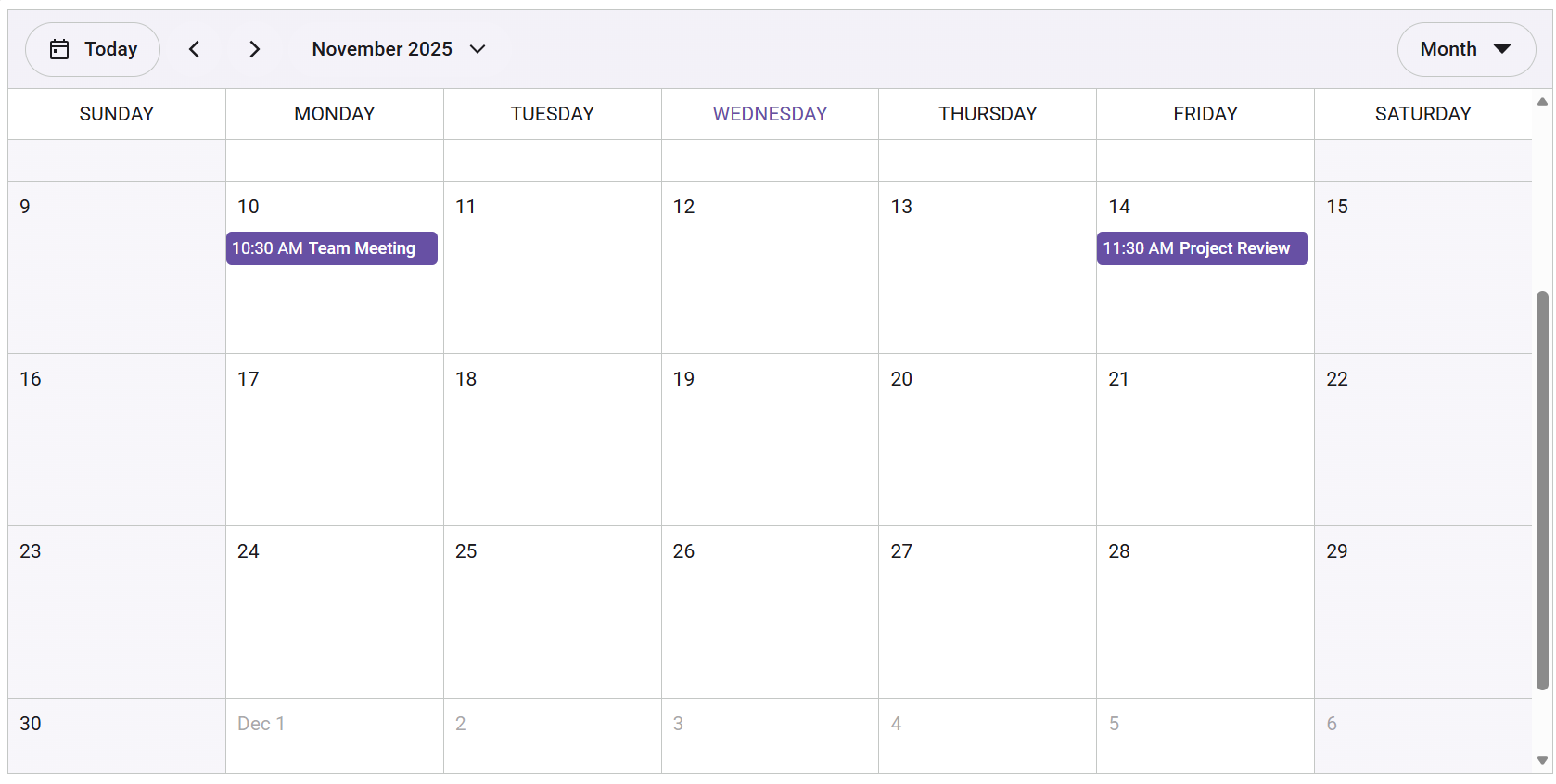
npm run devYour browser will open to display a fully functional Scheduler, ready for user interaction. The images below show the weekly and monthly views.
Key features of the Pure React Scheduler
The Syncfusion Pure React Scheduler is packed with powerful features that make it a go-to solution for developers. Let’s walk through what it offers:
- Data binding: Effortlessly bind to local JSON arrays or remote data services like OData and RESTful APIs using the powerful
DataManagerwith adaptors. - Multiple views: Comes with built-in Day, Week, WorkWeek, and Month You can set a default view and customize settings for each one.
- CRUD actions: Perform create, read, update, and delete operations with ease. Use methods like
addEvent,saveEvent, anddeleteEventfor programmatic control, or leverage the built-in editor. Monitor all changes with theonDataChangeStartandonDataChangeCompleteevents. - Drag and drop & resizing: Reschedule events by dragging them to new time slots or resizing them to adjust their duration. The Scheduler enables these features by default and includes a full set of lifecycle events (
onDragStart,onResizeStop, etc.) for validation and control. - Event customization: Define various event types, including normal, all-day, spanned, and read-only events. The
isBlockproperty can be used to designate non-working hours. - Template customization: Take full control over the UI by providing custom templates for events, date headers, and work cells. For example, you can customize the month cell header with the
cellHeaderproperty. - Accessibility: The component fully complies with WAI-ARIA standards, including WCAG 2.2 and Section 508. It offers full keyboard navigation, screen reader support, and high-contrast visuals, ensuring an inclusive experience for all users.
- Globalization: Includes robust support for internationalization and right-to-left (RTL) rendering to adapt the scheduler for different locales and cultures.
Now that you have a working scheduler, explore these demos:
- Day and Week view options
- Month view options
- Customize Templates
- Integrate with Remote Data
- View Complete API Reference
Roadmap for future releases
Syncfusion continues to enhance its Pure React Components. For the React Scheduler, the roadmap focuses on performance improvements, advanced customization options, and new features to meet the evolving needs of developers.
We’re planning the following enhancements:
- Editing recurring events with exception handling and pattern definition.
- Multiple resources grouping and assigning resources to events.
- Event tooltip and context menu integrations.
- Editor validation support with custom popups.
- Additional views such as Timeline, Year, and agenda for versatile scheduling.
Choosing the right Scheduler: Essential Studio React vs. Pure React – what fits your workflow?
- Pure React Scheduler is ideal for modern, fully React-based workflows. It delivers optimal performance, a lean bundle, and all the essential features you need for a new project.
- Essential Studio React Scheduler remains a solid, feature-rich option, especially for projects already integrated with the broader Essential Studio suite. However, for new applications prioritizing a “pure” React stack, the new component offers a more seamless and forward-looking experience.
Conclusion
Thank you for reading! Syncfusion Pure React components, introduced in Essential Studio 2025 Volume 4, deliver more than an upgrade. It enables cleaner, faster, and scalable UI development with native architecture and hooks, reducing dependencies while boosting performance. You can explore our documentation and demos for more insights.
Check out our Release Notes and What’s New pages to see the other updates in this release, and leave your feedback in the comments section below. We would love to hear from you.
If you’re a Syncfusion user, you can download the setup from the license and downloads page. Otherwise, you can download a free 30-day trial.
You can also contact us through our support forum, support portal, or feedback portal for queries. We are always happy to assist you!



 No spam, just valuable updates.