
 Mohammed Farook J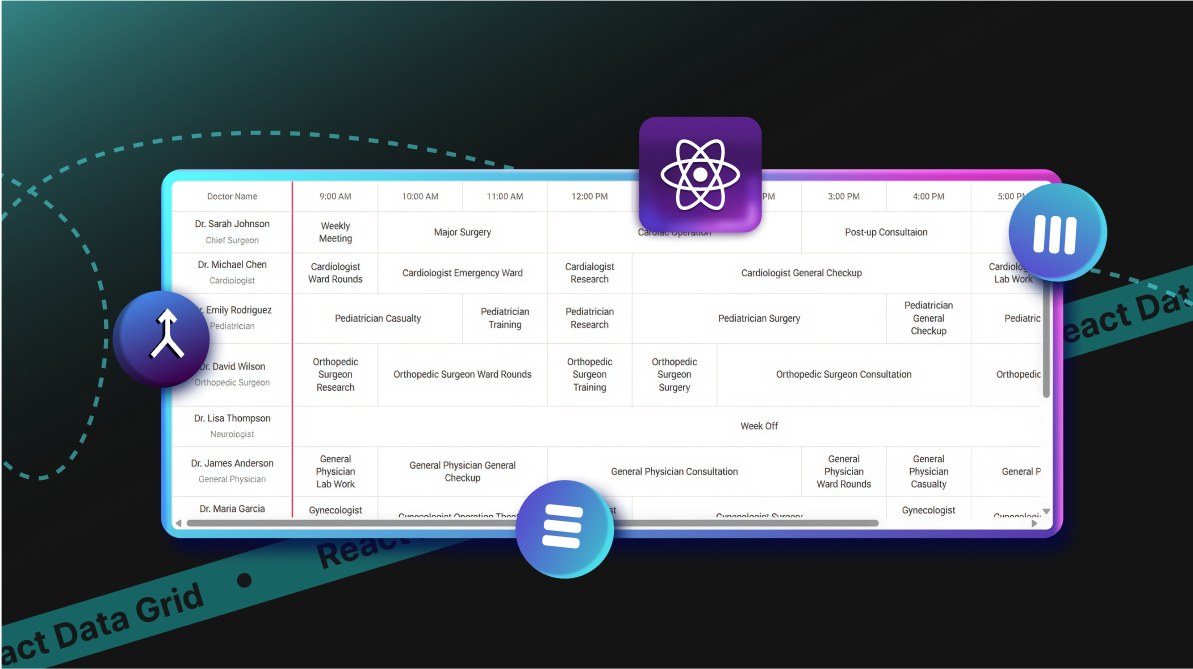
TL;DR: Row merging in React Data Grid, introduced in Syncfusion’s Essential Studio 2025 Volume 3, simplifies complex data presentation alongside column merging, enhancing readability for dashboards, schedules, and financial reports where grouped data demands clarity.
The Essential Studio 2025 Volume 3 release introduced the powerful features, row merging and column merging to the Syncfusion React Data Grid, helping developers present hierarchical or grouped data in a clean, intuitive way. Industries like finance, healthcare, education, and logistics can now simplify complex datasets and deliver a better user experience.
In this blog, we’ll explore real-world use cases across multiple sectors and provide implementation examples to help you build impactful solutions.
Practical applications across industries
The row and column merging features in Syncfusion React Data Grid are designed to meet the needs of diverse industries, enabling teams to create intuitive and actionable data displays:
- Project management: Merge rows to consolidate tasks by team or phase, making it easier to track progress and dependencies.
- Inventory management: Use column merging to combine stock and sales data across quarters, helping retail teams analyze trends and manage inventory efficiently.
- Financial reporting: Present quarterly earnings or expense breakdowns with merged cells to highlight key metrics and trends.
- Healthcare scheduling: Merge cells to display doctor or staff availability and shift patterns, improving clarity for administrators and medical professionals.
- Education: Align courses by department or semester using row merging, making academic schedules more user-friendly.
- Logistics and supply chain: Streamline transportation schedules or warehouse allocations with merged cells for quick interpretation of complex data.
These capabilities empower teams to build applications that deliver clear, actionable insights for users across various industries.
Row merging
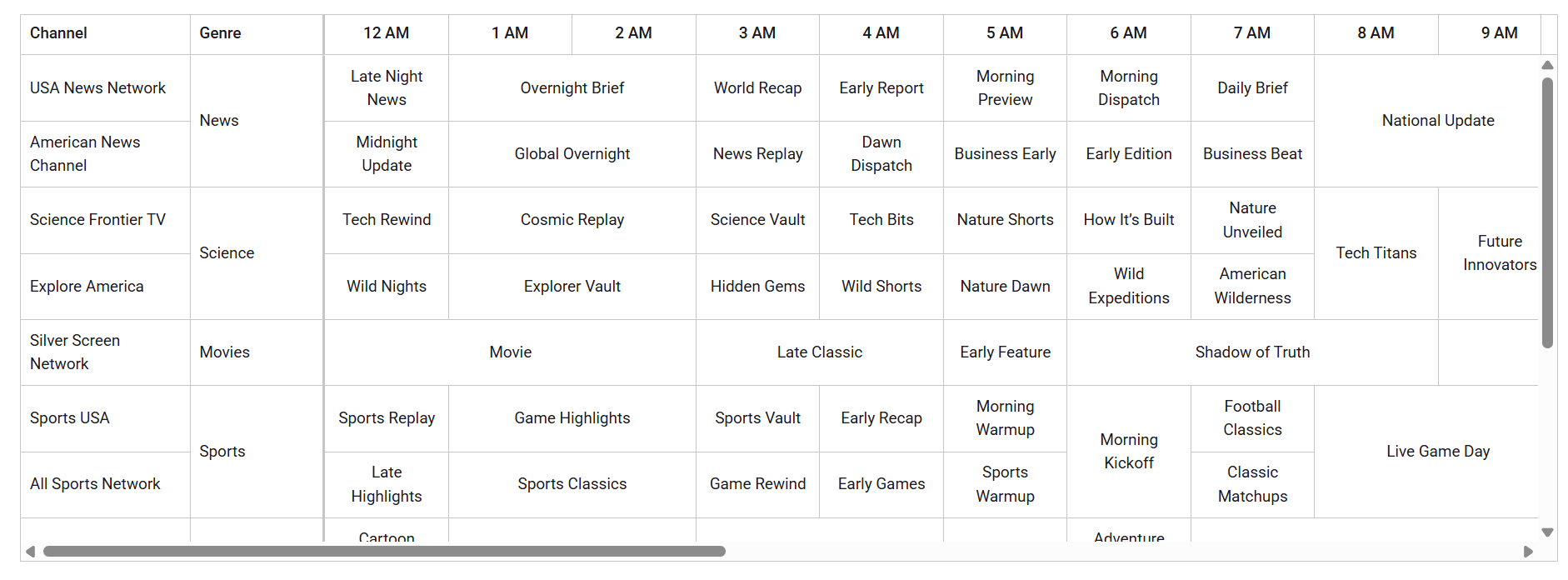
The enableRowSpan property in the React Data Grid enables automatic vertical cell merging, combining identical data across adjacent rows into a single cell. This reduces visual clutter and improves readability, making it ideal for project timelines, staff schedules, or academic planners. By automating the process, developers can create polished, professional interfaces without manual configuration, saving time and ensuring a consistent user experience.
Code example: Row merging for TV telecast schedule
import * as React from 'react';
import { GridComponent, ColumnsDirective, ColumnDirective, Inject } from '@syncfusion/ej2-react-grids';
import { Freeze, Sort } from '@syncfusion/ej2-react-grids';
import { telecastData } from './datasource';

function App() {
  return (
    <GridComponent
      dataSource={telecastData}
      <ColumnsDirective>
        <ColumnDirective field="Channel" headerText="Channel" width={150} freeze="Left" isPrimaryKey={true} />
        <ColumnDirective field="Genre" headerText="Genre" width={120} freeze="Left" />
        <ColumnDirective field="Program12AM" headerText="12 AM" width={110} textAlign="Center" allowSorting={false} />
        <ColumnDirective field="Program1AM" headerText="1 AM" width={110} textAlign="Center" allowSorting={false} />
        <ColumnDirective field="Program11PM" headerText="11 PM" width={110} textAlign="Center" allowSorting={false} />
      </ColumnsDirective>
      <Inject services={[Freeze, Sort]} />
    </GridComponent>
  );
}

export default App;
Note: For detailed guidance and interactive examples, explore the row merging documentation and demo.
Column merging
The enableColumnSpan property enables horizontal cell merging, automatically combining matching data across adjacent columns. This is especially useful for shift planning or resource allocation, where grouping similar data improves clarity and reduces redundancy.
Automating column merging helps developers build professional-grade grids with minimal setup, saving time and effort.
Code example: Column merging for hospital management schedule
import * as React from 'react';
import { GridComponent, ColumnsDirective, ColumnDirective, Inject } from '@syncfusion/ej2-react-grids';
import { Freeze, Sort } from '@syncfusion/ej2-react-grids';
import { shiftPlanData } from './datasource';

function App() {
  const doctorTemplate = (props) => (
    <div>
      <div className="doctor-name">{props.Name}</div>
      <div className="doctor-designation">{props.Designation}</div>
    </div>
  );

  return (
    <GridComponent
      dataSource={shiftPlanData}
      enableColumnSpan={true}
      >
      <ColumnsDirective>
        <ColumnDirective field="Name" headerText="Doctor Name" width={170} textAlign="Center" freeze="Left" template={doctorTemplate} />
        <ColumnDirective field="Time9AM" headerText="9:00 AM" width={120} textAlign="Center" allowSorting={false} />
        <ColumnDirective field="Time7PM" headerText="7:00 PM" width={120} textAlign="Center" allowSorting={false} />
      </ColumnsDirective>
      <Inject services={[Freeze, Sort]} />
    </GridComponent>
  );
}

export default App;

Note: For detailed guidance and interactive examples, explore the column merging documentation and demo.

Conclusion
The 2025 Volume 3 release of the Syncfusion React Data Grid introduced powerful row and column merging features that simplify data presentation and elevate user experience. By automating cell merging, developers can focus on functionality rather than layout configuration, resulting in faster development cycles and more intuitive, visually appealing user interfaces.
Syncfusion continues to empower developers with tools that make complex data easy to interpret and act upon. Explore these features further through the official documentation, Release Notes, and interactive demos to integrate them into your projects.
Existing customers can download the latest version of Essential Studio from the license and downloads page. If you are new, try our 30-day free trial to explore our incredible features.
Feel free to contact us through our support forums, support portal, or feedback portal. We are always happy to assist you!



 No spam, just valuable updates.