
 Sastha Prathap
TL;DR: Don’t use demo endpoints for production! These services lack the security, scalability, and customization developers need to build reliable, enterprise-grade spreadsheet applications. This guide shows developers how to host Spreadsheet Open and Save services using a secure, self-hosted ASP.NET Core Spreadsheet API or via Docker, ensuring control and performance for your EJ2 Spreadsheet applications. This approach gives you full control over file handling, provides data privacy, and improves performance.
Are you relying on Syncfusion’s demo services for your EJ2 spreadsheet component’s Open and Save operations? While great for showcasing features, these endpoints are strictly for demonstration and not suitable for production or development environments, posing risks to control and security.
This blog offers a practical guide that explains how to host Syncfusion® Spreadsheet services yourself, leveraging a robust ASP.NET Core Spreadsheet API for optimal performance and complete data control in your production applications. You’ll understand the internal workings of these services and discover options for local ASP.NET Core setup and Docker-based deployment.
Understanding how the Spreadsheet service works
To better understand what you’re hosting, let’s first look at how these services function internally. Syncfusion® provides a backend service written in ASP.NET Core that handles the Open and Save functionality using the Syncfusion.XlsIO library. This library enables efficient Excel file processing on the server side:
- Open: The uploaded Excel file is read on the server and converted into a JSON workbook format that the EJ2 Spreadsheet component can interpret and render on the client.
- Save: When users modify the spreadsheet, the client sends the JSON workbook back to the server, which is converted into an Excel file and returned for download.
Note: All operations are performed entirely in memory during the request lifecycle. No data persists on the server, ensuring your files remain secure and private.
Why you should host your own Open and Save service
In the demos, the openUrl and saveUrl values point to Syncfusion®-hosted endpoints:
openUrl: 'https://services.syncfusion.com/js/production/api/spreadsheet/open'
saveUrl: 'https://services.syncfusion.com/js/production/api/spreadsheet/save'
These services are meant only for demonstration. While they showcase how Syncfusion® Spreadsheet loads and saves files, they are not intended for use in production or development environments.
For better control and performance, we recommend that you configure and run your own Open and Save services locally or on your preferred hosting environment.
Setting up the local Open and Save service (ASP.NET Core)
We’ve provided a ready-to-use WebAPI sample that you can host locally. Follow these simple steps to get started.
Steps to launch the local Web API service
- Download and unzip the local WebAPI service sample from the GitHub repository.
- Open the sln file in Visual Studio, then right-click the dependencies folder and select Manage NuGet packages:
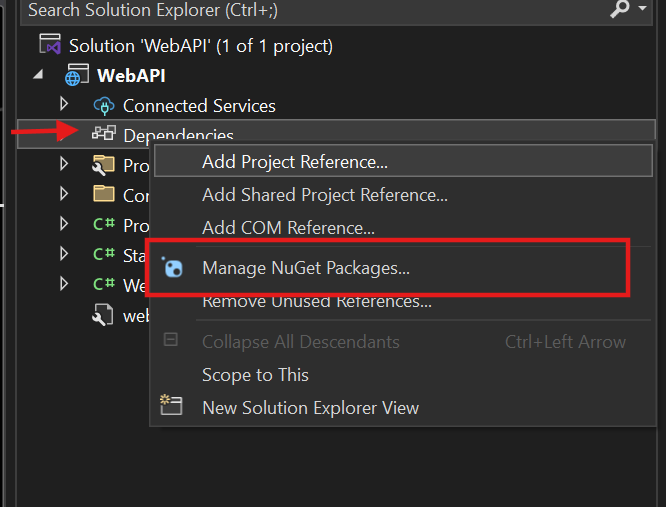
Open NuGet package manager
- Search and install the EJ2 Spreadsheet AspNet Core NuGet package:
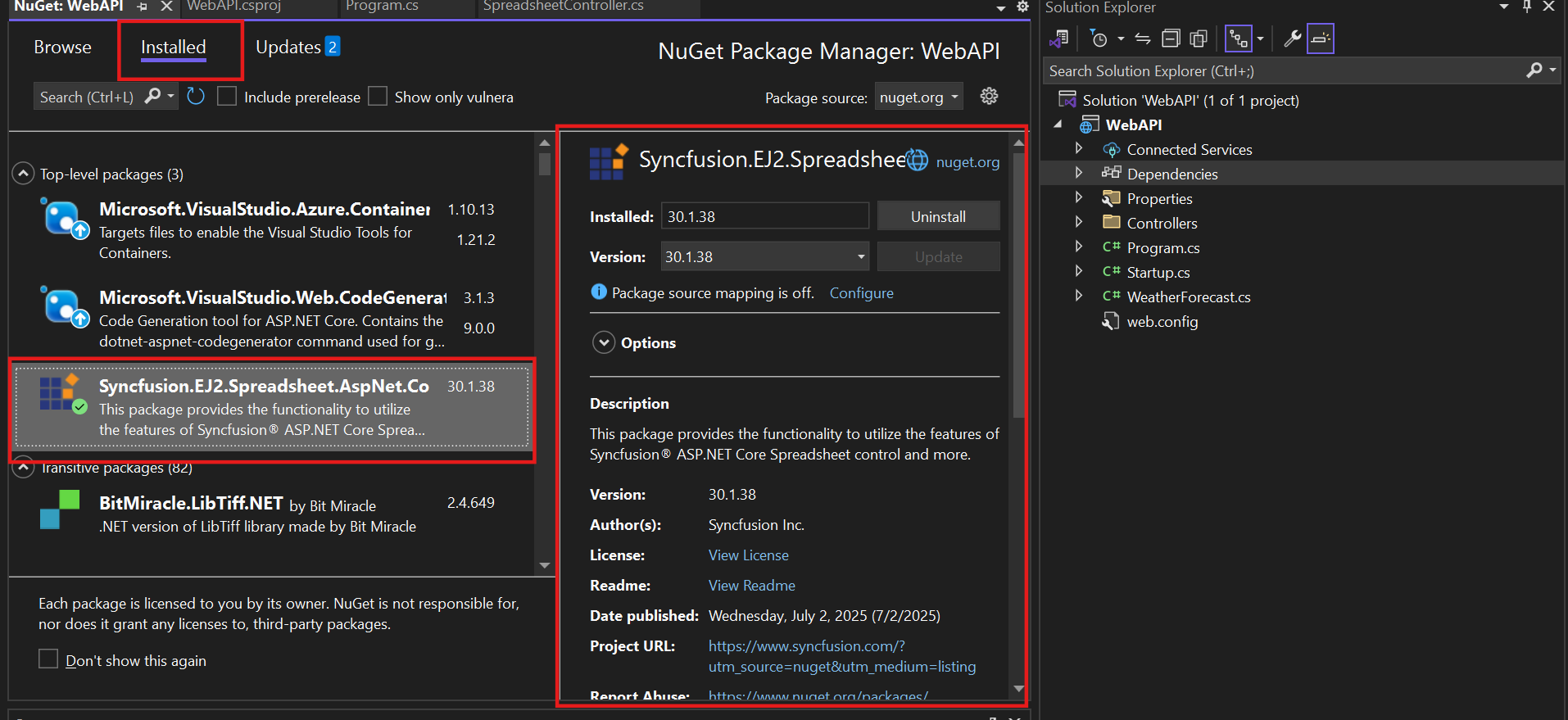
Install the Syncfusion EJ2 Spreadsheet AspNet Core package
- Build and run the application to launch the API on https://localhost:{port}:
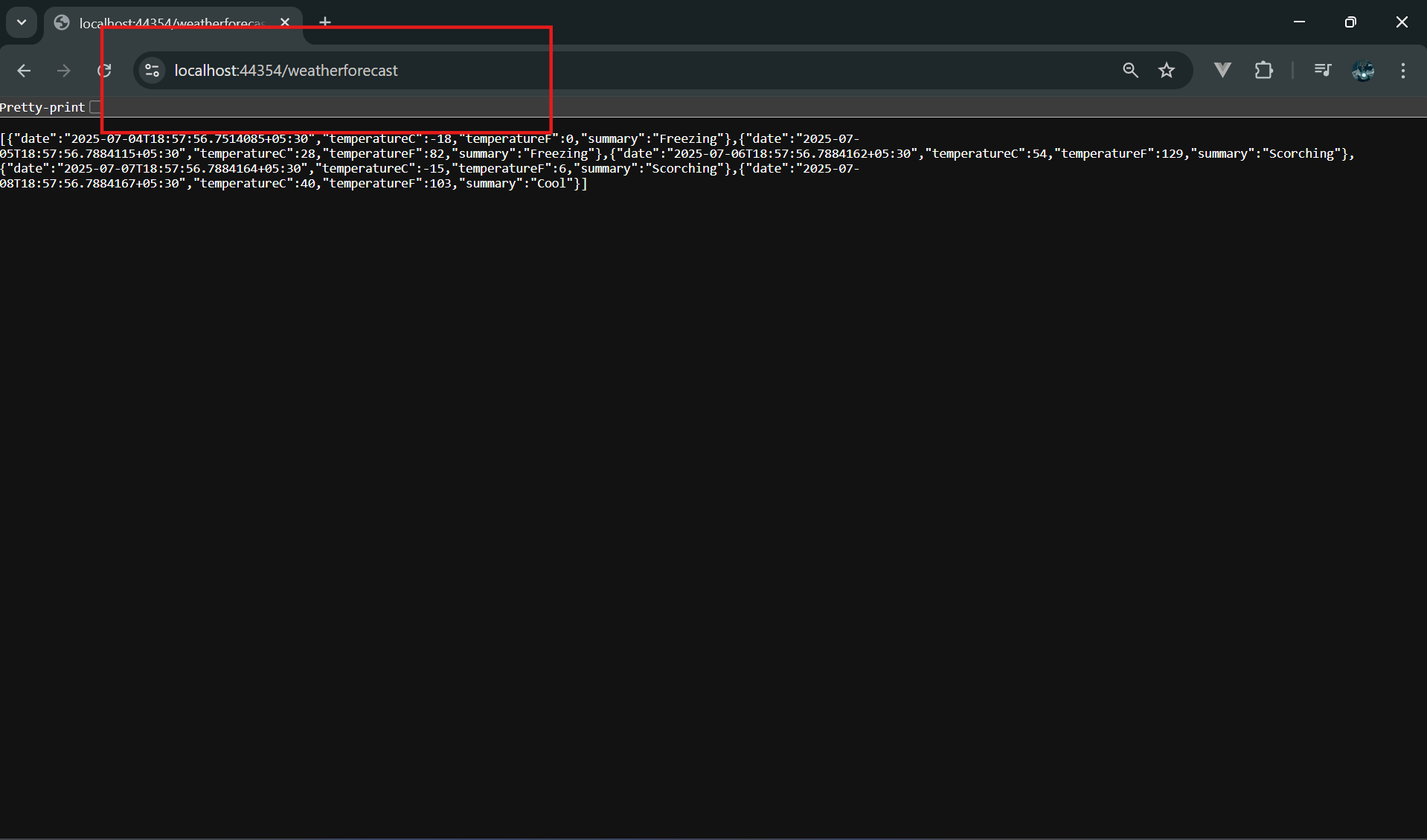
Launched the API at localhost
Sample controller code:
// Open action
[HttpPost]
[Route("Open")]
public IActionResult Open([FromForm] IFormCollection openRequest)
{
    OpenRequest open = new OpenRequest();
    open.File = openRequest.Files[0];
    return Content(Workbook.Open(open));
}

// Save action
[HttpPost]
[Route("Save")]
public IActionResult Save([FromForm] SaveSettings saveSettings)
{
    return Workbook.Save(saveSettings);
}
Configuring the client-side URLs
Once your local service is running, you need to map your client app to the local endpoints:
openUrl: 'https://localhost:44354/api/spreadsheet/open',
saveUrl: 'https://localhost:44354/api/spreadsheet/save'
Note: Ensure the service runs before you interact with the Spreadsheet component.
Licensing the Web API
To activate Syncfusion® components in your ASP.NET Core Web API, follow these steps:
- Generate your Syncfusion® license key.
- Register the license key in Program.cs using the following line of code.
Syncfusion.Licensing.SyncfusionLicenseProvider.RegisterLicense("YOUR LICENSE KEY");Need help generating a license key? We’ve got you covered! Refer to this Knowledge Base article for detailed guidance.
Note: For more information, check out our license key documentation.
Deploying the Spreadsheet service using Docker
If you prefer a containerized approach for easier deployment and scalability, Syncfusion® also offers full support for Docker-based hosting of the spreadsheet service. This is especially useful for environments where maintaining consistency across different machines or cloud deployments is critical.
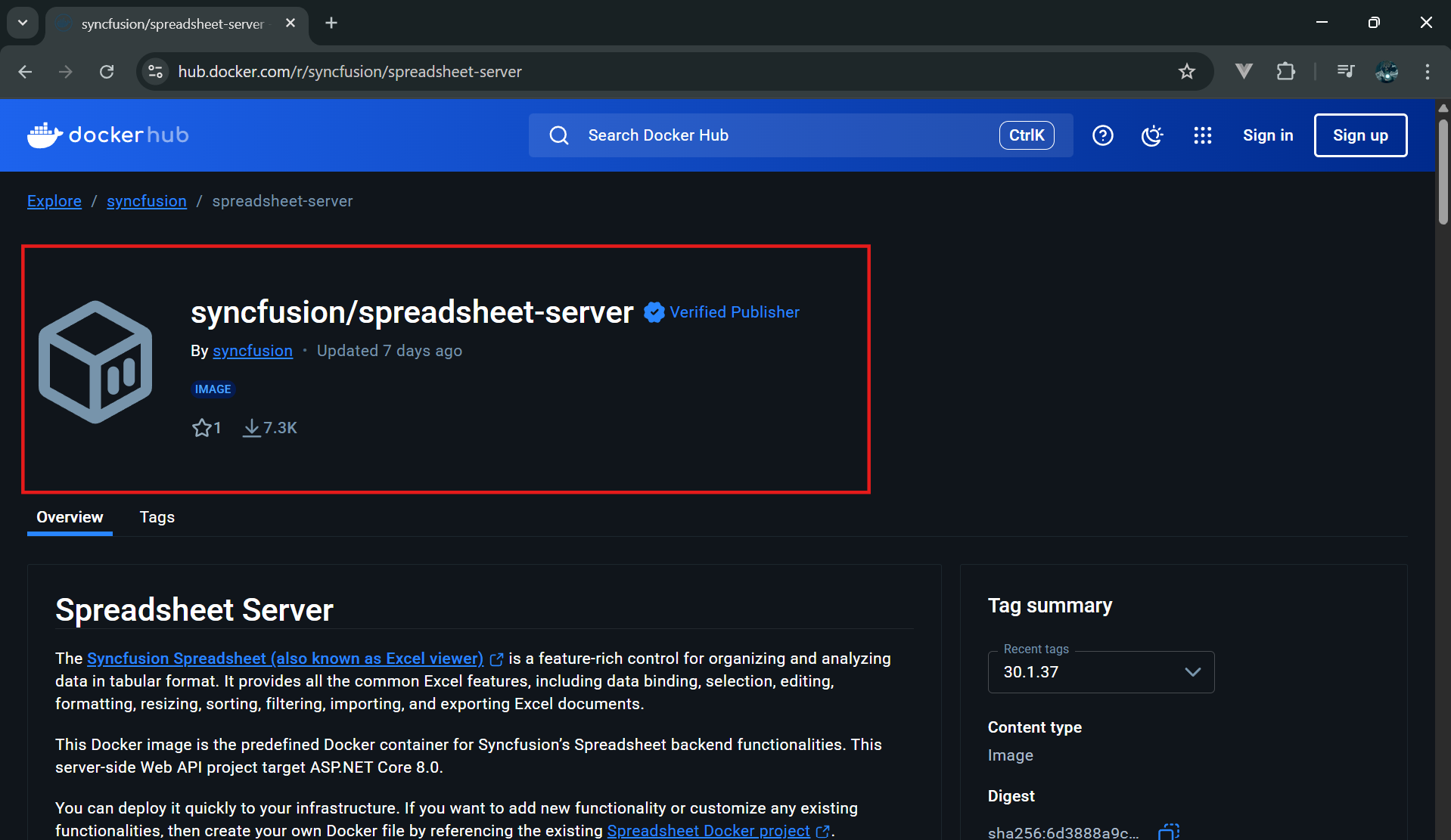
You can quickly get started using our prebuilt Syncfusion® Spreadsheet Server Docker image. This image includes all the required dependencies and is configured to handle Open and Save operations right out of the box.
To launch the service in a Docker environment, follow the steps outlined in our Docker deployment documentation.
GitHub reference
For more details and access to the full sample, visit our GitHub repository.
FAQs
Q1: Can I customize the Open and Save endpoints to include authentication or logging?
A: Yes, since you’re hosting the services yourself using ASP.NET Core, you can extend the controller methods to include authentication (e.g., JWT, OAuth), logging, or even file validation logic to meet your application’s security and compliance needs.
Q2: What are the deployment options for hosting the Spreadsheet service in a cloud environment?
A: While the blog covers local and Docker-based hosting, you can also deploy the service to cloud platforms like Azure App Service, AWS Elastic Beanstalk, or Google Cloud Run. These platforms support ASP.NET Core and Docker containers, making it easy to scale and manage your service.
Q3: How do I handle large Excel files or concurrent users in a production setup?
A: For large files or high concurrency, consider optimizing your server with increased memory allocation, using async processing in your API, and deploying behind a load balancer. Docker orchestration tools like Kubernetes can also help scale your service efficiently.
Q4: Is it possible to integrate the hosted Spreadsheet service with a database for file storage or versioning?
A: Yes, you can extend the Save endpoint to store Excel files in a database or cloud storage (e.g., Azure Blob, Amazon S3) and implement version control or audit trails. This is useful for collaborative or enterprise-grade applications.

Conclusion
Thank you for reading! By learning to host Syncfusion® Spreadsheet services for your EJ2 Spreadsheet component, you gain invaluable control over data processing and significantly improve application performance. Whether you choose the direct ASP.NET Core Spreadsheet API setup or opt for a containerized Docker-based deployment, Syncfusion® provides the clear samples and tools needed to transition from demo environments to secure, production-ready solutions with ease. We encourage you to implement these solutions and provide your valuable feedback in the comments below.
Take the next step: Explore Syncfusion® JavaScript Spreadsheet today! You can explore our online examples and documentation for more features and functionalities. Existing Syncfusion® users can download the newest version of Essential Studio® from the license and downloads page, while new users can start a 30-day free trial to experience its full potential. Our dedicated support team is also available via the support forum, support portal, or feedback portal for any questions or concerns, committed to providing prompt and comprehensive assistance.



 No spam, just valuable updates.