
 Vinoth Kumar Sundara Moorthy
TL;DR: Frontend development in 2026 prioritizes scalability, performance, and accessibility over constant framework changes. AI‑assisted tools, TypeScript, and component‑driven architectures are now standard, while performance and compliance are essential for modern web apps.
Introduction: The rapidly evolving frontend landscape
The world of frontend development is more dynamic than ever before. With over 1.1 billion websites globally and the rapid advancement of artificial intelligence, developers face both unprecedented opportunities and complex challenges in staying current with the latest technologies.
Are you struggling to keep pace with the ever-changing frontend ecosystem? You’re not alone. The introduction of AI has fundamentally altered project planning, skill development, and the entire approach to building modern web applications. From evolving frameworks to mandatory accessibility laws coming into effect, 2026 presents a landscape that demands strategic adaptation.
This comprehensive guide explores the most impactful web development technologies and practices that will define the next phase of frontend development.
Let’s explore the top 12 Frontend development trends shaping 2026.
1. AI-powered development tools
AI assistants are now commonly used to draft components, suggest fixes, explain code, and help with test scaffolding. They speed up routine tasks while still requiring human judgment for architecture, reviews, and production quality. Tools like GitHub Copilot, ChatGPT, Cursor, and Tabnine are revolutionizing how we write, debug, and optimize code. Treat AI as an opt-in productivity layer that complements fundamentals like accessibility, security, and performance.

Key AI applications in frontend development:
- Automated code generation: Natural language descriptions converted to functional code snippets
- Intelligent debugging: AI-powered error detection and resolution suggestions
- Performance optimization: Automated code splitting and bundle optimization
- Accessibility auditing: AI-powered WCAG compliance checking and alt-text generation
- Personalized user experiences: Real-time UI adaptation based on user behavior analysis
However, successful AI integration requires skilled developers who can provide proper oversight and quality assurance, as AI-generated code still requires human validation and refinement.
2. TypeScript as a practical standard
JavaScript remains widely used and essential across the web, particularly for smaller projects and quick prototyping. However, the adoption of TypeScript has reached a critical mass, making it essential for modern web development technologies.
TypeScript continues to be the default choice for large projects because static types reduce runtime surprises, improve IDE assistance, and make refactoring more manageable. Adoption has reached critical mass, with mainstream frameworks and tooling offering first-class support across 2026 projects. Accessibility compliance becomes mandatory.
Why TypeScript dominance matters:
- Enhanced Code Safety: Static type checking prevents runtime errors
- Improved Developer Experience: Better IDE support and autocomplete
- Scalable Architecture: Essential for large-scale applications
- Team Collaboration: Self-documenting code through type definitions
As projects grow in complexity, TypeScript’s type-checking capabilities become increasingly valuable, though performance optimization tools like oxc are emerging to address speed concerns.
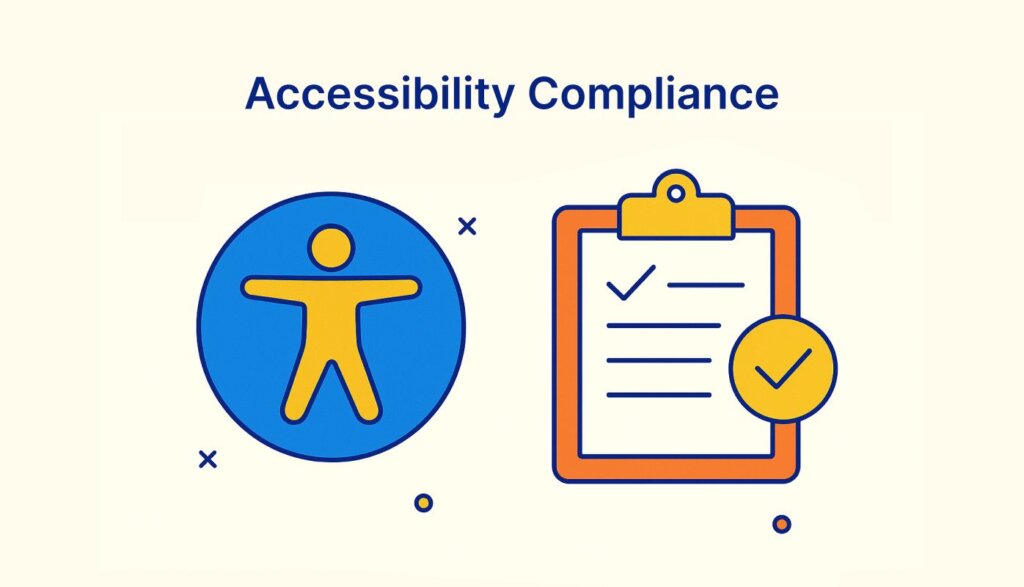
3. Accessibility compliance becomes mandatory
The European Accessibility Act (EAA) applies from June 28, 2025, shifting accessibility from best practice to an enforceable requirement across covered products and services. Teams should rely on semantic HTML, ARIA landmarks where appropriate, keyboard navigation, sufficient contrast, and text alternatives, supported by continuous audits.
Critical accessibility requirements:
- Well-structured HTML: Semantic markup for screen readers
- ARIA landmarks: Proper navigation aids for assistive technologies
- Keyboard navigation: Full functionality without mouse input
- Color contrast compliance: WCAG AA standards for visual accessibility
- Alternative text: Descriptive alt attributes for all images
With approximately 16% of the global population experiencing some form of disability, accessibility isn’t just a legal obligation; it’s a business imperative that expands your potential user base.
4. Progressive Web Apps (PWAs) reach maturity
PWAs are now a stable option for cross-platform delivery. Service workers enable offline experiences and faster repeat visits through caching, while push notifications and installability support engagement where appropriate. Use PWAs in scenarios where speed, reach, and low maintenance outweigh deep native integrations.
PWA advantages:
- Offline functionality: Service workers enable app-like performance without internet
- Cross-platform compatibility: Single codebase for multiple platforms
- App store independent: Direct installation from browsers
- Enhanced performance: Caching mechanisms for faster load times
- Push notifications: Native-like engagement capabilities
The key is understanding when PWAs fit your project requirements versus when native development or frameworks like React Native offer better solutions.
5. Component-driven development and design systems
Design systems and shared component libraries help teams ship consistent, accessible UI faster. They streamline cross-functional collaboration and reduce one-off styling or duplicated patterns. Components with accessible defaults and well-documented tokens provide durable building blocks that adapt to multiple frontend stacks.
With widespread adoption of Figma for design-developer handoffs, component libraries like shadcn/ui, Material UI, and Bootstrap are becoming essential web development technologies.
Design system evolution:
- AI-enhanced design tokens: automated style guide management
- Real-time collaboration: seamless designer-developer workflows
- Accessibility-first components: built-in WCAG compliance
- Automated version control: streamlined component library updates
- Cross-framework compatibility: components that work across React, Vue, and Angular
6. WebAssembly (WASM) for performance-critical features
WebAssembly is production-ready for heavy computations like imaging, 3D, cryptography, and data processing. It complements JavaScript by offloading hot paths to languages such as Rust or C/C++, allowing teams to preserve existing JS apps while accelerating specific modules. Consider WASM when profiling shows CPU-bound bottlenecks you can isolate cleanly.
WebAssembly applications:
- Gaming and simulations: complex calculations at browser-native speeds
- Media processing: real-time video and audio manipulation
- Scientific computing: data visualization and analysis tools
- Legacy code migration: running C/C++ applications in browsers
- Cryptography: secure, high-performance encryption operations
7. Serverless and edge architectures
Serverless functions and edge runtimes help deliver dynamic content closer to users, reduce infrastructure management, and scale automatically. Market data shows continued growth through 2025, indicating broad adoption across industries.
According to a report by Precedence Research, the global serverless architecture market is projected to increase from 22.23 billion(USD) to 124.52 billion(USD) in 2026, with edge computing bringing computational power closer to users. Use serverless for event‑driven workloads and edge for latency‑sensitive routing or personalization.

Benefits of serverless frontend architecture:
- Automatic scaling: resources adjust based on demand
- Reduced infrastructure costs: pay-per-use pricing models
- Faster time-to-market: no server configuration required
- Global performance: edge deployment for reduced latency
- Simplified maintenance: cloud providers handle server management
8. Voice user interfaces and conversational design
Voice input and natural language features are increasingly used to improve accessibility and convenience. Practical web integrations include the Web Speech API for recognition and synthesis, paired with a fallback UI for different contexts and user preferences. Design multimodal experiences that respect privacy and give you control.
Voice interface implementation strategies:
- Web Speech API integration: browser-native voice recognition
- Conversational content optimization: natural language query handling
- Multimodal interactions: combining voice, touch, and visual interfaces
- Accessibility enhancement: voice navigation for users with disabilities
9. Modern JavaScript frameworks evolution
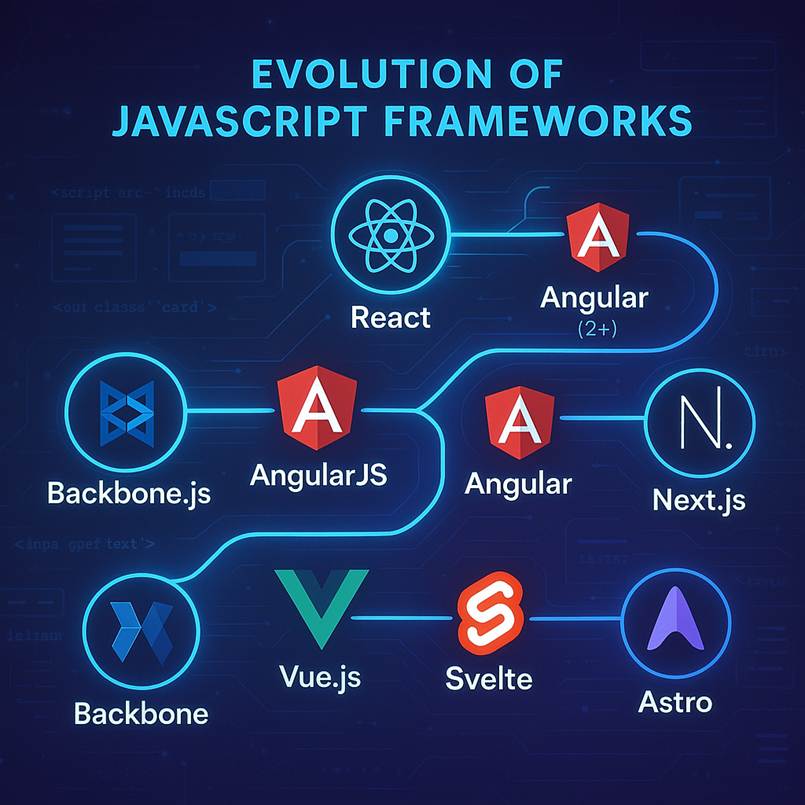
Stable, widely adopted options, plus lean alternatives, such as React, Angular, and Vue, remain widely used and continue to evolve for improved performance and developer experience. Alternatives like Svelte, Solid, Astro, and Qwik emphasize reduced client JavaScript and efficient rendering. Choose based on team expertise, project constraints, and ecosystem maturity rather than trend cycles.
Framework landscape:
- React.js: Still dominant with server components and improved performance
- Next.js: Leading full-stack framework with AI integration capabilities
- Astro: Minimal JavaScript delivery with server-side rendering
- Svelte/SvelteKit: Compile-time optimized applications
- Angular: Enhanced with modern features and improved performance
10. Testing and quality assurance automation
Automation, often assisted by AI, extends test coverage, reduces regressions, and helps validate accessibility and performance. Use a mix of unit, integration, visual regression, and accessibility checks in CI. Keep humans in the loop for flaky tests, architectural decisions, and critical UX validations.
Modern testing approaches:
- AI-enhanced test generation: Automated test case creation
- Visual regression testing: Automated UI consistency checks
- Performance monitoring: Real-time application performance tracking
- Accessibility testing: Automated WCAG compliance verification
11. GraphQL adoption: Where it fits, where it doesn’t
GraphQL shines in complex data‑fetching scenarios and diverse clients, but adds overhead and requires experience to reap benefits. Teams building simpler APIs can achieve strong results with REST plus modern tooling. Evaluate GraphQL pragmatically against your data model, latency needs, and team skills.
For teams without deep GraphQL expertise or complex data requirements, REST remains a practical and efficient option.
12. Performance optimization and Core Web Vitals
Core Web Vitals are a business necessity. Interaction to Next Paint (INP) replaced First Input Delay in March 2024, providing a more complete view of responsiveness. Focus on reducing main‑thread work, shipping less JavaScript, optimizing images, and keeping layouts stable; continuous monitoring will surface the next bottleneck faster than ad‑hoc tuning.
Essential performance metrics:
- Largest Contentful Paint (LCP): Must be under 5 seconds
- Interaction to Next Paint (INP) measures a website’s responsiveness by tracking the time between a user interaction (like a click or tap) and the next time the browser visually updates the page. It’s a Core Web Vitals metric, replacing First Input Delay (FID)
- Cumulative Layout Shift (CLS): Maximum of 0.1 seconds
- Mobile performance: Critical with mobile traffic representing the majority of web usage
Implementing frontend development Trends: Strategic recommendations
For development teams
- Invest in AI tool training: Integrate AI assistants into daily workflows while maintaining code quality standards
- Prioritize TypeScript migration: Plan a gradual migration for existing JavaScript projects
- Accessibility-first development: Implement accessibility standards from project inception
- Performance monitoring: Establish continuous performance monitoring and optimization processes
For technology leaders
- Strategic framework selection: Choose technologies based on team expertise and project requirements
- Design system investment: Establish comprehensive design systems for consistency and efficiency
- Compliance preparation: Ensure accessibility compliance before EAA enforcement
- Continuous learning culture: Foster environments that support technology adaptation
Frequently Asked Questions
Will AI tools replace frontend developers?
No. AI tools like Copilot and ChatGPT assist with code generation and debugging, but human oversight is essential for architecture and creativity. Developers who use AI for repetitive tasks will stay ahead.
Is learning GraphQL still worth it?
Yes, for complex data needs. But for most teams, REST with modern tooling is simpler. Prioritize TypeScript and testing before diving into GraphQL.
What’s the key performance metric now?
Interaction to Next Paint (INP) is the new Core Web Vital, replacing FID. It measures how quickly the page updates after user interaction.
How to handle accessibility compliance after EAA?
Use automated tools like Axe and Lighthouse, add semantic HTML and ARIA roles, and consider AI-powered audits for early issue detection.
Should small teams adopt micro-frontends?
No. Micro-frontends suit large apps with multiple teams. Small teams should stick to modular architecture and component libraries.
Is TypeScript mandatory now?
Almost. TypeScript is the new standard for scalable, safe web development. JavaScript is fine for small prototypes, but TS dominates professional projects.
Conclusion: Navigating the future of frontend development
Thank you for reading! If your 2026 roadmap emphasizes accessibility, performance, predictable code, and reliable delivery, you are aligned with durable, production-grade trends. Adopt these areas incrementally: TypeScript in core modules, design system components in new features, service workers for critical caching, automated tests for high-risk surfaces, and performance monitoring tied to Core Web Vitals. The result is a frontend practice that remains stable under change, scales with your team, and meets user expectations with confidence.



 No spam, just valuable updates.
Comments (1)
surprised that there is no mention of Blazor and ASP.NET.
Last time I checked, this was quite relevant for Business applications!?