
 RajaVignesh BalaSankar
TL;DR: JavaScript PDF viewers often hit CORS issues when loading files from external domains. This guide explains why JavaScript PDF CORS issues occur, how to configure headers, and provides practical fixes for AWS S3, Azure Blob, and other cloud storage setups.
Have you tried loading a PDF from cloud storage, a CDN, or an external API, only to run into JavaScript PDF CORS issues in your browser console? You’re not alone; CORS errors are a common challenge when building modern PDF viewer applications that fetch files from different domains.
In this article, we’ll explain why these issues occur and show how Syncfusion’s JavaScript PDF Viewer solves them using a secure, server-side architecture. You’ll learn how it handles external PDFs safely, bypasses CORS restrictions, and ensures a seamless viewing experience across browsers, without modifying server headers or relying on hacks.
By the end, you’ll understand how to simplify cross-origin PDF loading and build robust, enterprise-ready workflows with confidence.

Understanding CORS (Cross-Origin Resource Sharing)
What is CORS?
CORS (Cross-Origin Resource Sharing) is a browser security mechanism that controls whether a web application can request resources from a different origin than the one serving the page. It operates in accordance with the same-origin policy to protect sensitive data and prevent malicious scripts from accessing unauthorized resources. When configured correctly, CORS enables secure cross-origin communication without compromising security.
Why do JavaScript PDF CORS issues occur?
CORS errors typically occur when a JavaScript application attempts to access resources, such as a PDF file, from a different origin without the necessary permissions. This is a security feature built into browsers to prevent unauthorized or potentially malicious cross-origin requests.
Even during local development, origins can differ based on port numbers. For instance, if your frontend is running on http://localhost:3000 and your backend is on http://localhost:4000, the browser treats these as separate origins. This difference alone can trigger CORS errors.
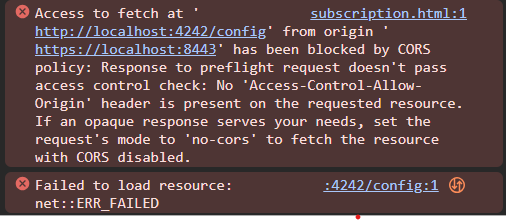
When such an error occurs, you might get messages like:
- Access to fetch at [URL] from origin [Origin] has been blocked by CORS policy.
- No ‘Access-Control-Allow-Origin’ header is present on the requested resource.
These messages indicate that the server hosting the PDF hasn’t explicitly allowed your frontend’s origin to access it. To resolve this, the backend must include the appropriate CORS headers, specifically Access-Control-Allow-Origin, in its response. This tells the browser that the request from your frontend is permitted.
Why does this happen?
Before executing a cross-origin request, the browser performs a preflight check to determine whether the server allows such access. If the server’s response lacks the necessary headers, the browser blocks the request to enforce the same-origin policy.
Key headers required to pass the preflight check include:
- Access-Control-Allow-Origin: Specifies which origins are permitted.
- Access-Control-Allow-Methods: Lists allowed HTTP methods (e.g., GET, POST).
- Access-Control-Allow-Headers: Indicates which custom headers are allowed.
- Access-Control-Allow-Credentials: States whether cookies or authentication tokens are allowed.
Without these headers, the browser assumes the request is unsafe and denies access, resulting in a CORS error.
How CORS policy affects PDF Viewing in JavaScript
Modern JavaScript PDF viewers enable the loading of PDF files from external URLs, cloud storage, or third-party services. However, when you attempt cross-origin PDF loading, the browser enforces its CORS policy. Suppose the server response lacks required headers, such as Access-Control-Allow-Origin, Access-Control-Allow-Methods, Access-Control-Allow-Headers, or Access-Control-Allow-Credentials. In that case, the request is blocked, and the PDF fails to load.
This security measure protects users but often frustrates developers, leading to broken workflows.
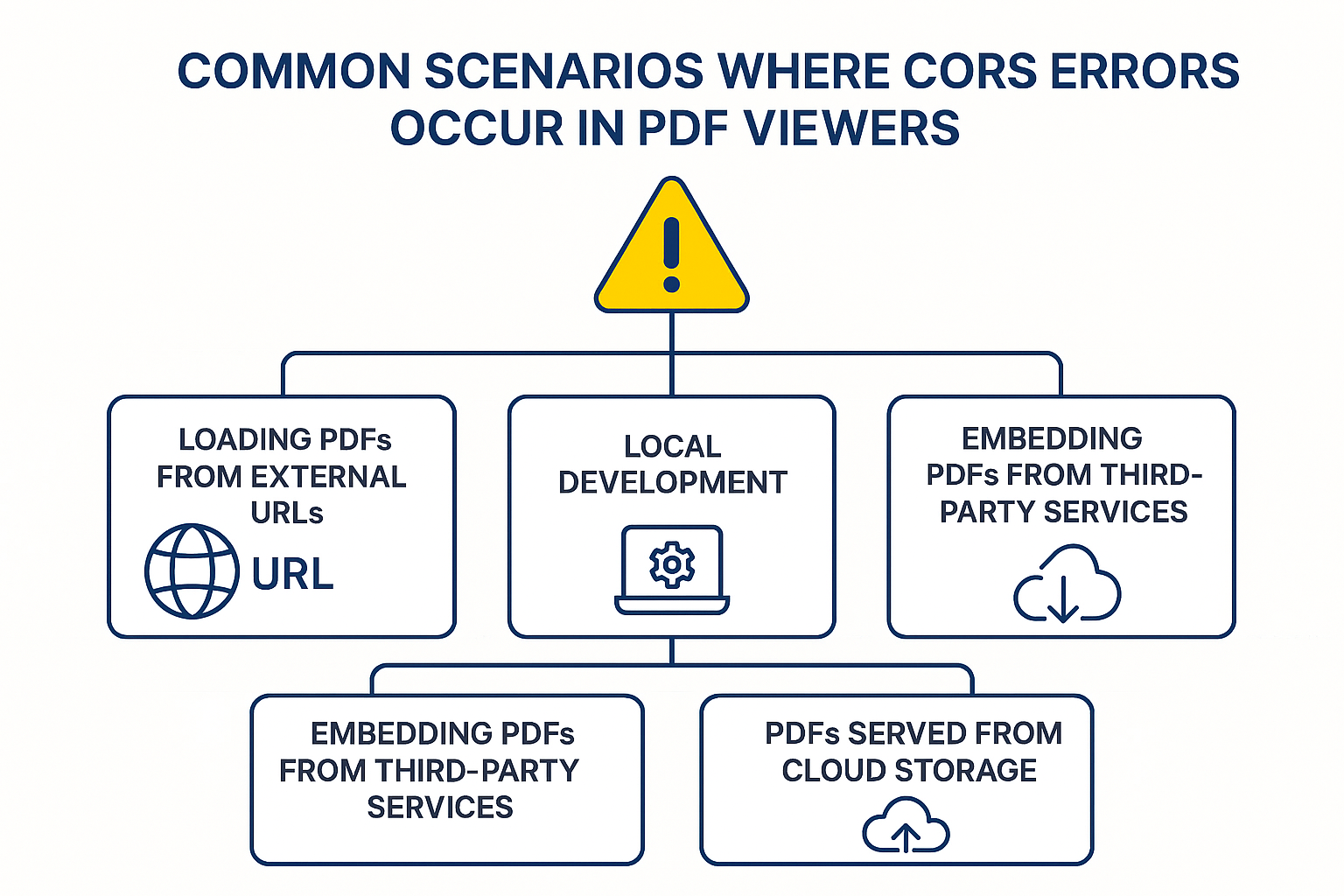
1. Loading PDFs from external URLs
Fetching PDFs from CDNs or remote servers without proper CORS headers triggers errors. If Access-Control-Allow-Origin is missing, the browser blocks the request.
2. Local development
Running your frontend and backend on different ports (e.g., localhost:3000 vs. localhost:4000) creates cross-origin conflicts. Missing credentials or a lack of Access-Control-Allow-Credentials can also block authenticated PDF requests.
3. Embedding PDFs from third-party services
Integrating PDFs from platforms like Google Drive or Dropbox often fails without proper CORS configuration. Missing headers, such as Access-Control-Allow-Headers or Access-Control-Allow-Credentials, prevent loading when tokens or cookies are involved.
4. PDFs served from cloud storage
Accessing files from AWS S3, Azure Blob Storage, or Google Cloud requires explicit CORS rules in the bucket settings. Without them, CORS errors occur, and the viewer cannot load the file. This is one of the most frequent issues developers face when working with cloud-hosted PDFs.
How Syncfusion® solves JavaScript PDF CORS issues
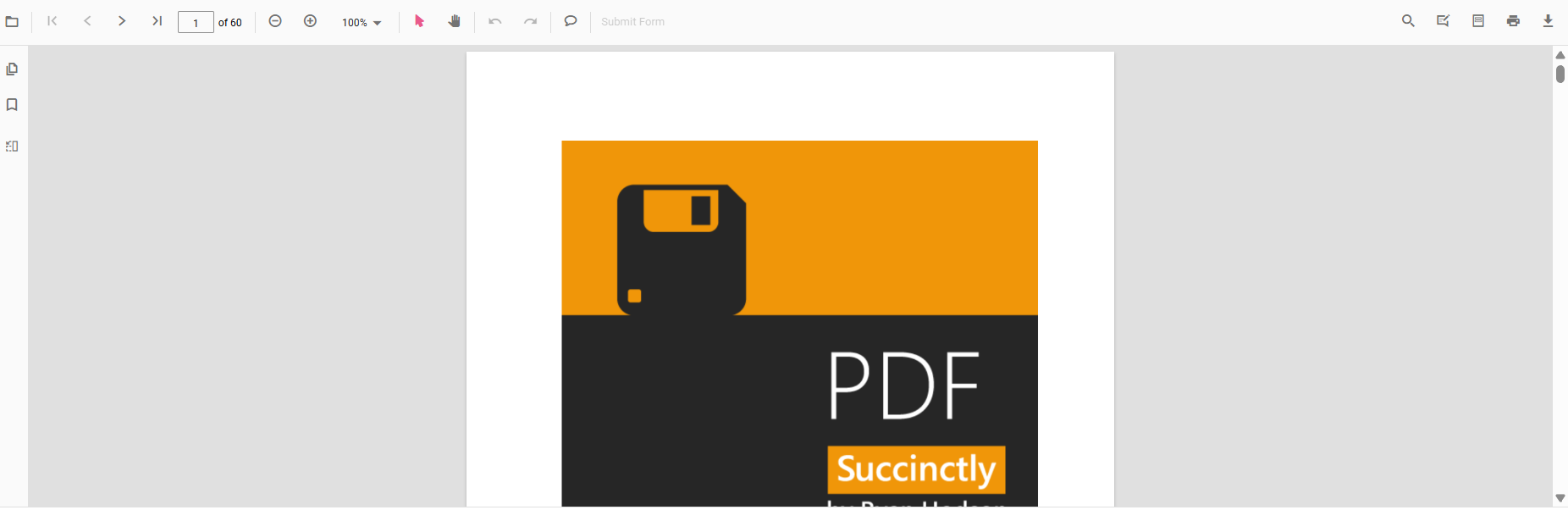
Syncfusion’s JavaScript PDF Viewer offers a developer-friendly solution to the cross-origin PDF loading challenge. Instead of manually configuring CORS headers or relying on browser workarounds, Syncfusion uses a smart client-server architecture that makes PDF integration smooth, secure, and scalable.
Key features
- Built-in CORS support: Syncfusion’s server-side components handle PDF requests from external domains, ensuring proper CORS compliance without triggering browser errors. No need to manually set headers like Access-Control-Allow-Origin, Access-Control-Allow-Headers, or Access-Control-Allow-Credentials; Syncfusion takes care of it.
- Graceful error handling: If a PDF fails to load due to network or permission issues, the viewer provides clear feedback and fallback options. This reduces debugging time and improves the user’s experience.
- Cloud storage compatibility: Syncfusion supports loading PDFs from AWS S3, Azure Blob Storage, and other cloud platforms. Even when PDFs are publicly accessible, browsers may still throw CORS errors. Syncfusion solves this by routing requests through its secure server proxy, bypassing restrictions.
You can easily open PDF files stored in AWS S3 or Azure Blob Storage using Syncfusion’s JavaScript PDF Viewer.
Setting up cross-origin access in JavaScript PDF Viewer
Syncfusion’s PDF Viewer utilizes a web service proxy to securely intercept and forward PDF requests, thereby eliminating browser-imposed CORS limitations. Comprehensive setup guides are available for multiple platforms, including ASP.NET Core.
public void ConfigureServices(IServiceCollection services)
{
    services.AddControllers();
    services.AddCors(options =>
    {
        options.AddPolicy("AllowAll", builder =>
        Cors("AllowAll");
    app.UseRouting();
    app.UseEndpoints(endpoints =>
    {
        endpoints.MapControllers();
    });
}
You can easily create a JavaScript PDF Viewer Service in ASP.NET Core using Syncfusion’s documentation.
Developer-friendly abstraction
By offloading CORS complexity to its server-side proxy, Syncfusion enables developers to focus on building features rather than troubleshooting CORS errors. This makes it ideal for enterprise-grade apps where reliability and scalability matter.
Want to see it in action?
Start integrating Syncfusion PDF Viewer in minutes:
Bonus: Syncfusion offers a free community license for individual developers and small businesses, with no enterprise pricing barriers.
Conclusion
Thank you for reading! Handling JavaScript PDF CORS issues can be a persistent challenge for developers, often leading to frustrating errors and complex server configurations. Syncfusion’s JavaScript PDF Viewer eliminates these hurdles with a secure client-server architecture that abstracts away CORS complexity.
With built-in support for cloud-hosted PDFs, graceful error handling, and compatibility with platforms like AWS S3 and Azure Blob Storage, Syncfusion empowers developers to integrate PDFs effortlessly into their web apps, without worrying about browser limitations.
If you’re a Syncfusion user, you can download the setup from the license and downloads page. Otherwise, you can download a free 30-day trial.
You can also contact us through our support forum, support portal, or feedback portal for queries. We are always happy to assist you!




 No spam, just valuable updates.