
WPF Succinctly®

CHAPTER 9
WPF Tools and Frameworks
Expression Blend
As you learn more about WPF and XAML, your user interface designs will become more complex. Microsoft has created a tool that is geared toward the WPF user interface design specifically. The tool is called Expression Blend and it allows a designer to create extremely complex and stunning visual effects oriented to WPF XAML user interfaces. The application works side by side with Visual Studio, so a designer can work on designing and a developer can work on coding. Although we will not cover Expression Blend in detail, you can download a trial version at http://www.microsoft.com/en-us/download/details.aspx?id=10156.

- Microsoft Expression Blend
Examining complex user interfaces using Snoop
Snoop is an application that allows you as a developer to attach to any WPF application to view and modify the visual tree's elements and their properties. As you change the properties of the Snooped application's user interface, you can actually see the changes take effect in the application. You can view and change anything from visual properties to data binding properties and bound values. This is a must-have tool for any WPF developer.
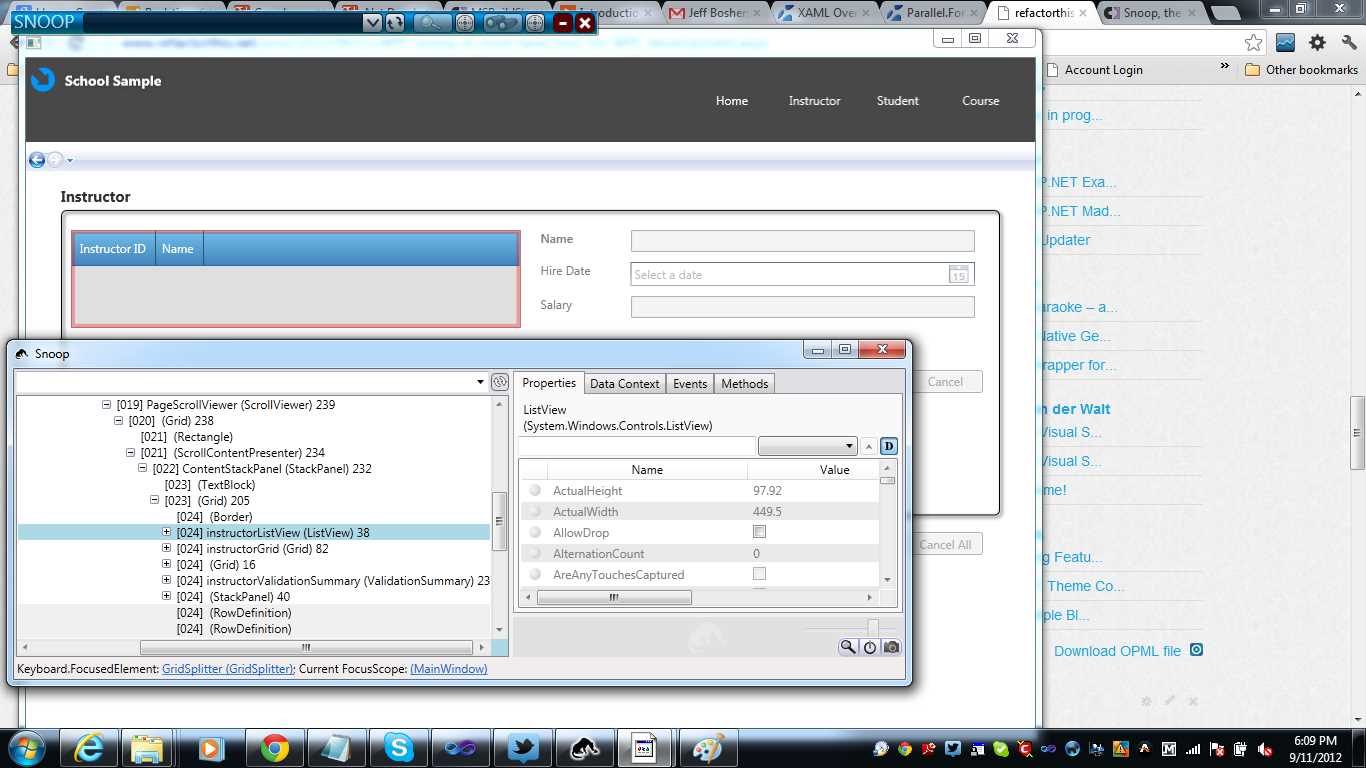
- Snoop
Building modular WPF composite applications using Prism
As your experience with WPF grows, you will begin to look around for MVVM frameworks to facilitate the application of the pattern in the most effective way possible. One of the better-known frameworks used in WPF applications is the Prism framework. The Prism framework is a part of Microsoft's patterns and practices suite of software. It provides classes that allow you to create loosely coupled modules that are dynamically loaded and displayed inside of a main shell. The shell is divided into regions, which you dynamically fill with user control views that are found in your modules. You can read more about Prism here: http://www.microsoft.com/en-us/download/details.aspx?id=28950.
WPF XAML vs. WinRT XAML
With the release of Windows 8 and WinRT, developers now have another technology that uses XAML as the UI markup language. There are key differences between WPF XAML and WinRT XAML. This is because WPF is based on the .NET CLR, and WinRT supports a subset of the .NET Framework and is written in native code. Nevertheless, your WPF skills will come in handy if you decide to develop Windows 8 or WinRT applications. Here is a link to an MSDN article titled “Porting Silverlight or WPF XAML/code to a Windows Store app (Windows)”: http://msdn.microsoft.com/en-us/library/windows/apps/xaml/br229571.aspx.


- 100+ essential WPF UI controls like DataGrid, Charts, and Diagram.
- 10+ built-in themes, plus Theme Studio app for designing custom themes.
- Powerful document processing libraries for Excel, PDF, Word, and PowerPoint file formats.