
WPF Succinctly®

CHAPTER 6
WPF Commands
The ICommand interface: an alternative to event handlers
In the early days of rapid application development, most Windows applications were built on an event-based model. You would create your controls and wire up event handlers in the code-behind to handle the events of your controls. This is still a popular way of handling the logic of Windows user interface controls. However, with the advent of WPF and XAML, the data binding mechanisms have provided alternatives to the old event-driven system. This is especially true when it comes to button clicks. What is this great programming magic that I speak of? It can be summed up by defining the command-driven approach to user interface processing.
Commands and XAML
The button control, as well as other WPF controls, have a property called Command. This property allows a developer to specify an instance of an implementation of the ICommand interface to accomplish a specified task without adding any code to the Window's code behind. The ICommand interface can be found in the System.Windows.Input namespace and it provides a generic implementation of a loosely coupled command. Consider the following code, which demonstrates the typical event-driven implementation of a button click handler:
<Window x:Class="WPFExample.ButtonClick" xmlns="http://schemas.microsoft.com/winfx/2006/xaml/presentation" xmlns:x="http://schemas.microsoft.com/winfx/2006/xaml" Title="ButtonClick" Height="300" Width="300"> <Grid> <Button x:Name="btnFireEvent" Content="Fire event" Width="100" Height="100" Click="btnFireEvent_Click" /> </Grid> </Window> |
using System; using System.Collections.Generic; using System.Linq; using System.Text; using System.Windows; using System.Windows.Controls; using System.Windows.Data; using System.Windows.Documents; using System.Windows.Input; using System.Windows.Media; using System.Windows.Media.Imaging; using System.Windows.Shapes; namespace WPFExample { /// <summary> /// Interaction logic for ButtonClick.xaml. /// </summary> public partial class ButtonClick : Window { public ButtonClick() { InitializeComponent(); } private void btnFireEvent_Click(object sender, RoutedEventArgs e) { MessageBox.Show("Hello Event Handler!"); } } } |
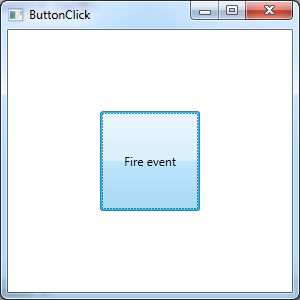
- Event-Driven Button
There should be nothing new in this example. We basically have a XAML window with a button defined. The button's XAML contains a Click attribute that points to an event handler method that can be found in the C# code behind. When the user clicks the button, the method will be called and the message box will appear. The fundamental problem with this implementation is that the XAML is tightly coupled to the code behind due to the event handler declaration. This coupling makes the scenario very tough to unit test. As you can see, this would break many of the benefits that we gain from implementing the MVVM design pattern.
The ICommand interface can help by allowing us to implement a class to act as a generic command. As you've seen in the previous examples, we can easily use WPF data binding to reference the ICommand implementation which would negate the need for the tightly coupled code-behind event handler. The ICommand interface has the following members:
- ICommand Members
Member | Method Description |
|---|---|
CanExecute() | A support method that returns a Boolean indicating whether the command is in an executable state. The WPF data binding mechanism will check the return value of this method and enable or disable the associated control based on the value. |
Execute() | A method that contains the code that should be executed to accomplish the task associated with the command. |
CanExecuteChanged() | An event that is triggered when changes occur that affect whether the command should execute. |
Here is an example. Please note that the example is implemented with the MVVM pattern in mind.
We will start with the same XAML as before with a few changes. First we create a resource that references an instance of our ViewModel. Our ViewModel has one property of ICommand called ButtonClickCommand and a method called ShowMessageBox(string message). We then set the main data context to our ViewModel. This allows us to bind to the ButtonClickCommand property to the Command attribute of the Button element. We also set the CommandParameter attribute to {Binding}, which equals our ViewModel.
You'll notice that the Execute method of the Command class takes a parameter of type object. With the data binding that we've set up below, we've bound the Command to an ICommand property on the ViewModel and we will pass the ViewModel as an object to the Execute method on the ICommand implementation. The following code will illustrate the idea better:
<Window x:Class="WPFExample.ButtonClick" xmlns="http://schemas.microsoft.com/winfx/2006/xaml/presentation" xmlns:x="http://schemas.microsoft.com/winfx/2006/xaml" Title="ButtonClick" Height="300" Width="300" xmlns:viewModel="clr-namespace:WPFCommand"> <Window.Resources> <viewModel:CommandViewModel x:Key="commandViewModel" /> </Window.Resources> <Grid DataContext="{StaticResource ResourceKey=commandViewModel}"> <Button x:Name="btnFireEvent" Content="Fire event" Width="100" Height="100" Command="{Binding Path=ButtonClickCommand}" CommandParameter="{Binding}" /> </Grid> </Window> |
CommandViewModel.cs
using System; using System.Collections.Generic; using System.Linq; using System.Text; using System.Windows.Input; using System.Windows; namespace WPFCommand { public class CommandViewModel { public ICommand ButtonClickCommand { get { return new ButtonClickCommand(); } } public void ShowMessagebox(string message) { MessageBox.Show(message); } } } |
ButtonClickCommand.cs
using System; using System.Collections.Generic; using System.Linq; using System.Text; using System.Windows.Input; namespace WPFCommand { public class ButtonClickCommand : ICommand { public bool CanExecute(object parameter) { return true; } public event EventHandler CanExecuteChanged; public void Execute(object parameter) { var viewModel = (CommandViewModel)parameter; viewModel.ShowMessagebox("Hello decoupled command!"); } } } |
As you can see, by using the command binding behavior in XAML, we are able to execute a method on our ViewModel by way of a generic command class and all without a single line of code behind. The result is a fully testable solution that plays great with MVVM!
Existing commands
Some of the content in this section is reproduced from the Commands in WPF page on ASP Free, available at www.aspfree.com/c/a/braindump/commands-in-wpf/.
There are five different classes that provide static properties that represent WPF's built-in commands.
The ApplicationCommands class contains properties for the following commands right out of the box: Close, Copy, Cut, Delete, Find, Help, New, Open, Paste, Print, PrintPreview, Properties, Redo, Replace, Save, SaveAs, SelectAll, Stop, Undo, and more.
The ComponentCommands class contains properties for MoveDown, MoveLeft, MoveRight, MoveUp, ScrollByLine, ScrollPageDown, ScrollPageLeft, ScrollPageRight, ScrollPageUp, SelectToEnd, SelectToHome, SelectToPageDown, SelectToPageUp, and more.
The MediaCommands class contains properties for the following command properties: ChannelDown, ChannelUp, DecreaseVolume, FastForward, IncreaseVolume, MuteVolume, NextTrack, Pause, Play, PreviousTrack, Record, Rewind, Select, Stop, and more.
The NavigationCommands class contains the following command properties: BrowseBack, BrowseForward, BrowseHome, BrowseStop, Favorites, FirstPage, GoToPage, LastPage, NextPage, PreviousPage, Refresh, Search, Zoom, and more.
The EditingCommands class contains the following command properties: AlignCenter, AlignJustify, AlignLeft, AlignRight, CorrectSpellingError, DecreaseFontSize, DecreaseIndentation, EnterLineBreak, EnterParagraphBreak, IgnoreSpellingError, IncreaseFontSize, IncreaseIndentation, MoveDownByLine, MoveDownByPage, MoveDownByParagraph, MoveLeftByCharacter, MoveLeftByWord, MoveRightByCharacter, MoveRightByWord and more.
MVVM base class implementations
I find that it's helpful to create some base classes and interfaces to make working with the MVVM design pattern easier while improving your overall application's design. I will provide a sample base class that I use for my ViewModels and Commands in the following section.
Base ViewModel class example
It's a very common practice for your ViewModel to implement the INotifyPropertyChanged interface. This will facilitate the change notification associated with WPF data binding.
The typical implementation involves calling a method from each property setter that passes the property name by string to another method that raises the PropertyChanged event. This can be messy because it's never a good idea to rely on magic strings. To solve this problem, I've implemented a routine that takes a lambda expression instead of the property name string value. This allows strongly typed property names to be passed instead of magic strings.
Finally, there is the IDataErrorInfo interface, which will validate your properties that are marked with validation attributes. If the property value does not match the validation attribute, your view will be notified via change notification so the view can be updated to show the error.
ViewModelBase.cs
using System; using System.Collections.Generic; using System.Linq; using System.Text; using System.Linq.Expressions; using System.ComponentModel; namespace Mvvm.Infrastructure { public abstract class ViewModelBase : INotifyPropertyChanged, IDataErrorInfo { #region Fields /// <summary> /// A dictionary of property names, property values. The property name is the /// key to find the property value. /// </summary> private readonly Dictionary<string, object> _values = new Dictionary<string, object>(); #endregion #region Protected /// <summary> /// Sets the value of a property. /// </summary> /// <typeparam name="T">The type of the property value.</typeparam> /// <param name="propertySelector">Expression tree contains the property definition.</param> /// <param name="value">The property value.</param> protected void SetValue<T>(Expression<Func<T>> propertySelector, T value) { string propertyName = GetPropertyName(propertySelector); SetValue<T>(propertyName, value); } /// <summary> /// Sets the value of a property. /// </summary> /// <typeparam name="T">The type of the property value.</typeparam> /// <param name="propertyName">The name of the property.</param> /// <param name="value">The property value.</param> protected void SetValue<T>(string propertyName, T value) { if (string.IsNullOrEmpty(propertyName)) { throw new ArgumentException("Invalid property name", propertyName); } _values[propertyName] = value; NotifyPropertyChanged(propertyName); } /// <summary> /// Gets the value of a property. /// </summary> /// <typeparam name="T">The type of the property value.</typeparam> /// <param name="propertySelector">Expression tree contains the property ///definition.</param> /// <returns>The value of the property or default value if one doesn't ///exist.</returns> protected T GetValue<T>(Expression<Func<T>> propertySelector) { string propertyName = GetPropertyName(propertySelector); return GetValue<T>(propertyName); } /// <summary> /// Gets the value of a property. /// </summary> /// <typeparam name="T">The type of the property value.</typeparam> /// <param name="propertyName">The name of the property.</param> /// <returns>The value of the property or default value.</returns> protected T GetValue<T>(string propertyName) { if (string.IsNullOrEmpty(propertyName)) { throw new ArgumentException("Invalid property name", propertyName); } object value; if (!_values.TryGetValue(propertyName, out value)) { value = default(T); _values.Add(propertyName, value); } return (T)value; } /// <summary> /// Validates current instance properties using data annotations. /// </summary> /// <param name="propertyName">This instance property to validate.</param> /// <returns>Relevant error string on validation failure or <see cref="System.String.Empty"/> on validation success.</returns> protected virtual string OnValidate(string propertyName) { if (string.IsNullOrEmpty(propertyName)) { throw new ArgumentException("Invalid property name", propertyName); } string error = string.Empty; var value = GetValue(propertyName); var results = new List<ValidationResult>(1); var result = Validator.TryValidateProperty( value, new ValidationContext(this, null, null) { MemberName = propertyName }, results); if (!result) { var validationResult = results.First(); error = validationResult.ErrorMessage; } return error; } #endregion #region Change Notification /// <summary> /// Raised when a property on this object has a new value. /// </summary> public event PropertyChangedEventHandler PropertyChanged; /// <summary> /// Raises this object's PropertyChanged event. /// </summary> /// <param name="propertyName">The property that has a new value.</param> protected void NotifyPropertyChanged(string propertyName) { this.VerifyPropertyName(propertyName); PropertyChangedEventHandler handler = this.PropertyChanged; if (handler != null) { var e = new PropertyChangedEventArgs(propertyName); handler(this, e); } } /// <summary> /// Raises the object's PropertyChanged event. /// </summary> /// <typeparam name="T">The type of property that has changed.</typeparam> /// <param name="propertySelector">Expression tree contains the property ///definition.</param> protected void NotifyPropertyChanged<T>(Expression<Func<T>> propertySelector) { var propertyChanged = PropertyChanged; if (propertyChanged != null) { string propertyName = GetPropertyName(propertySelector); propertyChanged(this, new PropertyChangedEventArgs(propertyName)); } } #endregion // INotifyPropertyChanged Members. #region Data Validation string IDataErrorInfo.Error { get { throw new NotSupportedException("IDataErrorInfo.Error is not supported, use IDataErrorInfo.this[propertyName] instead."); } } string IDataErrorInfo.this[string propertyName] { get { return OnValidate(propertyName); } } #endregion #region "Private members" private string GetPropertyName(LambdaExpression expression) { var memberExpression = expression.Body as MemberExpression; if (memberExpression == null) { throw new InvalidOperationException(); } return memberExpression.Member.Name; } private object GetValue(string propertyName) { object value; if (!_values.TryGetValue(propertyName, out value)) { var propertyDescriptor = TypeDescriptor.GetProperties(GetType()).Find(propertyName, false); if (propertyDescriptor == null) { throw new ArgumentException("Invalid property name", propertyName); } value = propertyDescriptor.GetValue(this); _values.Add(propertyName, value); } return value; } #endregion } } |
The following is an example of a ViewModel that implements this base class.
PersonViewModel.cs
using System; using System.Collections.Generic; using System.Linq; using System.Text; using System.ComponentModel.DataAnnotations; namespace Mvvm.Infrastructure { /// <summary> /// Represents person data. /// </summary> public class PersonViewModel : ViewModelBase { /// <summary> /// Gets or sets the person's first name. /// </summary> /// <remarks> /// Empty string and null are not allowed. /// Allow minimum of 2 and up to 40 uppercase and lowercase. /// </remarks> [Required] [RegularExpression(@"^[a-zA-Z''-'\s]{2,40}$")] public string FirstName { get { return GetValue(() => FirstName); } set { SetValue(() => FirstName, value); } } /// <summary> /// Gets or sets the person's last name. /// </summary> /// <remarks> /// Empty string and null are not allowed. /// </remarks> [Required] public string LastName { get { return GetValue(() => LastName); } set { SetValue(() => LastName, value); } } /// <summary> /// Gets or sets the person's age. /// </summary> /// <remarks> /// Only values between 1 and 120 are allowed. /// </remarks> [Range(1, 120)] public int Age { get { return GetValue(() => Age); } set { SetValue(() => Age, value); } } } } |
Please note that you will need to add a reference to the System.ComponentModel.DataAnnotation assembly in order to support the validation attributes.


- 100+ essential WPF UI controls like DataGrid, Charts, and Diagram.
- 10+ built-in themes, plus Theme Studio app for designing custom themes.
- Powerful document processing libraries for Excel, PDF, Word, and PowerPoint file formats.