
Web Servers Succinctly®

CHAPTER 8
Error Handling and Redirecting
The source code presented in this section is in the folder Examples\Chapter 8 in the Bitbucket repository. The Visual Studio solution file is in the Chapter 8\Clifton.WebServer folder.
Throwing an exception is costly, and displaying the exception message isn’t the most user friendly-thing to do—and can potentially reveal the inner details of your server, making it more vulnerable to attack. Instead of throwing exceptions, we should redirect the user to an error page. Because redirecting is a common action by a route handler, we’ll implement this in a general-purpose way—and discover something interesting in the process.
Typical error pages include:
- Session Expired
- Page Not Found
- File Not Found
- Not Authorized
- Server Error
“Server Error” is the catch-all for actual exceptions thrown by the server code.
You can put these pages wherever you like for your website—I tend to put them in a Website\ErrorPages folder.
We’ll refactor the restricted and testsession routes that we created earlier to do a page redirect instead:
// Test session expired and authorization flags. routeTable.AddRoute("get", "testsession", new RouteEntry() { SessionExpirationHandler = (continuation, context, session, parms) => { if (session.Expired) { // Redirect instead of throwing an exception. context.Redirect(@"ErrorPages\expiredSession"); return WorkflowState.Abort; } else { return WorkflowState.Continue; } }, AuthorizationHandler = (continuation, context, session, parms) => { if (!session.Authorized) { // Redirect instead of throwing an exception. context.Redirect(@"ErrorPages\notAuthorized"); return WorkflowState.Abort; } else { return WorkflowState.Continue; } }, RouteHandler = (continuation, context, session, parms) => { context.RespondWith("<p>Looking good!</p>"); return WorkflowState.Done; } }); |
Code Listing 61
You’ll note in the previous code listing that I’m using the Windows path separator \. We have to fix that in the Redirect extension method:
/// <summary> /// Redirect to the designated page. /// </summary> public static void Redirect(this HttpListenerContext context, string url) { url = url.Replace('\\', '/'); HttpListenerRequest request = context.Request; HttpListenerResponse response = context.Response; response.StatusCode = (int)HttpStatusCode.Redirect; string redirectUrl = request.Url.Scheme + "://" + request.Url.Host + "/" + url; response.Redirect(redirectUrl); } |
Code Listing 62
Notice in the previous code listing how the response StatusCode must be set to Redirect. In my testing on different browsers, if we don’t do this, some browsers will not update the URL on the address bar.
Now let’s test it out. We’ll set the session state to expired with our test URL:
http://localhost/setstate?expired=true&authorized=true |
Code Listing 63
When we navigate to localhost/testsession, we see this:
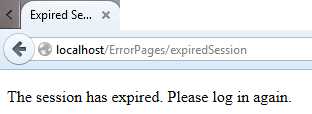
Figure 27: Redirecting
Similarly, we’ll set the session state to unauthorized:
http://localhost/setstate?expired=false&authorized=false |
Code Listing 64
And we see:
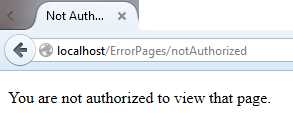
Figure 28: Redirect
We now have a way of handling errors gracefully. We can also replace the “something really bad happened” exception handler with:
static void OnException(HttpListenerContext context, Exception ex) { if (ex is FileNotFoundException) { // Redirect to page not found context.Redirect(@"ErrorPages\pageNotFound"); } else { // Redirect to server error context.Redirect(@"ErrorPages\serverError"); } } |
Code Listing 65
Note here how we’re redirecting to two different pages, depending on the exception.
Logging Services
You may want to consider a logging service such as PaperTrail, which I’ve written about on Code Project. Sending a UDP message to PaperTrail is fast and easy:
private static void SendUdpMessage( { Socket socket = new Socket( IPEndPoint endPoint = new IPEndPoint(address, port); byte[] buffer = Encoding.ASCII.GetBytes(message); socket.SendTo(buffer, endPoint); socket.Close(); } |
Code Listing 66
The log can be viewed in your browser, appearing similar to this:

Figure 29: Example Paper Trail Log Message
PaperTrail complies with the Syslog Protocol described in RFC-5424, so you can format your message using this protocol. For example:
logger.Log("<22>" + |
Code Listing 67
This results in the following log entry (note the highlighting that PaperTrail does):

Figure 30: Syslog Protocol


- 1800+ high-performance UI components.
- Includes popular controls such as Grid, Chart, Scheduler, and more.
- 24x5 unlimited support by developers.